데이터 로깅
목차
When Problems Happen Without a Trace
A system hangs, a backup fails halfway, or a file transfer corrupts a critical archive.
If you have no logs, you only see the final symptom and guess what went wrong.
Data logging solves that gap.
By recording key events and transfer operations, you create a timeline that explains failures and supports safe recovery instead of trial and error.
What Data Logging Covers in Practice
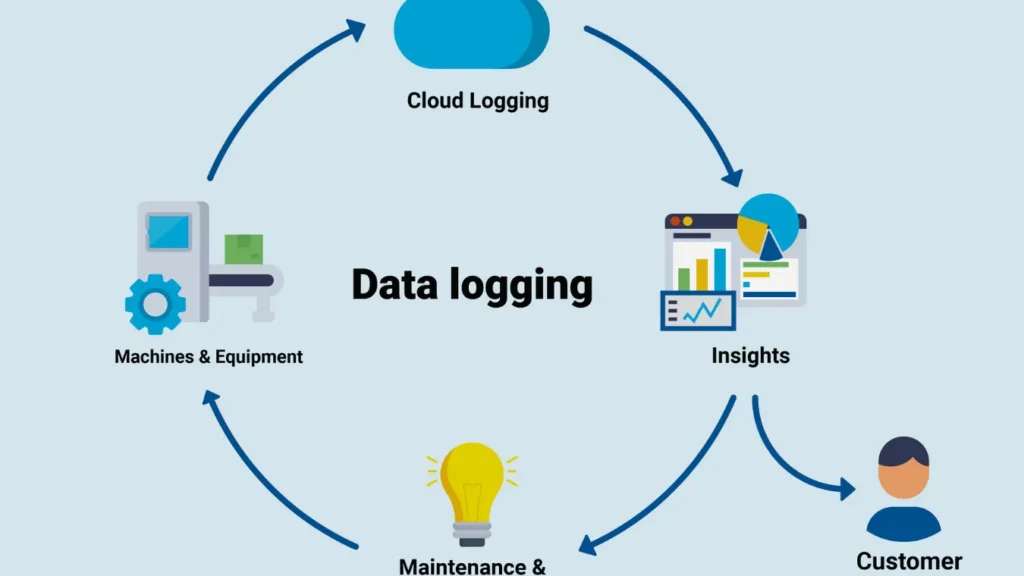
Data logging means that software records structured information about what it did and what happened around it.
Each record carries details such as time, component, action, and result.
Common log sources include:
Operating system events and driver messages
Application logs for backup, databases, and services
File transfer logs (FTP, SFTP, HTTP, SMB)
Security and audit logs for access and configuration changes
Together, they show how data moves, when operations succeed, and where errors start.
Event details that matter most
Effective logs focus on data you can act on:
Exact timestamps with time zone or UTC
IDs for jobs, sessions, and connections
File names, paths, sizes, and checksums when relevant
Error codes and plain-language summaries
With that detail, you can link a log entry directly to a file, disk, or backup set during investigation.
Logging Around Backup, Restore, and File Recovery
Backup and recovery workflows depend heavily on accurate logs.
Without them, you cannot prove that a job ran or explain why it produced partial results.
Important points in the chain:
Start and end times for each backup job
Source and destination paths, including network locations
Amount of data processed, skipped, and verified
Checksums or signatures for key files and images
사용 시 Amagicsoft 데이터 복구 after a failure, logs help you answer two questions quickly: which volume or folder to scan and which time window matters.
How Data Logging Happens Behind the Scenes
Software components usually log through a common framework rather than writing files in an ad hoc way.
That framework standardizes format, rotation, and retention.
Typical mechanisms:
Text log files with structured lines or JSON entries
Windows Event Log channels for system and application events
Database-backed logging for high-volume services
Remote log collectors that receive messages over the network
You can also route important logs into SIEM or monitoring tools to detect problems while they still develop, not only after users complain.
Building a Logging Plan for Windows-Based Systems
Instead of enabling every possible log, you pick signals that matter to your environment.
A short planning exercise pays off over time.
A practical sequence:
List critical systems: backup servers, file servers, application servers, and endpoints.
For each system, identify the events that affect data safety and integrity.
Configure logging levels so routine operations stay visible without producing noise.
Centralize key logs or copies on a secure server for long-term retention.
Document where each class of log lives and who can read it during an incident.
This structure keeps logs usable and prevents disks from filling with low-value messages.
Using Logs During Incident Response and Recovery
When something breaks, you do not start with deep disk scans.
You start with logs to narrow the search.
Typical approach:
Align user reports with log timestamps to find the first failure.
Check backup and transfer logs around that time for warnings and errors.
Identify which disk, share, or file set suffered interruption.
Decide whether a restore from backup or targeted recovery from disk works best.
At that point, Amagicsoft 데이터 복구 can focus on the right volume and directories, guided by information the logs already revealed.
Windows 7/8/10/11 및 Windows Server를 지원합니다.
결론
Data logging turns invisible system behavior into a readable history.
It helps you understand why transfers fail, when backups miss files, and how system changes affect stored data.
With clear, well-structured logs feeding into your backup and recovery processes, you spend less time guessing and more time fixing issues.
다음과 같은 도구와 결합 Amagicsoft 데이터 복구, good logging practices give you both an explanation of what happened and a reliable path back to healthy data.
Windows 7/8/10/11 및 Windows Server 지원
자주 묻는 질문
How is data logging done?
What is the main purpose of logging?
Why would you use a data logger?
What are the two main types of logging?
What is meant by data logging?
What is an example of data logging?
What is the purpose of logging data?
What is data logging in ICT?

Eddie는 컴퓨터 업계의 여러 유명 회사에서 10년 이상 근무한 경력을 가진 IT 전문가입니다. 그는 모든 프로젝트에 심도 있는 기술 지식과 실용적인 문제 해결 기술을 제공합니다.