Skip to content
amagicsoft logo icon
  • Home
  • Products
    • Magic Data Recovery
    • Magic Recovery Key
  • Store
  • Blog
  • More
    • About Amagicsoft
    • Contact US
    • Privacy Policy
    • Terms
    • License Agreement
    • Refund Policy
  • English
    • 日本語
    • 한국어
    • Deutsch
    • Français
    • 繁體中文
Wiki

Data Mapping

01.12.2025 Eddie Comments Off on Data Mapping
Data Mapping

Table of Contents

Data Mapping as the Blueprint for Data Movement

When teams move data between systems, the failure usually does not start with the copy itself.
It starts when no one can clearly explain how each source field should land in the target model.

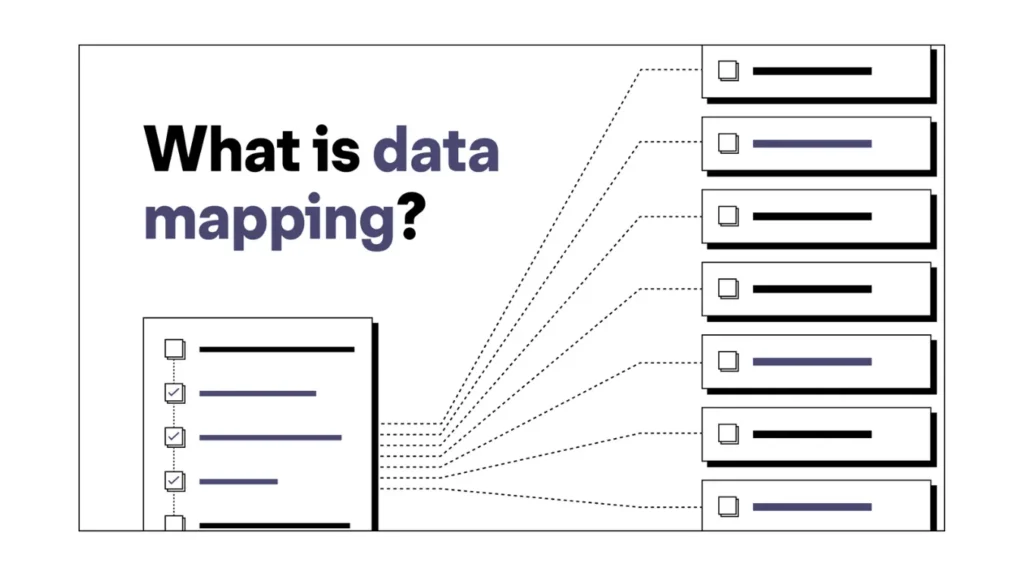
Data mapping solves that problem.
It defines, in detail, how values move from one storage system or format to another so ETL jobs and migration tools behave predictably.
Core Concepts Behind Data Mapping

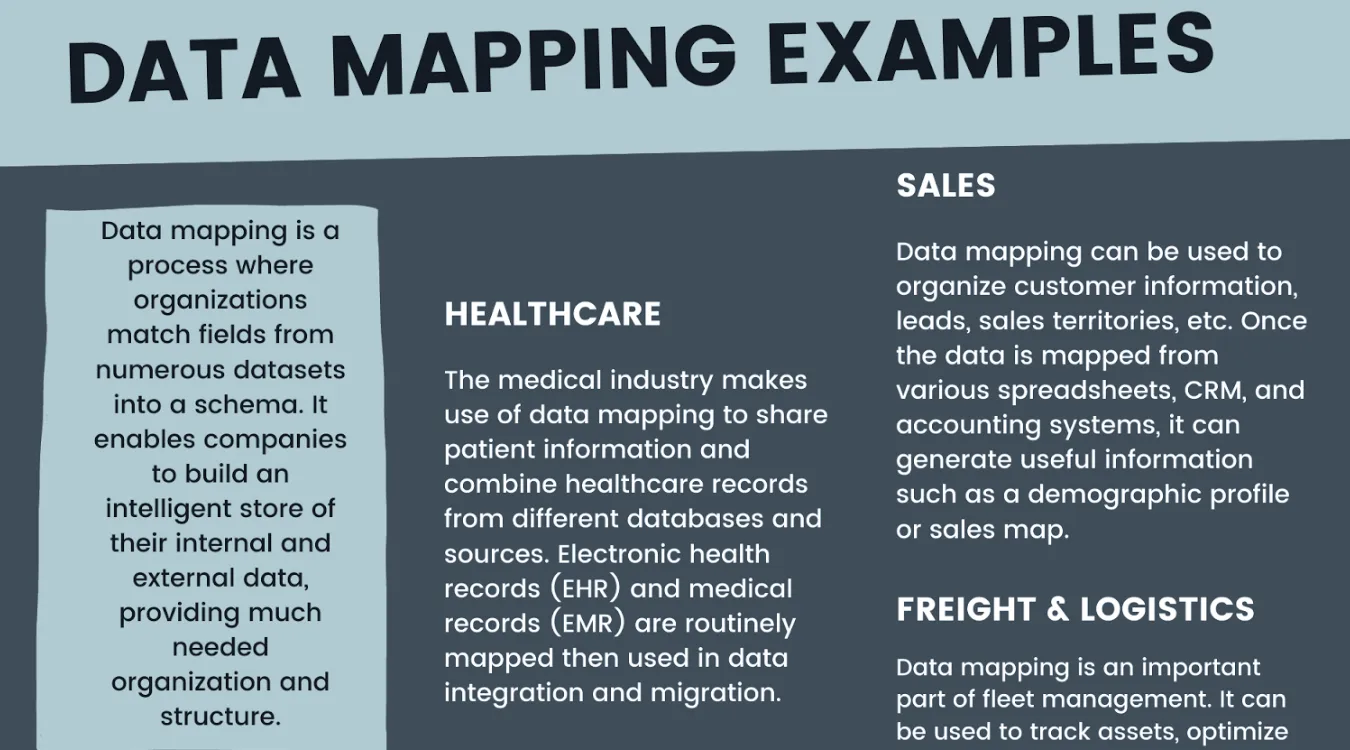
At its core, data mapping links a source structure to a target structure.
Instead of thinking only about tables or files, you work at the level of columns, fields, relationships, and rules.

A complete map typically specifies:

  • Source objects (tables, views, files, APIs)

  • Target objects (warehouse tables, application entities, reports)

  • Field-level rules: direct copies, transformations, and lookups

  • Constraints such as uniqueness, required fields, and valid ranges

Consequently, the map becomes a contract that ETL, integration, and migration processes must follow.

Role of Data Mapping in ETL and Migration

During ETL, jobs extract records, apply transformations, and load results.
However, those transformations should not live only in code.
They should follow a documented map that business users and engineers can review together.

In migration projects, data mapping guides every decision:

  • Which legacy fields still matter

  • How to merge multiple sources into a single target model

  • Where to place values that did not exist in the old system

Therefore, accurate mapping reduces surprises during cutover and makes validation far easier.

Types of Mapping Rules and Data Types

Different scenarios require different mapping styles.
You rarely use only one.

Common Mapping Styles

  • Direct mapping: copy values from source to target with compatible types.

  • Transformation mapping: apply formulas, parsing, or unit conversions.

  • Lookup or reference mapping: replace codes with standardized values.

  • Conditional mapping: route records differently based on flags or ranges.

Together, these patterns cover most integration and migration needs.

Typical Data Type Families

Although platforms expose many data types, four families appear most often:

  • Textual data (strings and characters)

  • Numeric data (integers and decimals)

  • Date and time data (timestamps and intervals)

  • Binary or Boolean data (true/false flags and raw bytes)

Because type mismatches create subtle bugs, the mapping should state type expectations explicitly.

Practical Steps to Build a Data Mapping

Effective data mapping follows a repeatable method rather than a one-time brainstorming session.

Preparation and Source Discovery

First, you profile the source:

  • Identify authoritative systems and tables.

  • Examine actual values, not just documentation.

  • Note ranges, formats, and null patterns.

Additionally, you clarify business meaning with domain experts so column names do not mislead you.

Designing Source-to-Target Rules

Next, you design the mapping:

  • Align each target field with one or more source fields.

  • Decide which transformations or lookups you need.

  • Define default values for missing or optional fields.

  • Document assumptions and edge cases in plain language.

As you iterate, you keep both the technical and business view aligned.

Validating and Maintaining the Map

Finally, you test the map:

  • Run sample ETL jobs using real data.

  • Compare counts, sums, and key relationships.

  • Adjust rules when validation reveals hidden issues.

Because systems evolve, you treat the mapping as a living artifact, not a static spreadsheet.

Data Mapping for Governance and GDPR

Regulations such as GDPR require organizations to know where personal data lives and how systems use it.
Consequently, simple storage diagrams are not enough.

Data mapping helps by:

  • Listing which fields contain personal or sensitive data

  • Showing where those fields travel across applications and reports

  • Supporting data subject access requests and deletion workflows

When you can point from a person’s identifier to every mapped field and target, you handle regulatory tasks with confidence.

Using SQL, Excel, and Dedicated Tools

You do not need a complex platform to start data mapping, although larger teams often adopt specialized tools later.

SQL and Mapping

SQL helps you explore and verify mappings:

  • Profiling queries reveal actual distributions and anomalies.

  • JOINs simulate future integrations.

  • Views can implement mapped structures before permanent loads.

Therefore, SQL often acts as both microscope and test bench for mapping decisions.

Excel and Lightweight Mapping Grids

Excel still works well as a mapping canvas:

  • One column for source table, one for source field

  • One column for target table, one for target field

  • Additional columns for transformation notes and data types

Later, ETL developers translate this grid into jobs and scripts.
In smaller teams, this sheet often becomes the first central map that everyone can read.

Microsoft Ecosystem Options

Microsoft also offers tools that support mapping tasks.
For instance, Power Query lets users define column-level transformations visually, and Azure Data Factory or Synapse pipelines implement mapped flows at scale.

Even when you use these tools, a clear mapping document keeps logic transparent for audits and troubleshooting.

Data Mapping Around Backup and Recovery

Backup, archive, and recovery workflows also depend on mapping.
You need to know not only where data sits, but how backup catalogs relate to actual storage locations and business entities.

For example, logs exported from Amagicsoft Data Recovery can map:

  • Recovery jobs to specific devices and volumes

  • Folders to business owners or systems

  • File types to policies for retention or extra verification

As a result, incident responders can jump from a business question (“Which project files did we recover?”) to precise technical details.

Supports Windows 7/8/10/11 and Windows Server.

Download Magic Data Recovery

Supports Windows 7/8/10/11 and Windows Server

 FAQ


What is data mapping in ETL?

In ETL, data mapping defines how each source field flows into a target field during extract, transform, and load steps. It documents joins, conversions, lookups, and default values. Because developers and business users share this blueprint, they can align expectations and validate that ETL jobs produce consistent, trusted datasets.

What tool is used for data mapping?

Teams use several tools for mapping rather than one universal product. Many start with Excel or similar grids, then move to ETL suites, data integration platforms, or catalog tools that store mapping metadata. In larger environments, dedicated data modeling and governance tools keep mappings versioned, searchable, and linked to technical lineage.

What is data mapping in GDPR?

Under GDPR, data mapping helps describe how personal data flows across systems. It identifies which fields contain personal information, where those fields move, and which processes access them. With a clear map, organizations respond faster to access, correction, or deletion requests and prove that they understand and control personal data paths.

What are the different types of data mapping?

Several mapping types appear in practice. Direct mappings copy values when schemas align, transformation mappings adjust formats or units, and lookup mappings translate codes into standardized values. Additionally, conditional mappings route records differently based on business rules, while hierarchical mappings align nested or multi-level structures between systems.

What does data mapping mean?

Data mapping describes the structured relationship between one data model and another. It answers which source fields feed each target field and which transformations occur along the way. This mapping guides ETL, migration, and integration work so engineers move data consistently, and stakeholders can trace how information changes across systems.

What are the 4 types of data types?

Most platforms group data types into four broad families. Text types store strings and characters, numeric types store integers and decimals, date and time types handle temporal values, and binary or Boolean types cover raw bytes and true-or-false flags. Because mappings cross systems, explicit type choices reduce conversion errors.

What are the three types of mapping?

In many projects, you see three broad mapping styles. Structural mapping aligns tables, fields, and hierarchies between schemas. Transformation mapping defines how values change through formulas or parsing. Semantic mapping links business meaning, such as equating “customer_id” in one system with “client_key” in another, even when names differ.

How to do a data mapping?

You start by profiling the source, understanding tables, fields, and actual values. Next, you design source-to-target rules in a mapping document, including transformations and defaults. After that, you implement those rules in ETL or integration jobs and run validation queries. Finally, you refine the map as systems and requirements change.

What are the first four steps of data mapping?

A practical four-step sequence begins with discovery of source systems and data models. Then you clarify business meaning for key fields. Next, you draft initial source-to-target mappings, including type and transformation notes. Finally, you test those mappings on sample data, compare results with expectations, and revise before full-scale implementation.

What is SQL mapping?

SQL mapping refers to the use of SQL structures to implement or test mappings. Views, SELECT statements, and joins can express how source tables feed target schemas. Additionally, many ORM or integration frameworks define mappings in configuration and generate SQL behind the scenes, while architects still think in terms of source-to-target relationships.

How do I map data in Excel?

You can build a simple mapping table in Excel. Create columns for source system, source table, source field, target table, target field, data type, and transformation rules. Then fill rows for each field pair. Later, ETL developers take this sheet as a specification and implement the logic in scripts or integration tools.

What is digital forensics in simple terms?

Digital forensics means collecting and analyzing data from computers, phones, and other devices to understand what happened. Investigators recover files, study logs, and build timelines. They follow strict procedures so their findings are reliable and can support internal decisions, legal cases, or compliance investigations when needed.

Is digital forensics the same as cyber security?

No. Cybersecurity focuses on preventing attacks and protecting systems in real time. Digital forensics investigates after or during an incident to figure out how it happened, what was affected, and who was involved. Both areas work together, but forensics concentrates on evidence and reconstruction rather than day-to-day defense.

Why do we need digital forensics?

Organizations use digital forensics to answer critical questions after incidents: which data was accessed, how an attacker got in, and whether insider misuse occurred. Clear evidence guides legal action, incident response, and policy changes. Without structured forensics, decisions rely on guesswork and important traces may disappear quickly.

Is digital forensic a good career?

Digital forensics offers meaningful work, steady demand, and clear specialization. Professionals help organizations handle incidents, fraud, and legal disputes involving technology. The field suits people who enjoy investigation, detail, and structured methods. It requires ongoing learning but can provide strong job satisfaction and progression into senior or consulting roles.

Is digital forensics well paid?

Compensation depends on region, industry, and experience, but digital forensics roles generally pay competitively within the broader cybersecurity and IT space. Specialized skills, certifications, and court-experienced expert testimony can raise earning potential. Senior investigators, managers, and consultants often see higher salaries than entry-level forensic technicians.

Is digital forensics difficult?

The field demands careful thinking, patience, and a willingness to learn complex tools and systems. You work with varied platforms, file systems, and applications while keeping evidence rules in mind. It feels challenging at first, but structured training, practice in labs, and strong documentation habits make the work manageable and rewarding.

Can you make $500,000 a year in cyber security?

Such income levels exist only in rare cases, usually for senior leaders, specialized consultants, or executives in large markets with bonuses and equity. Most cybersecurity and digital forensics professionals earn solid but more typical salaries. Focusing on skills, experience, and reputation provides a more realistic and sustainable growth path.

Is digital forensics a stressful job?

It can feel intense during major incidents or legal deadlines because evidence must be handled correctly and on time. However, strong processes, clear communication, and realistic workloads reduce stress. Many professionals find the investigative aspect engaging, which helps balance pressure, especially in teams that support each other well.

Why do we need data backup?

Data backup protects against accidental deletion, hardware failures, malware, and natural disasters. Primary storage never offers absolute safety, especially on single disks or laptops. Regular backups create independent copies that you can restore quickly, so incidents become interruptions instead of permanent losses that stop work or damage a business.

What happens if I don't backup my data?

Without backups, every serious failure becomes a high-risk event. A dead drive, stolen device, or ransomware attack can remove years of documents, photos, and business records in minutes. You might still attempt last-chance recovery, but success rates drop and costs rise when no clean copies exist.

What is backing up and why is it so important?

Backing up means you copy data to separate, protected storage on a regular schedule. These copies guard against mistakes, corruption, and hardware problems that affect originals. The process matters because you cannot reliably recreate many files from memory, and some incidents destroy devices before you notice any warning signs.

Is backup really necessary?

Backup remains essential even when storage feels reliable. Hard drives age, SSDs fail suddenly, and users delete the wrong folders. Cloud accounts also suffer from accidental deletions or compromised credentials. A consistent backup routine gives you a controlled recovery path instead of leaving you dependent on luck or expensive emergency services.

What are the 5 importance of data?

Data supports decision-making, legal compliance, financial reporting, customer relationships, and long-term knowledge retention. You use it to track performance, prove transactions, serve clients, and learn from past work. Because these functions depend on accurate records, protecting and backing up data becomes a core part of responsible operations.

What are the benefits of a full backup?

A full backup captures everything you select at one point in time. Restores run straightforwardly because you only need that single backup set, not a long chain. Full backups also simplify audits and migrations. The trade-off involves more storage use and longer backup windows, so many plans combine full and incremental runs.

What are the pros and cons of data backup?

Backup provides safety, faster recovery, and compliance support but introduces overhead. You spend time and storage to copy data, monitor jobs, and test restores. Some methods require extra hardware and network bandwidth. Despite these costs, most organizations view backup as essential insurance that prevents far more expensive data loss events.

What is the main purpose of database backups?

Database backups preserve consistent, restorable states of structured data. They capture tables, indexes, and often transaction logs so you can roll forward or backward in time. This capability lets you recover from hardware failures, user errors, and logic bugs without rebuilding records manually or losing entire days of transactions.

Why do I need backup?

You need backup because no single storage device or service can guarantee perfection. By keeping independent copies on different media and locations, you shield yourself from failures you cannot predict or prevent. When something goes wrong, you restore from backups and continue working with minimal disruption instead of starting from zero.
  • WiKi
Eddie

Eddie is an IT specialist with over 10 years of experience working at several well-known companies in the computer industry. He brings deep technical knowledge and practical problem-solving skills to every project.

文章导航

Previous
Next

Search

Categories

  • Bitlocker Recovery
  • Deleted File Recovery
  • Format File Recovery
  • Hard Drive Recovery
  • License Key Recovery
  • Lost File Recovery
  • Memory Card Recovery
  • News
  • Photo Recovery
  • SSD Recovery
  • Uncategorized
  • USB Drive Recovery
  • User Guide
  • Wiki

Recent posts

  • The Pros and Cons of SSDs as External Hard Drives
    The Pros and Cons of SSDs as External Hard Drives
  • How to Use Target Disk Mode and Share Mode on Mac Computers
    How to Use Target Disk Mode and Share Mode on Mac Computers: A Complete Guide
  • Duplicate File Finder
    Duplicate File Finder

Tags

How to Magic Data Recovery Magic Recovery Key WiKi

Related posts

Duplicate File Finder
Wiki

Duplicate File Finder

02.12.2025 Eddie No comments yet

Table of Contents Duplicate Files Are Not Real Backups Many users keep “extra safety” copies of documents by dragging them into new folders or external drives.Over time, these copies multiply and turn into clutter rather than protection. Duplicate files waste storage, slow backups, and make data recovery more confusing.A Duplicate File Finder helps identify redundant copies so […]

Context Switch
Wiki

Context Switch

02.12.2025 Eddie No comments yet

Table of Contents CPU Time as a Shared Resource Modern operating systems juggle dozens or hundreds of active threads.Only a few CPU cores exist, so most threads wait in queues while a small subset runs. A context switch lets the scheduler pause one running thread and resume another.This rapid switching creates the illusion of parallelism […]

Data Acquisition
Wiki

Data Acquisition

02.12.2025 Eddie No comments yet

Table of Contents  Incident Scene: Data at Risk Before Collection When an incident occurs, the first instinct often involves “looking around” the live system.Unplanned clicks, root logins, or file copies can alter timestamps, logs, and unallocated space before anyone records a clean state. Data acquisition solves this problem.It focuses on collecting data in a controlled […]

amagicsoft logo icon

Our vision is to become a globally renowned software brand and service provider, delivering top-tier products and services to our users.

Products
  • Magic Data Recovery
  • Magic Recovery Key
Policy
  • Terms
  • Privacy Policy
  • Refund Policy
  • License Agreement
Company
  • About Amagicsoft
  • Contact US
  • Store
Follow Us

Copyright © 2025 Amagicsoft. All Rights Reserved.

  • Terms
  • Privacy Policy