Data Validation
Data Quality Problems Start at the Input
Many systems fail long before disks or applications break.
They fail quietly when a form accepts the wrong date, a script writes an invalid ID, or a backup job logs “success” with incomplete values.
Those small errors travel into reports, dashboards, and even recovery workflows.
Data validation stops that drift by checking each value against clear technical rules before it enters your core datasets.
Core Idea Behind Data Validation
Data validation means checking incoming data for accuracy, completeness, and consistency before storage or processing.
You can run these checks at the UI, the API, the ETL pipeline, or directly in the database.
Typical goals:
Reject clearly invalid values
Flag suspicious or incomplete records
Normalize formats into predictable patterns
Protect downstream systems from bad input
Instead of trusting every value, your systems challenge each one, then accept, correct, or reject it in a controlled way.
Types of Validation Rules and Their Role
You rarely rely on a single rule.
Most implementations combine several validation types to cover different risks.
| Validation Type | Focus | Simple Example |
|---|---|---|
| Format / Syntax | Structure of a value | Email must contain “@” and domain |
| Range / Limit | Numeric or date boundaries | Age between 0 and 120 |
| Referential / Lookup | Relationship to other data | Order uses an existing customer ID |
| Business Logic | Domain-specific conditions | End date occurs after start date |
Together, these rules form a safety net around critical fields such as IDs, timestamps, and amounts.
Where Validation Lives: UI, Services, and Storage
Robust systems do not rely on a single validation layer.
They combine checks at multiple points in the flow.
On the User Interface
Forms enforce required fields and formats.
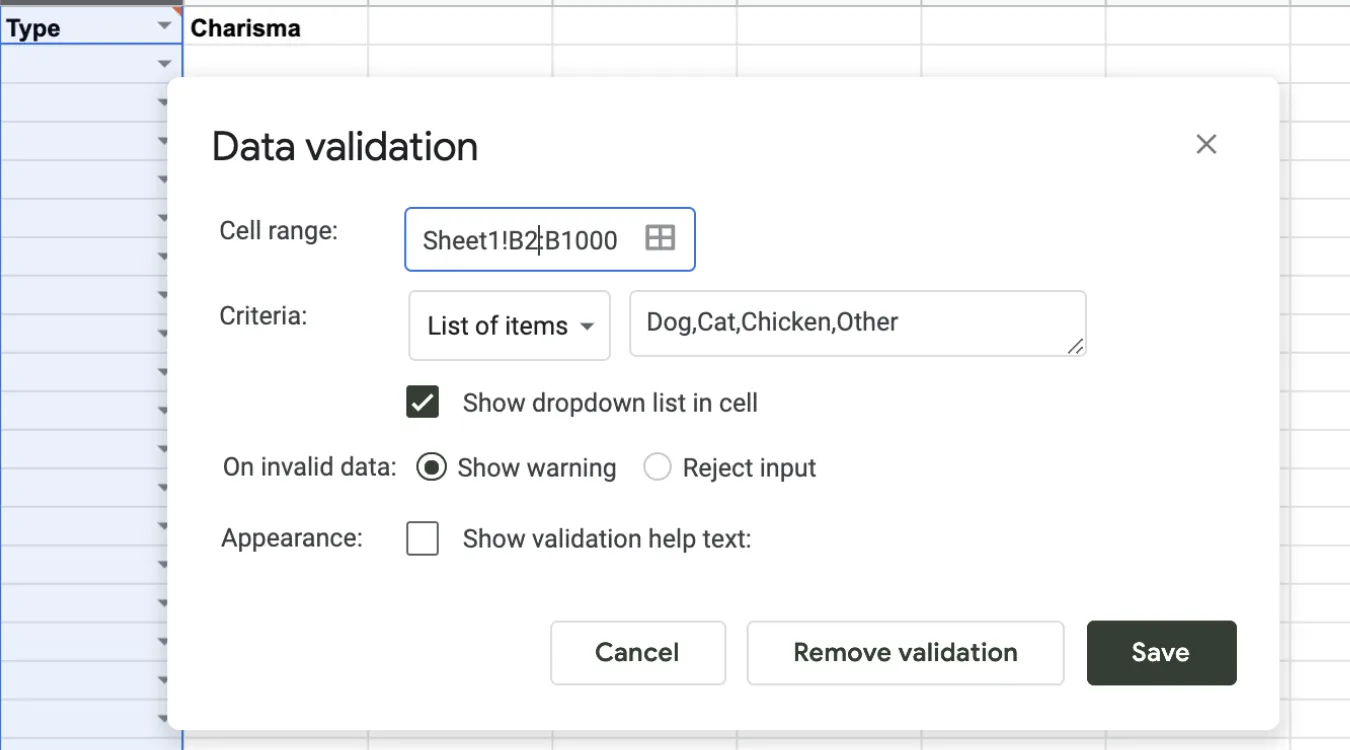
Dropdown lists limit choices to valid items.
Real-time hints steer users toward valid input.
You reduce simple mistakes early, but you still treat the UI as untrusted because automation and scripts can bypass it.
In APIs and Services
REST or RPC endpoints validate payload structure and types.
Services apply business rules and permissions.
Central logic keeps behavior consistent across clients.
This layer protects internal data even when new front ends appear.
Inside Databases and ETL Jobs
Database constraints, triggers, and check clauses enforce strict rules.
ETL processes validate imported files and log rejected rows.
Batch jobs reconcile aggregates to catch missing or duplicated data.
This deeper layer guards long-term storage, where corrupted values matter most.
Implementing Validation in SQL and Storage Systems
Relational databases provide strong tools for validation close to the data.
You can combine them with application-level checks for better coverage.
Common mechanisms:
Data types: use the most specific type (DATE, INT, DECIMAL) instead of generic strings.
CHECK constraints: enforce ranges or patterns on columns.
FOREIGN KEY constraints: guarantee valid relationships between tables.
UNIQUE constraints: prevent duplicate keys or identifiers.
For log and backup catalog tables that support tools such as Amagicsoft Data Recovery, these constraints ensure that job records, paths, and timestamps remain trustworthy during audits or incident analysis.