Fault Tolerance
Fault Tolerance in Real-World IT Environments
A single disk fails in a RAID array, a power glitch resets a storage controller, or a node drops out of a cluster.
If services stop immediately, users lose data and trust.
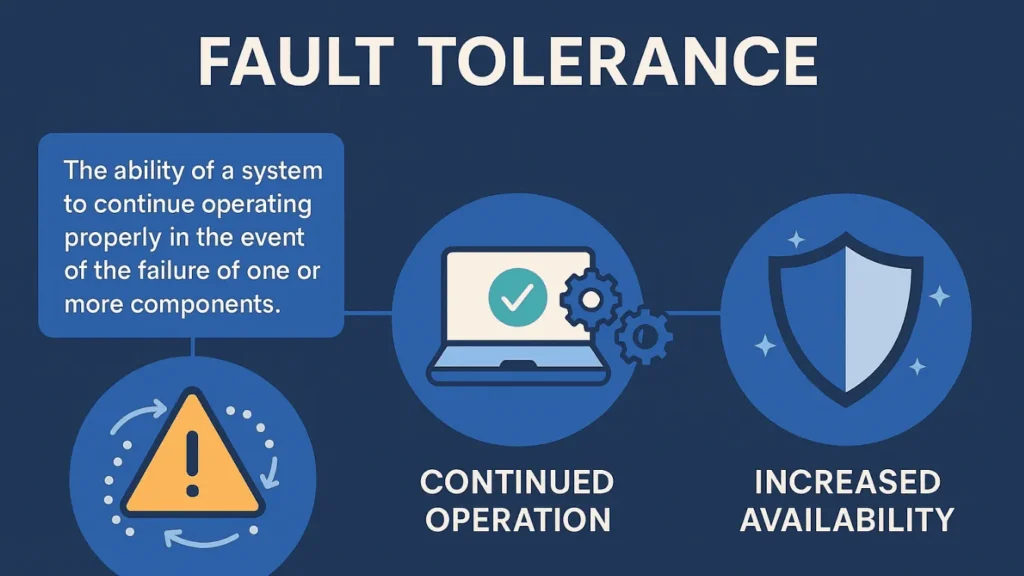
Fault tolerance describes a system’s ability to keep working when parts fail.
Instead of crashing, a fault-tolerant design detects errors, masks them, and continues operation while you repair the underlying problem.
In data protection, fault tolerance works together with backup and recovery tools such as Amagicsoft Data Recovery to keep both uptime and data integrity under control.
Key Principles of Fault Tolerance
Fault tolerance follows a few core principles that apply from single desktops to data centers.
Redundancy
The system duplicates critical components so that one failure does not stop service. Examples include:
Mirrored disks (RAID 1)
Dual power supplies
Multiple network paths
Clustered application nodes
You design redundancy so that no single component becomes a point of failure.
Failure Detection
A fault-tolerant system must notice problems quickly. It uses:
Health checks and heartbeats
SMART monitoring on drives
Timeouts and watchdogs
Application-level sanity checks
Fast detection allows the system to isolate a faulty element before it corrupts more data.
Isolation and Recovery
Once the system detects a fault, it:
Isolates the failing component
Switches to a redundant element
Logs the event for later diagnostics
You then replace the failed drive, power supply, or node without a full outage.
Fault Tolerance vs. Backup and Data Recovery
Many people confuse fault tolerance with backup. They solve related but different problems.
| Aspect | Fault Tolerance | Backup / Data Recovery |
|---|---|---|
| Main goal | Keep services running during failures | Restore data after loss or corruption |
| Time focus | Seconds to minutes | Hours to days |
| Implementation | Redundant hardware, clustering, RAID | Images, snapshots, offline copies, recovery tools |
| Typical tool | RAID, load balancers, clusters | Backup software, Amagicsoft Data Recovery |
| Risk if missing | Outage during failure | Permanent data loss after incidents |
You need both.
Fault tolerance keeps systems online; backup and recovery restore content when multiple layers fail or data becomes corrupted.
Fault Tolerance at the Storage Layer
Storage design often defines how resilient your data stays under stress.
RAID and Drive Redundancy
Common RAID levels provide different degrees of tolerance:
RAID 1: Mirrors data across drives; one disk can fail without downtime.
RAID 5: Distributes parity; one disk can fail, but rebuilds take time.
RAID 6: Uses dual parity; two disks can fail before data loss.
RAID improves availability but does not replace regular backups.
Checksums, Journaling, and Snapshots
Modern file systems and storage stacks add logical protection:
Checksums detect silent data corruption.
Journaling reduces risk during sudden power loss.
Snapshots capture consistent points in time.
These features reduce the probability of corrupted data reaching applications, especially during crashes or heavy load.
Where Amagicsoft Fits
Even in fault-tolerant storage, severe failures still happen: double disk failures, controller bugs, accidental deletion, or ransomware.
When those events bypass redundancy and damage live data, Amagicsoft Data Recovery scans disks, finds recoverable files, and lets you restore them to a safe location.
It does not replace fault tolerance; it gives you a final recovery option when redundancy and backups do not cover everything.