跳至內容
amagicsoft 標誌圖示
  • 首頁
  • 產品
    • Magic Data Recovery
    • Magic Recovery Key
  • 商店
  • 部落格
  • 更多資訊
    • 關於 Amagicsoft
    • 聯絡我們
    • 隱私權政策
    • 條款
    • 許可協議
    • 退款政策
  • 繁體中文
    • English
    • 日本語
    • 한국어
    • Deutsch
    • Français
維基

重複檔案搜尋器

2025 年 12 月 02 日 艾迪 尚未有評論
重複檔案搜尋器

目錄

Duplicate Files Are Not Real Backups

Many users keep “extra safety” copies of documents by dragging them into new folders or external drives.
Over time, these copies multiply and turn into clutter rather than protection.

Duplicate files waste storage, slow backups, and make 資料復原 more confusing.
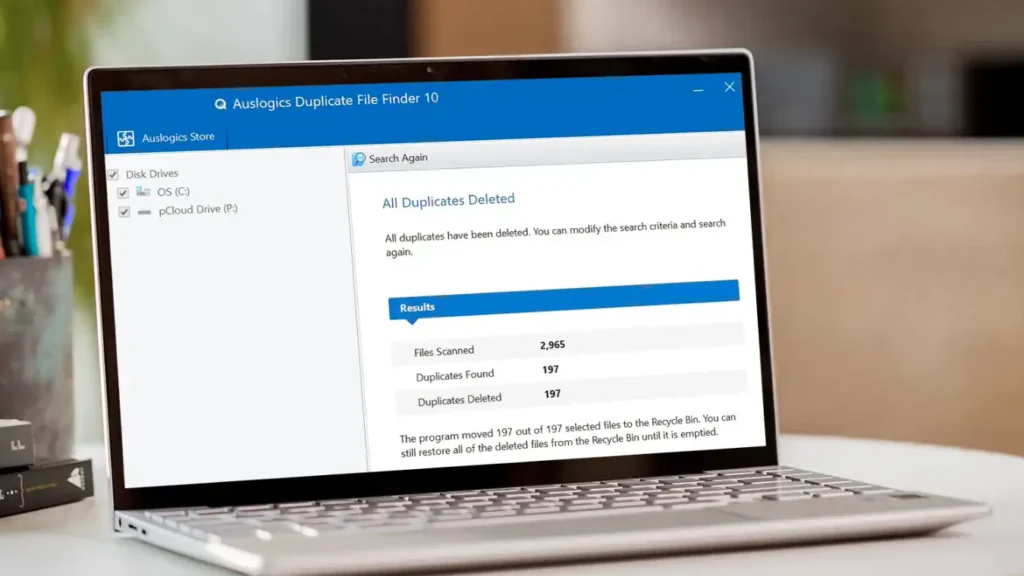
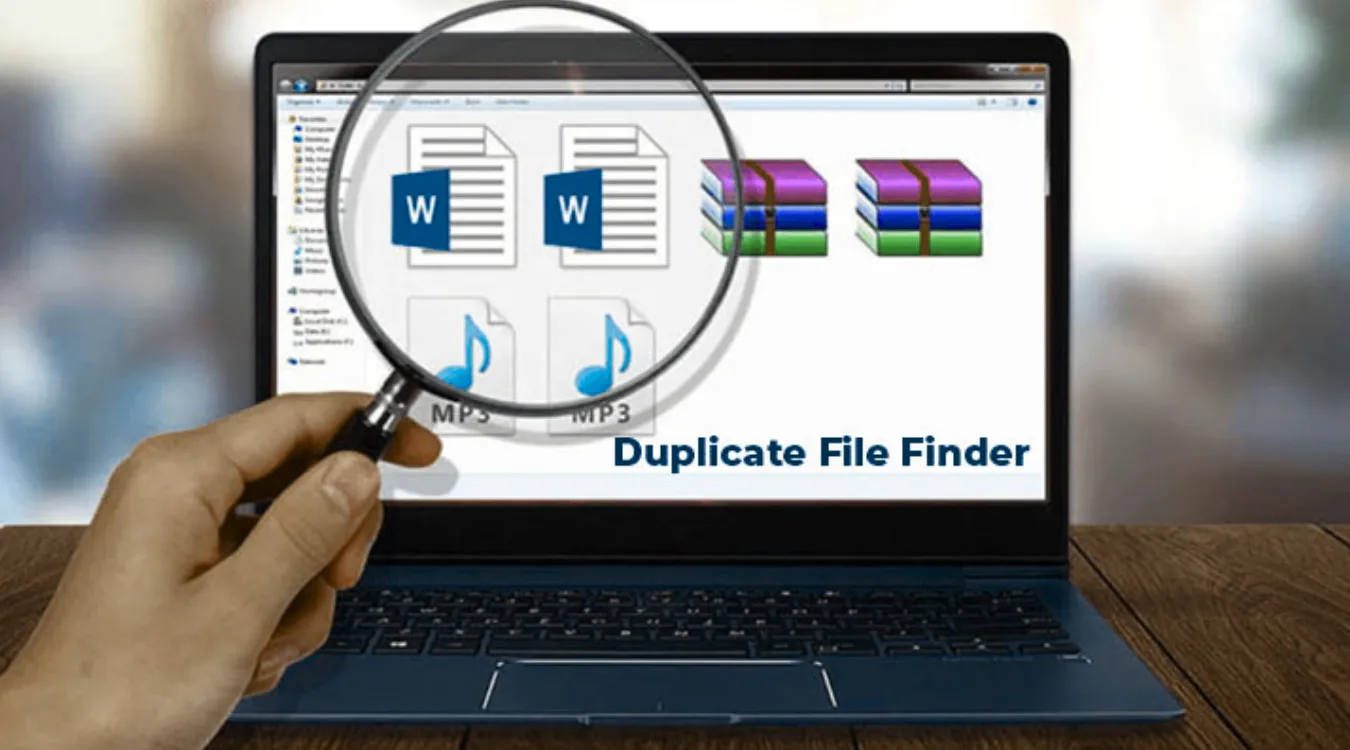
A 重複檔案搜尋器 helps identify redundant copies so you keep one clean master while freeing space safely.
How Duplicate Files Usually Appear

Before using any tool, it helps to know where duplicates come from.

Common sources include:

  • Repeated downloads of the same installer or archive

  • Copy–paste operations during manual “backups”

  • Exported photos from phones into multiple folders

  • Cloud sync conflicts that create “filename (1).docx” variants

  • Old project folders copied for “versioning” and never cleaned

A good duplicate file finder focuses on these user areas instead of system folders and program directories.

What a Duplicate File Finder Actually Evaluates

A name alone does not define a duplicate.
Serious tools look at several attributes.

Key checks include:

  • File size: different sizes cannot match

  • Content signature: hash values such as MD5 or SHA-1

  • Optional metadata: timestamps, paths, and media tags

When content and size match, the tool groups files into a duplicate set, even if their names or locations differ.

Inside the Scan: From Filesystem to Duplicate Groups

Most duplicate file finders follow a staged process.
Understanding the stages helps you trust the results and tune performance.

Stage 1: Indexing Files

The tool walks through selected folders and collects candidates.
You often limit the scan to user data, such as Documents, Downloads, and Pictures.
You may also filter by extension to focus on photos, videos, or office files.

Stage 2: Grouping by Size and Hash

The scanner first groups files that share the same size.
It then computes hashes only inside those groups.
Files with identical size and hash go into the same duplicate group.

This strategy reduces CPU and disk load while still confirming content equality.

Stage 3: Presenting Results for Review

The tool lists groups where more than one file shares the same content.
You choose which locations to keep and which to remove or move.
Some tools auto-apply rules (keep newest, keep in a specific folder), but you still control final decisions.

Comparing Types of Duplicate File Finders

Different tools target different skill levels and data sets.

Tool TypeTypical User優勢Caveats
Basic cleanersHome usersSimple UI, quick scanLimited control and filtering
Hash-based power toolsPower users, IT staffPrecise matching, detailed rulesMore options to misconfigure
Media-focused findersPhotographers, media teamsImage similarity, audio tag matchingHeavier scans for large photo libraries
Integrated utility suitesUsers with broader maintenanceCombines cleanup and diagnosticsInterface may feel more complex

You choose a tool that matches your comfort level and storage size.
In all cases, you get the best safety when you pair cleanup with a reliable 復原工具 如 Magic Data Recovery.


下載 Magic Data Recovery

支援 Windows 7/8/10/11 和 Windows Server

 Safe Cleanup Workflow with a Duplicate File Finder

A controlled procedure keeps you from removing the wrong copy.

  1. Back up critical data first. Create at least one backup to an external drive or NAS.

  2. Select target folders. Focus on personal data: user profiles, project folders, media libraries. Exclude system and program directories.

  3. Run an analysis-only scan. Let the tool build duplicate groups without deleting anything.

  4. Sort by total size. Tackle the largest groups first to gain space quickly.

  5. Apply simple rules. For example, keep one copy in an “Archive” folder and remove extras elsewhere.

  6. Delete to Recycle Bin initially. Use soft deletion first; verify that applications still work.

  7. Empty the bin after verification. Only perform permanent deletion when you feel confident.

This workflow favors safety over speed, which matters more when important data lives on the same drive.

When Amagicsoft Data Recovery Becomes Essential

Even careful users sometimes remove the wrong “duplicate.”
A unique edited version might share content size with an older copy but include small differences that went unnoticed.

If this happens, you can still recover.

On a Windows machine:

  1. Stop writing new data to the affected drive immediately.

  2. 安裝 Magic Data Recovery on a different disk.

  3. Scan the drive where you deleted the duplicates.

  4. Filter results by file type, name, or deletion time.

  5. Preview critical files, then restore them to a safe location on another drive.

This approach turns a risky cleanup into a reversible step and reduces the chance of permanent loss.

支援 Windows 7/8/10/11 和 Windows Server。.

下載 Magic Data Recovery

支援 Windows 7/8/10/11 和 Windows Server

 Reducing Duplicate Growth in the Future

A duplicate file finder solves today’s clutter, but habits prevent tomorrow’s mess.

實用的習慣包括

  • Use a single “incoming” folder for downloads, then sort it regularly.

  • Store final documents in a structured archive, not scattered across desktops.

  • Rely on versioning in backup or sync tools instead of manual copy-and-rename.

  • Document where “master” copies of photos or projects live and always update those.

With these practices, duplicate scans become occasional maintenance, not a constant emergency.


 常見問題


Is duplicate file finder safe?

A duplicate file finder stays safe when you limit its scope and review results. Most tools read files and compute hashes without altering data until you confirm deletion. Create a backup first, avoid system and program folders, and delete in stages. This way, you gain space while keeping critical files intact and recoverable.

How does the duplicate file finder work?

The tool scans selected folders, groups files with the same size, and then compares their contents using hashes or byte-level checks. It flags groups where two or more files share identical content. You then choose which copies to keep and which to remove, often using rules like “keep newest” or “keep in main archive.”

Is duplicate file finder free?

Many duplicate finders offer free editions with core scanning features and manual cleanup. Paid versions usually add advanced filters, automatic selection rules, and scheduling. For most users, a free tool plus a strong recovery solution such as Amagicsoft Data Recovery already covers typical cleanup and correction needs effectively and safely.

Is it okay to delete duplicate files?

Yes, as long as you confirm that at least one intact copy remains where you expect it. Start with noncritical areas like Downloads and installers. Avoid deleting “duplicates” from folders used by applications, backup jobs, or sync tools until you understand their role. When unsure, keep one extra copy and verify behavior first.

Is the Finder app safe?

Most reputable duplicate finder apps operate safely because they scan in read-only mode and prompt before deletion. The main risk comes from user choices rather than the scan itself. Download software from trusted vendors, review each duplicate group carefully, and keep a backup so you can recover with Amagicsoft Data Recovery if needed.

What is the best duplicate file finder?

The best duplicate finder depends on your data size, platform, and experience level. Look for hash-based comparison, flexible filtering, and a clear preview of each group. A strong option integrates with your existing maintenance routine and works well alongside dedicated recovery tools, giving you both efficient cleanup and a recovery path.

Can deleting duplicates cause problems?

Yes, if you delete the only usable copy of a configuration file, project, or library. Some tools treat different versions as duplicates when they only differ slightly. Protect yourself by excluding system areas, testing applications after each cleanup batch, and using Amagicsoft Data Recovery to restore mistakenly deleted files when problems appear.

Does Windows have a duplicate file finder?

Windows does not include a friendly, built-in duplicate finder in File Explorer. Administrators sometimes use PowerShell scripts or third-party utilities to locate duplicates by hash or name. Most everyday users rely on dedicated duplicate finder applications for scanning and on tools like Amagicsoft Data Recovery to fix accidental deletions afterward.

What is the easiest way to find duplicate files?

The easiest method is to install a graphical duplicate finder, select a few user folders, and run a scan. The tool groups duplicates and shows previews so you can decide what to keep. Start with obvious clutter areas such as Downloads and desktop archives, then move on to large media folders once you feel comfortable.

How do I remove all duplicate files?

Do not remove everything in one step. Run a scan, sort duplicate groups by size, and start with low-risk items like repeated installers and exported archives. Use automatic rules where safe, but always keep at least one verified master copy. After each batch, test your system and applications, then rely on backups or Amagicsoft Data Recovery if problems appear.
  • WiKi
艾迪

Eddie 是一位 IT 專家,在電腦行業的幾家知名公司擁有超過 10 年的工作經驗。他為每個專案帶來深厚的技術知識和實際的問題解決技巧。.

文章導覽

上一頁
下一頁

搜尋

類別

  • Bitlocker 復原
  • 刪除的檔案復原
  • 格式化檔案復原
  • 硬碟復原
  • 授權金鑰復原
  • 遺失檔案復原
  • 記憶卡復原
  • 新聞
  • 照片復原
  • SSD 復原
  • 未分類
  • USB 磁碟機復原
  • 使用者指南
  • 維基

最近發表的文章

  • SSD 作為外接式硬碟機的優缺點
    SSD 作為外接式硬碟機的優缺點
  • 如何在 Mac 電腦上使用目標磁碟模式和共用模式
    如何在 Mac 電腦上使用「目標磁碟模式」和「共用模式」:完整指南
  • 重複檔案搜尋器
    重複檔案搜尋器

標籤

如何 Magic Data Recovery Magic Recovery Key WiKi

相關文章

情境切換
維基

情境切換

2025 年 12 月 02 日 艾迪 尚未有評論

只有少數 CPU 核心存在,因此大多數線程會在佇列中等待,只有一小部分會執行。上下文切換可讓調度程序暫停一個執行中的線程,並恢復另一個線程。這種快速切換會造成平行的假象 [...] 。

資料擷取
維基

資料擷取

2025 年 12 月 02 日 艾迪 尚未有評論

目錄 事故現場:資料蒐集前的風險 當事件發生時,第一個反應通常是「四處查看」即時系統。在任何人記錄乾淨狀態之前,未經計劃的點擊、根登入或檔案複製都可能會改變時間戳記、日誌和未配置的空間。資料擷取可以解決這個問題。它著重於在受控制的 [...] 環境中蒐集資料。

資料遷移
維基

資料遷移

2025 年 12 月 02 日 艾迪 尚未有評論

新的儲存空間、新的 SaaS 平台和系統升級都會將資訊從一個地方推到另一個地方。資料遷移的目的是在系統或 [...] 系統之間移動資料。

amagicsoft 標誌圖示

我們的願景是成為全球知名的軟體品牌和服務供應商,為使用者提供頂級的產品和服務。

產品
  • Magic Data Recovery
  • Magic Recovery Key
政策
  • 條款
  • 隱私權政策
  • 退款政策
  • 許可協議
公司簡介
  • 關於 Amagicsoft
  • 聯絡我們
  • 商店
追蹤我們

版權所有 © 2025 Amagicsoft。版權所有。

  • 條款
  • 隱私權政策