iSkysoft Data Recovery Review and Best Alternative

iSkysoft Data Recovery Review and Best Alternative

File loss often happens without warning. You may delete a work folder, format a USB drive, lose photos from a memory card, or find that a partition no longer opens. In these moments, many users search for iSkysoft Data Recovery because they want a clear way to 恢復刪除的檔案 and avoid permanent loss.

這個 iSkysoft Data Recovery review explains what the tool can do, where it may fall short, and how to choose a safer recovery workflow. Moreover, it introduces Magic Data Recovery as a practical option for Windows users who need a simple scan-preview-recover process.

支援 Windows 7/8/10/11 和 Windows Server

目錄

What Is iSkysoft Data Recovery?

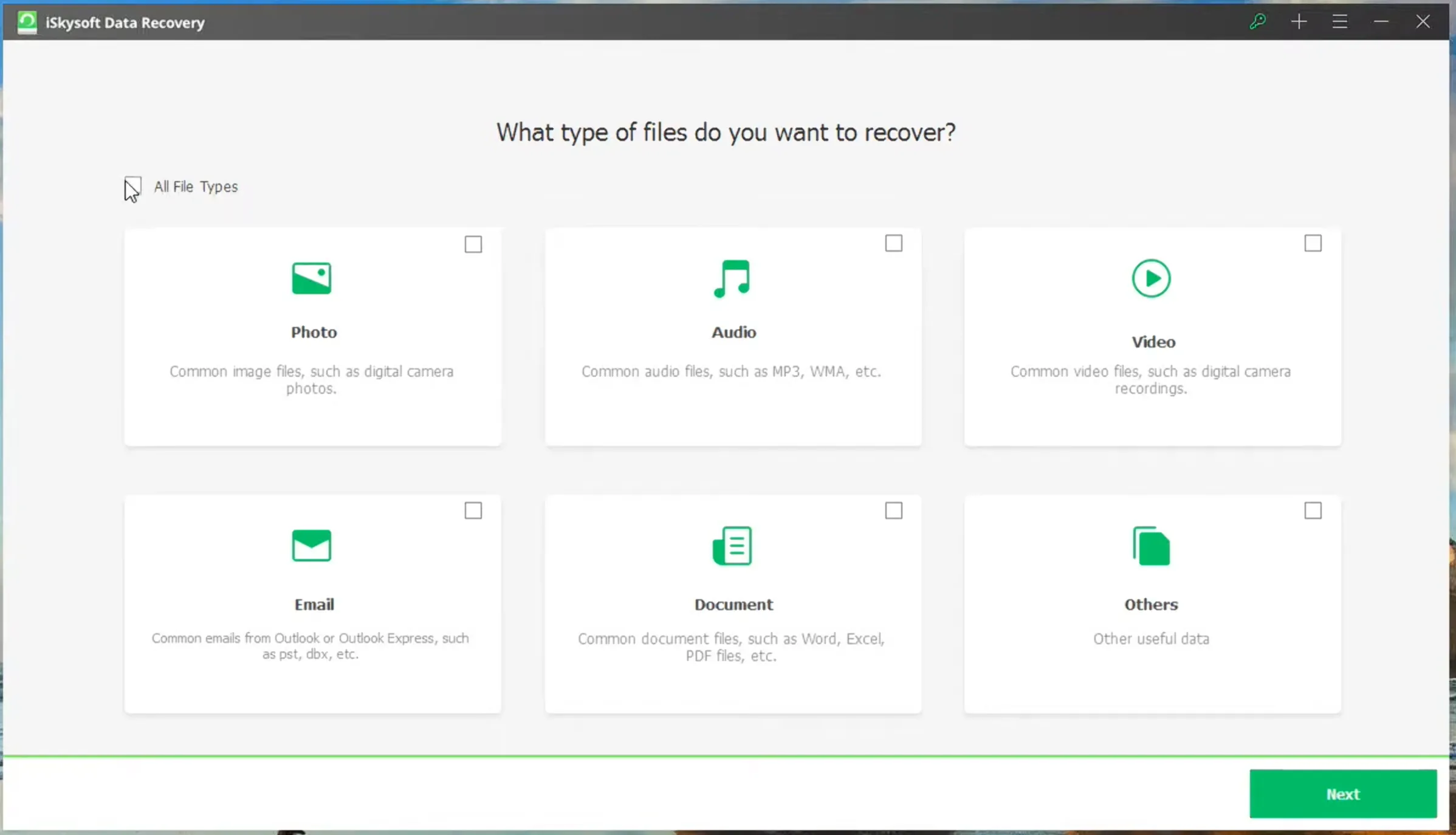
iSkysoft Data Recovery is a file recovery tool that helps users find deleted, formatted, or lost files from common storage devices. It usually follows a simple process: choose a location, scan for lost files, preview results, and recover selected data.

One detail can confuse users today. Around 2020, the original iSkysoft recovery product line appears to have shifted into Wondershare’s Recoverit ecosystem. As a result, users who search for iSkysoft Data Recovery may now see Wondershare Recoverit on download pages, installers, or support materials. Therefore, it still makes sense to compare features, trial limits, pricing, and alternatives before choosing a recovery tool.

For example, you might use recovery software after emptying the Recycle Bin, formatting a USB drive by mistake, or losing files after a system error. However, no recovery tool can reverse every case. If new data overwrites the lost files, software cannot reliably bring them back.

iskysoft-data-recovery

鑰匙 iSkysoft Data Recovery 特點

一個好 適用於 Windows 的資料恢復軟體 should cover the most common file loss scenarios. In general, this type of tool focuses on deleted file recovery, formatted drive recovery, and removable storage recovery.

刪除的檔案復原

Deleted file recovery helps when you remove a file and later realize that you still need it. In many cases, the file data remains on the drive until new files overwrite it. As a result, quick action gives recovery software a better chance to locate the missing data.

格式化硬碟機復原

格式化硬碟機復原 matters when users 格式化隨身碟, memory card, or partition before copying important files. A deep scan can search for remaining file signatures. However, results depend on the format type, file system condition, and later device usage.

復原前預覽

Preview helps you confirm whether a file still opens correctly. For instance, a photo may appear in scan results, but the preview may show corruption. Therefore, previewing files before recovery saves time and helps you avoid restoring unnecessary data.

iSkysoft Data Recovery Pros and Cons

Every review should include both benefits and limits. This balanced view helps users choose based on real needs instead of relying only on a product name.

優點

The software offers a beginner-friendly workflow. Also, it can scan common locations and handle everyday cases such as accidental deletion, formatting, and storage device errors. In addition, the preview function can help users check files before recovery.

優點

However, the tool may not suit every situation. The free trial may focus on scanning or previewing rather than full recovery. Also, deep scan results may lose original file names in some cases. More importantly, software cannot fix physically damaged drives, clicking devices, or storage media that Windows cannot detect.

Is iSkysoft Data Recovery Free?

許多使用者搜尋 iSkysoft Data Recovery free because they want to know whether they can restore files without paying. However, the standalone iSkysoft recovery product is no longer the clearest download option. Since the product line has shifted into Wondershare Recoverit, users are more likely to find Recoverit Free today.

Recoverit Free can recover up to 500MB of files at no cost, which may help with simple deletion cases, such as restoring a few documents or small photos. However, larger recovery tasks, formatted drive recovery, or many files may require a paid upgrade. Therefore, users should check the free recovery limit before starting a large scan.

When iSkysoft Data Recovery May Not Be Enough

Although the tool can help with common file loss problems, some cases need a different solution. For example, if an 固態硬碟機 uses 調整, deleted files may disappear quickly. If a disk has physical damage, software recovery may increase risk. Likewise, if Windows does not recognize the device at all, a normal scan may not start.

In addition, users may want a more modern Windows-focused workflow, broader file type support, or a clearer way to test recovery before committing. In these cases, Magic Data Recovery deserves attention.

Best iSkysoft Data Recovery Alternative: Magic Data Recovery

If you need an iSkysoft Data Recovery 替代方案、, Magic Data Recovery offers a practical solution for Windows users. It focuses on the core pain point behind most recovery searches: finding lost files, checking whether they are usable, and saving them to a safe place.

Magic Data Recovery supports a wide range of file types, including documents, photos, videos, audio files, archives, and other formats. Also, it works with common storage media such as hard drives, SSDs, USB drives, memory cards, cameras, and camcorders.

The tool fits many real-life situations. For example, a student may restore a deleted assignment from a USB drive. A photographer may recover deleted photos from a memory card. A business user may need documents after formatting a partition. Instead of using complex technical steps, users can follow a direct scan-preview-recover workflow.

如何使用 Magic Data Recovery

After comparing iSkysoft Data Recovery with other tools, you may want a more direct way to recover deleted, formatted, or lost files. Magic Data Recovery keeps the process simple, so most users can start without technical experience.

步驟 1:下載並安裝 Magic Data Recovery

First, download and install Magic Data Recovery on a drive that is different from the affected one. This approach helps prevent accidental overwriting and protects lost data before recovery begins.

支援 Windows 7/8/10/11 和 Windows Server

步驟 2:選擇 Drive or Location to Scan

Next, launch the program. From the main interface, choose the drive, partition, USB drive, memory card, or folder where the files were lost. Then start the scan.

Using Magic Data Recovery as an alternative for iSkysoft Data Recovery

步驟 3:掃描遺失的檔案

The software starts an advanced scan automatically. Meanwhile, it lists recoverable files as the scan progresses, so you can check results without waiting for the entire scan to finish.

等待掃描

步驟 4: 預覽 復原前的檔案

After that, use the preview feature to confirm file content. This step helps you recover only the files you actually need and avoid saving damaged or irrelevant results.

預覽檔案

步驟 5:將檔案復原至安全位置

Finally, select the target files and save them to a different drive or storage device. Do not restore data to the same location, because doing so may overwrite remaining recoverable files or cause corruption.

檔案復原

iSkysoft Data Recovery vs Magic Data Recovery

Since the original iSkysoft recovery product line has been absorbed into Wondershare’s Recoverit ecosystem, iSkysoft Data Recovery is no longer actively offered as a separate standalone download. In practice, users who search for it may now land on Wondershare Recoverit pages, older iSkysoft support pages, or third-party download sites. Therefore, it makes sense to compare it with a currently available recovery tool before making a decision.

比較點

iSkysoft Data Recovery

Magic Data Recovery

Current availability

No longer actively available as a separate standalone product

Available as an active Windows data recovery tool

Brand status

The original iSkysoft recovery product line has shifted into Wondershare Recoverit

Independently offered by Amagicsoft

Download access

Users may be redirected to Wondershare Recoverit or older third-party pages

Users can download it directly from the official Magic Data Recovery page

Product support

Standalone iSkysoft support is no longer the main support path; support appears to have moved toward Recoverit

Current product support is available for Magic Data Recovery users

最適合

Users researching the old iSkysoft tool or comparing it with Recoverit

Windows users who need a direct scan-preview-recover workflow

復原工作流程

Older iSkysoft-style workflow or Recoverit-based workflow depending on the download source

Simple process: select location, scan, preview, and recover

File recovery scenarios

Deleted files, formatted drives, and common storage issues

Deleted files, formatted drives, USB drives, memory cards, hard drives, SSDs, and more

使用者體驗

May create confusion because iSkysoft and Recoverit names appear across different pages

Clearer for users who want one current recovery tool with direct instructions

整體而言、, iSkysoft Data Recovery may still appear in old reviews, support pages, and search results. However, because the standalone product is no longer the clearest download or support option, many users may prefer a current tool with a more direct recovery path.

For this reason, Magic Data Recovery is the better practical choice if you want to recover deleted, formatted, or lost files on Windows without dealing with outdated product pages or unclear download sources.

Tips Before Using iSkysoft Data Recovery or Any Recovery Tool

No matter which tool you use, good habits can improve your recovery chance. First, stop using the affected device immediately. Next, avoid installing software on the same location where data was lost. Also, do not format the device again, even if Windows suggests it.

After scanning, preview important files before recovery. Finally, save recovered data to another safe location. These steps reduce overwrite risk and help protect the remaining data.

總結

iSkysoft Data Recovery can help with common 刪除的檔案復原 needs, especially when users act quickly after deletion or formatting. However, users should understand its trial limits, recovery restrictions, and the risk of overwritten data before relying on it.

For many Windows users, Magic Data Recovery offers a clearer and more practical path. It supports broad recovery scenarios, uses a simple workflow, and helps users preview files before saving them. Therefore, if you are comparing iSkysoft Data Recovery with a modern alternative, Magic Data Recovery is worth trying as a reliable solution for deleted, formatted, or lost files.

支援 Windows 7/8/10/11 和 Windows Server

FAQ About iSkysoft Data Recovery

Is iSkysoft Data Recovery safe?

It can be safe when users download it from an official or trusted source. However, avoid cracked versions, license key pages, and unofficial installers. These files may contain malware or unwanted programs. For better safety, scan downloads with security software and install recovery tools on a separate location when possible.

Is iSkysoft Data Recovery free?

The standalone iSkysoft Data Recovery product is no longer the main download option. Since the recovery line has moved into Wondershare Recoverit, users may now use Recoverit Free instead. It can recover up to 500MB of files for free, which may be enough for simple deleted file recovery. Larger recovery tasks require an upgrade.

Can iSkysoft Data Recovery recover permanently deleted files?

It may recover permanently deleted files if new data has not overwritten them. When you delete a file, the system usually marks its space as available. As a result, quick action matters. Stop using the affected drive, run a scan, preview the results, and save recovered files elsewhere.

Can this tool restore files from a formatted drive?

It may help with formatted drive recovery when the data still exists on the storage media. However, full formatting, repeated formatting, or new data writes can reduce success. For the best result, stop using the device immediately and scan it before saving any new files.

What happened to iSkysoft Data Recovery?

Around 2020, the original iSkysoft recovery product line appears to have moved into Wondershare’s Recoverit ecosystem. That is why users may see Wondershare Recoverit when searching for iSkysoft Data Recovery. However, you should still compare recovery features, free trial limits, supported devices, and alternatives before choosing a tool.

What is the best iSkysoft Data Recovery alternative?

Magic Data Recovery is a practical alternative for Windows users. It supports common storage devices, offers a simple scan-preview-recover workflow, and helps users check files before saving them. Therefore, it suits people who want a clear recovery process without complicated technical steps.

What should I do if my drive is not detected?

First, check the cable, port, and Windows Disk Management. Also, try another computer if available. If the drive still does not appear or makes unusual noises, stop using it. In that case, software recovery may not help, and a professional data recovery service may offer a safer option.

Vasilii 是一位在該領域擁有約 10 年實務經驗的資料復原專家。在他的職業生涯中,他已成功解決數千個複雜的個案,包括刪除的檔案、格式化的硬碟機、遺失的磁碟分割和 RAW 檔案系統。他的專業知識涵蓋使用十六進位編輯器等專業工具的手動復原方法,以及使用復原軟體的進階自動解決方案。Vasilii 的使命是讓 IT 專業人士和一般使用者都能獲得可靠的資料復原知識,協助他們保護寶貴的數位資產。.