
4DDiG 資料恢復軟體評測:安全性、功能、定價與替代方案
遺失重要檔案是一回事;在不知道復原軟體是否真能找回該檔案的情況下,就花錢購買它,則是另一回事。 如果您正在考慮使用 Tenorshare 4DDiG,您可能想知道幾個實用問題的答案:它安全嗎?免費版能恢復任何檔案嗎?格式化後還能使用嗎?以及付費授權值得購買嗎?
這個 4DDiG 資料恢復軟體評測 本文探討該軟體的 Windows 資料恢復功能、支援的裝置、掃描流程、安全考量以及恢復的限制。此外,本文亦涵蓋定價資訊,並比較 4DDiG 與另一款 Windows 解決方案 Magic Data Recovery 的差異。.
本評測參考了官方文件中關於功能與採購條款的說明,並針對檔案恢復與完整性進行了受控比較。.
如果您已經遺失了檔案,請停止將新資料寫入受影響的磁碟。我們的 已刪除檔案復原指南 說明在安裝資料恢復軟體之前應採取的預防措施。.
目錄
快速評測:4DDiG 資料恢復值得一試嗎?
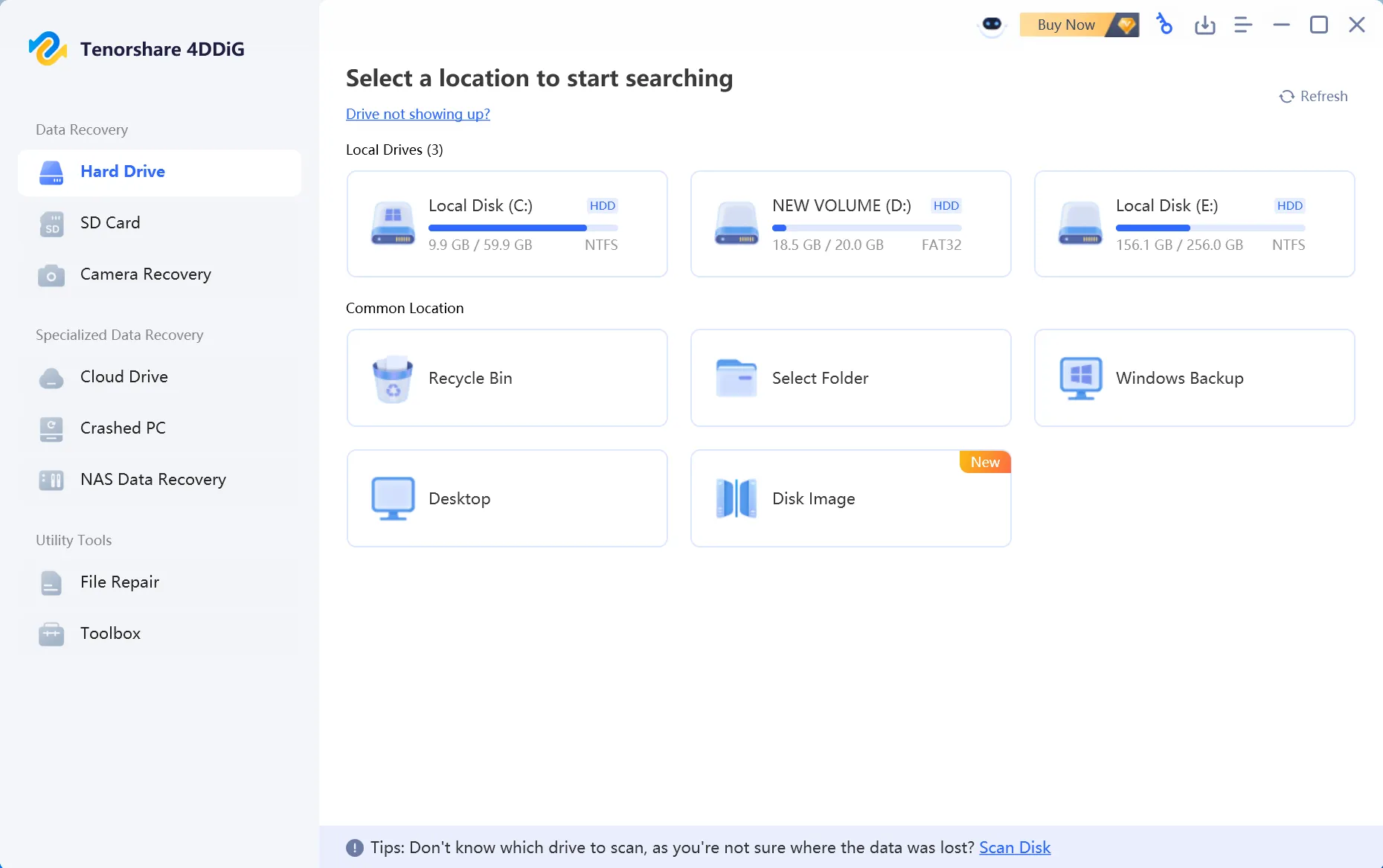
Tenorshare 4DDiG 資料恢復是一款商用資料恢復應用程式,具備引導式介面、檔案預覽功能、支援多種儲存裝置,並提供針對常見資料遺失情境的恢復選項。其 Windows 免費版允許使用者在現行免費版的使用條件下,評估掃描結果並恢復有限量的資料。.
最實用的採購檢查方式,是確認掃描結果是否能識別 您的特定檔案 以及這些檔案能否完整還原——而不僅僅是搜尋結果中顯示了多少筆記錄。掃描成功並不保證能完全恢復資料,特別是在資料已被覆寫或 SSD 執行過 TRIM 操作之後。.
快速選項:哪種復原方案最適合您的情況?
您的情況 | 首先應檢查什麼 |
幾份被刪除的文件或照片 | 付款前,請先確認 4DDiG Free 的實際使用額度,並預覽其支援的檔案類型。. |
容量較大的 USB 隨身碟或外接硬碟 | 進行掃描時請勿寫入受影響的磁碟;購買前請先驗證幾個具代表性的檔案。. |
另一種 Windows 還原選項 | 比較 4DDiG 與 Magic Data Recovery 採用等效條件。. |
已永久刪除的 SSD 檔案 | 檢查 SSD 資料恢復的限制, ,尤其是 TRIM。. |
硬碟發出喀噠聲或反覆斷線 | 請停止反覆執行軟體掃描,並尋求專業評估。. |
4DDiG 概覽
類別 | 詳細資訊 |
開發者 | Tenorshare |
產品 | 4DDiG 資料復原 |
平台 | 獨立的 Windows 和 macOS 版本 |
主要目的 | 還原已刪除、已格式化及其他原因導致遺失的檔案 |
支援的媒體格式 | 硬碟、固態硬碟、USB 隨身碟、記憶卡及其他受支援的裝置 |
檔案格式 | 開發商宣傳的格式超過 2,000 種 |
預覽 | 適用於受支援的檔案格式 |
免費復原 | 免費資料恢復服務名額有限;須符合相關條件 |
付費授權 | 月費、年費及終身方案 |
主要限制 | 資料能否成功復原,取決於原始資料的剩餘狀態 |
產品資訊: Windows 官方產品頁面 和 免費版常見問題解答. 對於遭受物理損壞的硬碟,軟體復原可能並非合適的起點。.
什麼是 Tenorshare 4DDiG 資料恢復?
Tenorshare 4DDiG 資料恢復是一款專為從受支援的儲存裝置中找回遺失檔案而設計的桌面應用程式。.
Tenorshare 是開發商,而 4DDiG 則是產品品牌。搜尋「Tenorshare Recovery」、「Tenorshare Data Recovery」及「4DDiG Data Recovery」時,通常指的就是這款軟體。.
Windows 版本旨在處理諸如誤刪檔案、清空「資源回收筒」、格式化分割區、無法存取的儲存裝置,以及某些作業系統故障等情況。.
與其僅依賴 Windows 檔案總管所顯示的檔案位置,資料恢復軟體會分析可用的檔案系統資訊與儲存資料,藉此找出遺失的檔案。.
接著,該軟體會將偵測到的項目列出供使用者檢視,讓使用者選擇要還原的檔案。.
Tenorshare Data Recovery 和 4DDiG 是同一個軟體嗎?
對於正在研究 Tenorshare 現行資料恢復產品的用戶而言,這兩個名稱通常指的是同一個產品系列。.
這項區別很重要,因為較早的評論和搜尋結果可能會使用不同的名稱來指稱該軟體。.
這款官方 Windows 應用程式被宣傳為 4DDiG Windows 資料恢復.
其 Mac 版本是獨立的平台版本。請務必根據您打算安裝的版本,確認其功能、支援的檔案系統、授權方式及還原選項,切勿假設 Windows 版與 Mac 版的功能完全相同。.
4DDiG Windows 資料恢復:主要功能
4DDiG Windows 資料恢復軟體的主要吸引力在於,它將多種恢復情境整合於一個具備引導功能的應用程式中。.
它無需使用者直接處理檔案系統結構或使用命令列工具,而是提供了一個圖形化工作流程,讓使用者能夠選擇磁碟機、掃描遺失的檔案、預覽結果,並儲存已恢復的資料。.
在評估該軟體時,以下功能尤為重要。.
已刪除檔案與資源回收筒的還原
意外刪除是使用者尋找資料恢復軟體的最常見原因之一。.
4DDiG 支援掃描因一般刪除、Shift + Delete 操作,或清空「資源回收筒」而刪除的檔案。.
在傳統硬碟上,刪除操作可能會移除或修改檔案系統的參照,但底層的檔案內容仍可能保留。資料恢復軟體會嘗試在新的資料取代這些內容之前,找出這些資訊。.
這項區別至關重要:檔案從 Windows 中消失,並不一定代表每個位元組都已從物理層面被刪除。.
然而,受影響的硬碟持續使用的時間越長,後續操作覆寫可恢復資料的風險就越高。.
最安全的做法是停止使用受影響的磁碟區,並避免在該磁碟區上安裝復原軟體。.
格式化硬碟機復原
格式化可能會導致無法存取現有的檔案系統,使先前儲存的檔案從「檔案總管」中消失。.
4DDiG 支援掃描已格式化的儲存裝置,包括相容的內建硬碟及可移除式儲存媒體。.
當原始檔案內容仍可取得時,快速格式化後的資料可能仍有機會恢復。該軟體可透過檢視殘留的元資料及可辨識的檔案簽名,來定位遺失的檔案。.
然而,結果會受到磁碟格式化方式的影響。.
舉例來說,快速格式化與完整格式化所殘留的可恢復資料量,未必相同。.
現代 Windows 版本執行的完整格式化,會覆寫整個格式化磁區中的資料,這將大幅降低資料恢復的可能性。.
資料恢復軟體無法還原已被覆寫的原始內容。.
有關因格式設定而導致資料遺失的詳細說明,請參閱我們的 已格式化磁碟復原指南.
快速掃描與深入復原掃描
掃描過程是任何資料復原應用程式中最關鍵的環節之一。.
4DDiG 提供一套引導式掃描工作流程,會從檢查所選位置開始搜尋遺失的檔案。.
根據其 官方使用指南, 使用者可以依路徑或檔案類型瀏覽已偵測到的檔案、搜尋特定項目,並篩選搜尋結果。.
當掃描結果顯示有數千個檔案,但實際上只需要其中少數幾份文件或照片時,這項功能特別有用。.
對於直接刪除的情況,可恢復的檔案系統記錄可能有助於識別原始檔案名稱和目錄資訊。.
更全面的掃描亦可透過可識別的檔案簽名來定位內容。.
然而,基於簽名的恢復方式存在某些限制。它可能無法保留原始檔案名稱、目錄結構或碎片化的檔案內容。.
找到檔案簽名,並不等同於恢復出完整且可用的檔案。.
復原前預覽
4DDiG 其中一項相當實用的功能,就是能在儲存支援的檔案之前先預覽它們。.
開發者文件預覽了對常見格式的支援,包括照片、影片和 Office 文件。.
預覽功能可協助使用者判斷掃描結果中是否包含他們實際需要的檔案。.
此外,這也能降低僅憑一份冗長的檔案名稱清單,就必須支付恢復授權費用的機率。.
舉例來說,如果掃描時發現了一張已被刪除的家庭照片,開啟預覽畫面有助於確認該圖片是否可辨識。.
然而,預覽功能應被視為初步驗證步驟,而非證明每個還原的檔案都將保持完整。.
部分受損的影片、檔案或大型文件,在恢復後可能仍需進一步驗證。.
從多個儲存裝置進行資料復原
Tenorshare 宣稱支援多種儲存裝置,包括:
內接式硬碟與 SSD。.
外接硬碟與隨身 SSD。.
USB 隨身碟。.
SD 卡及其他記憶卡。.
支援的相機儲存媒體。.
該軟體亦支援 Windows 及可移除式儲存裝置所使用的數種常見檔案系統。.
根據製造商的 技術規格, 支援的 Windows 檔案系統包括 NTFS、FAT16、FAT32 以及 exFAT。.
檔案系統的相容性不應與「保證能恢復資料」混為一談。即使儲存裝置的原始檔案系統受到支援,受損的儲存裝置仍可能無法讀取。.
特別是,若硬碟反覆斷開連接、發出異常聲響,或無法穩定被偵測到,可能需要由專業人員進行診斷,而非一再執行軟體掃描。.
電腦當機資料恢復
有時檔案雖然還在,但 Windows 卻無法啟動。.
4DDiG 內建一項「電腦當機恢復」功能,專為使用者無法透過一般 Windows 桌面存取檔案的情況而設計。.
該開發商將從無法開機的電腦中恢復資料的功能,描述為其 Windows 復原服務的一部分。.
在重新安裝 Windows 或執行其他可能變更原始系統分割區的操作之前,這一點可能值得留意。.
然而,軟體層級的開機失敗與硬碟的物理損壞是不同的。.
如果儲存裝置本身已發生故障,可開機的復原軟體無法保證能安全存取或成功提取資料。.
其他復原與修復功能
官方產品頁面還介紹了其他功能,包括磁碟映像還原、支援的 NAS 還原情境,以及損壞媒體修復功能。.
這些選項的功能已超越一般的刪除檔案還原。.
以磁碟映像復原為例,此功能可讓復原作業直接針對適當的映像進行,而非反覆存取原始儲存裝置。.
當原始資料的保存至關重要時,這點便顯得相當有價值。.
儘管如此,使用者仍應確認其特定產品版本及授權所包含的功能。不應自動假設 4DDiG 產品系列中宣傳的各項功能,必定存在於每個版本中。.
區分「恢復遺失的檔案」與「修復受損的檔案」同樣至關重要。這兩者是不同的技術任務,且兩者皆無法保證能完整重建所有原始內容。.
我們如何評估 4DDiG 資料恢復軟體
我們審閱了 Tenorshare 的官方產品文件、技術規格及授權條款,隨後針對兩種常見的 Windows 資料遺失情境,比較了資料恢復結果。兩款應用程式皆以相同的原始檔案及等同的起始條件進行評估。.
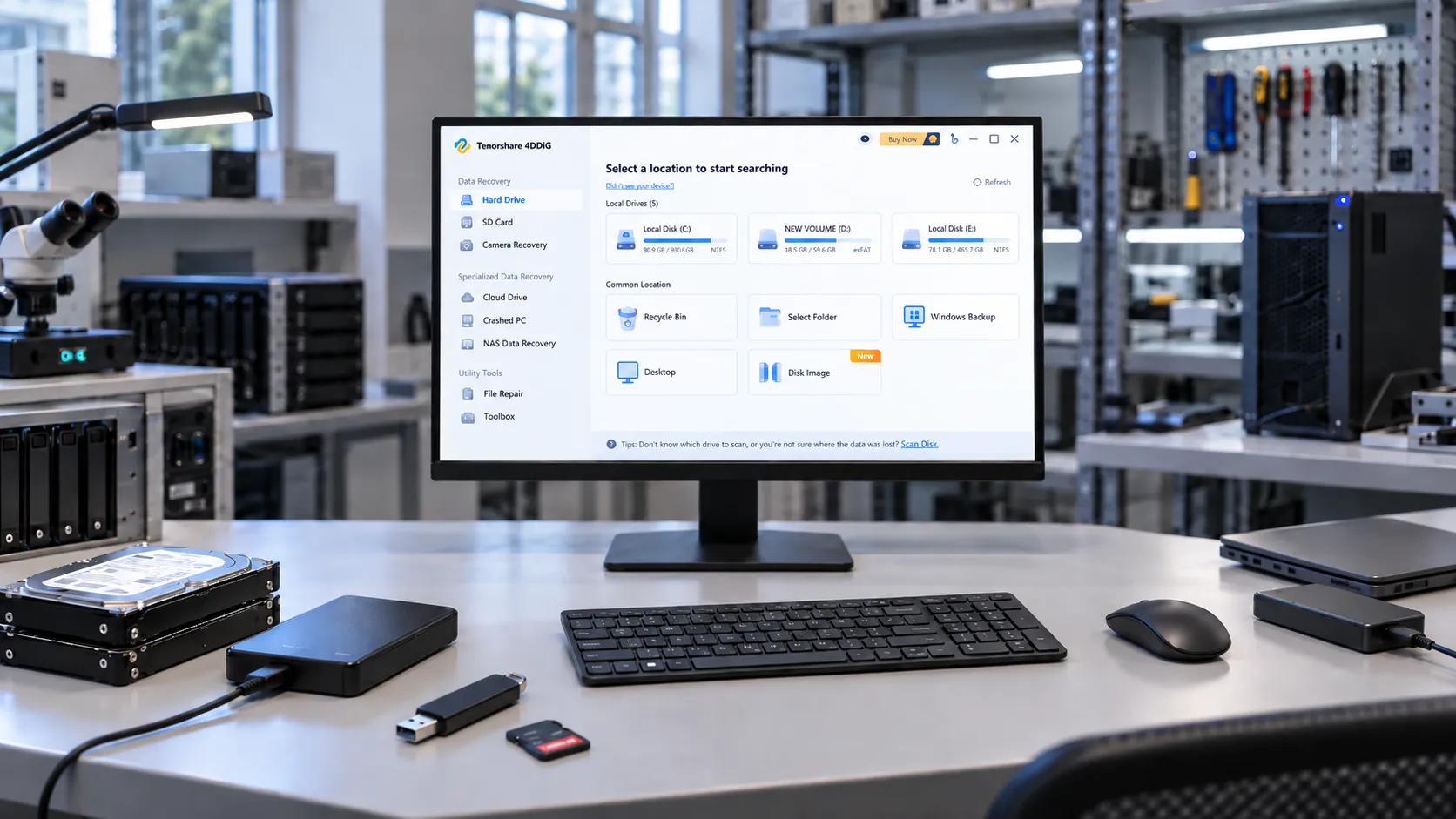
測試環境與結果
測試系統採用 Windows 11 Pro 25H2(作業系統版本 26200.9550),並使用 WD BLUE 500GB 外接硬碟進行 NTFS 刪除測試,以及 Kingston 64GB USB 隨身碟進行 exFAT 快速格式化恢復測試。 資料集包含 200 個檔案,總容量約 4.7GB,內容涵蓋文件、照片、影片及 ZIP 壓縮檔。 我們測試了 4DDiG(版本 10.9.5.9)和 Magic Data Recovery(版本 3.10.801),兩者均從各自的官方網站下載。恢復的檔案被儲存至另一顆硬碟,並透過 SHA-256 雜湊值與原始檔案進行比對驗證。.
測試於 2026 年 9 月 23 日進行。兩款應用程式均在相同的初始儲存條件下進行評估,且在每款應用程式執行測試前,皆已還原原始測試資料集。.
場景 | 4DDiG:已找到/完好無損 | Magic Data Recovery:已找到/完好無損 | 掃描時間:4DDiG / Magic |
NTFS 已刪除檔案(200 個目標) | 200/194 | 200/197 | 8分12秒 / 8分5秒 |
exFAT 快速格式化(200 個目標) | 200/197 | 200/197 | 5分4秒/6分1秒 |
已找到 表示該目標檔案出現在掃描結果中;; 完好無損 表示還原的檔案與其原始的 SHA-256 雜湊值相符。這些數據是指特定資料集與條件下的結果,而非普遍適用的還原成功率。.
在每次測試中,於執行任一應用程式之前,皆會將原始資料集還原至等效的基準狀態。NTFS 測試涉及已刪除的檔案,而 exFAT 測試則採用快速格式化。恢復結果是根據原始檔案清單進行評估,並透過 SHA-256 雜湊值驗證檔案的完整性。.
4DDiG 資料恢復的效能與限制
關鍵問題不僅在於 4DDiG 能否掃描裝置,更在於它旨在處理何種資料遺失情況,以及哪些因素可能阻礙資料的完全恢復。以下概述了影響實際資料恢復作業的技術限制。.
復原情境 | 有哪些軟體可以定位 | 重要限制 |
硬碟上的已刪除檔案 | 殘留的檔案系統記錄或可識別的內容 | 後續的寫入操作可能會覆寫原始資料。. |
快速格式化磁碟機 | 現存的元資料與檔案簽名 | 原始檔案名稱和目錄路徑可能會遺失。. |
RAW 或損毀的磁碟分割 | 無法再透過 Windows 存取檔案 | 元資料嚴重損毀可能會導致無法重建路徑。. |
固態硬碟(SSD)上的已刪除資料 | 主機仍可存取的內容 | TRIM 及控制器的工作行為可能會導致已刪除的區塊無法存取。. |
Crashed Windows installation | Files on an otherwise readable storage device | Boot failure is different from physical drive failure. |
Deleted Files, Formatting, and RAW Partitions
4DDiG advertises recovery options for deletion, formatting, and certain file system errors. A recent deletion on an HDD may leave content available until overwritten; a quick format may leave recognizable content but not necessarily the original folder structure. A RAW volume may reflect damaged metadata rather than the absence of data. For more detail, consult our 已格式化磁碟復原指南 和 partition recovery guide.
SSD Recovery and TRIM Limitations
SSD recovery has an additional constraint: once TRIM-related operations make deleted blocks inaccessible, another application cannot reconstruct data that the device no longer exposes. This applies to 4DDiG and competing utilities. Our SSD recovery resources explain the relevant precautions.
A recovered document, photo, or video should always be opened and checked after it is saved to another device. The original scan entry alone does not prove that its content is complete.
Is Tenorshare 4DDiG Safe to Use?
Safety is a legitimate consideration when installing any utility that accesses storage devices at a low level.
Tenorshare 4DDiG is an established commercial data recovery product distributed through an official website. However, that fact alone should not be treated as a guarantee that every installer or downloaded copy is safe.
There are also two separate aspects of safety to consider: whether the installer can be trusted and whether the recovery procedure protects the original data.
Is 4DDiG Malware?
Questions such as “Is 4DDiG malware?” and “Is Tenorshare 4DDiG safe?” often arise because data recovery utilities request elevated permissions or access storage devices directly.
Such permissions can be legitimate for recovery operations.
However, elevated permissions alone do not establish that an application is safe or unsafe.
For the safest installation process, download the software directly from the official Tenorshare 4DDiG website.
Avoid modified installers, unofficial activation tools, and third-party downloads that cannot be verified against the publisher’s official release.
You can also inspect the installer’s digital signature and review any security warnings before proceeding.
This review does not include a forensic audit of the current executable, so it does not make an absolute malware-free certification.
Does 4DDiG Overwrite Original Data?
Tenorshare describes its recovery scanning as read-only.
That is an important design characteristic because recovery software should avoid modifying the original information it is attempting to retrieve.
However, a read-only scanning engine does not eliminate every risk associated with the recovery process.
Installing software onto the affected drive, saving recovered files back to the source partition, or continuing to use Windows may overwrite data that has not yet been recovered.
The safest general workflow is to install recovery software on another suitable storage location and save recovered files to a separate drive.
The manufacturer’s official recovery guide also advises against saving restored data to the original partition.
Can Recovery Software Damage a Failing Hard Drive?
A logical data loss problem and a physical hardware failure require different approaches.
If a hard drive makes clicking or grinding noises, repeatedly disconnects, or becomes increasingly difficult to detect, extensive scanning may place additional demands on already unstable hardware.
In that situation, stop repeated recovery attempts.
Professional data recovery services may be more appropriate, especially when the missing files are valuable or irreplaceable.
For a healthy, accessible device affected by ordinary deletion or formatting, software recovery is a reasonable option to evaluate.
For a failing physical drive, preserving the remaining readable data takes priority over trying multiple applications.
4DDiG Free vs. Pro: What Are the Limitations?
Some recovery applications offer free scanning but require payment to save any files. 4DDiG advertises an actual free recovery allowance, although the headline maximum is subject to conditions.
What Can You Do with 4DDiG Free?
的 official 4DDiG Free page allows users to scan supported devices, preview files, and recover data within the available free allowance. Its FAQ describes an additional social-sharing requirement for accessing the full advertised recovery quota. Check the allowance shown in your installed version before starting a larger recovery task.
特點 | 4DDiG Free | 4DDiG Pro |
Scan supported locations | 是 | 是 |
預覽支援的檔案 | 是 | 是 |
復原已刪除的檔案 | Yes, within available free quota | 是 |
Recovery allowance | Up to 2GB; social sharing required for the full allowance | Unlimited under license |
Formatted-drive scanning | Advertised | Advertised |
授權期限 | 不適用 | Monthly, annual, or lifetime options |
A free quota is a licensing allowance, 不是 a guarantee that the corresponding amount of data remains recoverable.
Is 4DDiG Free Data Recovery Enough?
For a handful of small documents or photographs, the current free allowance may be sufficient. For an external drive, a large video project, or a substantial photo collection, the recovery amount may exceed that quota.
Before purchasing, preview the files that matter most. Check recognizable text in documents and visible corruption in images. A video preview does not always establish that the entire restored file will play. If the required files are not found during the scan, buying a license does not automatically make them recoverable.
4DDiG Data Recovery Pricing and Licensing
Tenorshare sells monthly, annual, and lifetime licenses for its Windows recovery software. The main differences are license duration, device coverage, upgrade entitlement, and renewal conditions.
Current 4DDiG Windows Pricing
The following are the displayed individual-license prices, checked on September 23, 2026, on the official 4DDiG purchase page. The page also shows crossed-out comparison prices. Promotions and regional taxes may change the final checkout amount; these displayed amounts should not be represented as unchanging regular list prices.
License | Displayed price (USD) | Device coverage | Upgrade entitlement |
1 Month | $45.95 | 1 PC | During the licensed month |
1 年 | $59.95 | 1 PC | During the licensed year |
Lifetime | $79.95 | 1 PC | Lifetime upgrades for the purchased product |
Does 4DDiG Automatically Renew?
According to Tenorshare’s published licensing information, monthly and annual subscriptions renew automatically by default. The lifetime license is a one-time purchase. Review the renewal options and cancellation terms in the official support center before checkout.
Does 4DDiG Offer a Refund?
Tenorshare advertises a 30-day money-back guarantee, but it is not an unconditional change-of-mind refund. Eligibility depends on the circumstances in the official refund policy. Consider this before buying, especially when the scan has not confirmed that the files you need are present and usable.
Pros and Cons of Tenorshare 4DDiG Data Recovery
A useful recovery application should make it easier to locate and retrieve files while keeping the limitations understandable.
Based on its documented features and licensing model, 4DDiG offers several practical advantages, alongside restrictions that may affect whether it suits a particular recovery situation.
優勢
- Guided recovery workflow
The graphical interface allows users to select a location, scan for missing files, examine the results, and restore selected items without working directly with file system structures.
- Broad storage-device coverage
The software supports common storage media, including HDDs, SSDs, USB flash drives, and memory cards.
- File preview before purchase
Supported files can be inspected before recovery, helping users evaluate whether the scan has located relevant content.
- 有限的免費復原
The dedicated free edition advertises an actual recovery allowance rather than offering only a downloadable scanner.
- Additional recovery features
The product family includes options for crashed-computer recovery and certain damaged-media scenarios, subject to edition and license availability.
限制條件
- 無法保證復原
Finding a file does not prove that its original content is intact. Overwriting, fragmentation, SSD TRIM, and storage damage can prevent successful recovery.
- The free allowance is limited
Users recovering large collections of files will generally need a paid license.
- Subscription renewal requires attention
Monthly and annual plans renew automatically by default. Users need to manage their subscription if they do not want continued billing.
- Windows and Mac licenses are separate
A Windows license cannot automatically be used to activate the Mac edition. Tenorshare confirms this limitation in its licensing FAQ.
- Physical drive failure is outside normal software recovery
A clicking, mechanically damaged, or unstable hard drive may require professional recovery rather than additional scanning.
Overall, these limitations are not unique to 4DDiG. Several arise from the underlying storage technology rather than from a particular recovery application.
4DDiG vs. Magic Data Recovery: Which Fits Your Needs?
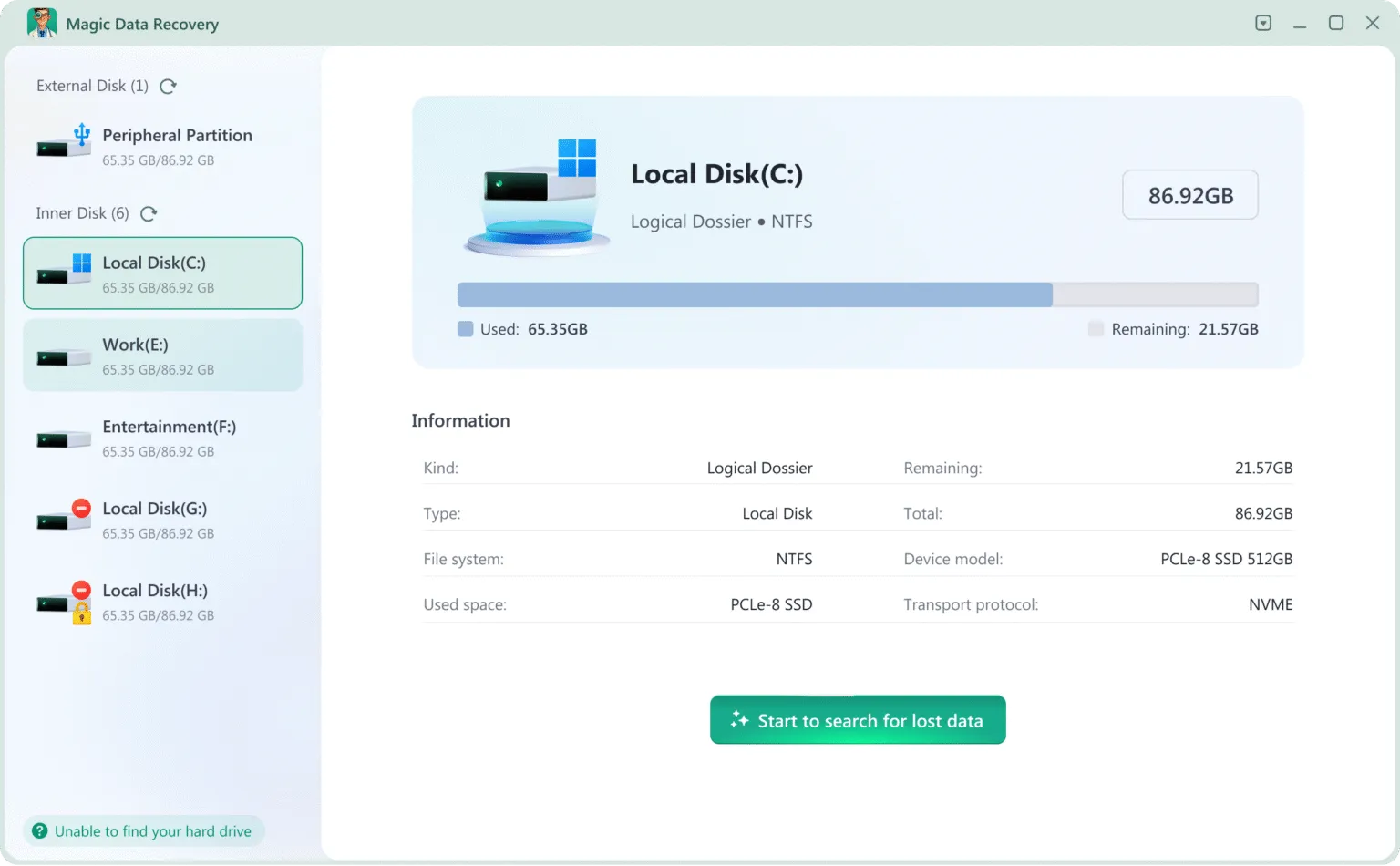
If 4DDiG does not match your preferred licensing model or recovery workflow, Magic Data Recovery, developed by Amagicsoft, is another Windows application to evaluate. Both address common file-loss scenarios, although their published platform coverage, free allowance, and licensing options differ.
Why These Two Applications Were Compared
This is primarily a review of Tenorshare 4DDiG, not an all-software ranking. Magic Data Recovery is included because it addresses overlapping Windows use cases such as deletion, formatting, and inaccessible storage. The comparison covers the same published criteria for both products; it does not infer recovery superiority from a manufacturer’s file-format count, a price difference, or an unverified recovery-rate claim.
Editorial disclosure: Amagicsoft publishes this article and develops Magic Data Recovery. Both applications are compared using the same stated criteria.
功能比較
特點 | Tenorshare 4DDiG | Magic Data Recovery |
主要平台 | Windows; separate Mac edition available | 視窗 |
已刪除檔案的恢復 | 是 | 是 |
Formatted-drive recovery | 是 | 是 |
RAW / file system error recovery | 是 | 是 |
HDD, USB, and SD card recovery | 是 | 是 |
SSD 復原 | Subject to storage device and TRIM limitations | Subject to the same storage limitations |
檔案預覽 | Available for supported formats | Available for supported formats |
免費復原 | Up to 2GB (conditions apply) | 500MB |
Paid recovery | Unlimited under license | Unlimited under license |
Monthly plan | 可用 | Not listed on the individual purchasing page |
Annual license | 可用 | 可用 |
Lifetime license | 可用 | 可用 |
Crashed-computer recovery | Advertised | Check the current edition and supported scenario |
Tested version | 10.9.5.9 | 3.10.801 |
NTFS deletion: found / intact | 200 / 194 (97% intact) | 200 / 197 (98.5% intact) |
NTFS deletion: scan time | 8m 12s | 8m 5s |
exFAT quick format: found / intact | 200 / 197 (98.5% intact) | 200 / 197 (98.5% intact) |
exFAT quick format: scan time | 5m 4s | 6m 1s |
Sources: 4DDiG Windows 資料恢復, 4DDiG Free, 以及 Magic Data Recovery.
The laboratory results show that both applications located all 200 target files in the NTFS deletion and exFAT quick-format tests. Magic Data Recovery restored 197 intact files in the NTFS test, compared with 194 for 4DDiG. In the exFAT test, both applications restored 197 intact files.
Scan times also varied by scenario. Magic Data Recovery completed the NTFS scan seven seconds faster, while 4DDiG completed the exFAT scan 57 seconds faster.
These results reflect the specified test environment and dataset. Recovery performance may vary depending on the storage device, file system, data loss scenario, and condition of the original data.
支援 Windows 7/8/10/11 和 Windows Server
Where Magic Data Recovery Fits
Magic Data Recovery is a Windows-focused application designed for deletion, formatting, file system errors, and lost partitions. Its published capabilities include quick and deep scans, preview, and support for more than 5,000 file formats. It also supports EXT2, EXT3, and EXT4 on supported storage devices. These are product specifications, not independent recovery-performance results.
Users can review the Magic Data Recovery 產品頁面 and assess the scan results against the particular files they need.
Pricing Comparison
Individual license | 4DDiG 資料復原 | Magic Data Recovery |
Annual | $59.95 | $49.95 |
Lifetime | $79.95 | $69.95 |
Licensed computers | 1 PC | 1 PC |
Displayed USD prices checked September 23, 2026. Promotional prices, tax, and checkout terms can change. Check 4DDiG pricing 和 Magic Data Recovery pricing before ordering.
How to Compare 4DDiG and Magic Data Recovery Yourself
Use the same criteria for both applications:
- Recovery scenario: Confirm that the edition supports your Windows version, device, and type of loss.
- Scan findings: Examine target files and surviving paths rather than only counting every listed item.
- 預覽: Inspect representative documents, images, and videos where supported.
- File integrity: Restore selected files to a different disk, open them, and compare with originals when a reference is available.
- Licensing: Compare the usable free quota, final price, renewal terms, supported PCs, and refund conditions.
The results in the test section use equivalent initial media and the same file-integrity criteria. A smaller set of intact target files may be more useful than a longer scan list containing unrelated or damaged entries.
When Should You Avoid Using Recovery Software?
Neither 4DDiG nor Magic Data Recovery is suitable for every type of data loss.
In some situations, purchasing another recovery application will not address the underlying problem.
When a Reliable Backup Already Exists
Check whether the missing files are available through File History, cloud storage, or another backup system.
Restoring a known-good copy may be simpler and more predictable than scanning the original drive.
Microsoft provides a Windows 檔案恢復指南 for users who need additional recovery options.
When the Drive Shows Physical Failure Symptoms
If an HDD makes abnormal noises, repeatedly disconnects, or cannot maintain a stable connection, avoid prolonged scanning.
Continued access can create additional stress on failing hardware.
A professional data recovery service may be more appropriate.
When Deleted Data Has Been Overwritten
Recovery software cannot recreate original file content that no longer exists on the storage medium.
This is particularly important after extensive drive reuse, secure erasure, or certain SSD TRIM operations.
Buying another application will not reverse physical overwriting.
When Files Are Hidden Rather Than Deleted
A missing folder does not always indicate data loss.
Check whether the files were moved, hidden, synchronized to another location, or made inaccessible by an incorrect user profile.
Resolving the underlying visibility problem may restore access without requiring data recovery software.
When the Files Are Extremely Valuable
For irreplaceable business records, legal documents, or other critical data, consider preserving the original storage device before experimenting with multiple tools.
A verified disk image or professional evaluation can provide a safer starting point when the storage condition is uncertain.
Conclusion: Is 4DDiG Data Recovery Worth It?
這個 4DDiG 資料恢復軟體評測 finds that Tenorshare’s published Windows offering covers deleted-file and formatted-drive recovery, file preview, and limited free recovery. Its graphical workflow is aimed at users who prefer not to work directly with file system structures or command-line tools.
The result for any particular file still depends on the original data. Overwriting, destructive formatting, and certain SSD TRIM operations can rule out ordinary software recovery. The full advertised free allowance also carries a social-sharing condition, while paid options require attention to renewal and refund terms.
For Windows users comparing alternatives, Magic Data Recovery offers deletion, formatting, and file system recovery with annual and lifetime licensing. The side-by-side test results above provide another reference point alongside features and pricing.
Preview important files, compare the applicable license terms, and purchase only when the available evidence justifies it. For next steps and precautions, use our 已刪除檔案復原指南.
支援 Windows 7/8/10/11 和 Windows Server
常見問題
Tenorshare 4DDiG 資料恢復軟體是免費的嗎?
Tenorshare Data Recovery 和 4DDiG 是同一個軟體嗎?
在 Windows 上安裝 4DDiG 是否安全?
4DDiG 能否從已格式化的硬碟中恢復檔案?
4DDiG 能否在已啟用 TRIM 功能的 SSD 上運作?
為什麼 4DDiG 會找到無法開啟的檔案?
4DDiG 的終身授權是否包含免費升級?
如果 4DDiG 找不到我遺失的檔案,我該怎麼辦?

Vasilii 是一位在該領域擁有約 10 年實務經驗的資料復原專家。在他的職業生涯中,他已成功解決數千個複雜的個案,包括刪除的檔案、格式化的硬碟機、遺失的磁碟分割和 RAW 檔案系統。他的專業知識涵蓋使用十六進位編輯器等專業工具的手動復原方法,以及使用復原軟體的進階自動解決方案。Vasilii 的使命是讓 IT 專業人士和一般使用者都能獲得可靠的資料復原知識,協助他們保護寶貴的數位資產。.