
Vos fichiers Google Drive ont disparu ? 12 solutions
Quand Les fichiers de Google Drive ont disparu, ne partez pas du principe qu'ils ont été supprimés. Les fichiers peuvent se trouver dans un autre compte, avoir été déplacés vers un autre dossier, ne plus être accessibles en partage, ne pas s'être synchronisés ou avoir simplement disparu de la section « Suggestions ». Ce guide vous explique comment les retrouver des fichiers ont disparu de Google Drive, restaurer fichiers supprimés sur Google Drive peut conserver et manipuler Les fichiers suggérés par Google Drive ont disparu. Il explique également quand Magic Data Recovery peut récupérer une copie locale depuis votre disque dur.
Prise en charge de Windows 7/8/10/11 et Windows Server
Table des matières
Vos fichiers Google Drive ont disparu ? Commencez par identifier le problème
Avant de modifier les paramètres, comparez Google Drive en ligne avec le dossier présent sur votre ordinateur. Cette vérification permet de voir où Les fichiers de Google Drive ont disparu.
Ce que vous voyez | Cause probable | Première étape |
Il ne manque que dans la section « Suggestions » | Modification de la page d'accueil | Rechercher dans « Mon Drive » |
En ligne mais introuvable sur PC | Problème de streaming ou de synchronisation | Check Drive pour ordinateur de bureau |
Disponible sur PC, mais pas en ligne | Échec du téléchargement | Consulter l'historique des synchronisations |
Fichier partagé manquant | Modification des droits d'accès | Contacter le propriétaire |
Fichier dans la corbeille | Suppression accidentelle | Le restaurer |
Il manque partout | Perte dans le cloud ou en local | Utiliser la récupération avancée |
Avant toute chose, veillez à copier les fichiers non synchronisés en toute sécurité avant de modifier ou de réinstaller Drive pour ordinateur.
Pourquoi Disparition de fichiers sur Google Drive
Plusieurs facteurs peuvent entraîner Les fichiers de Google Drive ont disparu semblent définitifs.
Compte Google incorrect
Les utilisateurs passent souvent d'un compte personnel à un compte professionnel ou scolaire. Par conséquent, vérifiez l'adresse e-mail dans le navigateur et dans Drive pour ordinateur.
Fichier Mouvement ou Modifications des autorisations
Un collaborateur peut déplacer, renommer ou cesser de partager un fichier. Un administrateur du disque partagé peut également modifier vos droits d'accès. Effectuez une recherche par nom, propriétaire, type et date avant d'en conclure qu'il a été supprimé.
Non organisé Dossiers
Un fichier peut perdre son dossier d'origine tout en restant dans Drive. Effectuez une recherche sur « is:unorganized », puis déplacez les résultats vers un dossier que vous gérez.
Problèmes de synchronisation sur ordinateur de bureau
Une mise en pause du téléchargement, un problème de réseau, une erreur liée au compte ou un problème d'autorisation peut interrompre la synchronisation. Par conséquent, un fichier peut rester sur l'ordinateur sans jamais être transféré vers le cloud.
Diffusion en continu et Modifications apportées à Mirror
Les fichiers « Stream » restent principalement dans le cloud, tandis que les fichiers « Mirror » conservent des copies complètes à la fois en ligne et localement. Par conséquent, un changement de mode peut modifier l'emplacement du fichier local et compromettre la possibilité d'une restauration locale.
Comment récupérer des fichiers disparus sur Google Drive
Commencez par utiliser les outils de Google. Vérifiez ensuite la synchronisation avec votre ordinateur. Enfin, essayez la récupération locale uniquement pour les fichiers qui existaient auparavant sous Windows.
1. Effectuer une recherche sur Google Drive à l'aide de filtres
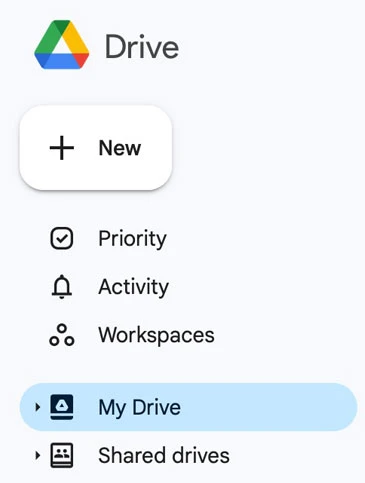
Recherchez le nom complet, une partie du nom ou une expression dans le document. Filtrez ensuite les résultats par propriétaire, emplacement, personnes, date ou type de fichier. Consultez également les rubriques « Mon Drive », « Récents », « Favoris », « Partagés avec moi » et « Drives partagés ».
2. Vérifiez que le compte est bien le bon
Ouvrez tous les comptes Google que vous utilisez. En parallèle, comparez chaque compte avec la version de Drive pour ordinateur. Cette vérification permet souvent de résoudre le Les fichiers de Google Drive ont disparu problème.
3. Récupérer des fichiers depuis la corbeille
Ouvrez la Corbeille, cliquez avec le bouton droit sur l'élément manquant, puis sélectionnez « Restaurer ». Google conserve généralement les fichiers placés dans la Corbeille pendant 30 jours, à moins qu'ils ne soient supprimés définitivement avant cette date. Par conséquent, pensez à vérifier d'abord la Corbeille lorsque vous essayez de récupérer les fichiers supprimés de Google Drive.
4. Vérifier l'activité du disque dur
Ouvrez le panneau d'informations et sélectionnez « Activité ». La chronologie peut indiquer un déplacement, un changement de nom, une suppression ou une modification des droits de partage. Elle peut également identifier la personne à l'origine de la modification.
5. Rechercher les fichiers non classés
Entrer est : désorganisé dans le champ de recherche. Si l'élément manquant apparaît, déplacez-le dans un dossier. Cela s'avère souvent utile lorsque des fichiers ont disparu de Google Drive après une modification du dossier parent.
6. Vérifier les fichiers partagés
Ouvrez les dossiers « Partagé avec moi » et « Partagés ». Si le fichier est toujours introuvable, contactez son propriétaire ou l'administrateur de l'espace de travail. Les logiciels de récupération ne permettent pas de restaurer les autorisations d'accès.
7. Avis sur Drive pour ordinateur de bureau
Ouvrez Drive pour ordinateur depuis la barre d'état système de Windows. Vérifiez ensuite le compte, l'état de la synchronisation, les transferts mis en pause, l'activité et les erreurs. Avant de vous déconnecter, copiez les fichiers non synchronisés vers un autre emplacement.
8. Différence entre « stream » et « mirror »
Ouvrez Drive sur votre ordinateur, sélectionnez « Paramètres », puis consultez les « Préférences ».
Mode | Site principal | Chances de guérison au niveau local |
Fichiers en streaming | Principalement dans le cloud | Limitée |
Fichiers miroirs | Cloud et disque local | Plus élevé |
Si Les fichiers de Google Drive ont disparu À partir d'un dossier mis en miroir, un logiciel de récupération local peut retrouver des données supprimées. En revanche, un fichier diffusé exclusivement via le cloud peut ne jamais avoir existé sous la forme d'un fichier local complet.
9. Vérifiez la corbeille et les sauvegardes de Windows
Effectuez une recherche dans la Corbeille, l'Historique des fichiers, les Versions précédentes, le Bureau, les Documents, les Téléchargements et les dossiers de sauvegarde. Cela est important lorsqu'un fichier local a disparu avant que Drive ne l'ait transféré.
10. Contactez Google ou un administrateur Workspace
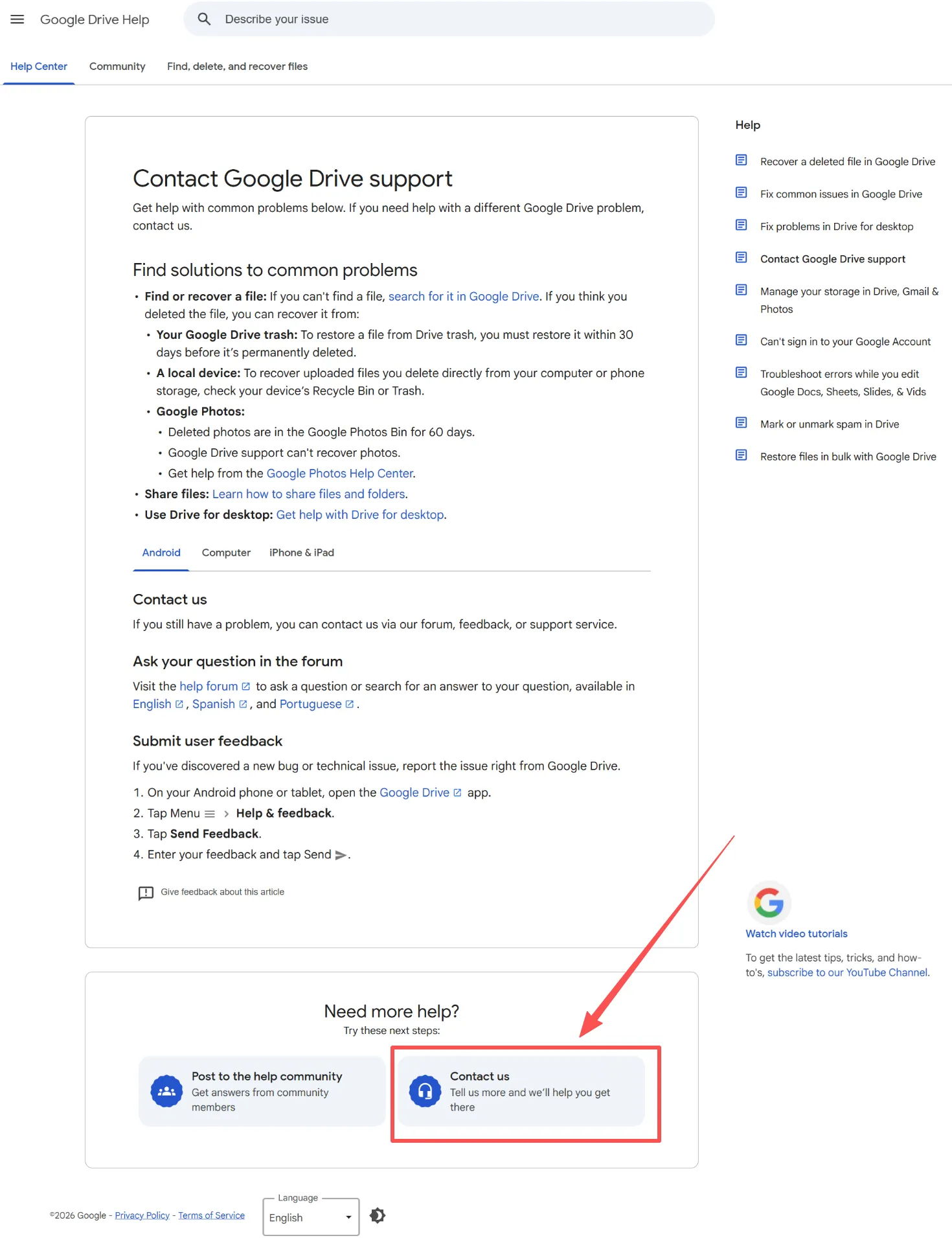
Si les rubriques « Recherche », « Corbeille », « Activité » et « Emplacements partagés » ne vous apportent pas de réponse, Contacter le service d'assistance de Google. Indiquez le nom du fichier, son propriétaire, le dossier dans lequel il se trouvait et la date approximative de sa disparition.
11. Cesser d'écrire de nouvelles données sur le disque dur
Les nouveaux fichiers peuvent écraser le contenu supprimé. Par conséquent, évitez les téléchargements, les installations et les transferts de fichiers volumineux sur la partition concernée.
12. Récupérer une copie locale
Quand Les fichiers de Google Drive ont disparu après avoir existé localement, Magic Data Recovery peut analyser le disque Windows à la recherche de fichiers mis en miroir, téléchargés, exportés ou non synchronisés.
Les fichiers suggérés par Google Drive ont disparu : ont-ils été supprimés ?
Quand Les fichiers suggérés par Google Drive ont disparu, les fichiers restent souvent dans « Mon espace de stockage ». La rubrique « Suggestions » propose des recommandations sur la page d'accueil ; elle ne répertorie pas tous les fichiers.
Commencez par ouvrir la page d'accueil. Recherchez ensuite dans « Mon espace de stockage », « Récent » et « Partagé ». Vérifiez également les paramètres de la page d'accueil. Si la fonction de recherche trouve l'élément, aucune récupération n'est nécessaire. Par conséquent, traitez le Les fichiers suggérés par Google Drive ont disparu Cela posera un problème de navigation tant que vous n'aurez pas confirmé la suppression définitive.
Magic Data Recovery peut-il résoudre le problème de la disparition des fichiers sur Google Drive ?
Magic Data Recovery traite les pertes locales lorsque Les fichiers de Google Drive ont disparu. Google Trash permet de restaurer des fichiers stockés dans le cloud, mais il ne peut pas récupérer un fichier Windows qui n'a jamais été mis en ligne ou qui a disparu d'un dossier en miroir.
Le logiciel analyse l'espace de stockage Windows à la recherche de fichiers supprimés ou perdus. Il prend en charge les documents, les fichiers multimédias, les archives et d'autres formats. De plus, la fonction de prévisualisation permet de vérifier le contenu avant la récupération.
Utilisez-le quand :
- Vous avez supprimé des fichiers d'un dossier Google Drive en miroir.
- Le téléchargement d'un fichier du Bureau ou du dossier « Documents » a échoué.
- Vous avez supprimé un fichier téléchargé depuis Drive.
- Vous avez exporté des fichiers Google au format DOCX, XLSX, PPTX ou PDF.
- Vous a vidé la corbeille de Windows.
Comment utiliser Magic Data Recovery pour récupérer des copies locales manquantes de Google Drive
Avant de commencer, cessez d'enregistrer de nouvelles données sur le disque qui contenait les fichiers manquants.
Étape 1 : Télécharger et installer Magic Data Recovery
Téléchargez Magic Data Recovery et installez-le sur un disque ou une partition différente de celle qui contenait les fichiers manquants. Par exemple, si les fichiers ont disparu du disque C:, utilisez un autre disque dans la mesure du possible. Cette approche réduit le risque d'écraser des données récupérables.
Prise en charge de Windows 7/8/10/11 et Windows Server
Étape 2 : Sélectionner le lecteur à analyser
Lancez le programme. Choisissez ensuite le disque dur ou la partition locale sur laquelle sont stockés les fichiers mis en miroir, téléchargés, exportés ou désynchronisés depuis Google Drive. Lancez ensuite l'analyse.

Étape 3 : Analyser le disque dur à la recherche de fichiers manquants
Magic Data Recovery lance automatiquement une analyse avancée. Au fur et à mesure que l'analyse progresse, les fichiers récupérables s'affichent. Vous pouvez consulter les dossiers et les catégories de fichiers avant la fin de l'analyse.

Étape 4 : Prévisualisation Dossiers Avant la reprise
Sélectionnez ensuite un fichier et prévisualisez son contenu. Vous pouvez également filtrer les résultats par nom, type, taille, date ou chemin d'accès d'origine. Vous pouvez ainsi identifier les documents, photos, vidéos et autres fichiers souhaités avant de procéder à leur récupération.

Étape 5 : Récupération des fichiers vers un emplacement sûr
Enfin, sélectionnez les fichiers et lancez la récupération. Enregistrez les données récupérées dans un autre emplacement, et non sur la partition d'origine. Sinon, les données récupérées risquent d'écraser d'autres fichiers que le logiciel pourrait encore restaurer.

Comment éviter que des fichiers disparaissent de Google Drive
Conservez une sauvegarde indépendante de vos fichiers importants. De plus, utilisez la fonctionnalité « Fichiers miroirs » pour créer des copies hors ligne, vérifiez les erreurs de synchronisation avant de supprimer les originaux locaux et exportez vos documents Google importants. Copiez toujours les fichiers non synchronisés avant de vous déconnecter de Drive pour ordinateur.
Conclusion : comment récupérer en toute sécurité des fichiers disparus sur Google Drive
Quand Les fichiers de Google Drive ont disparu, commencez par « Recherche », le compte approprié, la « Corbeille », l'« Historique », les emplacements partagés et les paramètres de synchronisation. Déterminez ensuite si le fichier n'existait que dans le cloud ou s'il se trouvait également sur l'ordinateur.
Magic Data Recovery constitue une étape suivante fiable, car elle met l'accent sur récupération des données perdues sur les disques durs locaux plutôt que de promettre une récupération dans le cloud. Son processus comprenant analyse, filtrage, aperçu et sauvegarde sécurisée convient aux fichiers mis en miroir, téléchargés, exportés et non synchronisés. Par conséquent, si les outils de Google ne trouvent rien et qu’une copie locale a déjà existé, essayez Magic Data Recovery.
Prise en charge de Windows 7/8/10/11 et Windows Server
FAQ
Pourquoi mes fichiers Google Drive ont-ils soudainement disparu ?
Les Les fichiers de Google Drive ont disparu Le problème peut provenir d'un compte incorrect, d'un fichier déplacé, d'un accès supprimé, d'un fichier mal classé ou d'un échec de synchronisation. Commencez par effectuer une recherche dans « Mon Drive » et vérifiez la Corbeille, l'Historique, les fichiers partagés avec vous et les disques partagés. Comparez ensuite la version Web avec l'application Drive pour ordinateur de bureau afin de déterminer si c'est la copie sur le cloud ou la copie locale qui manque.
Comment récupérer des fichiers supprimés sur Google Drive ?
Ouvrez la Corbeille, repérez l'élément, cliquez dessus avec le bouton droit de la souris, puis sélectionnez « Restaurer ». Google conserve généralement les fichiers placés dans la Corbeille pendant 30 jours. Toutefois, si la Corbeille est vide, contactez rapidement l'assistance Google ou votre administrateur Workspace. Vérifiez également vos téléchargements locaux, vos dossiers miroirs, la Corbeille de Windows, l'historique des fichiers et vos sauvegardes pour voir si vous en possédez une autre copie.
Est-il possible de récupérer des fichiers supprimés définitivement sur Google Drive ?
La récupération dépend du type de compte, du propriétaire, du moment où la perte s'est produite et des sauvegardes disponibles. Contactez l'assistance Google ou un administrateur Workspace dès que possible. En attendant, effectuez une recherche dans les dossiers mis en miroir, les fichiers téléchargés, les documents exportés, l'historique des fichiers et les disques de sauvegarde. Magic Data Recovery ne peut vous aider que si le fichier a déjà existé sur un espace de stockage Windows.
Pourquoi certains fichiers sont-ils visibles en ligne mais ne se trouvent-ils pas sur mon ordinateur ?
L'application Drive pour ordinateur de bureau peut utiliser des fichiers en streaming, se connecter à un autre compte, mettre la synchronisation en pause ou signaler une erreur. Par conséquent, ouvrez son menu et vérifiez le compte, les Préférences et l'activité de synchronisation. Les fichiers en streaming restent principalement dans le cloud ; certains éléments peuvent donc ne pas apparaître comme des fichiers locaux complets, sauf si vous les rendez disponibles hors ligne.
Pourquoi certains fichiers locaux ne s'affichent-ils pas sur Google Drive en ligne ?
Le téléchargement a peut-être été interrompu ou a échoué en raison d'un problème lié au réseau, au compte, au stockage, aux autorisations ou aux fichiers. Commencez par copier les fichiers originaux locaux dans un dossier sécurisé. Vérifiez ensuite sur Drive si la synchronisation avec le bureau est en cours. Ne supprimez pas le dossier source et ne réinstallez pas l'application tant que Google n'a pas téléchargé tous les fichiers importants.
Que faire si les fichiers suggérés par Google Drive ont disparu ?
« Accueil », « Mon espace de stockage », « Récents » et « Partagés avec moi ». Recherchez ensuite le nom du fichier et appliquez des filtres par type, propriétaire, emplacement ou date. Les fichiers suggérés ne sont que des recommandations ; leur disparition ne signifie donc pas nécessairement une perte de données. Si le fichier apparaît ailleurs, rouvrez-le, ajoutez-le à vos favoris ou réorganisez-le plutôt que d’utiliser un logiciel de récupération.
Magic Data Recovery permet-il de récupérer des fichiers perdus sur Google Drive ?
Quand Les fichiers de Google Drive ont disparu, il permet de récupérer des copies locales à partir de Windows, y compris les fichiers en miroir, les téléchargements, les exportations et les sources non synchronisées. Cependant, il ne peut pas analyser les serveurs cloud de Google ni restaurer les autorisations supprimées. Par conséquent, utilisez d'abord les outils de récupération de Google et n'optez pour Magic Data Recovery qu'après avoir confirmé la perte des données locales.

Vasilii est un spécialiste de la récupération de données qui possède une dizaine d'années d'expérience pratique dans ce domaine. Tout au long de sa carrière, il a résolu avec succès des milliers de cas complexes impliquant des fichiers supprimés, des disques formatés, des partitions perdues et des systèmes de fichiers RAW. Son expertise couvre à la fois les méthodes de récupération manuelle à l'aide d'outils professionnels tels que les éditeurs hexagonaux et les solutions automatisées avancées à l'aide de logiciels de récupération. La mission de Vasilii est de rendre accessible aux professionnels de l'informatique et aux utilisateurs quotidiens des connaissances fiables en matière de récupération de données, afin de les aider à sauvegarder leurs précieuses ressources numériques.