
Puran 資料恢復軟體評測:功能、限制與替代方案
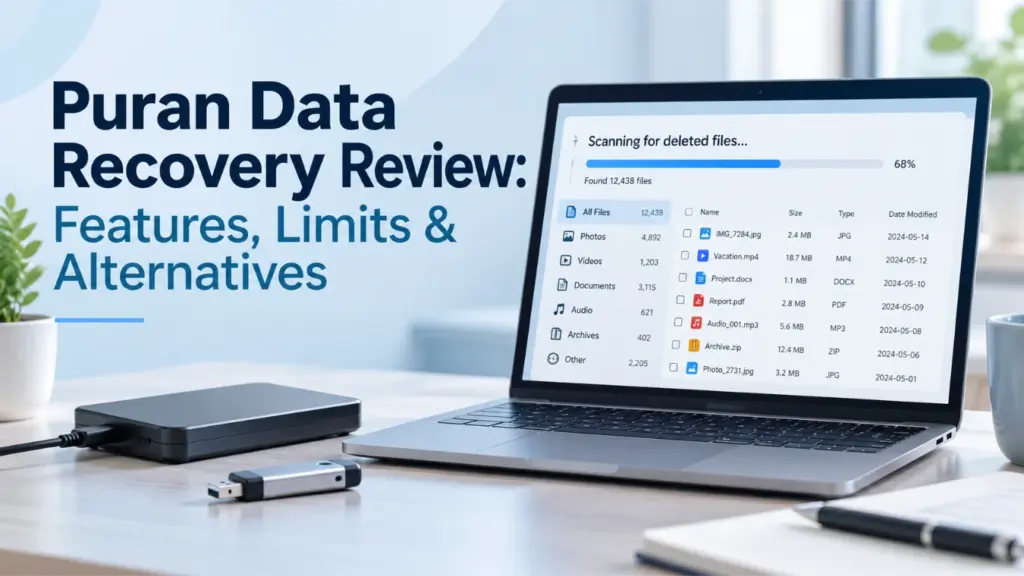
當刮傷的 DVD 或損壞的 USB 隨身碟無法複製檔案時,您需要一款能處理讀取錯誤的工具。. Puran 資料復原 旨在複製可讀取的內容,同時跳過無法讀取的磁區。然而,其主要目的並非用於恢復已永久刪除的檔案。本評測將說明其實際用途,並與 Puran File Recovery 及 Magic Data Recovery 進行比較,協助您選擇合適的解決方案。若問題出在來源裝置本身,我們的 硬碟復原解決方案 提供進一步的指引。.
關鍵在於區分「受損媒體複製」與「已刪除檔案還原」。這兩項操作所需的方法不同,因此無法僅憑單一的還原成功率來公正地對所有工具進行排名。.
目錄
快速精選:該選擇哪種復原工具?
- Puran 資料救援: 當檔案在受損的儲存媒體上仍可見,但進行一般複製時會發生讀取錯誤時,請選擇此選項。.
- Puran 檔案恢復: 若您遇到誤刪檔案、磁碟格式化或分割區遺失的情況,不妨考慮使用此工具。.
- Magic Data Recovery: 請將其視為在備份及內建還原選項無法使用時,針對受支援的邏輯資料遺失情境所提供的替代方案。.
這些建議是基於已記錄的功能及現有證據,並非聲稱某項產品優於其他產品。Magic Data Recovery 是一款 Amagicsoft 產品;其評估採用與兩款 Puran 實用程式相同的比較標準。.
Puran 資料復原 對比 Puran 檔案復原 對比 Magic Data Recovery
評估因素 | Puran 資料復原 | Puran 檔案恢復 | Magic Data Recovery |
主要目的 | 從受損的儲存媒體複製檔案 | 還原已刪除的檔案與遺失的分割區 | 還原已刪除或遺失的檔案 |
最佳情境 | 可見檔案會導致讀取錯誤 | 刪除、格式化或遺失的分區 | 支援的邏輯資料遺失情境 |
已記錄版本 | 1.2,2013年9月 | 2.0.1,2026年1月 | 3.13.271,版本 151 |
Windows 相容性 | 官方清單以 Windows 10 為止 | 官方清單包含 Windows 11 | 產品文件中列出 Windows 7 至 11 |
定價 | 免費公用程式 | 根據發行商表示,可免費使用 | 試用版上限為 500 MB;提供付費授權 |
主要限制 | 並非專用的已刪除檔案掃描工具 | 資料恢復無法保證檔案完整無損 | 無法修復硬體的物理性損壞 |
績效證據 | 未發現任何可直接比較的已發表基準 | 提供外部 USB 復原研究 | 在引用的研究中,沒有可直接比較的結果 |
來源: Puran 資料復原, Puran 檔案恢復, 以及 Magic Data Recovery.
我們如何挑選這些工具
我們採用了三項篩選標準。.
- 直接相關性: 「Puran 資料恢復」是主要主題,因為搜尋此詞的用戶可能需要從受損的儲存媒體中複製檔案。.
- 產品名稱說明: 之所以將「Puran File Recovery」納入其中,是因為發行商會將需要恢復已刪除檔案的使用者引導至這個獨立的輔助程式。.
- 一個相關的替代方案: Magic Data Recovery 針對已支援的邏輯資料遺失情境提供解決方案。此方案並非用以取代受損媒體的複製作業。.
為了使本篇綜述保持焦點,我們將無關的工具排除在主要比較之外。Recuva 和 EaseUS 之所以出現在後面,僅是因為有項獨立研究曾將它們與 Puran File Recovery 一併進行測試。.
測試方法與證據
本評測將經核實的來源資料集證據,與已發表的第三方研究及尚待進行的資料恢復測試區分開來。我們不會將計畫中的測試視為已完成實驗,也不會虛構掃描時間、恢復率或恢復檔案的結果。.
標準化測試環境
我們針對計畫中的復原測試,定義了以下目標配置。.
參數 | 已定義的配置 |
作業系統 | Windows 11 專業版 25H2,64 位元 |
目標作業系統版本 | 26200.9711 (KB5127648) |
CPU 與記憶體 | 4 個 vCPU 及 16 GB 記憶體 |
系統磁碟 | 100 GB 目標容量 |
來源裝置 | 專用 32 GB USB 3.x 隨身碟 |
檔案系統 | NTFS 刪除與快速格式化測試 |
測試資料集 | 18 個檔案,總計 3,355,523 位元組 |
軟體版本 | Puran 資料復原 1.2;Puran 檔案復原 2.0.1;Magic Data Recovery 3.13.271 |
還原目標位置 | 獨立的實體磁碟 |
完整性檢查 | 原始 SHA-256 清單 |
預定次數 | 每種適用工具及情境各執行三次 |
此設定僅指定預期的運作環境,並不代表已證實復原應用程式已在該機器上進行過測試。在執行之前,必須記錄實際的 Windows 版本、裝置型號、已分配的資源以及安裝程式的雜湊值。.
已驗證資料集完整性:18 個檔案中有 18 個通過驗證
在測試資料恢復應用程式之前,我們已根據原始的 SHA-256 清單,對已打包的 18 個檔案所組成的原始資料集進行了驗證。這項預檢工作是在獨立於資料恢復軟體的情況下完成的。.
驗證報告記錄了每個檔案名稱、預期與實際檔案大小、預期與計算出的 SHA-256 雜湊值,以及最終的基準狀態。全部 18 個檔案均通過了大小比對與雜湊比對。計算出的總數也與清單相符。.
此資料集包含文件、試算表、簡報、圖片、音訊檔案、文字、HTML、JSON、ZIP 壓縮檔及二進位資料。透過使用清單檔案,可建立可重現的參考基準,用以判斷還原後的檔案是否與原始檔案完全相同。.
重要的區別: 此結果證實了原始測試樣本的完整性。但這並不代表任何資料恢復軟體已成功恢復檔案。實際的恢復次數、耗時以及恢復後的 SHA-256 比對結果,必須在恢復測試執行完畢後另行測量。.
可重現的回收程序
我們將原定的測試分開進行,因為刪除檔案的復原與受損媒體的複製是兩種不同的操作。.
測試 A:已刪除的檔案
- 將原始資料集複製到專用的 NTFS 測試磁區。.
- 請將所有 18 個檔案與原始的 SHA-256 清單進行比對。.
- 建立測試卷的基準映像。.
- 使用 Shift+Delete 刪除檔案,並擷取刪除後的磁碟狀態。.
- 在測試 Puran File Recovery 和 Magic Data Recovery 之前,請先將系統還原至刪除前的相同狀態。.
- 記錄掃描設定、耗時、搜尋到的檔案、已儲存的檔案,以及完整性檢查結果。.
測試 B:快速格式化
- 還原原始測試卷的基準值。.
- 執行快速格式化,並記錄格式化後的狀態。.
- 在每次可比掃描之前,將貼文格式恢復至相同的狀態。.
- 請記錄每個應用程式所使用的掃描模式與設定。.
- 將還原的檔案儲存至另一顆實體硬碟,並驗證其雜湊值。.
測試 C:受損媒體複製
Puran Data Recovery 需要進行單獨的測試,因為其主要目的是從受損的儲存媒體中複製可存取的檔案。.
請使用已確認會產生讀取錯誤的犧牲媒體。記錄裝置型號、連接方式、受影響的檔案,以及在正常複製過程中遇到的錯誤。接著使用 Puran Data Recovery,將可存取的內容複製到另一個目的地。.
請記錄複製設定、耗時、輸出大小以及 SHA-256 結果。進行此實驗時,請勿使用珍貴的原始媒體。.
將如何衡量復原成效
針對每個適用的情境,該協議規定須從相同的初始狀態基準進行三次執行。以下定義將在各項工具中保持一致。.
公制 | 定義 |
Files found | Files listed in the application results |
Files recovered | Files successfully saved to the destination |
Intact files | Recovered files whose SHA-256 matches the original |
Hash mismatches | Recovered files whose SHA-256 differs from the original |
Files not found | Original files without a corresponding recovered output |
Median time | Median elapsed time across three completed runs |
A filename appearing in a scan result does not prove that the file is recoverable. Likewise, a preview does not establish that the complete file was restored.
Current testing limitation: The source dataset has passed its integrity preflight, but the additional three-tool recovery tests remain pending. No original scan times, recovery counts, or post-recovery hash results are claimed in this review.
What the Published Recovery Research Shows
A 2025 paper in the DS Journal of Cyber Security, Assessing the Performance of Forensic File Recovery Tools on Deleted Files from a USB Device, evaluated Recuva, Puran File Recovery, and EaseUS Data Recovery.
The researchers used an 8 GB USB flash drive formatted as FAT32. Their dataset contained 18 files totaling 187 MB. They measured file recovery counts, elapsed time, recovered output sizes, and hash matching to evaluate the integrity of recovered files.
The study reported the following results:
Published metric | Recuva | Puran 檔案恢復 | EaseUS |
Files reported recovered | 13/18 | 16/18 | 14/18 |
Reported recovery rate | 72.22% | 88.89% | 77.78% |
Reported elapsed time | 6 min 33 sec | 5 min 20 sec | 9 min 29 sec |
Files matching original hashes | 11/13 | 9/16 | 11/15 |
Hash-matching rate | 84.62% | 56.25% | 73.33% |
These figures come from the external paper, not our own recovery tests.
The difference between recovered files and intact files is significant. Although Puran File Recovery reportedly recovered 16 files, only nine of those 16 reportedly matched the original hashes. The paper also reports 296 MB of recovered output from an original dataset of 187 MB, which raises questions about its file-size measurement.
There is another reporting inconsistency: the abstract attributes an 84.62% hash-matching result to EaseUS, while the detailed table assigns that figure to Recuva. The table’s figures are shown above, but this discrepancy limits confidence in the study’s summary.
Consequently, the reported 88.89% recovery rate does not establish that 88.89% of the original data was restored intact. The study also did not test Puran Data Recovery or Magic Data Recovery, so it cannot establish a performance ranking among all three products reviewed here.
Puran Data Recovery: Features, Pros, and Cons
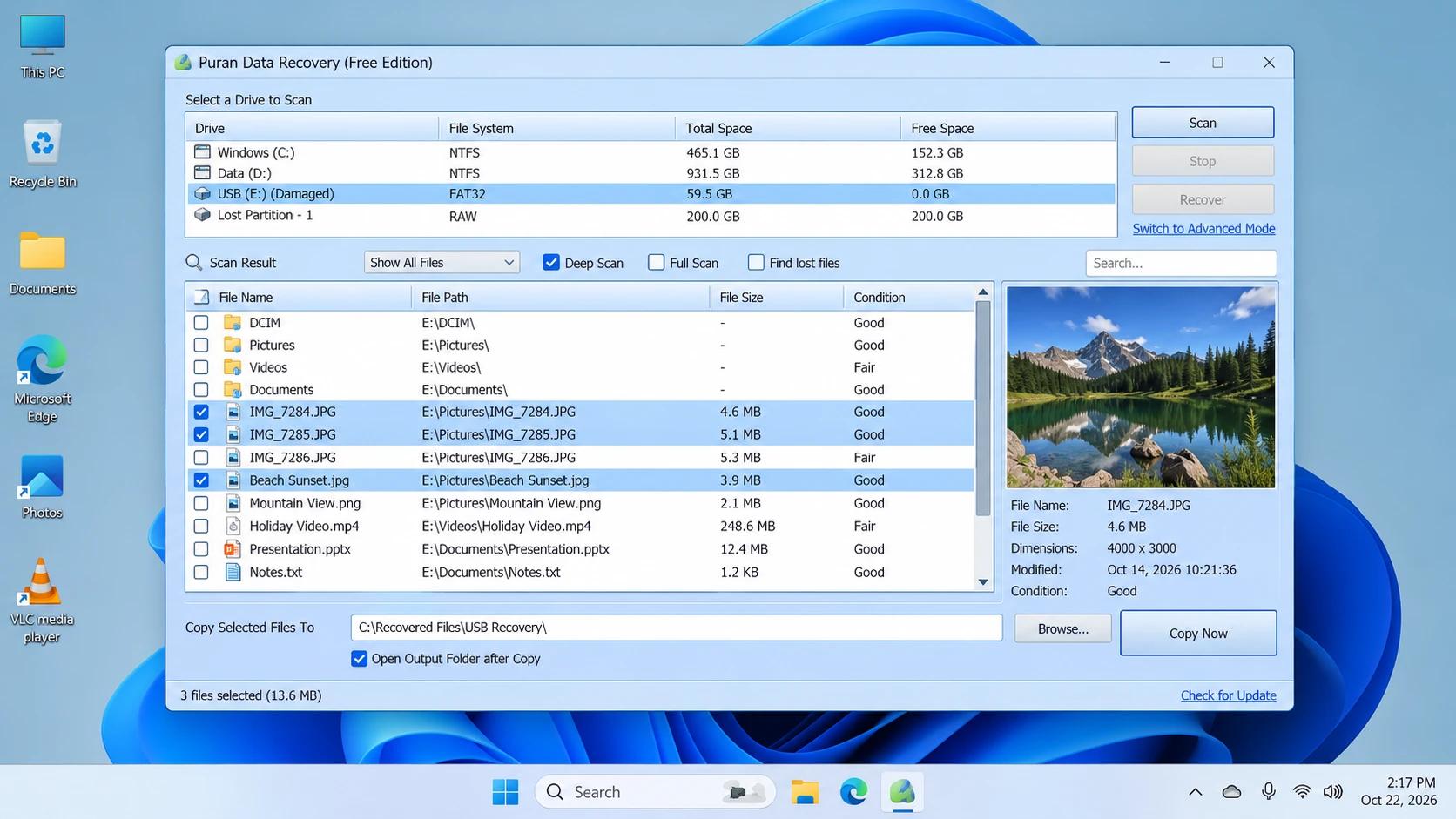
根據該 官方產品頁面, Puran 資料復原 is a free utility for copying accessible files from damaged media, including scratched CDs, DVDs, Blu-ray discs, USB drives, and memory cards.
Its defining behavior is simple: when it encounters an unreadable sector, it attempts to skip that area and continue copying the remaining data. This may preserve readable portions of a file, but it cannot reconstruct missing bytes from a sector that the device cannot read.
Main strengths
- Error-tolerant copying: Attempts to continue past unreadable sectors.
- Flexible selection: Copies entire drives or individual files and folders.
- Adjustable speed levels: Provides settings to balance copying speed and recovery effort.
限制條件
- Not a deleted-file scanner: It is not intended primarily to locate permanently deleted directory entries.
- Old documented release: Version 1.2 was released on September 7, 2013.
- Windows 11 support is unconfirmed: The official compatibility list ends at Windows 10.
- Incomplete copies remain possible: Skipping unreadable sectors cannot restore missing content.
最適合 Copying visible files from damaged media when normal Windows copying encounters read errors.
不適用於: Searching primarily for deleted files, recovering overwritten content, or repairing physical hardware damage.
Five-step workflow
- Download: Get the utility from the official download page.
- Connect: Attach the source device. Stop if it repeatedly disconnects or shows signs of serious physical failure.
- 請選擇: Choose the accessible files, folders, or drive that you need to copy.
- Copy: Select an appropriate speed level and save the output to a healthy, separate destination.
- 驗證: Open representative files and check their contents. Keep the original media unchanged until you confirm the copies are usable.
Puran File Recovery: Deleted Files and Lost Partitions
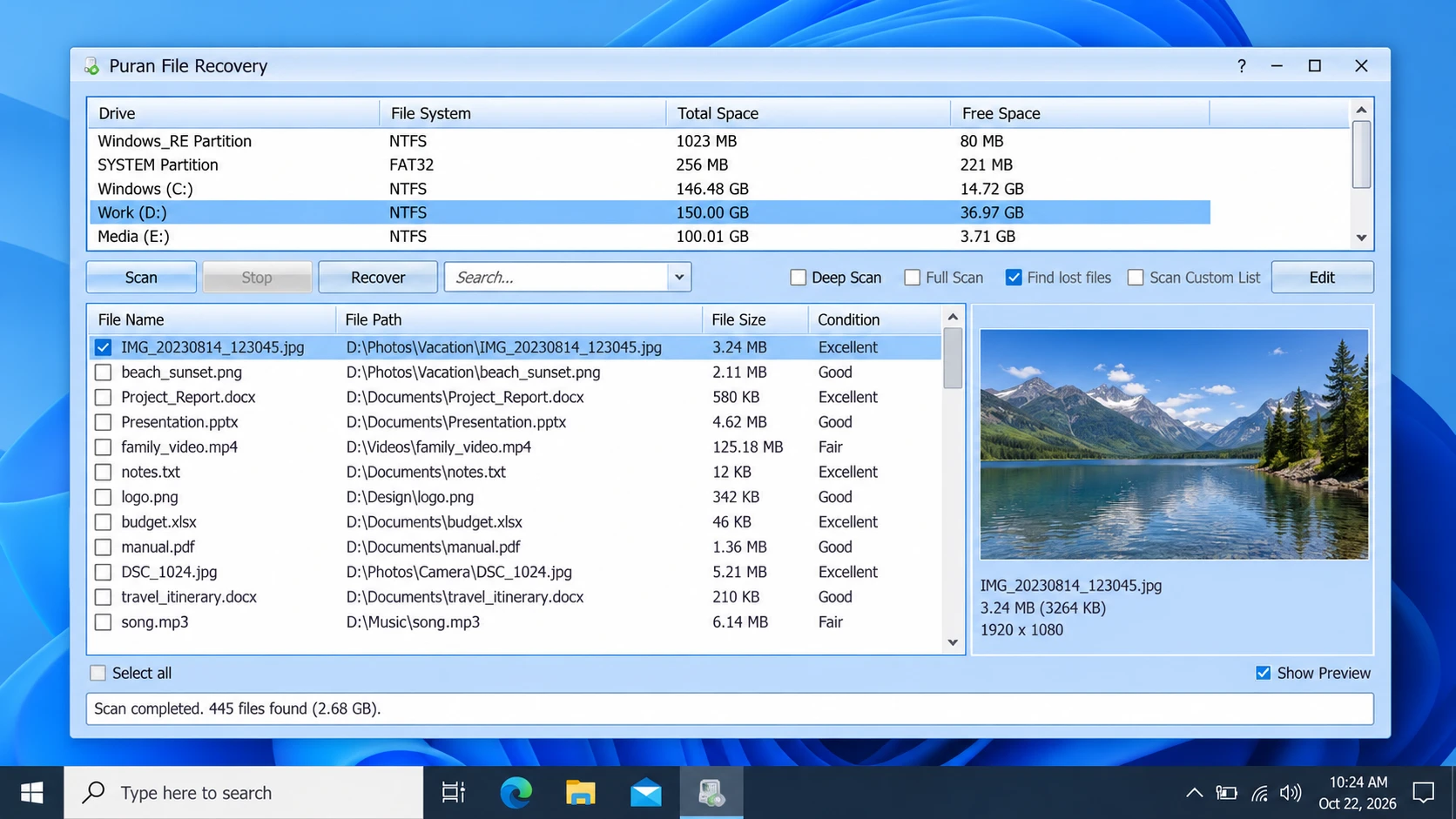
Puran File Recovery is a separate application for recovering deleted or lost files. The 官方產品頁面 also describes support for formatted drives and lost partitions.
It provides three scan modes:
- 快速掃描: Searches available file-system information for deleted files. The publisher identifies support for FAT12, FAT16, FAT32, and NTFS.
- 深度掃描: Searches byte by byte for additional files using data patterns.
- Full Scan: Searches for lost partitions and files on formatted or RAW drives.
The program also includes file search, preview, and an option to preserve folder structures when the necessary information remains available.
Main strengths
- Covers deleted files, formatted drives, and lost partitions.
- Offers multiple scan modes for different scenarios.
- Provides search and preview functions.
- Includes a portable version.
限制條件
- A listed file may not be completely recoverable.
- Deep scans can take time depending on the device and scan scope.
- A recovered file may be corrupted.
- Commercial-use conditions should be verified if relevant to your deployment.
The official version history lists version 2.0.1 on January 21, 2026, and explicitly includes Windows 11 compatibility. These details apply to Puran File Recovery, not to Puran Data Recovery.
最適合 Users who need a free utility to search for deleted files, formatted volumes, or lost partitions.
不適用於: Copying visible files from damaged media when the main problem is unreadable sectors.
Five-step workflow
- Download: 訪問 official Puran File Recovery page.
- 請選擇: Choose the original drive or partition containing the missing files.
- 掃描: Use Quick Scan for a first search, Deep Scan for additional file-pattern searching, or Full Scan for lost partitions and formatted volumes.
- Review: Search the results and preview supported files where possible.
- 恢復: Save the selected files to a different physical drive, then verify their contents.
Magic Data Recovery: An Alternative for Logical Data Loss
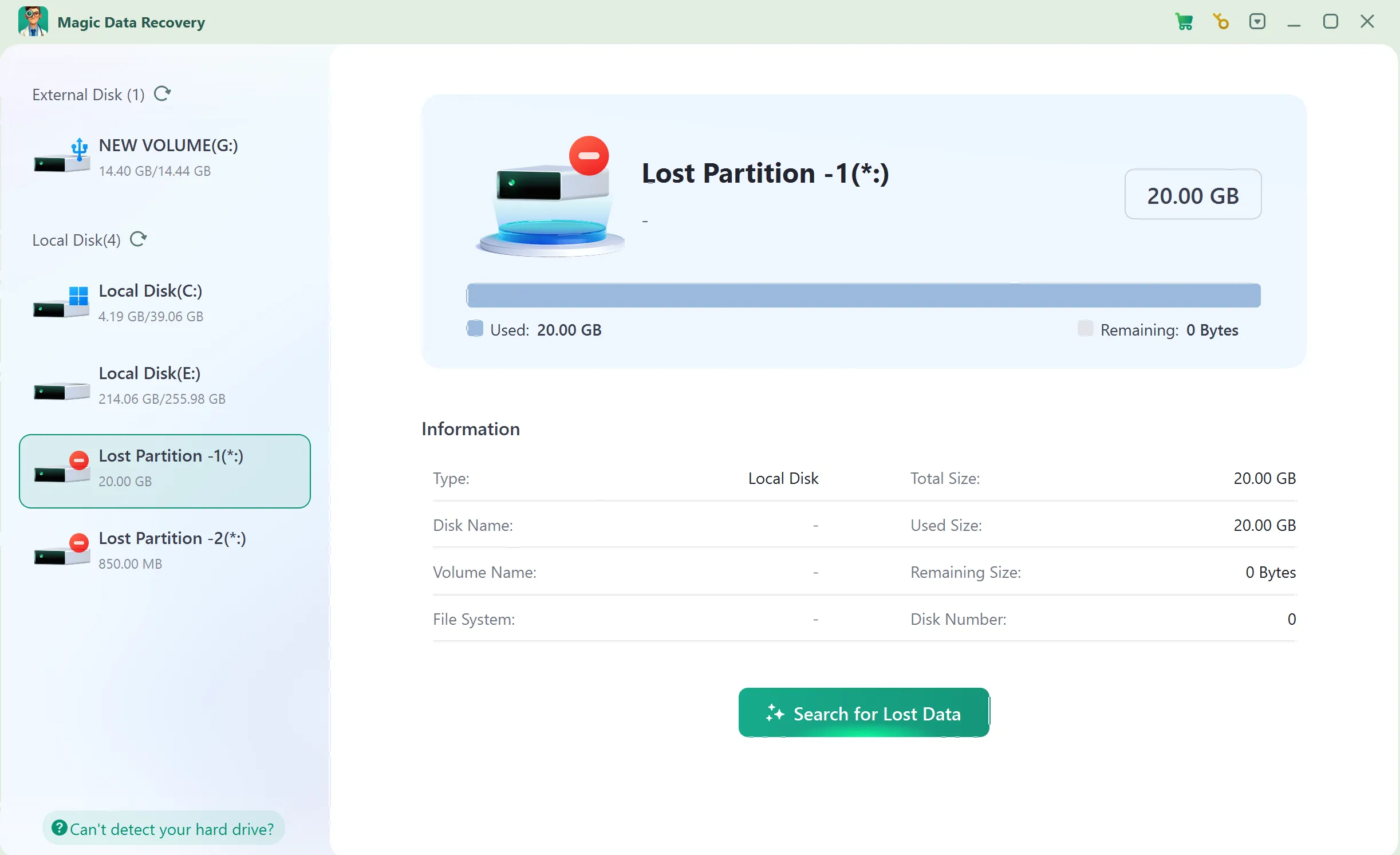
Magic Data Recovery provides a guided workflow for supported deleted-file and logical data-loss scenarios. Users select a storage device, scan for lost data, inspect results, preview supported files, and recover selected items.
It is included as an alternative, not as a performance winner. The published USB study did not test Magic Data Recovery, and our additional comparative tests remain pending.
Main strengths
- Guided workflow: Supports drive selection, scanning, browsing, and recovery.
- File filtering: Helps narrow down scan results.
- 預覽支援: Helps identify supported files before recovery, although not every file can necessarily be previewed.
- Trial availability: The official product page states that users can recover up to 500 MB for evaluation.
限制條件
- It cannot repair physical hardware damage.
- Overwriting and SSD TRIM can reduce recovery prospects.
- A scan result does not guarantee an intact file.
- Recovery beyond the trial allowance requires an appropriate paid license.
最適合 Users who need a guided workflow for supported deleted-file or logical data-loss scenarios.
不適用於: Repairing a physically damaged device or reconstructing data from unreadable hardware.
Five-step workflow
步驟 1:下載並安裝 Magic Data Recovery
Install the program on a different drive or partition from the one that lost data. This reduces the risk of overwriting recoverable content.
支援 Windows 7/8/10/11 和 Windows Server
Step 2: Select the Drive Where the Files Were Stored
Launch the program, select the original drive or partition, and start the scan.
步驟 3:掃描遺失或已刪除的檔案
Allow the scan to run and review the files that appear.
步驟 4:復原前預覽檔案
Use Preview for supported file types to help identify the intended files. A preview does not guarantee that the complete file is intact.
步驟 5:將檔案復原至安全位置
Save selected files to a different physical drive. Do not write them back to the source location where data was lost.
Pricing and License Comparison
The three tools differ in pricing and available licensing information.
產品 | 定價 | License information |
Puran 資料復原 | 免費公用程式 | Confirm current terms before business deployment |
Puran 檔案恢復 | Officially described as free to use | A third-party review describes possible commercial-use restrictions; verify with the publisher |
Magic Data Recovery | Trial up to 500 MB; paid plans available | One-computer PRO licenses and Technician plans are listed |
的 Magic Data Recovery pricing page displayed the following promotional prices when checked on October 22, 2026:
計畫 | 顯示價格 | License terms |
免費 | $0 | 免費提供 500 MB |
PRO — 1 year | $49.95 | 一台電腦;一年的升級服務 |
PRO — perpetual | $69.95 | 一台電腦;終身升級 |
The pricing page also displays reference prices and a 30-day money-back guarantee. Prices and terms can change, so check the current offer before purchasing.
The comparison does not assume that paid software is better than free software. Instead, the choice depends on the task, supported platform, license terms, and whether the recovered files are intact.
您應該選擇哪一種工具?
您的情況 | 建議的下一步 | 原因 |
Files remain visible on a scratched disc but copying fails | Puran 資料復原 | Designed to continue copying readable content |
檔案被意外刪除 | Check Recycle Bin and backups, then consider Puran File Recovery | Designed for deleted-file recovery |
A drive was formatted or a partition disappeared | Consider Puran File Recovery | Provides Full Scan for lost partitions and formatted volumes |
You prefer a guided logical-recovery workflow | Evaluate Magic Data Recovery’s trial | Allows you to inspect actual results before purchasing |
A drive clicks, repeatedly disconnects, or shows physical damage | Stop DIY scans and seek professional diagnosis | Software cannot repair serious hardware damage |
已有可靠的備份 | 請先從備份中還原 | Avoids unnecessary scanning and further writes |
Before recovery, stop writing new data to the affected device. Do not install recovery software on the source partition, and save recovered files elsewhere. On SSDs, TRIM may make deleted content unrecoverable even when a scanner detects remnants.
Conclusion: Is Puran Data Recovery Worth Trying?
Puran 資料復原 remains relevant for copying visible files from damaged media when ordinary copying encounters unreadable sectors. However, its documented version is old, and the official compatibility list does not explicitly include Windows 11.
For deleted files, formatted drives, and lost partitions, Puran File Recovery is the more appropriate Puran utility. An external study reported a high file-count recovery rate, but its hash-matching results and reporting inconsistencies show why recovered files must be checked for integrity.
If built-in recovery methods and backups fail, Magic Data Recovery offers an alternative for supported logical data-loss scenarios. It is not a universal replacement for Puran Data Recovery, and this review does not claim a performance winner without directly comparable tests.
Choose according to the cause of data loss, device condition, compatibility, and file integrity. For further device-specific guidance, visit our 硬碟復原解決方案.
支援 Windows 7/8/10/11 和 Windows Server
常見問題
Puran 資料救援用來做什麼?
Puran 資料復原與 Puran 檔案復原之間有什麼區別?
Puran Data Recovery 是免費的嗎?
Puran Data Recovery 能在 Windows 11 上運作嗎?
Puran File Recovery 能否還原已永久刪除的檔案?
已公布的 88.89% 資料恢復率,是否證明 Puran File Recovery 值得信賴?
我該選擇 Puran File Recovery 還是 Magic Data Recovery?

Vasilii 是一位在該領域擁有約 10 年實務經驗的資料復原專家。在他的職業生涯中,他已成功解決數千個複雜的個案,包括刪除的檔案、格式化的硬碟機、遺失的磁碟分割和 RAW 檔案系統。他的專業知識涵蓋使用十六進位編輯器等專業工具的手動復原方法,以及使用復原軟體的進階自動解決方案。Vasilii 的使命是讓 IT 專業人士和一般使用者都能獲得可靠的資料復原知識,協助他們保護寶貴的數位資產。.