
PowerProtect – Leitfaden zur Wiederherstellung nach Cyberangriffen
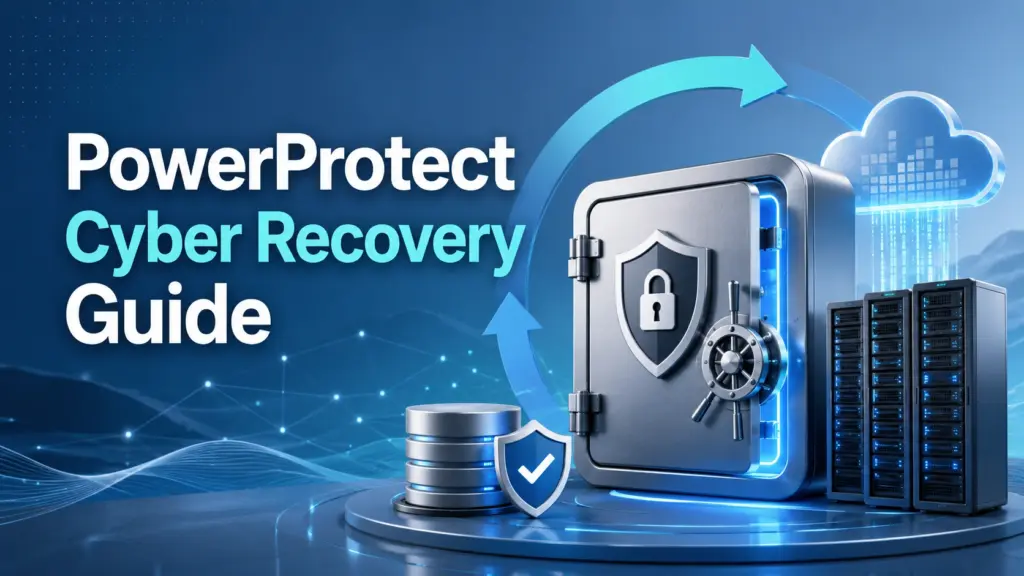
Wenn Sie vergleichen PowerProtect Cyber Recovery Im Zusammenhang mit praktischen Optionen zur Dateiwiederherstellung ist es wichtig, zunächst einen entscheidenden Punkt zu verstehen: Die Cyber-Wiederherstellung in Unternehmen und die alltägliche Dateiwiederherstellung sind nicht dasselbe. Die Lösung von Dell konzentriert sich darauf, kritische Sicherungsdaten in einem sicheren Tresor zu isolieren, um Widerstandsfähigkeit gegen Ransomware zu gewährleisten, während lokale Tools zur Dateiwiederherstellung dabei helfen, Dateien wiederherzustellen, die durch Löschen, Formatieren, Dateisystemfehler oder Probleme mit Speichergeräten verloren gegangen sind. Bei typischen Szenarien mit gelöschten Dateien können Sie auch damit beginnen Anleitung zur Wiederherstellung gelöschter Dateien bevor man sich für den richtigen Wiederherstellungspfad entscheidet.
In diesem Leitfaden erklären wir, was PowerProtect Cyber Recovery was es leistet, wo es am besten funktioniert, welche Einschränkungen Nutzer beachten sollten und wann ein Tool wie Magic Data Recovery bietet eine direktere Lösung zur Wiederherstellung gelöschter, formatierter oder unzugänglicher lokaler Dateien.
Unterstützt Windows 7/8/10/11 und Windows Server
Inhaltsübersicht
Was ist PowerProtect Cyber Recovery?
PowerProtect Cyber Recovery ist Dells Lösung zur Cyber-Resilienz, die kritische Geschäftsdaten vor Ransomware und zerstörerischen Cyberangriffen schützt. Sie hilft Unternehmen dabei, kritische Daten in einem sicheren, automatisierten Speicher zu isolieren, sodass sie nach Cybervorfällen einwandfreie Kopien wiederherstellen können.
Im Gegensatz zu herkömmlicher Backup-Software, die ständig mit den Produktionssystemen verbunden bleibt, Dell PowerProtect Cyber Recovery speichert die Sicherungskopien in einer logisch oder physisch isolierten Umgebung. Diese Konzeption trägt dazu bei, das Risiko zu verringern, dass Ransomware alle Sicherungskopien gleichzeitig befallen kann.
In einfachen Worten, PowerProtect Cyber Recovery Hilft Unternehmen dabei, eine saubere, geschützte Kopie ihrer wichtigsten Daten außerhalb der Reichweite vieler aktiver Bedrohungen aufzubewahren. Dies ist wichtig, da Ransomware häufig nicht nur Live-Systeme, sondern auch Backup-Speicherorte ins Visier nimmt.
So funktioniert PowerProtect Cyber Recovery
Der Kerngedanke hinter PowerProtect Cyber Recovery ist der Cyber-Recovery-Vault. Ein Vault ist eine geschützte Wiederherstellungsumgebung, in der wichtige Kopien außerhalb des Hauptproduktionsnetzwerks gespeichert werden. Er wird üblicherweise als isolierte und ausfallsichere Kopie von unternehmenskritischen und geschäftskritischen Daten genutzt.
Ein typischer Arbeitsablauf umfasst vier Phasen:
- Identifizieren Sie geschäftskritische Systeme und Daten.
- Die ausgewählten Sicherungskopien in den sicheren Tresor kopieren.
- Isolieren Sie diese Kopien von der Produktionsumgebung.
- Verwenden Sie die Tresorkopie zur Analyse, Validierung oder Wiederherstellung nach einem Angriff.
Dieses Design sorgt dafür, dass PowerProtect Cyber Recovery nützlich für Unternehmen, die eine letzte Verteidigungslinie gegen Ransomware benötigen. Es ist jedoch nicht dafür ausgelegt, eine einzelne gelöschte Datei von einem privaten Laptop, einem USB-Stick, einer SD-Karte oder formatierte lokale Festplatte.
PowerProtect Cyber Recovery im Vergleich zu herkömmlichen Backups
Viele Nutzer suchen nach PowerProtect Cyber Recovery weil sie wissen wollen, ob es Backup-Software ersetzt. Die Antwort lautet: Nein. Es ergänzt eine Backup-Strategie anstatt es zu ersetzen.
Bei herkömmlichen Backups werden Daten durch die Erstellung von Kopien geschützt. Diese Kopien können jedoch weiterhin mit demselben Netzwerk verbunden sein, über dieselben Zugangsdaten verwaltet werden oder denselben Angriffswegen ausgesetzt sein. Im Gegensatz dazu, PowerProtect Cyber Recovery sorgt für Isolation und kontrollierten Zugriff.
Hier ist ein praktischer Vergleich:
Merkmal | Herkömmliche Datensicherung | PowerProtect Cyber Recovery |
Hauptzweck | Verlorene oder beschädigte Daten wiederherstellen | Schützen Sie saubere Kopien vor Cyberangriffen |
Typischer Nutzer | Einzelpersonen, Teams, IT-Abteilungen | Mittlere bis große Unternehmen |
Schutzmodell | Sicherungskopie | Isolierter Cyber-Wiederherstellungsspeicher |
Bester Anwendungsfall | Versehentliches Löschen, Systemausfall, routinemäßige Wiederherstellung | Wiederherstellung nach Ransomware-Angriffen und Cyber-Resilienz |
Komplexität | Niedrig bis mittel | Hoch |
Kosten und Einrichtung | Meistens einfacher | Erfordert Planung, Infrastruktur und Fachwissen |
Deshalb, PowerProtect Cyber Recovery funktioniert am besten als Teil einer unternehmensweiten Strategie zur Cyber-Resilienz. Es ersetzt jedoch nicht die Notwendigkeit von Tools zur Wiederherstellung von Endgeräten, zur lokalen Dateiwiederherstellung, zur Überprüfung von Backups oder zur Wiederherstellung auf Benutzerebene.
Wann ist PowerProtect Cyber Recovery die richtige Wahl?
PowerProtect Cyber Recovery Dies ist sinnvoll, wenn ein Unternehmen hochwertige Systeme vor Ransomware oder zerstörerischen Angriffen schützen muss. So benötigt beispielsweise eine Finanzabteilung möglicherweise eine unversehrte Kopie der Buchhaltungsdatenbanken. Ein Krankenhaus benötigt möglicherweise geschützte Kopien der Patientendaten. Ein Fertigungsunternehmen benötigt möglicherweise eine geschützte Kopie der ERP- und Betriebsdaten.
Dies ist insbesondere dann relevant, wenn:
- Ihr Unternehmen betreibt kritische Produktionssysteme.
- Die Wiederherstellung nach einem Ransomware-Angriff ist zu einem Risiko auf Vorstandsebene geworden.
- Bestehende Backups bleiben mit dem Produktionsnetzwerk verbunden.
- Sie benötigen eine isolierte Wiederherstellungsumgebung.
- Sie nutzen bereits die Dell PowerProtect-Infrastruktur.
- Sie benötigen eine Wiederherstellungsplanung, die sowohl lokale als auch Cloud-Umgebungen abdeckt.
Da es die Notfallplanung auf Unternehmensebene unterstützt, PowerProtect Cyber Recovery eignet sich eher für IT-Teams als für Gelegenheitsnutzer. Es eignet sich für Unternehmen, die strukturierte Wiederherstellungsrichtlinien, kontrollierten Zugriff und erprobte Wiederherstellungsabläufe benötigen.
Einschränkungen von PowerProtect Cyber Recovery
Obwohl PowerProtect Cyber Recovery ist zwar leistungsstark, doch sollten Anwender sich über seine Grenzen im Klaren sein, bevor sie es als allgemeine Lösung für die Datenwiederherstellung wählen.
Es handelt sich nicht um ein einfaches Tool zur Wiederherstellung gelöschter Dateien
Wenn Sie versehentlich Fotos, Word-Dokumente, Videos, ZIP-Dateien oder Projektordner von einem Windows-PC löschen, PowerProtect Cyber Recovery ist nicht die schnellste oder praktischste Lösung. Sie ist auf gesicherte Kopien und die Unternehmensinfrastruktur angewiesen. Sie durchsucht Ihr lokales Laufwerk nicht Sektor für Sektor, um gelöschte Dateien zu finden.
Für diesen Fall sind spezielle Datenwiederherstellungs-Software ist in der Regel direkter.
Man muss vorausschauend planen, bevor es zu einem Datenverlust kommt
PowerProtect Cyber Recovery schützt Daten, die bereits ausgewählt, gesichert, repliziert und im Tresor gespeichert wurden. Wenn eine Datei nie vom System geschützt wurde, kann der Tresor sie nicht auf magische Weise wiederherstellen.
Das ist ein wichtiger Unterschied. Die Cyber-Wiederherstellung erfolgt proaktiv. Die Dateiwiederherstellung erfolgt oft reaktiv. Wenn Nutzer Dateien ohne Backup verlieren, benötigen sie eher einen Wiederherstellungsscan als einen „Enterprise Vault“-Workflow.
Für kleine Teams könnte es zu komplex sein
Ein Cyber-Recovery-Vault erfordert eine entsprechende Architektur, Speicherplanung, Sicherheitsregeln, Zugriffskontrolle und Wiederherstellungstests. Für große Unternehmen ist diese Planung unerlässlich. Für kleine Unternehmen oder einzelne Windows-Nutzer könnte sie jedoch übertrieben sein.
Wenn das Problem in einem formatierten externen Laufwerk, einem gelöschten Desktop-Ordner, einer beschädigten Partition oder fehlenden Dateien nach einem Systemfehler besteht, hilft ein Tool wie Magic Data Recovery passt besser zu dieser Stelle.
Wann Magic Data Recovery die bessere Wahl ist
Magic Data Recovery richtet sich an Windows-Nutzer, die verlorene Dateien aus typischen Szenarien mit Speicherverlust wiederherstellen müssen. Im Gegensatz zu PowerProtect Cyber Recovery, es ist kein vorgefertigter Enterprise Vault erforderlich. Stattdessen scannt es das betroffene Laufwerk und hilft den Benutzern dabei, wiederherstellbare Dateien zu finden.
Dadurch eignet es sich beispielsweise für folgende Fälle:
- Dateien, die von einem PC oder einem externen Laufwerk gelöscht wurden
- Papierkorb versehentlich geleert
- Datenverlust nach einer Schnellformatierung
- Fehlende Dateien nach Dateisystemfehlern
- Verlorene Dokumente, Fotos, Videos, Archive und andere Dateitypen
- Datenverlust auf USB-Sticks, SD-Karten, Festplatten oder externen Speichermedien
Magic Data Recovery fungiert als All-in-One-Tool zur Windows-Dateiwiederherstellung für gelöschte, formatierte und verlorene Dateien. Es bietet den Benutzern einen schrittweisen Arbeitsablauf, der den Wiederherstellungsprozess für technisch weniger versierte Nutzer vereinfacht.
Warum sollte man Magic Data Recovery zusammen mit PowerProtect Cyber Recovery empfehlen?
Die beste Wiederherstellungsstrategie hängt vom jeweiligen Ausfallszenario ab. PowerProtect Cyber Recovery schützt Unternehmenssysteme vor Cybervorfällen. Magic Data Recovery Das ist hilfreich, wenn auf einem lokalen Gerät bereits Dateien fehlen und Sie nach wiederherstellbaren Daten suchen müssen.
Dieser Unterschied führt dazu, dass Magic Data Recovery ein praktischer Begleiter, kein direkter Ersatz.
Hauptschmerzpunkt, der gelöst wird
Viele Nutzer verlieren ihre Dateien nicht aufgrund von Ransomware. Sie gehen vielmehr durch versehentliches Löschen, plötzliches Formatieren, Partitionsfehler, unterbrochene Übertragungen, Probleme mit externen Laufwerken oder Softwareabstürze verloren. In diesen Fällen kann eine Cyber-Wiederherstellung für Unternehmen möglicherweise nicht helfen.
Magic Data Recovery konzentriert sich auf diese alltäglichen Probleme im Zusammenhang mit Datenverlust.
Die wichtigsten Vorteile
Magic Data Recovery bietet mehrere praktische Vorteile:
- Es unterstützt die Wiederherstellung gelöschter, formatierter und verlorener Dateien.
- Es funktioniert auf gängigen Windows-Speichergeräten.
- Es bietet einen geführten Scan- und Wiederherstellungsprozess.
- Damit können Benutzer vor dem Speichern eine Vorschau der wiederherstellbaren Dateien anzeigen.
- Es eignet sich sowohl für Anfänger als auch für fortgeschrittene Nutzer.
- Es hilft den Benutzern, riskante manuelle Vorgänge zu vermeiden.
Für Nutzer, die gelöschte Dokumente, Fotos, Videos, Audiodateien, E-Mails, Archive oder andere gängige Dateiformate wiederherstellen müssen, Magic Data Recovery bietet einen direkteren Weg als die Cyber-Recovery-Infrastruktur von Unternehmen.
Beispielhafte Anwendungsfälle
Wenn ein Benutzer beispielsweise einen Projektordner von einem externen Laufwerk löscht, Magic Data Recovery kann das Laufwerk scannen und nach wiederherstellbaren Dateien suchen. Wenn eine Speicherkarte zur Formatierung aufgefordert wird, kann das Tool die Karte scannen, bevor der Benutzer die ursprünglichen Daten überschreibt. Wenn durch eine Schnellformatierung der Zugriff auf Dateien verloren geht, kann die Software nach verbleibenden Dateieinträgen und wiederherstellbaren Daten suchen.
Im Gegensatz dazu, PowerProtect Cyber Recovery Das hilft nur, wenn die verlorenen Daten bereits in einer geschützten Tresorkopie vorhanden sind.
PowerProtect Cyber Recovery im Vergleich zu Magic Data Recovery
Die beiden Lösungen bedienen unterschiedliche Wiederherstellungsebenen. Die eine schützt Unternehmens-Backups. Die andere stellt lokal verlorene Dateien wieder her.
Vergleichspunkt | PowerProtect Cyber Recovery | Magic Data Recovery |
Hauptzweck | Cyber-Resilienz und Wiederherstellung nach Ransomware-Angriffen | Wiederherstellung gelöschter, formatierter und verlorener Dateien |
Am besten für | Unternehmen und kritische Infrastruktur | Windows-Nutzer, kleine Unternehmen und die Wiederherstellung lokaler Speicher |
Wiederherstellungsquelle | Geschützte Tresorkopie | Betroffene Festplatte, Partition oder Gerät |
Muss vor dem Verlust eingerichtet werden | Ja | Es ist kein vorgefertigter Backup-Speicher erforderlich |
Behebt versehentliches Löschen | Nur wenn ein geschütztes Backup vorhanden ist | Ja, wenn die Daten nicht überschrieben wurden |
Unterstützt formatierte Laufwerke | Nur wenn eine Sicherungskopie vorhanden ist | Ja, in vielen Fällen, in denen eine Wiederherstellung möglich ist |
Technische Komplexität | Hoch | Niedrig bis mittel |
Empfohlene Rolle | Cyber-Wiederherstellungsschicht für Unternehmen | Praktische Ebene zur Wiederherstellung lokaler Dateien |
Daher sollten Nutzer nicht fragen, welche Lösung grundsätzlich besser ist. Eine bessere Frage lautet: “Mit welcher Art von Datenverlust habe ich es zu tun?” Wenn die Antwort Ransomware und geschützte Unternehmens-Workloads beinhaltet, PowerProtect Cyber Recovery könnte angebracht sein. Falls die Antwort auf fehlende lokale Dateien zurückzuführen ist, Magic Data Recovery ist in der Regel relevanter.
So stellen Sie verlorene lokale Dateien mit Magic Data Recovery wieder her
Bevor Sie ein Wiederherstellungsprogramm ausführen, sollten Sie das betroffene Gerät nicht mehr verwenden. Neue Dateien könnten gelöschte Daten überschreiben und die Chancen auf eine Wiederherstellung verringern.
Folgen Sie diesen Schritten:
Schritt 1: Installieren Sie die Software auf einem sicheren Laufwerk
Nicht installieren Magic Data Recovery auf dem Laufwerk, auf dem die Dateien verloren gegangen sind. Wenn beispielsweise Daten von einem externen USB-Laufwerk verschwunden sind, installieren Sie die Software auf dem internen Systemlaufwerk Ihres Computers.
Unterstützt Windows 7/8/10/11 und Windows Server
Schritt 2: Wählen Sie den betroffenen Standort
Start Magic Data Recovery und wählen Sie die Festplatte, Partition, den USB-Stick, die SD-Karte oder das externe Speichergerät aus, auf dem die Dateien verschwunden sind.

Schritt 3: Scan durchführen
Starten Sie den Scanvorgang. Ein Schnellscan findet kürzlich gelöschte Dateien möglicherweise schneller. Ein gründlicherer Scan kann länger dauern, findet aber möglicherweise mehr Dateien nach einer Formatierung, bei Dateisystemfehlern oder bei komplexem Datenverlust.

Schritt 4: Vorschau der gefundenen Dateien
Zeigen Sie die wiederherstellbaren Dateien nach Möglichkeit in der Vorschau an. So können Sie vor der Wiederherstellung überprüfen, ob die gefundenen Dateien für Sie von Nutzen sind.

Schritt 5: Die wiederhergestellten Dateien auf einem anderen Laufwerk speichern
Speichern Sie wiederhergestellte Dateien immer auf einem anderen Laufwerk. Wenn Sie sie am selben Speicherort speichern, können dadurch andere verlorene Dateien überschrieben werden.

Bewährte Vorgehensweisen vor der Auswahl einer Wiederherstellungslösung
Ein solider Wiederaufbauplan sollte sowohl Präventions- als auch Reaktionsmaßnahmen umfassen. PowerProtect Cyber Recovery gehört zum Bereich Prävention und Cyber-Resilienz. Magic Data Recovery gehört zum Bereich der Notfallreaktion und Datenwiederherstellung.
Beachten Sie folgende bewährte Vorgehensweisen:
- Bewahren Sie wichtige Sicherungskopien vom Netz getrennt oder geschützt auf.
- Testen Sie regelmäßig die Wiederherstellung aus dem Backup.
- Verlassen Sie sich nicht auf eine einzige Sicherungskopie.
- Verwenden Sie ein Laufwerk nach einem Datenverlust nicht mehr.
- Vermeiden Sie es, ein Gerät erneut zu formatieren, nachdem Dateien verschwunden sind.
- Installieren Sie keine Wiederherstellungsprogramme auf dem betroffenen Laufwerk.
- Nutzen Sie die Dateivorschau, bevor Sie die wiederhergestellten Daten speichern.
- Speichern Sie die wiederhergestellten Dateien auf einem einwandfreien Speichermedium.
Dieser ausgewogene Ansatz trägt zur Risikominderung bei. Außerdem bietet er den Benutzern Alternativen, falls ein Wiederherstellungsweg fehlschlägt.
Häufig zu vermeidende Fehler
Viele Fehlschläge bei der Datenwiederherstellung sind darauf zurückzuführen, dass Nutzer zu voreilig handeln. Vermeiden Sie nach einem Datenverlust folgende Fehler:
- Laden Sie keine weiteren Dateien auf das betroffene Laufwerk herunter.
- Führen Sie vor der Wiederherstellung keine Festplattenbereinigung durch.
- Formatieren Sie das Gerät nicht wiederholt.
- Speichern Sie wiederhergestellte Dateien nicht am selben Speicherort.
- Gehen Sie nicht davon aus, dass die Unternehmenssicherung jede lokale Datei abdeckt.
- Zögern Sie die Wiederherstellung nicht hinaus, solange das Laufwerk noch lesbar ist.
Diese Fehler sind von Bedeutung, da gelöschte oder formatierte Daten oft so lange wiederherstellbar bleiben, bis sie durch neue Daten überschrieben werden. Je früher Sie die Nutzung des Geräts einstellen, desto besser sind möglicherweise Ihre Chancen auf eine Wiederherstellung.
Fazit: Reicht PowerProtect Cyber Recovery aus?
PowerProtect Cyber Recovery ist eine leistungsstarke Lösung zur Stärkung der Cyber-Resilienz für Unternehmen, die isolierte Sicherungskopien und einen Plan zur Wiederherstellung nach Ransomware-Angriffen benötigen. Sie schützt kritische Geschäftsdaten durch ein sicheres Tresor-Modell und entfaltet ihre volle Wirkung am besten, wenn sie bereits vor einem Angriff oder einem schwerwiegenden Vorfall implementiert wird.
Allerdings löst es nicht jedes Problem im Zusammenhang mit Datenverlust. Wenn Dateien gelöscht wurden, nach einer Formatierung verloren gegangen sind oder aufgrund von Dateisystemfehlern nicht mehr zugänglich sind, Magic Data Recovery ist oft das praktischere Tool. Es hilft Windows-Nutzern dabei, lokale Laufwerke zu scannen, eine Vorschau der wiederherstellbaren Dateien anzuzeigen und Daten wiederherzustellen, ohne dass ein Enterprise Recovery Vault erforderlich ist.
Wenn Sie eine umfassende Datensicherungsstrategie entwickeln, nutzen Sie PowerProtect Cyber Recovery für Cyber-Resilienz und Nutzung Magic Data Recovery zur direkten Wiederherstellung lokaler Dateien. Bei den gängigen Fällen gelöschter Dateien ist dies Anleitung zur Wiederherstellung gelöschter Dateien ist ein guter Ausgangspunkt.
Unterstützt Windows 7/8/10/11 und Windows Server
Häufig gestellte Fragen zu PowerProtect Cyber Recovery
Was ist PowerProtect Cyber Recovery?
Ist PowerProtect Cyber Recovery dasselbe wie eine Backup-Software?
Kann PowerProtect Cyber Recovery versehentlich gelöschte Dateien wiederherstellen?
Was ist ein „Cyber Recovery Vault“?
Für wen ist PowerProtect Cyber Recovery geeignet?
Wann sollte ich stattdessen Magic Data Recovery verwenden?
Kann Magic Data Recovery nach der Formatierung helfen?
Sollten Unternehmen sowohl PowerProtect Cyber Recovery als auch Magic Data Recovery einsetzen?

Jason ist ein Spezialist für Datenwiederherstellung und technischen Support mit über 15 Jahren praktischer Erfahrung. Er hat intensiv mit Endnutzern zusammengearbeitet, schwierige Fälle von Datenverlust behoben und praktische Lösungen für versehentlich gelöschte Daten, formatierte Laufwerke, beschädigte Dateisysteme, verlorene Partitionen, Systemausfälle und andere Notfälle im Bereich der Datenwiederherstellung bereitgestellt. Zu seinen Fachgebieten gehören außerdem Datensicherung und -wiederherstellung, Dateireparatur sowie Notfallwiederherstellung, wobei er besonderen Wert auf eine sichere, zuverlässige und technisch korrekte Beratung legt.