
El mejor software gratuito para recuperar archivos borrados de la tarjeta SD

Borrar por error fotos, vídeos, documentos o archivos de trabajo de una tarjeta de memoria puede parecer algo definitivo. Sin embargo, en muchos casos los datos siguen existiendo hasta que se sobrescriben con nueva información. Por lo tanto, es posible que aún puedas recuperar archivos borrados de la tarjeta SD Si dejas de utilizar la tarjeta y eliges la opción adecuada Método de recuperación de tarjetas SD.
En esta guía se explica qué ocurre tras la eliminación, qué hay que hacer en primer lugar y cómo hacerlo. Magic Data Recovery puede ser de ayuda cuando no se dispone de una copia de seguridad. El objetivo es proteger los datos que quedan y aumentar las posibilidades de recuperación.
Compatible con Windows 7/8/10/11 y Windows Server
CONTENIDO DE LA PÁGINA:
Qué hay que hacer antes de recuperar una tarjeta SD
Antes de intentar recuperar archivos borrados de la tarjeta SD, retira la tarjeta de la cámara, el teléfono, el dron, la cámara de salpicadero u otro dispositivo. No grabes nada más y no formatees la tarjeta, aunque Windows te pida que lo hagas.
A continuación, conéctala a un ordenador que cuente con un lector de tarjetas estable. Evita los adaptadores sueltos y los concentradores USB poco fiables, ya que las interrupciones pueden afectar a la lectura. Si la tarjeta se desconecta repetidamente, se calienta de forma inusual o muestra una capacidad errónea, detén el proceso de reparación casera. Esos indicios pueden apuntar a un fallo físico.
También debes evitar ejecutar CHKDSK antes de la recuperación. CHKDSK repara las estructuras del sistema de archivos, pero no restaura específicamente los archivos borrados por el usuario. Dado que escribe cambios en la tarjeta, en algunos casos puede reducir la información recuperable.
Por último, prepara otra unidad de almacenamiento para los datos recuperados. Nunca guardes los archivos restaurados de nuevo en la tarjeta SD original. De lo contrario, los nuevos archivos podrían sobrescribir datos que el análisis aún no haya recuperado.
¿Se pueden recuperar archivos borrados de una tarjeta SD?
Sí, a menudo puede recuperar archivos borrados de la tarjeta SD cuando los datos eliminados no se han sobrescrito. Al eliminar un archivo, normalmente se elimina su referencia del sistema de archivos. A continuación, la tarjeta marca ese espacio como disponible, pero el contenido original puede permanecer allí hasta que el dispositivo escriba nuevos datos sobre él.
Por eso es importante hacerlo en el momento adecuado. Si sigues haciendo fotos, grabando vídeos o copiando archivos a la tarjeta, es posible que el dispositivo vuelva a utilizar ese mismo espacio. Una vez que eso ocurre, la recuperación completa resulta mucho más difícil.
Los vídeos de gran tamaño suelen ser más difíciles de recuperar, ya que pueden ocupar varias áreas de la tarjeta. Por lo tanto, deja de utilizar la tarjeta en cuanto te des cuenta de la pérdida.
Escenarios comunes para eliminar archivos de tarjetas SD
Las tarjetas SD son propensas a la pérdida de datos debido a su naturaleza portátil y a su uso frecuente en cámaras, teléfonos inteligentes, tabletas y otros dispositivos. Estas son las situaciones más habituales en las que se borran o pierden archivos:
Supresión accidental: Un simple error al gestionar archivos, como pulsar el botón “Eliminar todo” por accidente.
Formateo de la tarjeta SD: Formateo accidental de la tarjeta o hacerlo cuando el dispositivo indique un error.
Daños físicos: Daños por agua, dobleces o corrosión que hagan ilegible la tarjeta..
Errores del sistema de archivos: Corrupción debida a una expulsión incorrecta, cortes de energía o ataques de virus.
Errores de la tarjeta SD RAW: La tarjeta se muestra como “RAW” y requiere formateo, lo que conlleva la pérdida de datos.
Pérdida de partición: Pérdida de particiones por fallos de software o gestión inadecuada.
Comprueba primero las copias de seguridad y las carpetas de elementos eliminados recientemente
La forma más segura de recuperar archivos borrados de la tarjeta SD es restaurar una copia existente. Antes de instalar el software, comprueba si tu teléfono, ordenador o servicio en la nube ya ha guardado los archivos que faltan.
En el móvil, abre «Galería», «Fotos» o el «Gestor de archivos» y busca «Eliminados recientemente», «Papelera» o «Cesta de reciclaje». Google Fotos, OneDrive, Dropbox y otros servicios similares también pueden contener copias si se ha activado la copia de seguridad automática.
Los usuarios de Windows deben comprobar OneDrive, el Historial de archivos, las carpetas de «Imágenes» importadas y las unidades externas de copia de seguridad. Los archivos eliminados directamente de una tarjeta SD extraíble no siempre van a parar a la Papelera de reciclaje habitual de Windows, por lo que el hecho de que la Papelera de reciclaje esté vacía no significa que los datos se hayan perdido.
Los usuarios de Mac pueden comprobar las aplicaciones «Fotos», «Fotos de iCloud», la Papelera y Time Machine. Si los archivos se importaron anteriormente, es posible que una copia de seguridad los recupere sin necesidad de escanear la tarjeta SD.
Si no hay ninguna copia, necesitas una herramienta que lea directamente la tarjeta.
El mejor software gratuito para recuperar archivos borrados de la tarjeta SD: Magic Data Recovery
Para recuperar tarjetas SD de forma eficaz y sencilla, Magic Data Recovery destaca como la mejor opción. A continuación te explicamos por qué es ideal tanto para principiantes como para usuarios avanzados:
Prueba gratuita: Pruebe el software con una versión de prueba gratuita para escanear y previsualizar los archivos recuperables antes de comprarlo.
Compatibilidad con varios tipos de archivos: Recupera fotos (JPG, PNG, RAW), vídeos (MP4, AVI), documentos (PDF, DOCX), archivos de audio y mucho más.
Amplia compatibilidad de dispositivos: Funciona con todos los tipos de tarjetas SD (estándar, microSD, miniSD) y marcas (SanDisk, Samsung, Kingston, etc.).
Interfaz fácil de usar: Sencillo proceso de 3 pasos: conectar la tarjeta SD, escanear en busca de archivos perdidos y recuperar.
Tecnología de exploración profunda: Realiza un escaneo exhaustivo para localizar archivos eliminados permanentemente u ocultos.
Recuperación selectiva: Previsualiza los archivos antes de recuperarlos para asegurarte de que estás recuperando los datos correctos.
Compatible con Windows 7/8/10/11 y Windows Server
Cómo utilizar Magic Data Recovery
1. Conecte la tarjeta SD: Inserte la tarjeta en el ordenador mediante un lector de tarjetas.
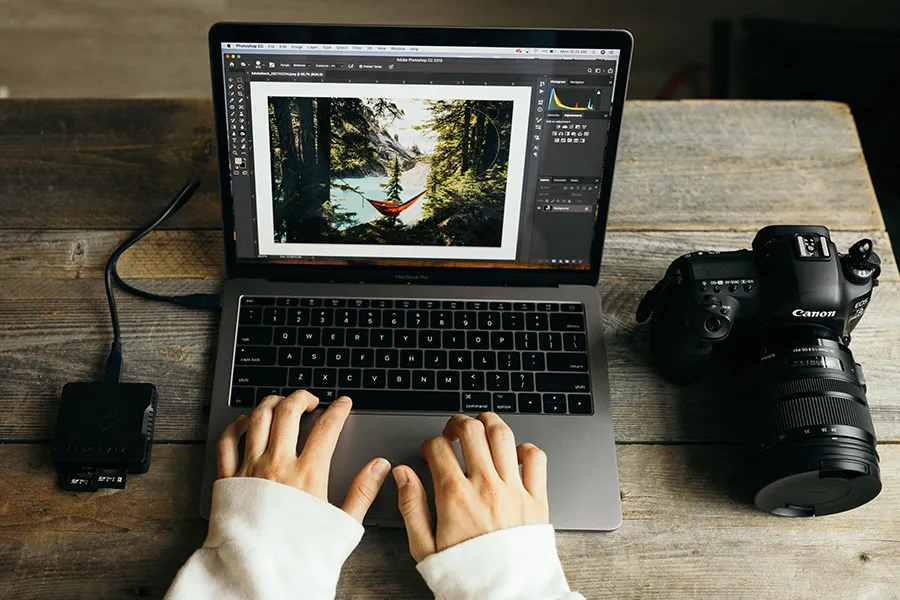
2. Inicia el software: Descargue e instale Magic Data Recovery..
3. Escanear la tarjeta SD: Seleccione la tarjeta SD de la lista de unidades y Haga clic en Buscar datos perdidos botón para escanear.

Todos los archivos (incluidos los perdidos) se pueden ver en Magic Data Recovery una vez finalizada la exploración.

4. Revisar y Recuperar: Revise los archivos escaneados, seleccione los que desea recuperar y guárdelos en una ubicación segura (evite guardarlos de nuevo en la tarjeta SD)..


Consejos importantes para recuperar una tarjeta SD
Para aumentar las posibilidades de éxito de la recuperación, siga estas prácticas recomendadas:
Deje de utilizar la tarjeta SD inmediatamente: Evita hacer nuevas fotos, grabar vídeos o transferir archivos para evitar sobrescribir los datos perdidos.
Utilice un lector de tarjetas fiable: Un lector defectuoso puede causar más daños. Utilice un lector de tarjetas USB de alta calidad para la conexión.
Comprobación de daños físicos: Si la tarjeta está dañada físicamente (por ejemplo, clavijas dobladas, bordes quemados), no intente insertarla en los dispositivos. Consulte a un servicio profesional de recuperación de datos.
Copias de seguridad periódicas: Evita futuras pérdidas haciendo copias de seguridad de los archivos importantes en el almacenamiento en la nube, en discos duros externos o en tu ordenador.
Cómo evitar la pérdida de datos en la tarjeta SD en el futuro
Las copias de seguridad periódicas ofrecen la mejor protección. Guarda una copia en un ordenador o en un disco duro externo y otra en un servicio de almacenamiento en la nube.
Además, evita extraer una tarjeta mientras el dispositivo está escribiendo datos y sustituye las tarjetas que se vuelvan lentas o inestables. Incluso una tarjeta de alta calidad puede desgastarse, por lo que una tarjeta SD nunca debe utilizarse como única ubicación de almacenamiento a largo plazo.
Conclusión
A recuperar archivos borrados de la tarjeta SD, actúa con rapidez y evita modificar el almacenamiento original. Empieza por las carpetas de «Elementos eliminados recientemente» y las copias de seguridad, ya que ofrecen la vía de recuperación más segura. Si no existe ninguna copia, escanea la tarjeta antes de formatearla o repararla.
Magic Data Recovery es un práctico Recomendación para la recuperación de una tarjeta SD porque aborda las principales dificultades a las que se enfrentan los usuarios habituales. Simplifica la selección de dispositivos, analiza múltiples tipos de archivos, ofrece opciones de filtrado y vista previa, y guarda los archivos recuperados en otra unidad. Estas características hacen que el proceso sea más claro que la recuperación mediante la línea de comandos y más fácil de gestionar que la extracción de archivos sin procesar.
Ninguna herramienta puede garantizar la recuperación tras un sobrescrito o un fallo físico. Sin embargo, Magic Data Recovery ofrece una solución equilibrada para tarjetas SD borradas, formateadas, en formato RAW o con daños lógicos. Si necesitas una forma sencilla de recuperar archivos borrados de la tarjeta SD, realiza el análisis, revisa los resultados y restaura los archivos más importantes en una ubicación segura.
PREGUNTAS FRECUENTES
¿Puedo recuperar archivos borrados de una tarjeta SD de forma gratuita?
¿Qué ocurre si mi tarjeta SD aparece como 'RAW'?
¿Es seguro el software gratuito de recuperación de tarjetas SD?
¿Se pueden recuperar los archivos eliminados de forma definitiva de una tarjeta SD?
¿Puedo recuperar fotos borradas de la tarjeta SD de una cámara?
¿Debería ejecutar CHKDSK antes de la recuperación?
¿Por qué algunos vídeos recuperados no se reproducen?

Erin Smith es reconocida como una de las redactoras más profesionales de Amagicsoft. Ha perfeccionado continuamente sus habilidades de escritura durante los últimos 10 años y ha ayudado a millones de lectores a resolver sus problemas tecnológicos.