
Mémoire de carte flash : Guide complet et solutions de récupération
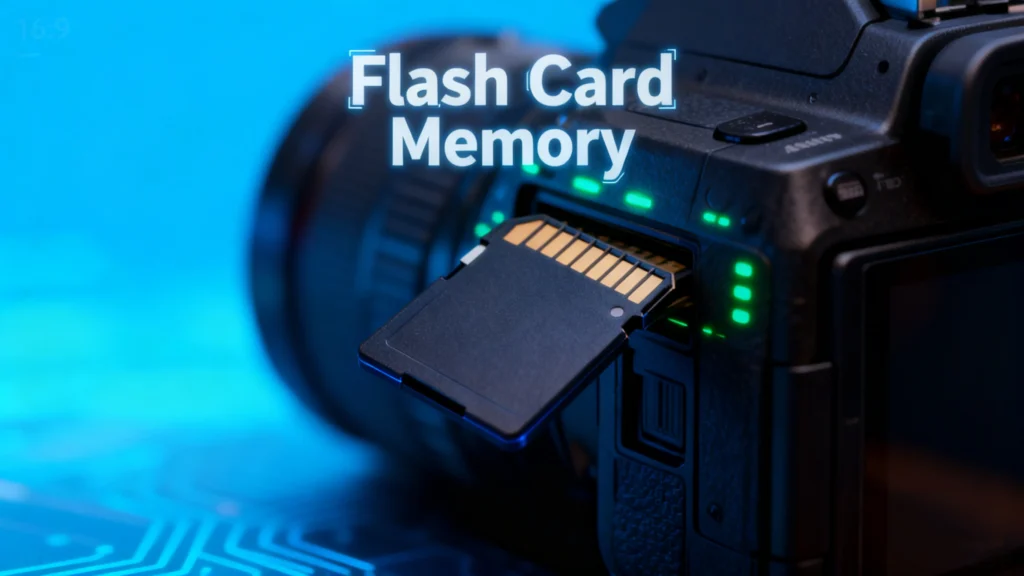
Table des matières
Introduction : Comprendre l'importance de la mémoire des cartes flash
Mémoire de la carte flash est devenue une solution de stockage omniprésente dans la vie numérique moderne. Qu'il s'agisse d'appareils photo, de smartphones, de consoles de jeu ou d'équipements industriels, ces petits dispositifs de mémoire portables stockent des données essentielles dans des formats compacts. Cependant, les utilisateurs rencontrent souvent des problèmes tels que suppression accidentelle, Le système de gestion de l'information de l'Union européenne (UE) est un système de gestion de l'information de l'Union européenne. Perte de photos de valeur, Les documents, les vidéos ou les documents peuvent être frustrants, et la compréhension de ces documents peut être très difficile. mémoire de la carte flash Il est essentiel de disposer d'options de gestion et de récupération.
Ce guide aborde tous les aspects de la mémoire de la carte flash, Nous vous présenterons également un outil fiable - le logiciel de récupération de données - qui vous permettra de récupérer vos données en toute sécurité. Pour les utilisateurs confrontés à une perte de données, nous présenterons également un outil fiable, leMagic Data Recovery-qui peut aider à restaurer les informations perdues rapidement et en toute sécurité.
Prise en charge de Windows 7/8/10/11 et Windows Server
Qu'est-ce que la mémoire des cartes flash ?
A mémoire de la carte flash est un type de dispositif de stockage non volatile qui conserve les données sans nécessiter d'alimentation. Contrairement aux disques durs traditionnels, il utilise Technologie flash NAND, Ce type de carte est plus rapide, plus léger et plus facilement transportable. Les formes typiques sont les cartes SD et les cartes microSD, CompactFlash, et Memory Stick.
Caractéristiques principales mémoire de la carte flash inclure :
- Portabilité : Petite taille, facile à transporter.
- Durabilité : Pas de pièces mobiles, résistant aux chocs et aux vibrations.
- Polyvalence : Compatible avec les appareils photo, les smartphones, les tablettes et les consoles de jeu.
Problèmes courants avec la carte Flash
Malgré leur commodité, mémoire de la carte flash sont sujets à plusieurs problèmes :
1. Suppression accidentelle
Suppression de fichiers involontairement est un problème fréquent. Les photos ou les documents peuvent être supprimés définitivement si l'appareil n'est pas sauvegardé.
2. Corruption de fichiers
Les fichiers peuvent être corrompus à la suite d'une perte de courant soudaine, d'une éjection incorrecte ou d'attaques de logiciels malveillants, ce qui les rend inaccessibles.
3. Questions de compatibilité
Certains appareils peuvent ne pas reconnaître certaines mémoire de la carte flash notamment lorsqu'il s'agit de passer d'un appareil photo à un autre, d'un ordinateur à une console de jeu.
4. Dommages physiques
L'eau, la chaleur ou les chocs mécaniques peuvent endommager la carte, entraînant une perte partielle ou totale des données.
Conseils pour protéger la carte Flash
Pour minimiser les risques et prolonger la durée de vie de votre mémoire de la carte flash, Pour ce faire, il convient de prendre en considération les meilleures pratiques suivantes :
- Sauvegardes régulières : Conservez des copies des fichiers importants sur des services en nuage ou des disques externes.
- Ejection sûre : Éjectez toujours correctement les cartes des ordinateurs ou des appareils.
- Éviter la surutilisation : Limitez les formatages fréquents ou l'écriture continue de fichiers volumineux.
- Utiliser des cartes de qualité : Optez pour des marques réputées afin de réduire le risque de défaillance.
- Gardez les cartes au sec et au frais : Protéger contre les atteintes à l'environnement.
Comment récupérer les données perdues sur une carte mémoire flash ?
Même en prenant des précautions, la perte de données peut se produire. Comprendre le processus de récupération peut permettre de sauver des fichiers essentiels.
1. Vérifier la présence de fichiers cachés ou récupérables
Parfois, les fichiers supprimés ne sont pas définitivement perdus. En utilisant la fonction outils de récupération de fichiers ou l'activation de l'option “Afficher les fichiers cachés” peut révéler un contenu caché accidentellement.
2. Méthodes gratuites de récupération des données
- Corbeille ou Trash : Les fichiers supprimés de certaines cartes flash peuvent apparaître temporairement dans la corbeille du système.
- Invite de commande (Windows): Utilisation
chkdsketattribuerpeuvent aider à réparer des corruptions mineures et à restaurer des fichiers. - Utilitaire de disque (Mac) : Les utilisateurs de Mac peuvent vérifier et réparer les erreurs de disque à l'aide d'outils intégrés.
3. Outils de récupération professionnels

Dans les cas graves, le recours à un logiciel professionnel est l'option la plus sûre. Des outils comme Magic Data Recovery offrent :
- Récupération à partir de cartes flash supprimées, formatées ou corrompues.
- Prise en charge de plusieurs types de fichiers : photos, vidéos, documents, etc.
- Interface conviviale convenant aussi bien aux débutants qu'aux utilisateurs avancés.
- Récupération plus rapide et plus sûre que les méthodes manuelles.
Exemple de cas d'utilisation : si votre carte SD d'un récent voyage photographique est corrompue, Magic Data Recovery peut analyser l'appareil, prévisualiser les fichiers récupérables et les restaurer sans écraser les données existantes.
Pourquoi Magic Data Recovery est recommandé
Magic Data Recovery se distingue par sa combinaison de fiabilité et de polyvalence. Contrairement à certains outils gratuits qui ne récupèrent que des types de fichiers limités ou qui échouent avec des cartes gravement corrompues, Magic Data Recovery :
- Traite de multiples scénarios de perte de données : la suppression accidentelle, le formatage, les attaques de virus et les erreurs de système.
- Maintient l'intégrité des données : Récupère les fichiers sans endommager le contenu original.
- Prise en charge d'une large gamme d'appareils : Cartes SD, microSD, CompactFlash, clés USB, etc.
Si vous êtes à la recherche d'une solution robuste pour récupérer les fichiers perdus de votre carte flash, Magic Data Recovery offre une méthode fiable, pratique et efficace.
Prise en charge de Windows 7/8/10/11 et Windows Server
Conclusion
Mémoire de la carte flash est un outil essentiel pour le stockage des données numériques, mais il n'est pas à l'abri d'une défaillance. La compréhension de ses caractéristiques, des problèmes courants et des mesures préventives peut réduire le risque de perte de données. Toutefois, lorsque des accidents se produisent, des outils tels que le Magic Data Recovery offrent un moyen sûr et fiable de restaurer des fichiers précieux.
Que vous soyez photographe, joueur ou utilisateur lambda, l'utilisation de logiciel de récupération professionnel garantit que votre carte flash reste une solution de stockage fiable et sûre.
FAQ
À quoi sert une carte de mémoire flash ?
Les flashcards sont-elles bonnes pour la mémoire ?
Une carte flash est-elle une carte SD ?
Quel type de mémoire sont les cartes flash ?
Combien de temps les données restent-elles sur une clé USB ?
Les photos peuvent-elles disparaître d'une carte SD ?

Erin Smith est reconnue comme l'une des rédactrices les plus professionnelles d'Amagicsoft. Elle a continuellement perfectionné ses compétences rédactionnelles au cours des 10 dernières années et a aidé des millions de lecteurs à résoudre leurs problèmes techniques.