
Flash Card Speicher: Vollständiger Leitfaden & Wiederherstellungslösungen
Inhaltsübersicht
Einführung: Die Bedeutung des Flash Card Speichers verstehen
Flash-Karten-Speicher hat sich zu einer allgegenwärtigen Speicherlösung im modernen digitalen Leben entwickelt. Von Kameras und Smartphones bis hin zu Spielkonsolen und Industrieanlagen speichern diese kleinen, tragbaren Speichergeräte wichtige Daten in kompakten Formaten. Allerdings stoßen die Nutzer häufig auf Probleme wie versehentliches Löschen, Beschädigung oder Fehlfunktion des Geräts. Verlust von wertvollen Fotos, Videos oder Dokumente können frustrierend sein, und das Verständnis Flash-Karten-Speicher Management- und Wiederherstellungsoptionen ist von wesentlicher Bedeutung.
In diesem Leitfaden erfahren Sie alles über Flash-Karten-Speicher, Dazu gehören Typen, häufige Probleme, Tipps zur sicheren Verwendung und praktische Wiederherstellungslösungen. Für Benutzer, die mit Datenverlusten konfrontiert sind, stellen wir außerdem ein zuverlässiges Tool vor -Magic Data Recovery-die dabei helfen können, verlorene Informationen schnell und sicher wiederherzustellen.
Unterstützt Windows 7/8/10/11 und Windows Server
Was ist Flash Card Memory?
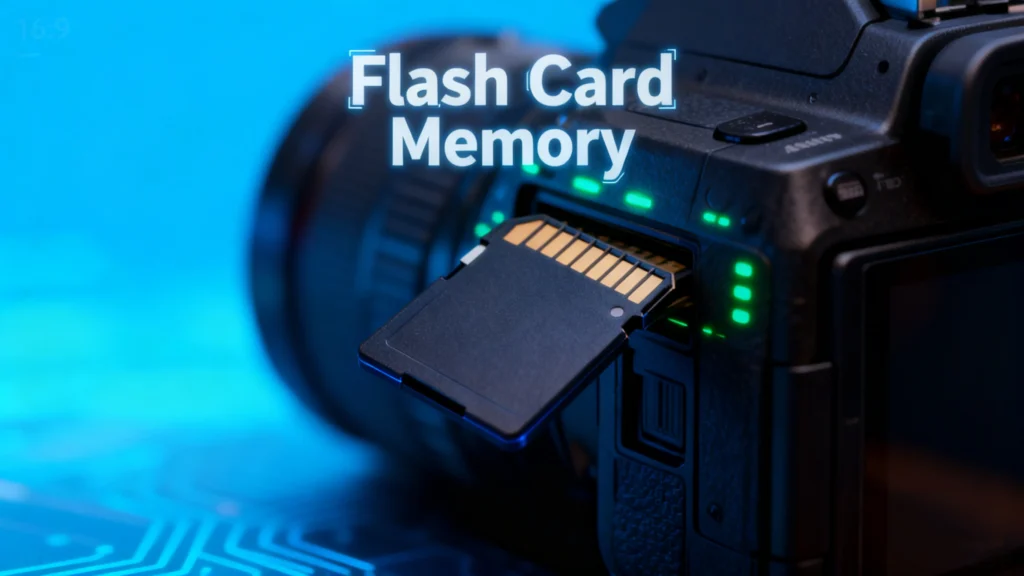
A Flash-Karten-Speicher ist eine Art nichtflüchtiges Speichermedium, das Daten ohne Stromzufuhr speichert. Anders als herkömmliche Festplattenlaufwerke verwendet es NAND-Flash-Technologie, Das macht sie schneller, leichter und sehr mobil. Typische Formen sind SD-Karten und microSD-Karten, CompactFlash, und Memory Stick-Formate.
Wesentliche Merkmale von Flash-Karten-Speicher umfassen:
- Tragbarkeit: Kleine Größe, leicht zu tragen.
- Langlebigkeit: Keine beweglichen Teile, resistent gegen Stöße und Vibrationen.
- Vielseitigkeit: Kompatibel mit Kameras, Smartphones, Tablets und Spielkonsolen.
Häufige Probleme mit der Flash Card
Trotz ihrer Bequemlichkeit, Flash-Karten-Speicher Geräte sind anfällig für mehrere Probleme:
1. Versehentliche Löschung
Löschen von Dateien Unbeabsichtigtes Löschen ist ein häufiges Problem. Fotos oder Dokumente können dauerhaft gelöscht werden, wenn das Gerät nicht gesichert ist.
2. Dateibeschädigung
Dateien können durch plötzlichen Stromausfall, unsachgemäßen Auswurf oder Malware-Angriffe beschädigt werden, so dass sie nicht mehr zugänglich sind.
3. Fragen der Kompatibilität
Einige Geräte erkennen möglicherweise nicht bestimmte Flash-Karten-Speicher Formate, insbesondere beim Wechsel zwischen Kameras, Computern oder Spielkonsolen.
4. Physischer Schaden
Wasser, Hitze oder mechanische Einwirkungen können die Karte beschädigen und zu einem teilweisen oder vollständigen Datenverlust führen.
Tipps zum Schutz der Flash-Karte
Zur Minimierung von Risiken und zur Verlängerung der Lebensdauer Ihres Flash-Karten-Speicher, Beachten Sie diese bewährten Verfahren:
- Regelmäßige Backups: Speichern Sie Kopien wichtiger Dateien auf Cloud-Diensten oder externen Laufwerken.
- Sicherer Auswurf: Werfen Sie die Karten immer ordnungsgemäß aus dem Computer oder Gerät aus.
- Übermäßiger Gebrauch ist zu vermeiden: Begrenzen Sie häufiges Formatieren oder kontinuierliches Schreiben großer Dateien.
- Verwenden Sie Qualitätskarten: Entscheiden Sie sich für renommierte Marken, um das Ausfallrisiko zu verringern.
- Halten Sie die Karten trocken und kühl: Schützen Sie sich vor Umweltschäden.
Wie man verlorene Daten von einer Flash-Karte wiederherstellt
Trotz aller Vorsichtsmaßnahmen kann es zu Datenverlusten kommen. Wenn Sie den Wiederherstellungsprozess verstehen, können Sie wichtige Dateien retten.
1. Suche nach versteckten oder wiederherstellbaren Dateien
Manchmal sind gelöschte Dateien nicht endgültig verloren. Mithilfe der in den Computer integrierten Dateiwiederherstellungstools oder die Aktivierung von “Versteckte Dateien anzeigen” könnte versehentlich versteckte Inhalte aufdecken.
2. Kostenlose Methoden zur Wiederherstellung von Daten
- Papierkorb oder Papierkorb: Von einigen Flash-Karten gelöschte Dateien können vorübergehend im Papierkorb des Systems erscheinen.
- Eingabeaufforderung (Windows): Verwendung von
chkdskundAttributBefehle können helfen, kleinere Beschädigungen zu beheben und Dateien wiederherzustellen. - Festplatten-Dienstprogramm (Mac): Mac-Benutzer können Festplattenfehler mit integrierten Werkzeugen überprüfen und reparieren.
3. Professionelle Wiederherstellungstools

In schweren Fällen ist es am sichersten, sich auf professionelle Software zu verlassen. Tools wie Magic Data Recovery bieten:
- Wiederherstellung von gelöschten, formatierten oder beschädigten Flash-Karten.
- Unterstützung für mehrere Dateitypen: Fotos, Videos, Dokumente und mehr.
- Benutzerfreundliche Schnittstelle, die sowohl für Anfänger als auch für fortgeschrittene Benutzer geeignet ist.
- Schnellere und sicherere Wiederherstellung im Vergleich zu manuellen Methoden.
Anwendungsbeispiel: Wenn Ihre SD-Karte von einer kürzlichen Fotoreise beschädigt wird, kann Magic Data Recovery das Gerät scannen, eine Vorschau der wiederherstellbaren Dateien anzeigen und diese wiederherstellen, ohne vorhandene Daten zu überschreiben.
Warum Magic Data Recovery empfohlen wird
Magic Data Recovery zeichnet sich durch die Kombination von Zuverlässigkeit und Vielseitigkeit aus. Im Gegensatz zu einigen kostenlosen Tools, die nur begrenzte Dateitypen wiederherstellen oder bei stark beschädigten Karten versagen, kann Magic Data Recovery:
- Bewältigt mehrere Datenverlustszenarien: versehentliches Löschen, Formatieren, Virenangriffe und Systemfehler.
- Bewahrt die Datenintegrität: Stellt Dateien wieder her, ohne den ursprünglichen Inhalt zu beschädigen.
- Unterstützt eine breite Palette von Geräten: SD-Karten, microSD, CompactFlash, USB-Laufwerke und mehr.
Wenn Sie nach einer zuverlässigen Lösung suchen, um verlorene Dateien von Ihrem Computer wiederherzustellen Lernkarte, bietet Magic Data Recovery eine vertrauenswürdige, praktische und effiziente Methode.
Unterstützt Windows 7/8/10/11 und Windows Server
Schlussfolgerung
Flash-Karten-Speicher ist ein unverzichtbares Instrument für die Speicherung digitaler Daten, aber es ist nicht vor Ausfällen gefeit. Das Wissen um seine Eigenschaften, häufige Probleme und Präventivmaßnahmen kann das Risiko eines Datenverlusts verringern. Wenn jedoch Unfälle passieren, können Werkzeuge wie Magic Data Recovery bieten eine sichere und zuverlässige Möglichkeit zur Wiederherstellung wertvoller Dateien.
Ob Sie nun Fotograf, Gamer oder allgemeiner Nutzer sind, die Verwendung von professionelle Wiederherstellungssoftware stellt sicher, dass Ihr Lernkarte bleibt eine zuverlässige und sichere Aufbewahrungslösung.
FAQs
Wozu dient eine Flash-Speicherkarte?
Sind Karteikarten gut für das Gedächtnis?
Ist eine Flash-Karte eine SD-Karte?
Welche Art von Speicher sind Flash-Karten?
Wie lange bleiben die Daten auf einem Flash-Laufwerk gespeichert?
Können Fotos von einer SD-Karte verschwinden?

Erin Smith gilt als eine der professionellsten Autorinnen bei Amagicsoft. In den letzten 10 Jahren hat sie ihre schriftstellerischen Fähigkeiten kontinuierlich verfeinert und Millionen von Lesern bei der Lösung ihrer technischen Probleme geholfen.