
Recupero dati digitali: Le migliori soluzioni per i danni fisici e logici

La perdita di dati è un problema serio non solo per le aziende ma anche per i privati. Quando si prende in considerazione il recupero dei dati digitali, è particolarmente importante capire correttamente il tipo di danno (fisico o logico) e scegliere il metodo ottimale. Questo articolo illustra in dettaglio le caratteristiche e i costi del recupero dei dati digitali, nonché le soluzioni per i danni sia fisici che logici. Infine, introduce un software di recupero dei dati facile da usare .
Supporta Windows 7/8/10/11 e Windows Server
Che cos'è il recupero dati digitale?
Digital Data Recovery è un noto servizio di recupero dati in Giappone, che supporta un'ampia gamma di supporti, tra cui dischi rigidi (HDD), SSD, configurazioni RAID e unità flash USB. È specializzato in danni fisici (guasti hardware) e si distingue per l'ambiente in camera bianca e le attrezzature di recupero avanzate. Come indicato sul sito web ufficiale, la diagnosi e i preventivi sono gratuiti, per garantire la tranquillità degli utenti che vogliono prima confermare il problema.
Tuttavia, il recupero dei dati digitali presenta anche degli svantaggi. Può essere costoso, e alcuni utenti sono preoccupati per le loro informazioni personali e la loro privacy quando richiedono il recupero dei dati. In effetti, molti utenti esitano a richiedere il recupero dei dati per l'imbarazzo di veder trapelare le proprie informazioni personali .
Problemi di fisica: Quando rivolgersi a un professionista
I guasti fisici includono rotture delle testine delle unità disco, guasti ai motori, schede di circuito bruciate e guasti ai controller delle unità SSD.
Per questo motivo la scelta più sicura è quella di rivolgersi a un'azienda specializzata come Digital Data Recovery.
Vantaggi del recupero dati digitale
- Riparazione fisica sicura nelle strutture di camera bianca
- Diagnosi gratuita e preventivo chiaro
- Fiducia da parte di grandi aziende e agenzie governative
Problemi logici: Come risolverli con il recupero dati digitali e come risolverli da soli
D'altra parte, errori logici come corruzione del sistema di file , cancellazione accidentale e perdita di partizioni possono essere qualcosa che gli utenti possono gestire da soli utilizzando degli strumenti.
Alternativa per il recupero dei dati digitali: Metodo di recupero CHKDSK
Windows include il comando standard CHKDSK , che è estremamente utile per riparare la corruzione del file system e gli errori logici. L'uso ufficiale e le opzioni di CHKDSK sono spiegati in dettaglio nella documentazione ufficiale Microsoft . L'uso di questo comando fornisce un metodo sicuro e affidabile per la risposta iniziale agli errori logici nel recupero dei dati digitali.
esempio:
chkdsk X: /f /r
(*X è la lettera dell'unità)

Alternativa al recupero dei dati digitali: Recupero manuale con WinHex
Un metodo avanzato consiste nel riparare la tabella delle partizioni e il DBR (Disk Boot Record) direttamente con un editor esadecimale come WinHex.
In particolare, nel formato NTFS, il DBR di backup è memorizzato alla fine della partizione e copiandolo è possibile ripristinare lo stato RAW.
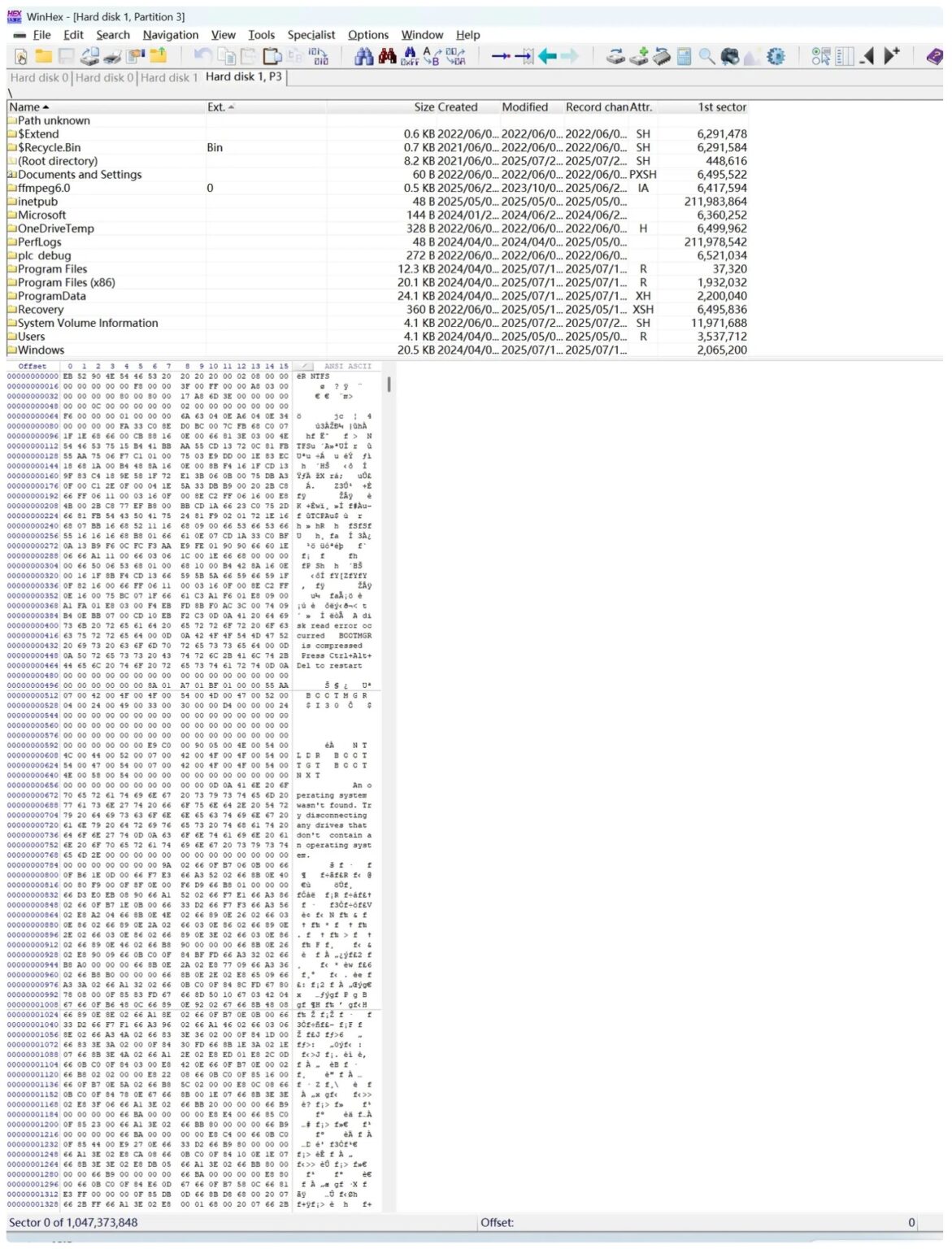
Tuttavia , l'uso di WinHex richiede conoscenze specialistiche e c'è il rischio di perdita di dati a causa di un funzionamento errato.
La differenza tra il recupero dei dati digitali e il software
- Recupero dati digitali : Ideale per danni fisici e logici avanzati, ma più costoso.
- Software di recupero dati : Adatto per errori logici minori , consentendo di recuperare i dati da soli a basso costo.
In altre parole, è più efficiente utilizzare un appaltatore o un software a seconda del caso .
Software Magic Data Recovery facile da usare
Se il problema è di lieve entità e logico, non abbastanza grave da richiedere i servizi di un professionista, Magic Data Recovery è l'opzione migliore, in quanto è facile da usare anche per i principianti .
- Supporta il recupero di cancellate accidentalmente , formattato , e azionamentiRAW
- Supporta un'ampia gamma di formati di file, tra cui foto, video, documenti ed e-mail.
- Interfaccia intuitiva, non sono richieste conoscenze specialistiche
- La versione di prova gratuita (500 MB) consente di verificare in anticipo i file recuperabili.
È una scelta saggia provare il software prima che i “costi di recupero dei dati digitali” diventino troppo elevati.
Differenze di costo e funzionalità tra software di recupero dati digitali e software
I costi di recupero dei dati variano notevolmente a seconda del tipo di danno e della capacità di memorizzazione. Di seguito è riportato un confronto dei prezzi di Edmund Media e Magic Data Recovery:
Servizi/Software | soggetto | Costo stimato |
Recupero dati digitali | Guasto logico | Da 30.000 a 80.000 yen circa |
Recupero dati digitali | Danno fisico | Da 50.000 a 150.000 yen (200.000 yen o più per le disabilità gravi) |
Magic Data Recovery | Danno logico (cancellazione accidentale, formattazione, recupero RAW, ecc.) | Contratto di 1 anno: 7.278 yen Aggiornamento permanente: 10.192 yen |
Mentre il costo del recupero dei dati digitali può raggiungere le centinaia di migliaia di yen, Magic Data Recovery è disponibile per poche migliaia di yen e circa 10.000 yen. In altre parole, utilizzando un professionista per il recupero dei dati fisici e un software per il recupero dei dati logici, è possibile ottimizzare l'equilibrio tra costi ed efficienza.
Come utilizzare Magic Data Recovery: software alternativo per il recupero dei dati digitali
“Magic Data Recovery” è un software di recupero dati che può essere facilmente utilizzato anche senza conoscenze specialistiche. Qui spiegheremo in dettaglio ogni passaggio, in modo che anche gli utenti alle prime armi non si perdano.
1. Scaricare e installare
Prima di tutto, scaricare Magic Data Recovery dal sito ufficiale e installarlo sul computer. Il processo di installazione è uguale a quello di altri software e si può completare facendo semplicemente clic su “Avanti”.
Supporta Windows 7/8/10/11 e Windows Server
2. Selezionare il disco rigido e avviare la scansione
Quando si avvia il software, viene visualizzato un elenco di tutte le unità e i dispositivi collegati al computer.
Selezionare l'unità da cui si desidera recuperare i dati (ad es. unità C, HDD esterno, scheda SD, ecc.) e fare clic su “Avvia scansione” .

3. Attendere il completamento della scansione
La scansione potrebbe richiedere alcuni minuti, ma al termine verrà visualizzato un elenco dei file recuperabili.
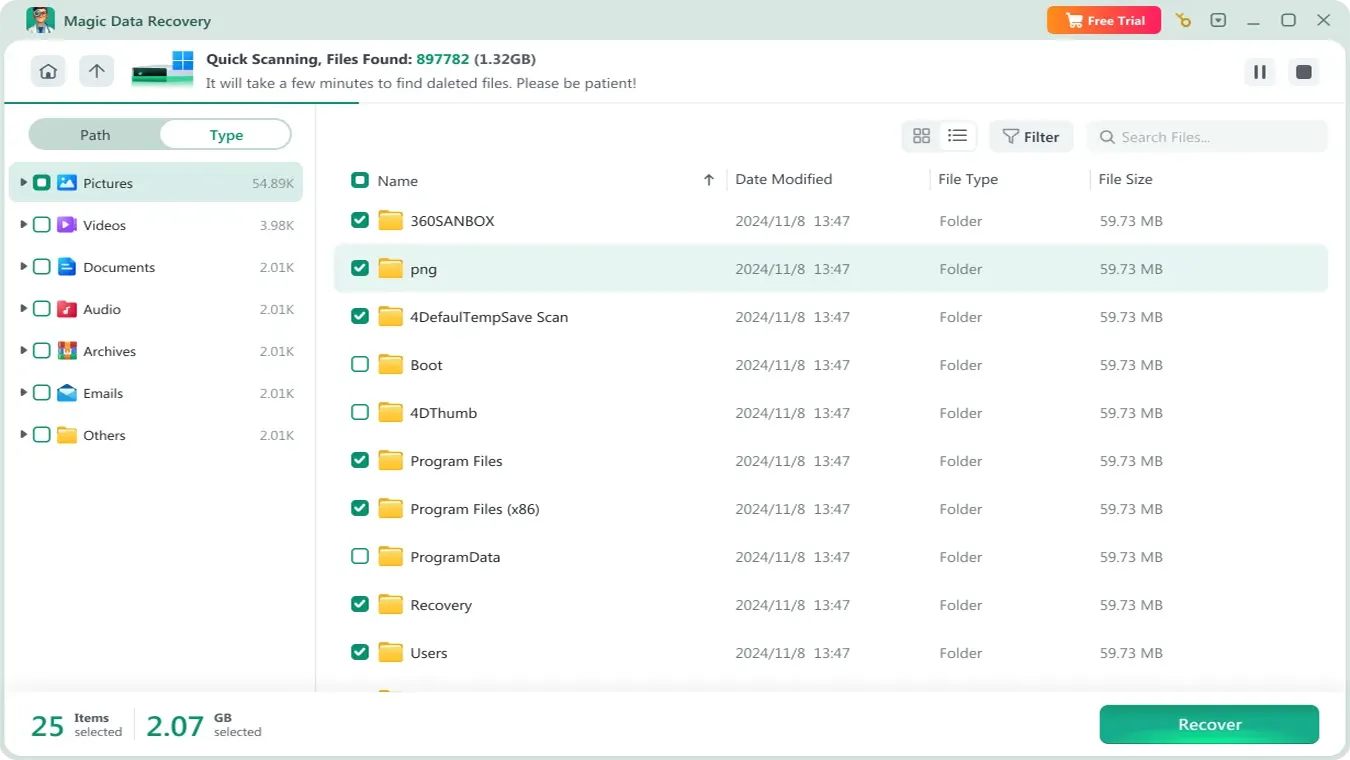
4. Anteprima dei file recuperabili
I file rilevati possono essere previsti se sono immagini o documenti, consentendo di verificare in anticipo se si tratta di dati necessari.

5. Selezionare i file necessari e salvarli.
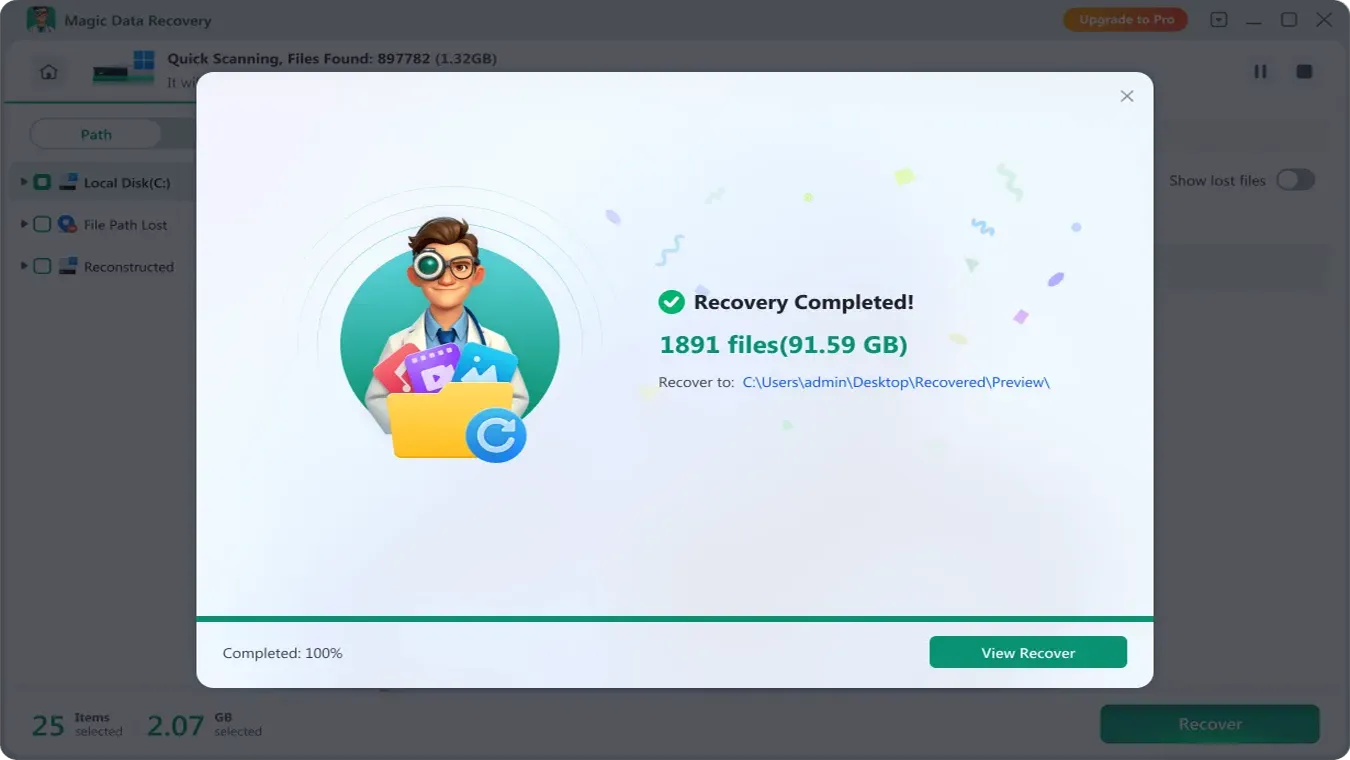
Controllare i file che si desidera recuperare e salvarli in una posizione sicura (un'altra unità o un disco rigido esterno) .
⚠️Note : Assicurarsi di salvare i dati recuperati in un'altra posizione poiché salvarli nell'unità originale potrebbe causare sovrascrittura e fallimento ..
Sintesi
Digital Data Recovery è un servizio professionale affidabile specializzato in danni fisici. Tuttavia, per danni logici, è possibile utilizzare CHKDSK, WinHex , o Magic Data Recovery software per ottenere in modo rapido ed economico Recuperare i dati dagli HDD.
Supporta Windows 7/8/10/11 e Windows Server
FAQ
Quanto costa il recupero dei dati digitali?
Se si verifica un guasto logico, posso recuperarlo da solo?
Devo scegliere un software o un servizio di recupero dati digitale?

Vasilii è uno specialista del recupero dati con circa 10 anni di esperienza pratica nel settore. Nel corso della sua carriera, ha risolto con successo migliaia di casi complessi riguardanti file cancellati, unità formattate, partizioni perse e file system RAW. La sua esperienza copre sia i metodi di recupero manuale utilizzando strumenti professionali come gli editor esadecimali, sia le soluzioni automatiche avanzate con i software di recupero. La missione di Vasilii è quella di rendere accessibile la conoscenza del recupero dati affidabile sia ai professionisti IT che agli utenti di tutti i giorni, aiutandoli a salvaguardare i loro preziosi beni digitali.