
¿Te han desaparecido los archivos guardados de Los Sims 4? 7 soluciones seguras
Si su Han desaparecido los archivos guardados de Los Sims 4, evita crear nuevas partidas guardadas hasta que sepas qué ha pasado. Es posible que tus archivos del juego sigan existiendo en otra carpeta de «Documentos», que OneDrive los haya redirigido o que Los Sims 4 esté leyendo una carpeta vacía recién creada. Empieza por las opciones integradas más seguras. Si el original .guardar los archivos se han eliminado realmente y no queda ninguna copia de seguridad, Magic Data Recovery puede ser útil antes de que los nuevos datos los sobrescriban.
Esta guía distingue entre archivos guardados que se han perdido, se han movido, se han guardado en una copia de seguridad o se han eliminado definitivamente, para que puedas elegir el método de recuperación adecuado. Si deseas una explicación más detallada de lo que ocurre después de que Windows elimine un archivo, consulta nuestro guía de recuperación de archivos eliminados.
Compatible con Windows 7/8/10/11 y Windows Server
Índice
¿Por qué han desaparecido los archivos guardados de Los Sims 4 en Windows?
Una partida guardada que ya no aparece en Los Sims 4 no tiene por qué haberse borrado. En primer lugar, identifica cuál de las siguientes situaciones se ajusta a tu caso:
- Falta en el juego: Es posible que el archivo guardado siga estando en otra carpeta de «Documentos» o en OneDrive.
- Faltan los avances anteriores: La función «Recuperar partida guardada» del juego o
.save.verLos archivos pueden ser de ayuda. - Eliminado: Es posible que el archivo guardado siga estando en la Papelera de reciclaje de Windows o de OneDrive.
- Eliminado definitivamente: Es posible que sea necesario recuperar los archivos a nivel de disco.
- Fallo del disco duro: Deja de utilizar la unidad si se desconecta, hace ruido o desaparece de Windows.
La ubicación predeterminada para guardar archivos en Windows es:
C:\Usuarios\\Documentos\Electronic Arts\Los Sims 4\saves
Sin embargo, la redirección de carpetas de OneDrive puede modificar la ubicación en la que Windows almacena los documentos. Por lo tanto, antes de intentar recuperar un archivo eliminado, conviene comprobar la ubicación real del mismo.
Qué hacer primero si han desaparecido tus archivos guardados de Los Sims 4
Cierra «Los Sims 4» antes de mover o renombrar los archivos guardados. A continuación, copia cualquier archivo existente Los Sims 4 carpeta a otra ubicación segura. Esa copia de seguridad protege las partidas guardadas actuales, los mods, el contenido de la bandeja y los archivos de configuración mientras resuelves el problema.
Además, evita iniciar el juego repetidamente y crear nuevas partidas guardadas si sospechas que se han borrado datos. La actividad reciente en el disco puede sobrescribir los datos borrados.
Si lo que quieres es volver específicamente a una casa anterior o a un punto anterior del mismo juego, nuestra guía sobre Recuperar archivos de guardado antiguos de Los Sims 4 explica esa situación con más detalle.
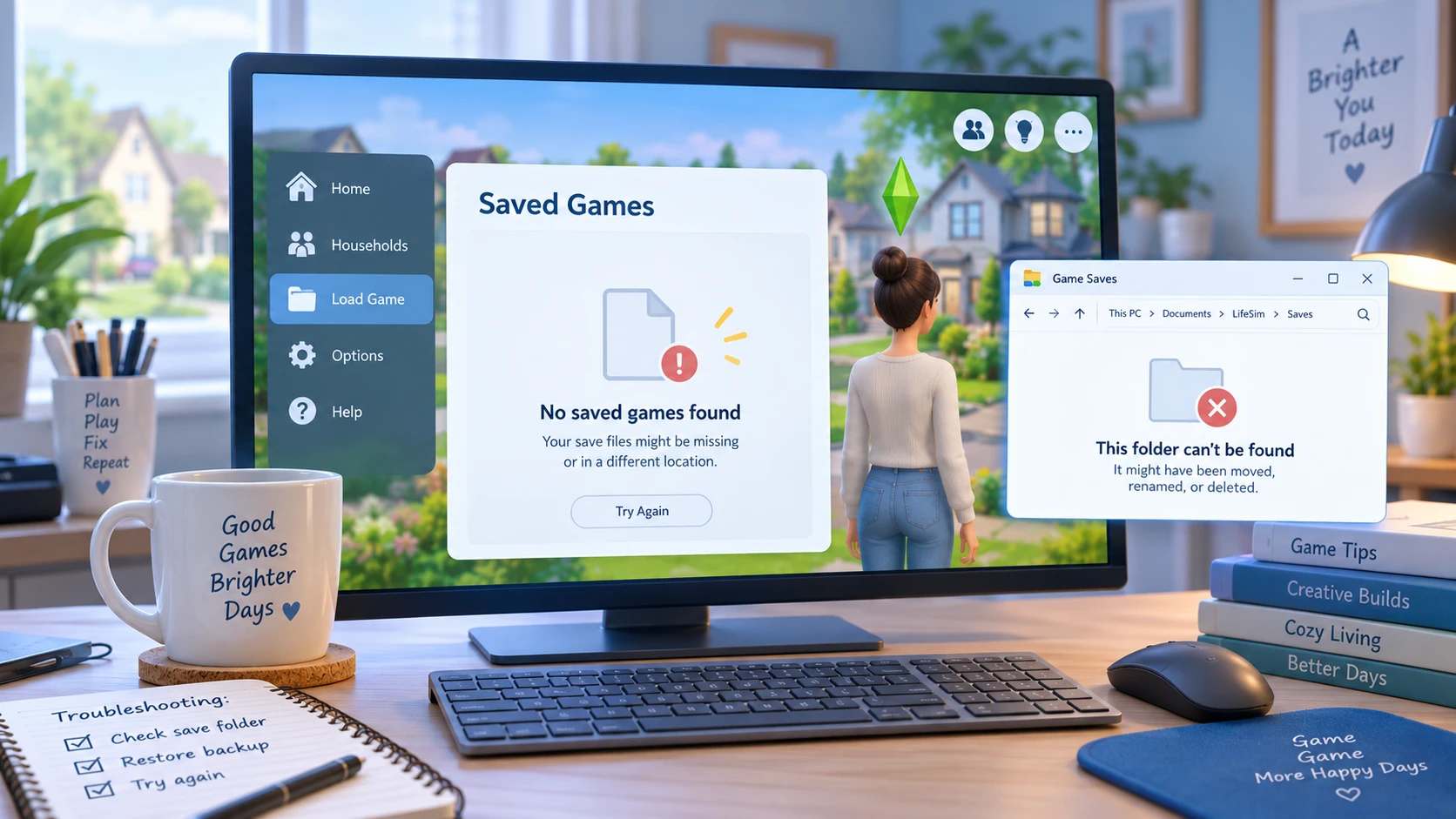
Método 1: Comprueba que la carpeta de guardado de Los Sims 4 sea la correcta
En Han desaparecido los archivos guardados de Los Sims 4 Tras una actualización, una reinstalación, un cambio en Windows o una sincronización de OneDrive, comprueba las dos ubicaciones habituales:
C:\Usuarios\\Documentos\Electronic Arts\Los Sims 4\saves
C:\Usuarios\\OneDrive\Documentos\Electronic Arts\Los Sims 4\saves
Busque nombres de archivo como:
Slot_00000001.save
También es posible que veas archivos que terminan en .save.ver0, .save.ver1, o números de versión similares.
Si las partidas guardadas antiguas se encuentran en una carpeta y Los Sims 4 utiliza otra, haz primero una copia de seguridad de ambas carpetas. A continuación, copia solo los archivos de partida guardada necesarios en la carpeta activa ahorros carpeta.
Se trata de un problema de ruta, no de un problema relacionado con archivos eliminados. Por lo tanto, no es necesario utilizar un programa de recuperación si los archivos originales guardados siguen existiendo.
Método 2: Utilizar la función «Recuperar partida guardada» de Los Sims 4
Si el juego afectado sigue apareciendo en Cargar partida, prueba la función de recuperación integrada en Los Sims 4 antes de modificar los archivos manualmente.
- Abre Los Sims 4.
- Elija Cargar partida.
- Selecciona el archivo de guardado afectado.
- Haga clic en Recuperar Guardar.
- Elige un punto de recuperación anterior.
- Inicia el juego y comprueba tu hogar y tu progreso.
Este método resulta útil cuando el archivo de guardado actual se ha dañado o se ha perdido el progreso reciente.
Sin embargo, Recover Save no puede restaurar un .guardar archivo que ya se ha eliminado de forma definitiva de la unidad de almacenamiento.
Método 3: Recuperar partidas guardadas de Los Sims 4 borradas de la papelera de reciclaje
Si has borrado por error un archivo guardado o todo el ahorros carpeta, abre Windows Papelera de reciclaje.
Buscar:
Slot_
.guardar
Los Sims 4
Si encuentras los archivos que faltan, haz clic con el botón derecho del ratón sobre ellos y selecciona Restaurar. Windows debería volver a colocarlas en su ubicación anterior.
Esto debería hacerse antes de escanear el disco, ya que la Papelera de reciclaje aún contiene el archivo original. Si ya la has vaciado, consulta nuestra guía sobre cómo recuperar archivos eliminados de la Papelera de reciclaje.
Tras la restauración, comprueba que los archivos se hayan guardado en la carpeta «Documentos» que utiliza actualmente Los Sims 4.
Método 4: Revisa la papelera de reciclaje y el historial de versiones de OneDrive
OneDrive merece una atención especial cuando Han desaparecido los archivos guardados de Los Sims 4 desde un ordenador con Windows.
Si Windows realiza una copia de seguridad o redirige la carpeta «Documentos» a través de OneDrive, un cambio en la sincronización puede hacer que la carpeta local de Los Sims 4 parezca vacía, incluso aunque siga existiendo otra copia en la nube o local.
En primer lugar, abre OneDrive en la web y revisa su Papelera de reciclaje. A continuación, comprueba si existe la carpeta «Electronic Arts» en la sección «Documentos» de OneDrive.
También puedes utilizar el «Historial de versiones» cuando exista una versión anterior adecuada.
Para obtener más opciones de recuperación específicas de OneDrive, consulta Cómo recuperar archivos borrados de OneDrive.
Antes de restaurar nada, haz una copia de tu carpeta actual de Los Sims 4. De lo contrario, al restaurar una versión anterior podrías sobrescribir partidas guardadas más recientes que aún necesites.
Método 5: Restaurar los archivos guardados de Los Sims 4 desde el historial de archivos o una copia de seguridad
Si ya habías activado el Historial de archivos u otro método de copia de seguridad de Windows, utiliza esa copia de seguridad antes de probar un programa de recuperación de datos.
Para el historial de archivos:
- Abrir Panel de control.
- Seleccione Sistema y Seguridad > Historial de Archivos.
- Elija Restaurar archivos personales.
- Ve a la carpeta de partidas guardadas de Electronic Arts o de Los Sims 4.
- Busca una versión creada antes de que desaparecieran las partidas guardadas.
- Restaura los archivos necesarios.
También puedes hacer clic con el botón derecho del ratón sobre el original ahorros carpeta, selecciona Propiedades, y compruebe Versiones anteriores.
Estos métodos solo funcionan si Windows creó una copia de seguridad válida antes de que se produjera la pérdida de datos. Para conocer otras opciones de recuperación de Windows, consulta 7 formas seguras de recuperar archivos de un ordenador.
Método 6: Buscar archivos de ranuras de Los Sims 4 en todo el ordenador
A veces Han desaparecido los archivos guardados de Los Sims 4 de la carpeta prevista, pero se trasladaron en lugar de eliminarse.
Abre el Explorador de archivos y selecciona Este PC, y busca:
Slot_*.save
A continuación, busca:
Slot_*.save.ver*
Ordenar los resultados por Fecha de modificación y comprueba la ubicación de cada archivo.
Presta especial atención a:
- Otro perfil de usuario de Windows
- Documentos locales
- Documentos de OneDrive
- Carpetas antiguas del escritorio o de copia de seguridad
- Una carpeta de Los Sims 4 copiada manualmente
Si encuentras archivos que te parezcan interesantes, cópialos primero en una carpeta de copia de seguridad aparte. No cambies el nombre ni sobrescribas inmediatamente los archivos guardados actuales.
Método 7: Recuperar archivos guardados de Los Sims 4 eliminados de forma definitiva
Si Han desaparecido los archivos guardados de Los Sims 4 y no los encuentras en el Explorador de archivos, en «Recuperar y guardar», en la Papelera de reciclaje, en OneDrive, en el Historial de archivos ni en ninguna otra copia de seguridad, es posible que los archivos originales se hayan eliminado de forma definitiva.
En este momento, deja de utilizar la unidad afectada en la medida de lo posible. Windows puede reutilizar el espacio de almacenamiento ocupado por los archivos eliminados, y los nuevos datos podrían sobrescribir los antiguos.
La recuperación también resulta más difícil en un SSD, ya que la función TRIM puede permitir que la unidad borre bloques que Windows ya no considera activos.
Para obtener una explicación más detallada de esta situación, consulta nuestra guía sobre restaurar archivos eliminados permanentemente.
Cuando el .guardar los archivos ya no existen realmente a través de las opciones normales de recuperación de Windows o de Los Sims 4, Magic Data Recovery puede escanear la unidad en la que se almacenaron los archivos.
Su finalidad es distinta a la de «Recuperar y guardar», la «Papelera de reciclaje», OneDrive o «Historial de archivos». Esos métodos restauran una copia o una copia de seguridad ya existente. En cambio, el software de recuperación de datos busca en el dispositivo de almacenamiento rastros de los archivos eliminados.
Si las opciones de recuperación integradas ya no funcionan, puedes probar Magic Data Recovery antes de que los nuevos datos sobrescriban los archivos eliminados.
Cómo utilizar Magic Data Recovery cuando Han desaparecido los archivos guardados de Los Sims 4
Paso 1: Descargar e instalar Magic Data Recovery
Descarga e instala Magic Data Recovery, pero no lo instales en la misma partición en la que estaban almacenados los archivos de Los Sims 4 que faltan.
Por ejemplo, si los archivos guardados eliminados estaban en C:, utiliza otra partición o unidad siempre que sea posible. La instalación de nuevo software en la partición de origen podría sobrescribir datos recuperables.
Compatible con Windows 7/8/10/11 y Windows Server
Paso 2: Selecciona la unidad en la que se guardaron los archivos de guardado de Los Sims 4
Inicia Magic Data Recovery y selecciona la unidad que contenía originalmente:
Documentos\Electronic Arts\Los Sims 4\partidas guardadas
A continuación, inicia el escaneo.

Paso 3: Buscar Perdido o archivos guardados de Los Sims 4 eliminados
Deja que el programa escanee la ubicación de almacenamiento original. A medida que aparezcan los resultados, busca la estructura de carpetas anterior de Los Sims 4 y los archivos cuyos nombres empiecen por Slot_.
Un análisis completo puede ofrecer más resultados que si se detiene inmediatamente después de que aparezcan los primeros archivos.

Paso 4: Recuperar las partidas guardadas de Los Sims 4 y guardarlas en una ubicación segura
Selecciona los archivos que desees y recupéralos en otra unidad o en una ubicación de almacenamiento segura.
No restaures los archivos recuperados directamente en la ubicación original donde se perdieron durante el proceso de recuperación. A continuación, realiza otra copia de seguridad antes de copiar los archivos recuperados .guardar archivos en la carpeta activa de Los Sims 4 para probarlos.

¿Por qué han desaparecido los archivos guardados de Los Sims 4 tras una actualización?
En Han desaparecido los archivos guardados de Los Sims 4 Justo después de una actualización, es fácil pensar que esta las ha eliminado. Sin embargo, el mero hecho de que haya ocurrido en ese momento no prueba que se hayan eliminado.
Es posible que el juego esté accediendo ahora a una carpeta «Documentos» diferente. Puede que OneDrive haya cambiado la sincronización de la carpeta o que Los Sims 4 haya creado una nueva carpeta de datos de usuario.
Por lo tanto, busca en todo el ordenador Slot_*.save antes de utilizar un programa de recuperación. Si los archivos siguen existiendo en algún otro lugar, es más adecuado moverlos o corregir la ruta de acceso que intentar recuperarlos como archivos eliminados.
Cómo evitar que los archivos guardados de Los Sims 4 vuelvan a desaparecer
Una vez que tus partidas guardadas vuelvan a funcionar, crea más de una copia de seguridad.
- Haz una copia periódica del
ahorroscarpeta a otra unidad. - Reserva varias ranuras de guardado manual para las partidas importantes.
- Comprueba qué carpeta «Documentos» utilizan Windows y OneDrive.
- Haz una copia de seguridad antes de realizar cambios importantes en el juego, en Windows o en los mods.
- No consideres el autoguardado como un archivo de copia de seguridad permanente.
- Siempre que sea posible, guarda las copias de seguridad en una unidad distinta de la unidad original del sistema.
Una copia local y una segunda ubicación de copia de seguridad te ofrecen más opciones en caso de que un archivo guardado se dañe, se sobrescriba, se mueva o se elimine.
Conclusión
Si su Han desaparecido los archivos guardados de Los Sims 4, empieza por comprobar la carpeta «Documentos» activa, OneDrive, Slot_*.save archivos, Recuperar Guardar, la Papelera de reciclaje y las copias de seguridad de Windows. Estas opciones son más seguras cuando el archivo guardado todavía existe en algún lugar o sigue estando disponible una copia anterior. También puedes consultar nuestra guía más completa guía de recuperación de archivos eliminados para saber qué hacer cuando Windows ha eliminado realmente un archivo.
Si el juego original de Los Sims 4 .guardar los archivos se han eliminado definitivamente y esos métodos integrados ya no funcionan, Magic Data Recovery ofrece una opción de análisis del disco. La recuperación sigue dependiendo de si hay datos nuevos que hayan sobrescrito el archivo y de si la función TRIM del SSD ha borrado los bloques eliminados, por lo que ningún método de recuperación puede garantizar que se recuperen todos los archivos que faltan.
Compatible con Windows 7/8/10/11 y Windows Server
Preguntas frecuentes
¿Por qué han desaparecido mis archivos guardados de Los Sims 4 tras una actualización?
Slot_*.save archivos y comprueba tanto la carpeta «Documentos» local como la de OneDrive antes de intentar recuperar los archivos eliminados.¿Dónde se guardan los archivos de guardado de Los Sims 4 en Windows?
Documentos\Electronic Arts\Los Sims 4\partidas guardadas. Si OneDrive gestiona tu carpeta «Documentos», es posible que estos aparezcan en lugar de eso en OneDrive\Documentos\Electronic Arts\Los Sims 4\saves. Busca en todo el ordenador Slot_*.save si la carpeta correspondiente está vacía o si, de repente, Los Sims 4 deja de mostrar las partidas guardadas.¿Puedo recuperar una partida guardada antigua de Los Sims 4 sin necesidad de un programa de recuperación?
.save.ver archivos de la carpeta «saves». Estas opciones son preferibles porque funcionan con los datos existentes de Los Sims 4, en lugar de escanear el disco en busca de archivos eliminados.¿Se pueden recuperar los archivos guardados de Los Sims 4 que se han eliminado mediante la Papelera de reciclaje?
.guardar El archivo o la carpeta de Los Sims 4 se ha eliminado correctamente y la Papelera de reciclaje no se ha vaciado. Abre la Papelera de reciclaje y busca Slot_ o la carpeta original, y selecciona Restaurar. Si la Papelera de reciclaje ya se ha vaciado, comprueba las copias de seguridad antes de plantearte una recuperación a nivel de disco.¿Qué debo comprobar si OneDrive ha provocado que desaparezcan mis partidas guardadas de Los Sims 4?
¿Puede algún programa recuperar archivos guardados de Los Sims 4 que se hayan borrado definitivamente?
.guardar archivo.¿Cómo puedo evitar que vuelva a ocurrir el problema de la desaparición de los archivos guardados de Los Sims 4?
ahorros carpeta y guarda al menos una copia de seguridad fuera de la unidad original de Windows. Utiliza varias ubicaciones para guardar manualmente las partidas, comprueba la configuración de la carpeta de OneDrive y realiza una copia de seguridad antes de realizar cambios importantes en el juego o en el sistema. Estas precauciones garantizan que dispongas de copias independientes en caso de que las partidas guardadas se trasladen, se dañen, se sobrescriban o se borren accidentalmente.
Vasilii es un especialista en recuperación de datos con unos 10 años de experiencia práctica en este campo. A lo largo de su carrera, ha resuelto con éxito miles de casos complejos relacionados con archivos borrados, unidades formateadas, particiones perdidas y sistemas de archivos RAW. Su experiencia abarca tanto métodos de recuperación manual con herramientas profesionales como editores hexadecimales como soluciones automatizadas avanzadas con software de recuperación. La misión de Vasilii es poner los conocimientos sobre recuperación de datos al alcance tanto de los profesionales informáticos como de los usuarios de a pie, ayudándoles a salvaguardar sus valiosos activos digitales.