
Sind deine „Die Sims 4“-Speicherdateien verschwunden? 7 sichere Lösungen
Wenn Ihr Die Speicherstände von „Die Sims 4“ sind verschwunden, vermeiden Sie es, neue Spielstände zu erstellen, bis Sie wissen, was passiert ist. Ihre Spiel-Dateien könnten noch in einem anderen „Dokumente“-Ordner vorhanden sein, OneDrive hat sie möglicherweise umgeleitet, oder „Die Sims 4“ liest möglicherweise einen neu erstellten leeren Ordner ein. Beginnen Sie mit den sichersten integrierten Optionen. Wenn die ursprüngliche .speichern Die Dateien wurden tatsächlich gelöscht, und es gibt keine Sicherungskopie mehr, Magic Data Recovery könnte hilfreich sein, bevor sie durch neue Daten überschrieben werden.
In dieser Anleitung werden fehlende, verschobene, gesicherte und dauerhaft gelöschte Spielstände voneinander unterschieden, damit Sie die richtige Wiederherstellungsmethode auswählen können. Eine ausführlichere Erläuterung dazu, was passiert, nachdem Windows eine Datei gelöscht hat, finden Sie in unserem Anleitung zur Wiederherstellung gelöschter Dateien.
Unterstützt Windows 7/8/10/11 und Windows Server
Inhaltsübersicht
Warum sind die Sims 4-Speicherstände unter Windows verschwunden?
Ein Spielstand, der in „Die Sims 4“ nicht mehr angezeigt wird, ist nicht unbedingt gelöscht. Finde zunächst heraus, welche Situation auf deinen Fall zutrifft:
- Im Spiel fehlt: Die gespeicherte Datei könnte noch in einem anderen „Dokumente“-Ordner oder OneDrive-Ordner vorhanden sein.
- Ältere Fortschritte fehlen: Die Funktion „Speicherung wiederherstellen“ des Spiels oder
.save.verDateien könnten hilfreich sein. - Gelöscht: Die gespeicherte Datei befindet sich möglicherweise noch im Windows- oder OneDrive-Papierkorb.
- Endgültig gelöscht: Möglicherweise ist eine Dateiwiederherstellung auf Festplattenebene erforderlich.
- Laufwerksausfall: Verwenden Sie das Laufwerk nicht mehr, wenn die Verbindung unterbrochen wird, es Geräusche macht oder in Windows nicht mehr angezeigt wird.
Der Standard-Speicherort unter Windows lautet:
C:\Benutzer\\Dokumente\Electronic Arts\Die Sims 4\saves
Die OneDrive-Ordnerumleitung kann jedoch dazu führen, dass sich der Speicherort für „Dokumente“ unter Windows ändert. Daher sollte vor der Wiederherstellung gelöschter Dateien zunächst der tatsächliche Speicherort der Datei überprüft werden.
Was Sie als Erstes tun sollten, wenn Ihre „Die Sims 4“-Speicherdateien verschwunden sind
Schließen Sie „Die Sims 4“, bevor Sie Speicherdateien verschieben oder umbenennen. Kopieren Sie anschließend alle vorhandenen Die Sims 4 Ordner an einen anderen sicheren Speicherort. Diese Sicherungskopie schützt aktuelle Spielstände, Mods, den Inhalt des Tray-Ordners und Konfigurationsdateien, während Sie Fehler beheben.
Vermeiden Sie es außerdem, das Spiel wiederholt zu starten und neue Spielstände zu erstellen, wenn Sie den Verdacht haben, dass Daten gelöscht wurden. Neue Festplattenaktivitäten können gelöschte Daten überschreiben.
Wenn Sie gezielt zu einem älteren Haushalt oder einem früheren Zeitpunkt im selben Spiel zurückkehren möchten, finden Sie in unserem Leitfaden zu Alte „Die Sims 4“-Speicherstände wiederherstellen erläutert dieses Szenario ausführlicher.
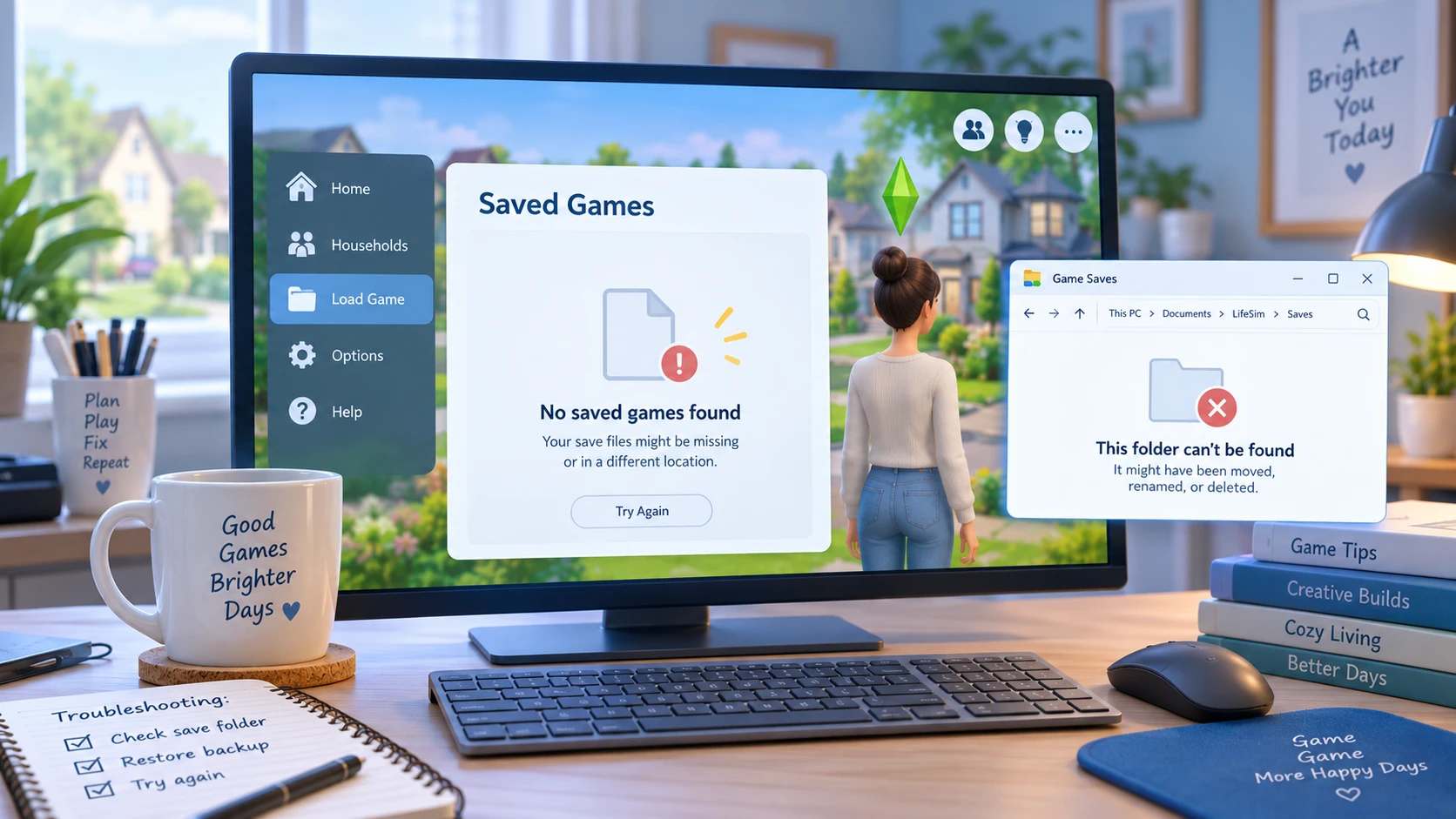
Methode 1: Überprüfen Sie, ob der richtige Speicherordner für „Die Sims 4“ ausgewählt ist
Wenn Die Speicherstände von „Die Sims 4“ sind verschwunden Überprüfen Sie nach einem Update, einer Neuinstallation, einer Windows-Änderung oder einer OneDrive-Synchronisierung beide üblichen Speicherorte:
C:\Benutzer\\Dokumente\Electronic Arts\Die Sims 4\saves
C:\Benutzer\\OneDrive\Dokumente\Electronic Arts\Die Sims 4\saves
Suchen Sie nach Dateinamen wie:
Slot_00000001.save
Möglicherweise werden Ihnen auch Dateien angezeigt, deren Dateiendung .save.ver0, .save.ver1, oder ähnliche Versionsnummern.
Falls sich die alten Spielstände in einem Ordner befinden, während „Die Sims 4“ einen anderen verwendet, erstellen Sie zunächst eine Sicherungskopie beider Ordner. Kopieren Sie anschließend nur die benötigten Spielstanddateien in den aktiven speichert Ordner.
Hier handelt es sich um ein Pfadproblem und nicht um ein Problem mit gelöschten Dateien. Daher ist eine Wiederherstellungssoftware nicht erforderlich, solange die ursprünglichen Speicherdateien noch vorhanden sind.
Methode 2: Verwende die Funktion „Speicherstände wiederherstellen“ in „Die Sims 4“
Falls das betroffene Spiel weiterhin unter Spiel laden, probieren Sie zunächst die integrierte Wiederherstellungsfunktion von ’Die Sims 4“ aus, bevor Sie Dateien manuell bearbeiten.
- Öffne „Die Sims 4“.
- Wählen Sie Spiel laden.
- Wählen Sie den betroffenen Speichervorgang aus.
- Klicken Sie auf Wiederherstellen Speichern.
- Wählen Sie einen früheren Wiederherstellungspunkt aus.
- Starte das Spiel und überprüfe deinen Haushalt und deinen Spielfortschritt.
Diese Methode ist hilfreich, wenn die aktuelle Speicherdatei beschädigt wurde oder der zuletzt erzielte Fortschritt verloren gegangen ist.
Allerdings kann „Recover Save“ keine .speichern Datei, die bereits endgültig vom Speicherlaufwerk gelöscht wurde.
Methode 3: Gelöschte „Die Sims 4“-Speicherstände aus dem Papierkorb wiederherstellen
Falls Sie versehentlich eine Speicherdatei oder das gesamte speichert Ordner, öffnen Sie das Windows Papierkorb.
Suche nach:
Slot_
.speichern
Die Sims 4
Wenn Sie die fehlenden Dateien gefunden haben, klicken Sie mit der rechten Maustaste darauf und wählen Sie Wiederherstellen. Windows sollte sie an ihren ursprünglichen Speicherort zurückverschieben.
Dies sollte vor dem Durchsuchen der Festplatte erfolgen, da sich die Originaldatei noch im Papierkorb befindet. Falls Sie diesen bereits geleert haben, lesen Sie unsere Anleitung dazu, wie Sie Aus dem Papierkorb gelöschte Dateien wiederherstellen.
Vergewissern Sie sich nach der Wiederherstellung, dass die Dateien in den Ordner „Dokumente“ zurückgelegt wurden, der derzeit von „Die Sims 4“ verwendet wird.
Methode 4: Überprüfen Sie den OneDrive-Papierkorb und den Versionsverlauf
OneDrive verdient besondere Beachtung, wenn Die Speicherstände von „Die Sims 4“ sind verschwunden von einem Windows-PC aus.
Wenn Windows den Ordner „Dokumente“ über OneDrive sichert oder umleitet, kann es aufgrund einer Synchronisierungsänderung vorkommen, dass der lokale „Sims 4“-Ordner leer erscheint, selbst wenn noch eine andere Cloud- oder lokale Kopie vorhanden ist.
Öffnen Sie zunächst OneDrive im Web und sehen Sie sich den Papierkorb an. Prüfen Sie anschließend, ob der Ordner „Electronic Arts“ unter „OneDrive-Dokumente“ vorhanden ist.
Sie können auch den Versionsverlauf nutzen, wenn eine passende frühere Version vorhanden ist.
Weitere OneDrive-spezifische Wiederherstellungsoptionen finden Sie unter So stellen Sie aus OneDrive gelöschte Dateien wieder her.
Bevor du irgendetwas wiederherstellst, erstelle eine Kopie deines aktuellen „Die Sims 4“-Ordners. Andernfalls könnten durch die Wiederherstellung einer älteren Version neuere Spielstände überschrieben werden, die du noch benötigst.
Methode 5: Sims 4-Speicherdateien aus dem Dateiverlauf oder einer Sicherung wiederherstellen
Wenn Sie zuvor den Dateiverlauf oder eine andere Windows-Sicherungsmethode aktiviert haben, nutzen Sie diese Sicherung, bevor Sie eine Datenwiederherstellungssoftware ausprobieren.
Für den Dateiversionsverlauf:
- Öffnen Sie Bedienfeld.
- Wählen Sie System und Sicherheit > Dateiverlauf.
- Wählen Sie Persönliche Dateien wiederherstellen.
- Navigieren Sie zum Speicherordner von Electronic Arts oder „Die Sims 4“.
- Suchen Sie nach einer Version, die erstellt wurde, bevor die Speicherstände verschwunden sind.
- Stellen Sie die erforderlichen Dateien wieder her.
Sie können auch mit der rechten Maustaste auf das Original klicken speichert Ordner, wählen Sie Eigenschaften, und prüfen Frühere Versionen.
Diese Methoden funktionieren nur, wenn Windows vor dem Datenverlust ein brauchbares Backup erstellt hat. Weitere Wiederherstellungsoptionen für Windows finden Sie unter 7 sichere Methoden zur Wiederherstellung von Dateien auf einem Computer.
Methode 6: Den gesamten PC nach „Sims 4“-Slot-Dateien durchsuchen
Manchmal Die Speicherstände von „Die Sims 4“ sind verschwunden aus dem erwarteten Ordner, wurden jedoch verschoben statt gelöscht.
Öffnen Sie den Datei-Explorer und wählen Sie Dieser PC, und suche nach:
Slot_*.save
Suchen Sie dann nach:
Slot_*.save.ver*
Ergebnisse sortieren nach Datum der Änderung und den Speicherort jeder Datei überprüfen.
Achten Sie besonders auf Folgendes:
- Ein weiteres Windows-Benutzerprofil
- Lokale Dokumente
- OneDrive-Dokumente
- Alte Desktop- oder Sicherungsordner
- Ein manuell kopierter „Sims 4“-Ordner
Wenn Sie vielversprechende Dateien finden, kopieren Sie diese zunächst in einen separaten Sicherungsordner. Benennen Sie die aktuellen Speicherstände nicht sofort um und überschreiben Sie sie auch nicht.
Methode 7: Dauerhaft gelöschte „Die Sims 4“-Speicherdateien wiederherstellen
Wenn Die Speicherstände von „Die Sims 4“ sind verschwunden und Sie können sie weder über den Datei-Explorer noch über „Speichern wiederherstellen“, den Papierkorb, OneDrive, die Dateiversionsgeschichte oder ein anderes Backup finden, wurden die Originaldateien möglicherweise endgültig gelöscht.
Verzichten Sie ab sofort so weit wie möglich auf die Nutzung des betroffenen Laufwerks. Windows kann den von gelöschten Dateien belegten Speicherplatz wiederverwenden, und neue Daten könnten die alten Daten überschreiben.
Die Datenwiederherstellung ist auf einer SSD zudem schwieriger, da TRIM es dem Laufwerk ermöglichen kann, Blöcke zu löschen, die Windows nicht mehr als aktiv betrachtet.
Eine ausführlichere Erläuterung dieser Situation finden Sie in unserem Leitfaden zu dauerhaft gelöschte Dateien wiederherstellen.
Wenn die .speichern Die Dateien sind tatsächlich nicht mehr über die üblichen Wiederherstellungsoptionen von Windows oder „Die Sims 4“ auffindbar, Magic Data Recovery kann das Laufwerk scannen, auf dem die Dateien gespeichert waren.
Sie dient einem anderen Zweck als „Wiederherstellen“, „Papierkorb“, „OneDrive“ oder „Dateiversionsverlauf“. Diese Methoden stellen eine vorhandene Kopie oder ein Backup wieder her. Eine Datenwiederherstellungssoftware durchsucht hingegen das Speichermedium nach Spuren gelöschter Dateien.
Sollten die integrierten Wiederherstellungsoptionen nicht mehr funktionieren, können Sie Magic Data Recovery ausprobieren, bevor neue Daten die gelöschten Dateien überschreiben.
So verwenden Sie Magic Data Recovery, wenn Die Speicherstände von „Die Sims 4“ sind verschwunden
Schritt 1: Herunterladen und Installieren von Magic Data Recovery
Laden Sie Magic Data Recovery herunter und installieren Sie es, aber installieren Sie es nicht auf derselben Partition, auf der die fehlenden „Die Sims 4“-Dateien gespeichert waren.
Wenn sich die gelöschten Speicherstände beispielsweise auf C:, verwenden Sie nach Möglichkeit eine andere Partition oder ein anderes Laufwerk. Die Installation neuer Software auf der Quellpartition kann wiederherstellbare Daten überschreiben.
Unterstützt Windows 7/8/10/11 und Windows Server
Schritt 2: Wählen Sie das Laufwerk aus, auf dem die „Die Sims 4“-Speicherdateien gespeichert wurden
Starten Sie Magic Data Recovery und wählen Sie das Laufwerk aus, auf dem ursprünglich folgende Dateien gespeichert waren:
Dokumente\Electronic Arts\Die Sims 4\Speicherstände
Starten Sie dann den Scan.

Schritt 3: Suchen Sie nach Verloren oder gelöschte „Die Sims 4“-Speicherdateien
Lassen Sie die Software den ursprünglichen Speicherort durchsuchen. Achten Sie, sobald die Ergebnisse angezeigt werden, auf die frühere Ordnerstruktur von „Die Sims 4“ und auf Dateien, deren Namen mit Slot_.
Ein vollständiger Scan liefert möglicherweise mehr Ergebnisse als ein sofortiger Abbruch, sobald die ersten Dateien angezeigt werden.

Schritt 4: Sims 4-Speicherstände an einem sicheren Ort sichern
Wählen Sie die gewünschten Dateien aus und sichern Sie sie auf einem anderen Laufwerk oder an einem sicheren Speicherort.
Speichern Sie die wiederhergestellten Dateien während des Wiederherstellungsprozesses nicht direkt an dem Ort, an dem der Datenverlust ursprünglich aufgetreten ist. Erstellen Sie anschließend eine weitere Sicherungskopie, bevor Sie die wiederhergestellten Dateien kopieren. .speichern Dateien in den aktiven „Die Sims 4“-Ordner zum Testen.

Warum sind die „Die Sims 4“-Speicherdateien nach einem Update verschwunden?
Wenn Die Speicherstände von „Die Sims 4“ sind verschwunden Unmittelbar nach einem Update liegt die Vermutung nahe, dass diese durch das Update gelöscht wurden. Der Zeitpunkt allein ist jedoch kein Beweis für eine Löschung.
Möglicherweise greift das Spiel nun auf einen anderen „Documents“-Ordner zu. Möglicherweise hat OneDrive die Ordnersynchronisierung geändert, oder „Die Sims 4“ hat einen neuen Ordner für Benutzerdaten angelegt.
Durchsuchen Sie daher den gesamten Computer nach Slot_*.save Bevor Sie eine Wiederherstellungssoftware verwenden: Falls die Dateien noch an anderer Stelle vorhanden sind, ist eine Verschiebung oder eine Korrektur des Pfades sinnvoller als die Wiederherstellung gelöschter Dateien.
So verhindert man, dass „Die Sims 4“-Speicherdateien wieder verschwinden
Sobald Ihre Speicherstände wieder funktionieren, erstellen Sie mehrere Sicherungskopien.
- Kopieren Sie regelmäßig die
speichertOrdner auf ein anderes Laufwerk. - Halten Sie mehrere Speicherplätze für manuelle Speicherstände bei wichtigen Spielen frei.
- Überprüfen Sie, welchen „Dokumente“-Ordner Windows und OneDrive verwenden.
- Erstellen Sie vor größeren Änderungen am Spiel, an Windows oder an Mods ein Backup.
- Betrachten Sie die automatische Speicherung nicht als dauerhaftes Sicherungsarchiv.
- Speichern Sie Backups nach Möglichkeit getrennt vom ursprünglichen Systemlaufwerk.
Eine lokale Kopie sowie ein zweiter Speicherort für Sicherungskopien bieten Ihnen mehr Möglichkeiten, falls eine Sicherungskopie beschädigt, überschrieben, verschoben oder gelöscht wird.
Schlussfolgerung
Wenn Ihr Die Speicherstände von „Die Sims 4“ sind verschwunden, überprüfen Sie zunächst den aktiven Ordner „Dokumente“ und OneDrive, Slot_*.save Dateien, Wiederherstellen Speichern, Papierkorb und Windows-Sicherungen. Diese Optionen sind sicherer, wenn die Datei noch irgendwo vorhanden ist oder eine frühere Kopie verfügbar bleibt. Sie können sich auch unsere umfassendere Anleitung zur Wiederherstellung gelöschter Dateien um zu verstehen, was zu tun ist, wenn Windows eine Datei tatsächlich gelöscht hat.
Wenn das Original von „Die Sims 4“ .speichern Die Dateien wurden endgültig gelöscht, und diese integrierten Methoden funktionieren nicht mehr, Magic Data Recovery bietet eine Option zum Durchsuchen der Festplatte. Ob eine Wiederherstellung möglich ist, hängt weiterhin davon ab, ob die Datei durch neue Daten überschrieben wurde und ob SSD-TRIM die gelöschten Blöcke bereinigt hat; daher kann keine Wiederherstellungsmethode garantieren, dass jede fehlende Speicherdatei wiederhergestellt werden kann.
Unterstützt Windows 7/8/10/11 und Windows Server
FAQs
Warum sind meine „Die Sims 4“-Speicherdateien nach einem Update verschwunden?
Slot_*.save Dateien und überprüfen Sie sowohl die lokalen Dokumente als auch die OneDrive-Dokumente, bevor Sie versuchen, gelöschte Dateien wiederherzustellen.Wo werden die Speicherdateien von „Die Sims 4“ unter Windows gespeichert?
Dokumente\Electronic Arts\Die Sims 4\Speicherstände. Wenn OneDrive Ihren Ordner „Dokumente“ verwaltet, werden diese möglicherweise stattdessen unter OneDrive\Dokumente\Electronic Arts\Die Sims 4\Speicherstände. Den gesamten PC nach … durchsuchen Slot_*.save falls der erwartete Ordner leer ist oder „Die Sims 4“ plötzlich keine gespeicherten Spiele mehr anzeigt.Kann ich einen älteren „Die Sims 4“-Speicherstand ohne Wiederherstellungssoftware wiederherstellen?
.save.ver Dateien im Ordner „Saves“. Diese Optionen sind vorzuziehen, da sie mit vorhandenen „Die Sims 4“-Daten arbeiten, anstatt die Festplatte nach gelöschten Dateien zu durchsuchen.Können gelöschte „Die Sims 4“-Speicherdateien über den Papierkorb wiederhergestellt werden?
.speichern Die Datei oder der „Sims 4“-Ordner wurde ordnungsgemäß gelöscht, und der Papierkorb wurde noch nicht geleert. Öffnen Sie den Papierkorb und suchen Sie nach Slot_ oder den ursprünglichen Ordner und wählen Sie Wiederherstellen. Falls der Papierkorb bereits geleert wurde, überprüfen Sie zunächst die Sicherungskopien, bevor Sie eine Wiederherstellung auf Festplattenebene in Betracht ziehen.Was sollte ich überprüfen, wenn meine „Die Sims 4“-Speicherstände aufgrund von OneDrive verschwunden sind?
Kann man mit einer Software dauerhaft gelöschte „Die Sims 4“-Speicherdateien wiederherstellen?
.speichern Datei.Wie kann ich verhindern, dass das Problem mit dem Verschwinden von „Die Sims 4“-Speicherdateien erneut auftritt?
speichert Ordner und bewahren Sie mindestens eine Sicherungskopie außerhalb des ursprünglichen Windows-Laufwerks auf. Verwenden Sie mehrere manuelle Speicherplätze, überprüfen Sie die OneDrive-Ordnereinstellungen und erstellen Sie vor größeren Änderungen am Spiel oder am System eine Sicherungskopie. Diese Vorsichtsmaßnahmen gewährleisten, dass unabhängige Kopien vorhanden sind, falls Speicherstände verschoben, beschädigt, überschrieben oder versehentlich gelöscht werden.
Vasilii ist ein Datenrettungsspezialist mit rund 10 Jahren praktischer Erfahrung in diesem Bereich. Im Laufe seiner Karriere hat er Tausende von komplexen Fällen mit gelöschten Dateien, formatierten Laufwerken, verlorenen Partitionen und RAW-Dateisystemen erfolgreich gelöst. Sein Fachwissen umfasst sowohl manuelle Wiederherstellungsmethoden mit professionellen Tools wie Hex-Editoren als auch fortschrittliche automatische Lösungen mit Wiederherstellungssoftware. Vasilii hat es sich zur Aufgabe gemacht, zuverlässiges Wissen zur Datenwiederherstellung sowohl IT-Fachleuten als auch normalen Nutzern zugänglich zu machen und ihnen dabei zu helfen, ihre wertvollen digitalen Ressourcen zu schützen.