
Come recuperare i file eliminati dal disco rigido
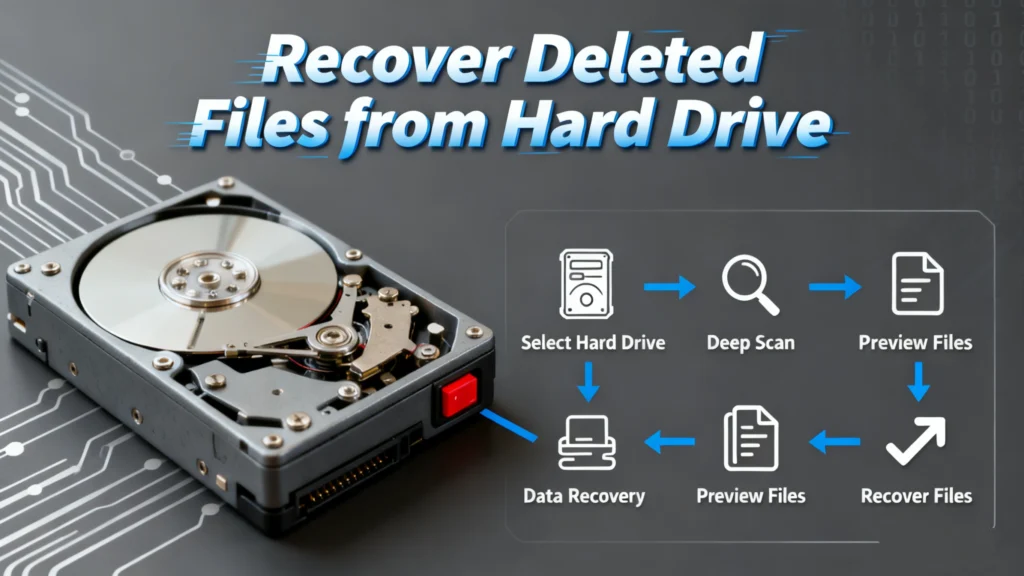
L'eliminazione accidentale di file importanti dal disco rigido può essere un incubo. Che si tratti di un'improvvisa interruzione di corrente, di un errore umano o addirittura di un crash del sistema, la perdita di dati è una situazione che la maggior parte delle persone ha affrontato prima o poi. Fortunatamente, Per recuperare i file eliminati dal disco rigido è possibile e non deve essere così complicato come sembra. Con gli strumenti e l'approccio giusti, è possibile recuperare i file persi in modo efficiente senza preoccuparsi della perdita permanente dei dati.
In questo articolo spiegheremo come recuperare i file cancellati dal disco rigido, introducendo Magic Data Recovery come la soluzione più affidabile, e vi guiderà attraverso un processo semplice ed efficace che chiunque può seguire. Se i file sono stati persi a causa di un'eliminazione accidentale, di una formattazione o di un errore di sistema, la nostra guida vi aiuterà a ripristinarli.
Supporta Windows 7/8/10/11 e Windows Server
Indice dei contenuti
Perché i file vengono eliminati o persi dai dischi rigidi
Prima di lanciarsi nel processo di recupero, è importante capire perché i file potrebbero si perdono dal disco rigido in primo luogo. Ecco le cause più comuni:
1. Cancellazione accidentale
L'eliminazione accidentale di un file o di una cartella è uno dei motivi più comuni per cui si perdono i dati. In alcuni casi, i file possono addirittura eludere il Cestino e sembrare definitivamente scomparsi.
2. Formattazione del disco rigido
A volte gli utenti possono erroneamente formattare il disco rigido, cancellando tutti i file nel processo. La formattazione viene spesso eseguita per risolvere gli errori dell'unità o per prepararla all'installazione di un nuovo sistema operativo.
3. Corruzione del file system
Errori di sistema, settori danneggiati o software dannoso possono causare la corruzione del file system, rendendo i file inaccessibili.
4. Attacchi di virus o malware
Il malware può causare la scomparsa, la corruzione o il blocco dei file. Alcuni virus prendono di mira i file appositamente per crittografarli, chiedendo un riscatto per il loro recupero.
Le migliori pratiche per recuperare i file eliminati dal disco rigido
Quando si verifica una perdita di dati, è fondamentale agire rapidamente. Ecco cosa fare per massimizzare le possibilità di recupero:
1. Interrompere l'uso dell'unità
Non appena ci si accorge che i file sono scomparsi, interrompere immediatamente l'utilizzo dell'unità disco. I nuovi dati scritti sull'unità possono sovrascrivere i file eliminati, rendendoli irrecuperabili.
2. Utilizzare il software di recupero dati
Per recuperare i file perduti, il metodo più efficace è quello di utilizzare software di recupero dati come Magic Data Recovery. Questi programmi scansionano l'unità alla ricerca di eventuali dati recuperabili e li ripristinano.
3. Provare gli strumenti integrati (con cautela)
Molti sistemi operativi offrono strumenti di recupero integrati, come Windows File History o macOS Time Machine. Pur essendo utili, hanno dei limiti, soprattutto per gli scenari di perdita di dati più gravi.
Perché scegliere Magic Data Recovery per le vostre esigenze di recupero dei file?
Quando si tratta di recuperare i dati persi, non tutti gli strumenti sono uguali. Magic Data Recovery si distingue per le sue potenti funzioni e la facilità d'uso.
Caratteristiche principali di Magic Data Recovery:
- Scenari di ripristino multipli: Se i file sono stati eliminati, l'unità è stata formattata o il file system è danneggiato, Magic Data Recovery è in grado di risolvere il problema.
- Supporto per diversi file system: Lo strumento funziona con diversi file system, tra cui FAT, NTFS, exFAT, HFS+ e altri, garantendo la compatibilità con quasi tutti i dischi rigidi.
- Funzione di anteprima: Prima di recuperare i file, è possibile visualizzarli in anteprima per assicurarsi che siano quelli corretti, risparmiando tempo e fatica.
- Scansione profonda: Magic Data Recovery esegue una scansione profonda dell'unità per scoprire i file che potrebbero essere nascosti sotto la superficie.
Perché Magic Data Recovery è più affidabile di altre soluzioni
Sebbene esistano molti strumenti di recupero, Magic Data Recovery offre una soluzione più completa grazie alle sue capacità avanzate di scansione e recupero. Non si tratta solo di recuperare i file, ma di garantire che i file vengano ripristinati in modo completo e sicuro, senza il rischio di ulteriori danni.
Scenario reale
Immaginate di aver cancellato per sbaglio una presentazione importante proprio prima di una riunione importante. Potreste pensare che sia andata perduta per sempre, ma con Magic Data Recovery potete scansionare rapidamente il vostro disco rigido e recuperare il file in un attimo, consentendovi di tornare al lavoro senza perdere un colpo.
Guida al recupero dei file con Magic Data Recovery
Recupero dei file eliminati dal disco rigido con Magic Data Recovery è semplice. Seguite questi semplici passaggi:
1. Scaricare e installare: Ottenere Magic Data Recovery dal sito ufficiale e installarlo sul computer.
Supporta Windows 7/8/10/11 e Windows Server




Suggerimenti per un recupero dati di successo
Sebbene l'Magic Data Recovery sia potente, ecco alcuni suggerimenti aggiuntivi per garantire i migliori risultati di recupero possibili:
1. Evitare di scrivere nuovi dati sull'unità
Una volta eliminati i dati, evitare di salvare nuovi file sull'unità interessata, poiché potrebbero sovrascrivere i file eliminati. Ciò potrebbe rendere impossibile il recupero.
2. Eseguire regolarmente il backup dei dati
Il modo migliore per prevenire la perdita di dati è backup regolari. Utilizzare servizi cloud o unità esterne per conservare copie di file importanti.
3. Cercare un aiuto professionale quando necessario
Se i dati sono estremamente importanti e non possono essere recuperati con un software, si consiglia di rivolgersi a un recupero dati professionale servizio. Dispongono degli strumenti e delle competenze necessarie per recuperare anche i file gravemente danneggiati.
Conclusione
Il recupero dei file eliminati non deve essere un processo stressante. Con il software giusto, come Magic Data Recovery, è possibile ripristinare i file persi in modo rapido ed efficiente. Sia che i file siano stati cancellati accidentalmente, che sia stata formattata l'unità o che si siano verificati errori di sistema, Magic Data Recovery è progettato per gestire un'ampia varietà di scenari di recupero.
La tecnologia di scansione profonda, la facilità d'uso e la capacità di recuperare i file da più file system fanno di questo strumento l'opzione più affidabile per gli utenti che devono affrontare una perdita di dati.
Se state cercando una soluzione affidabile e facile da usare, non esitate a provare Magic Data Recovery oggi. Scaricate il software e recuperate i vostri file importanti con pochi clic!
Supporta Windows 7/8/10/11 e Windows Server
Domande frequenti
È possibile recuperare i file eliminati da un disco rigido?
Come recuperare i file cancellati dal disco rigido?
È possibile recuperare i file cancellati dell'unità?
I file eliminati in modo permanente vengono effettivamente cancellati?
È possibile recuperare i file eliminati in modo permanente?
Come fanno i professionisti a recuperare i dati da un disco rigido?
È possibile cancellare definitivamente un disco rigido?

Erin Smith è riconosciuta come una delle scrittrici più professionali di Amagicsoft. Negli ultimi 10 anni ha continuamente affinato le sue capacità di scrittura e ha aiutato milioni di lettori a risolvere i loro problemi tecnologici.