
Memoria flash vs. SSD: Un confronto dettagliato
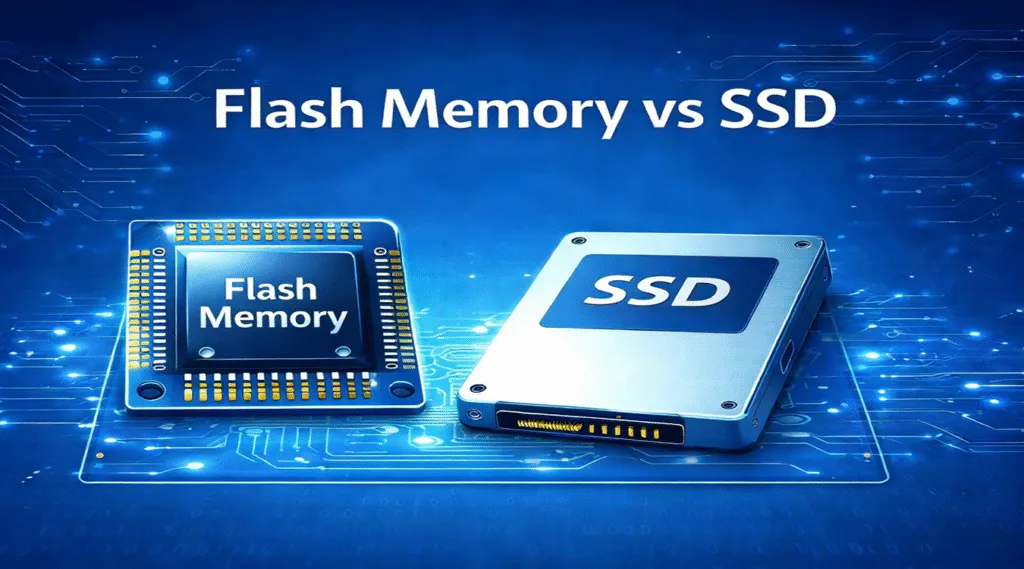
Le memorie flash e gli SSD sono strettamente correlati, ma non sono la stessa cosa. Memoria flash vs SSD Non si tratta di un semplice confronto tra due prodotti di archiviazione equivalenti. La memoria flash è un tipo di tecnologia di archiviazione non volatile, mentre un SSD, ovvero un’unità a stato solido, è un dispositivo di archiviazione completo che solitamente utilizza Memoria flash NAND al suo interno.
In parole povere, la memoria flash è il supporto di archiviazione, mentre un SSD è l’unità completa realizzata attorno a tale supporto. Un SSD comprende in genere chip flash NAND, un controller, il firmware, la cache, un'interfaccia come SATA o NVMe e tecnologie quali il livellamento dell'usura e la correzione degli errori.
Ciò significa comprendere Memoria flash vs SSD Si tratta in realtà di comprendere la differenza tra una tecnologia di archiviazione e un dispositivo di archiviazione finito. Questa guida illustra le differenze principali, tra cui velocità, durata, affidabilità, casi d'uso, costo e recupero dei dati.
Indice dei contenuti
Risposta rapida: Che cos’è Memoria flash vs SSD?
La differenza più grande in Memoria flash vs SSD è il loro ruolo nell'archiviazione. La memoria flash è una tecnologia di archiviazione utilizzata per conservare i dati anche in assenza di alimentazione. Si trova in Unità flash USB, schede SD, smartphone, fotocamere, dispositivi integrati e SSD.
Un SSD è un'unità di archiviazione completa che solitamente utilizza Memoria flash NAND come supporto di memorizzazione. Rispetto ai dispositivi più semplici basati su memoria flash, un SSD dispone di un controller, un firmware, un'interfaccia e funzionalità di gestione più avanzati.
Quindi, quando le persone mettono a confronto Memoria flash vs SSD, di solito mettono a confronto i dispositivi di archiviazione generici basati su memoria flash con un’unità a stato solido più avanzata.
Memoria flash vs SSD Tabella di confronto
Fattore | Memoria flash | SSD |
Che cos’è | Una tecnologia di memorizzazione non volatile | Un dispositivo di archiviazione completo |
Esempi comuni | Chip NAND, chiavette USB, schede SD, eMMC, UFS | SSD SATA, SSD NVMe, SSD esterni |
Scopo principale | Memorizzare i dati su diversi tipi di dispositivi | Fornire soluzioni di archiviazione ad alta velocità per computer e sistemi |
Utilizza memoria flash NAND? | Spesso sì, soprattutto nel settore dello storage per i consumatori | Di solito sì |
Controllore | Controller di base o integrato, a seconda del dispositivo | Controller SSD avanzato |
Velocità | Varia notevolmente a seconda del tipo di dispositivo | Di solito sono molto più veloci, soprattutto gli SSD NVMe |
Durata della vita | Dipende dal tipo di flash e dalla qualità del dispositivo | Di solito è più efficace ricorrere al livellamento dell'usura e al firmware |
Capacità | Dai piccoli dispositivi di archiviazione integrati ai dispositivi flash ad alta capacità | Solitamente disponibili con capacità che vanno da centinaia di GB a diversi TB |
Costo | Spesso più economico per soluzioni di archiviazione portatili semplici | Più costoso, ma con prestazioni migliori |
Il migliore per | Chiavette USB, schede SD, dispositivi mobili, sistemi integrati | Sistemi operativi, app, giochi, attività professionali, grande capacità di archiviazione |
Recupero dati | Dipende dal tipo di dispositivo e dal controller | Può risultare difficile a causa di TRIM, la crittografia e il comportamento del controller |
Che cos'è la memoria flash?
La memoria flash è un tipo di memoria non volatile. Ciò significa che è in grado di conservare i dati anche quando viene interrotta l'alimentazione. A differenza della RAM, che perde i dati quando viene interrotta l'alimentazione, la memoria flash è progettata per l'archiviazione permanente.
La memoria flash è ampiamente utilizzata nei moderni dispositivi digitali, tra cui:
- Unità flash USB
- Schede SD e schede microSD
- Smartphone e tablet
- Fotocamere digitali
- Sistemi embedded
- Memoria eMMC e UFS
- Unità a stato solido
Esistono due tipi principali di memoria flash: la memoria flash NAND e la memoria flash NOR.
La memoria flash NAND è il tipo più diffuso nei dispositivi di archiviazione quali SSD, chiavette USB, schede SD e smartphone. È progettata per l'archiviazione di dati ad alta densità ed è adatta alla lettura e alla scrittura di grandi quantità di dati.
La memoria NOR flash viene spesso utilizzata per il firmware, il codice di avvio e i sistemi embedded, dove è importante disporre di un accesso in lettura casuale veloce. È meno diffusa nei dispositivi di archiviazione destinati al grande pubblico.
Quando si parla di memoria flash nel contesto dell'archiviazione, solitamente ci si riferisce alla memoria flash NAND.
Che cos'è un'unità SSD?
Definizione:
Un SSD (unità a stato solido) è un dispositivo di archiviazione dati che utilizza chip di memoria flash (spesso NAND) per memorizzare i dati, ma a differenza dei dischi rigidi tradizionali, non hanno parti in movimento. Le unità SSD sono utilizzate nei computer desktop, nei portatili e nei server per l'accesso ai dati ad alta velocità, offrendo velocità di lettura e scrittura superiori a quelle delle unità disco. dischi rigidi meccanici (HDD).
Architettura:
- Flash NAND: Le unità SSD sono costruite con chip di memoria flash NAND che memorizzano i dati in celle di memoria. Queste possono essere disposte in parallelo per aumentare la velocità di trasferimento dei dati.
- Controllore: Il controller di un'unità SSD gestisce le operazioni di lettura/scrittura, il livellamento dell'usura e l'integrità dei dati. Determina le prestazioni complessive e la longevità dell'unità SSD.
- Cache DRAM: Molte moderne unità SSD includono una cache DRAM per accelerare le operazioni di lettura/scrittura. Le unità SSD di fascia alta, in particolare quelle con interfaccia NVMe, utilizzano spesso la DRAM per memorizzare nella cache i dati e velocizzarne l'accesso.
Caratteristiche dell'SSD:
In un Memoria flash vs SSD Le unità SSD sono chiaramente ottimizzate per velocità, resistenza e affidabilità negli ambienti informatici moderni.
- Prestazioni più elevate: Le unità SSD garantiscono un accesso ai dati ad alta velocità: i modelli moderni offrono velocità fino a 550 MB/s per le unità SSD SATA e oltre 3000 MB/s per le unità SSD PCIe/NVMe.
- Resistenza: Mentre la memoria flash ha cicli di scrittura/cancellazione limitati, le unità SSD sono progettate per carichi di lavoro di scrittura più intensivi e spesso includono funzioni come il livellamento dell'usura per distribuire uniformemente i dati sulle celle di memoria, prolungandone la durata.
- Fattore di forma: Le unità SSD sono disponibili in diversi fattori di forma, come 2,5 pollici (SATA), M.2 e PCIe, con le interfacce M.2 e PCIe che garantiscono una maggiore velocità di trasferimento dei dati.
- Protezione contro le perdite di potenza: Le unità SSD, soprattutto i modelli di livello aziendale, spesso includono condensatori o tecnologie simili per garantire l'integrità dei dati in caso di improvvisa perdita di alimentazione.
Memoria Flash vs SSD: Differenze principali

Caratteristica | Memoria flash | SSD |
Tipo | Principalmente memoria NAND Flash (SLC, MLC, TLC, QLC) | Utilizza memoria NAND Flash (tipicamente MLC, TLC, QLC) |
Fattore di forma | Unità USB, schede SD, eMMC, memoria integrata | 2,5 pollici SATA, M.2, PCIe/NVMe |
Prestazioni | Prestazioni inferiori, adatte all'archiviazione di dati di base | Ad alte prestazioni, progettato per un accesso rapido ai dati |
Resistenza | Limitato dai cicli di scrittura/cancellazione, varia a seconda del tipo di NAND | Maggiore resistenza grazie al livellamento dell'usura e a una migliore gestione dei cicli di scrittura/cancellazione |
Costo | Generalmente più economico, soprattutto per le capacità più ridotte. | Più costoso, soprattutto per i modelli a maggiore capacità e più veloci |
Capacità | In genere più piccoli (ad esempio, 16GB, 32GB, 64GB) | Capacità maggiori, fino a diversi terabyte (TB) |
Caso d'uso | Archiviazione portatile, dispositivi incorporati, schede di memoria | Archiviazione primaria per desktop, laptop e server |
Velocità | Velocità di lettura/scrittura tipicamente più basse | Velocità di lettura/scrittura elevate, soprattutto con i modelli NVMe |
Resistenza alla perdita di potenza | Moderato, dipende dal design del dispositivo | Eccellente protezione dalle perdite di potenza nelle unità SSD di fascia alta |
Confronto delle prestazioni: Memoria flash vs SSD
- Memoria flash: Le prestazioni della memoria flash dipendono dal suo tipo. Le memorie SLC offrono le velocità di scrittura e lettura più elevate, seguite da MLC, TLC e QLC, che hanno velocità progressivamente più basse a causa della quantità di dati memorizzati per cella.
- SSD: La velocità di lettura/scrittura di SSD è molto superiore a quello delle memorie flash, grazie ai controller avanzati e all'ottimizzazione del Flash NAND. Le unità SSD SATA offrono velocità fino a 550 MB/s, mentre le unità SSD PCIe e NVMe possono offrire velocità da 1.500 MB/s a oltre 7.000 MB/s, a seconda della generazione e del numero di corsie PCIe.
Nel contesto di Memoria flash vs SSD, La memoria flash si concentra maggiormente sulla portabilità e sull'uso incorporato piuttosto che su carichi di lavoro sostenuti ad alte prestazioni.
Casi d'uso
1. Memoria Flash:
- Stoccaggio portatile: Unità USB, schede SD per fotocamere e schede microSD per smartphone.
- Sistemi incorporati: La memoria flash è spesso utilizzata nei dispositivi embedded come i gadget IoT, gli indossabili e gli elettrodomestici intelligenti.
- Stoccaggio a basso costo e bassa capacità: Adatto per esigenze di archiviazione di piccola capacità in cui le prestazioni sono secondarie alla portabilità.
2. SSD:
- Storage primario nei computer: Le unità SSD sono ideali per i sistemi operativi, le installazioni software e l'archiviazione attiva dei file nei computer desktop e portatili.
- Giochi e calcolo ad alte prestazioni: Le unità SSD sono ampiamente utilizzate nelle console di gioco e nei sistemi informatici ad alte prestazioni per garantire tempi di caricamento rapidi e latenza ridotta.
- Stoccaggio del server: Nei data center, le unità SSD sono spesso utilizzate in configurazioni RAID per l'accesso rapido ai dati, il backup e l'archiviazione.
Recupero dati in Memoria flash vs SSD
Il recupero dei dati nelle memorie flash e nelle unità SSD può essere un'impresa ardua. SSD in genere hanno migliori opzioni di ripristino grazie alla loro architettura standardizzata. Magic Data Recovery può aiutare a recuperare i file persi o eliminati sia dai dispositivi di memoria flash che dalle unità SSD. Tuttavia, il processo di recupero può variare a seconda dell'usura e dell'utilizzo del dispositivo.
Per le memorie flash, in particolare per i dispositivi embedded, il recupero dei dati potrebbe essere più complesso a causa della mancanza di protocolli standardizzati. Le unità SSD, in particolare i modelli consumer, tendono a offrire percorsi di recupero più accessibili con i giusti strumenti software.
Conclusione
Supporta Windows 7/8/10/11 e Windows Server
FAQ: Memoria Flash vs SSD
Qual è la differenza principale tra la memoria flash e l'SSD?
La memoria flash è la stessa cosa di un SSD?
L'SSD è migliore della memoria flash?
Un SSD utilizza la memoria flash?
Qual è la differenza tra la memoria flash NAND e un SSD?
Una chiavetta USB è un SSD?
È possibile utilizzare un SSD come una chiavetta USB?
È meglio scegliere un SSD o una chiavetta USB?

Vasilii è uno specialista del recupero dati con circa 10 anni di esperienza pratica nel settore. Nel corso della sua carriera, ha risolto con successo migliaia di casi complessi riguardanti file cancellati, unità formattate, partizioni perse e file system RAW. La sua esperienza copre sia i metodi di recupero manuale utilizzando strumenti professionali come gli editor esadecimali, sia le soluzioni automatiche avanzate con i software di recupero. La missione di Vasilii è quella di rendere accessibile la conoscenza del recupero dati affidabile sia ai professionisti IT che agli utenti di tutti i giorni, aiutandoli a salvaguardare i loro preziosi beni digitali.