
Memoria flash USB: Guida completa, usi e recupero
Indice dei contenuti
Perché la memoria flash USB è ancora importante oggi
Memoria flash USB rimane una delle soluzioni di archiviazione portatile più diffuse, nonostante la crescita del cloud storage e del SSD. Dal trasferimento di file di lavoro e backup foto all'aggiornamento del firmware o all'installazione di sistemi operativi, le chiavette USB sono ancora essenziali nella vita digitale di tutti i giorni.
Tuttavia, la comodità comporta dei rischi. I file memorizzati sulla memoria flash USB possono essere cancellati accidentalmente, persi dopo la formattazione o diventare inaccessibili a causa di errori della partizione RAW. o il danneggiamento del file system. Questa guida spiega come memoria flash USB Il suo funzionamento, i suoi vantaggi e limiti e cosa si può fare in caso di perdita di dati.
Che cos'è la memoria flash USB?
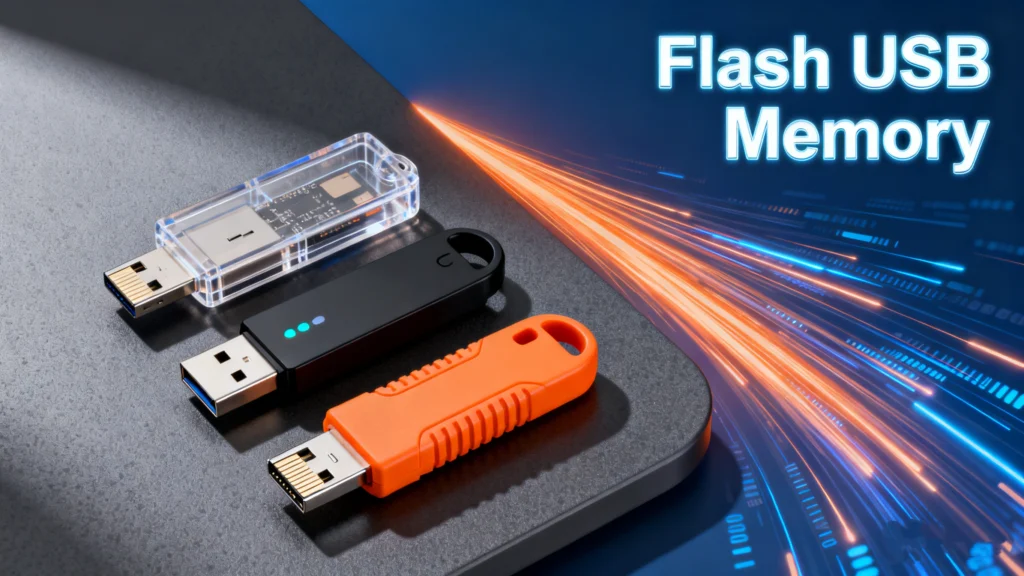
È un dispositivo di archiviazione portatile che utilizza la memoria flash NAND e si collega ai computer o ai dispositivi compatibili tramite un'interfaccia USB. A differenza dei dischi rigidi tradizionali, non contiene parti mobili, il che migliora la durata e riduce il consumo energetico.
I nomi comuni includono:
- Unità flash USB
- Unità disco rigido
- Pen drive
- Chiave USB
Tutti questi si riferiscono alla stessa tecnologia di base: Unità flash USB progettato per un'archiviazione rapida e rimovibile.
Come Unità flash USB Funziona (spiegazione semplice)
Il cuore del progetto, Unità flash USB si basa su celle NAND flash che immagazzinano cariche elettriche per rappresentare i dati. Queste celle sono raggruppate in blocchi, consentendo all'unità di leggere e scrivere rapidamente i dati senza movimenti meccanici.
Le caratteristiche principali includono:
- Memorizzazione non volatile (i dati rimangono in assenza di alimentazione)
- Cicli di scrittura limitati per cella di memoria
- Controllore incorporato che gestisce il livellamento dell'usura e la correzione degli errori
Questo design spiega perché la memoria flash USB è veloce e portatile, ma anche perché un uso improprio può portare alla corruzione dei dati.
Usi comuni della memoria flash USB nella vita reale
Basato su scenari di utilizzo quotidiano, Unità flash USB è comunemente usato per:
- Trasferimento di file tra computer
- Archiviazione di documenti, foto e video
- Creazione di programmi di installazione USB avviabili
- Aggiornamenti del firmware per i dispositivi
- Backup temporanei durante i viaggi
Negli ambienti professionali, le unità flash USB sono spesso utilizzate quando l'accesso alla rete non è disponibile o è limitato.
Vantaggi e svantaggi di Unità flash USB
Vantaggi
- Compatto e leggero
- Nessuna parte mobile, migliore resistenza agli urti
- Compatibilità plug-and-play
- Convenienti e ampiamente disponibili
Svantaggi
- Facile da perdere grazie alle dimensioni ridotte
- Durata limitata a causa dei limiti dei cicli di scrittura
- Vulnerabile alla corruzione del file system
- Non ideale per l'archiviazione a lungo termine
La comprensione di queste limitazioni aiuta gli utenti a evitare gli errori più comuni quando si fa affidamento sulla memoria flash USB per i dati importanti.
File System utilizzati su Unità flash USB
La scelta del file system corretto influisce sulla compatibilità e sulle prestazioni.
File system comuni
- FAT32 - Massima compatibilità, ma dimensione dei file limitata a 4GB
- exFAT - Il miglior equilibrio per i file di grandi dimensioni e l'uso multipiattaforma
- NTFS - Funzionalità avanzate, soprattutto per i sistemi Windows
La formattazione impropria o la rimozione improvvisa durante il trasferimento dei file spesso porta a partizioni RAW o illeggibili.
Comune Unità flash USB Problemi degli utenti
Nell'uso pratico, Unità flash USB possono incontrare:
- Eliminazione accidentale di file
- Formattazione senza backup
- L'unità viene visualizzata come RAW
- USB non riconosciuto dal sistema
- Danni al file system dopo una rimozione non sicura
Questi problemi non significano sempre la perdita definitiva dei dati, ma l'uso continuato può ridurre le possibilità di recupero.
È possibile recuperare i dati da Unità flash USB?
In molti casi, sì. Quando i dati vengono eliminati o un dispositivo di memoria flash USB viene formattato, i file non vengono immediatamente cancellati. Al contrario, lo spazio di archiviazione viene contrassegnato come disponibile per il riutilizzo.
Il recupero è spesso possibile se:
- L'unità non è stata sovrascritta
- I danni fisici sono minimi
- Viene utilizzato tempestivamente un metodo di recupero affidabile
Una soluzione pratica: Magic Data Recovery per Unità flash USB
Quando gli strumenti di sistema standard falliscono, Magic Data Recovery fornisce una soluzione pratica per il recupero dei dati da Unità flash USB di cancellazione, formattazione, partizioni RAW o errori logici.
I problemi principali che risolve
- File eliminati dalle unità flash USB
- Perdita di dati dopo la formattazione
- Partizioni RAW o inaccessibili
- Corruzione del file system
Perché Magic Data Recovery è affidabile
- Scansione profonda su misura per le memorie flash USB
- Supporta i sistemi di file più comuni (FAT32, exFAT, NTFS)
- Anteprima dei file prima del recupero
- Flusso di lavoro semplice e guidato per utenti non tecnici
Scenari di utilizzo nel mondo reale
Ad esempio, se un'unità USB contenente documenti di lavoro viene formattata per errore, Magic Data Recovery può scansionare la memoria flash USB e identificare i file recuperabili prima che vengano sovrascritti.
Rispetto ai metodi manuali o agli strumenti generici, si concentra sul comportamento dello storage basato su memoria flash, rendendolo più affidabile nei casi di ripristino specifici per l'USB.
Se siete alla ricerca di una soluzione efficiente e affidabile, vale la pena prendere in considerazione Magic Data Recovery.
Supporta Windows 7/8/10/11 e Windows Server
Le migliori pratiche per la protezione Unità flash USB Dati
Per ridurre i rischi di perdita di dati in futuro:
- Espellere sempre l'unità USB in modo sicuro
- Evitate di utilizzare un'unità per troppi dispositivi
- Conservare i backup dei file importanti
- Interrompere l'utilizzo dell'unità immediatamente dopo la perdita dei dati
Queste abitudini migliorano notevolmente l'affidabilità a lungo termine.
Conclusione
Memoria flash USB continua ad essere un'opzione di stoccaggio comoda e versatile se usato correttamente. Sebbene abbia dei limiti, la comprensione del suo funzionamento e la capacità di reagire alla perdita di dati possono renderlo uno strumento affidabile.
Quando si verificano problemi inaspettati, strumenti come Magic Data Recovery forniscono un modo pratico per ripristinare i file persi e ridurre al minimo le interruzioni.
Domande frequenti sulle memorie flash USB
Che cos'è l'unità flash USB?
La memoria flash è la stessa cosa dell'USB?
Quali sono gli svantaggi delle unità flash USB?
Quanta memoria ha una chiavetta USB?
Cosa è meglio, un'unità flash da 32GB o 64GB?
Per quanto tempo una chiavetta USB può conservare i dati?

Erin Smith è riconosciuta come una delle scrittrici più professionali di Amagicsoft. Negli ultimi 10 anni ha continuamente affinato le sue capacità di scrittura e ha aiutato milioni di lettori a risolvere i loro problemi tecnologici.