
Flash Memory vs SSD: A Detailed Comparison
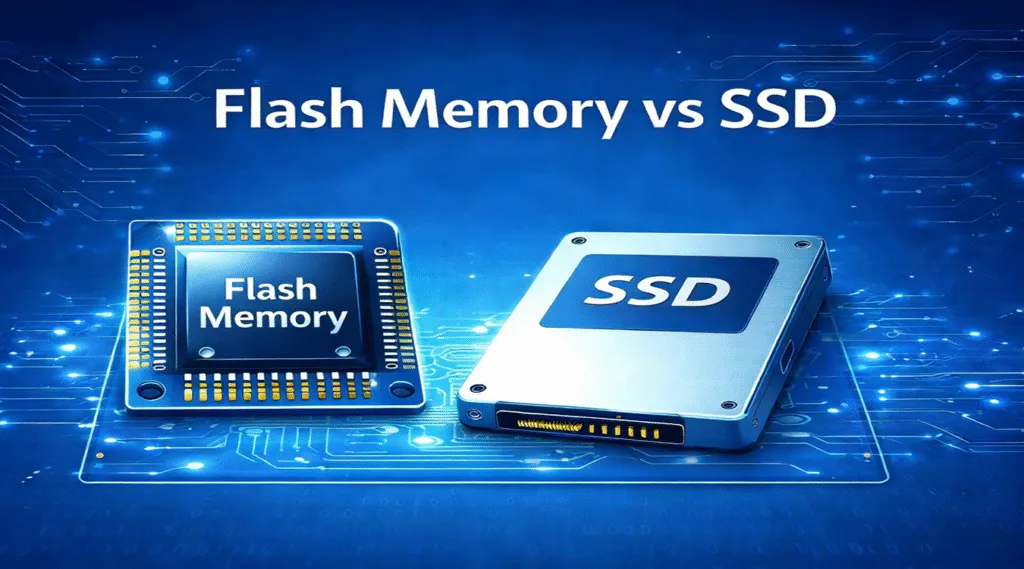
Flash memory and SSDs are closely related, but they are not the same thing. flash memory vs SSD is not a simple comparison between two equal storage products. Flash memory is a type of non-volatile storage technology, while an SSD, or solid-state drive, is a complete storage device that usually uses NAND flash memory inside it.
In simple terms, flash memory is the storage medium, and an SSD is the finished drive built around that medium. An SSD typically includes NAND flash chips, a controller, firmware, cache, an interface such as SATA or NVMe, and technologies such as wear leveling and error correction.
That means understanding flash memory vs SSD is really about understanding the difference between a storage technology and a finished storage device. This guide explains the key differences, including speed, lifespan, reliability, use cases, cost, and data recovery.
Table of Contents
Quick Answer: What Is Flash Memory vs SSD?
The biggest difference in flash memory vs SSD is their role in storage. Flash memory is a storage technology used to retain data without power. It is found in USB flash drives, SD cards, smartphones, cameras, embedded devices, and SSDs.
An SSD is a complete storage drive that usually uses NAND flash memory as its storage medium. Compared with simpler flash-based devices, an SSD has a more advanced controller, firmware, interface, and management features.
So, when people compare flash memory vs SSD, they are usually comparing general flash-based storage devices with a more advanced solid-state drive.
Flash Memory vs SSD Comparison Table
Factor | Flash Memory | SSD |
What it is | A non-volatile storage technology | A complete storage device |
Common examples | NAND chips, USB flash drives, SD cards, eMMC, UFS | SATA SSDs, NVMe SSDs, external SSDs |
Main purpose | Store data in many types of devices | Provide high-speed storage for computers and systems |
Uses NAND flash? | Often yes, especially in consumer storage | Usually yes |
Controller | Basic or embedded controller depending on device | Advanced SSD controller |
Speed | Varies widely by device type | Usually much faster, especially NVMe SSDs |
Lifespan | Depends on flash type and device quality | Usually better managed through wear leveling and firmware |
Capacity | From small embedded storage to high-capacity flash devices | Commonly available from hundreds of GB to several TB |
Cost | Often cheaper for simple portable storage | More expensive, but better performance |
Best for | USB drives, SD cards, mobile devices, embedded systems | Operating systems, apps, games, professional work, large storage |
Data recovery | Depends on device type and controller | Can be difficult due to TRIM, encryption, and controller behavior |
What is Flash Memory?
Flash memory is a type of non-volatile storage. This means it can keep data even when the power is turned off. Unlike RAM, which loses data when power is removed, flash memory is designed for persistent storage.
Flash memory is widely used in modern digital devices, including:
- USB flash drives
- SD cards and microSD cards
- Smartphones and tablets
- Digital cameras
- Embedded systems
- eMMC and UFS storage
- Solid-state drives
There are two major types of flash memory: NAND flash and NOR flash.
NAND flash is the most common type used in storage devices such as SSDs, USB drives, SD cards, and smartphones. It is designed for high-density data storage and is suitable for reading and writing large amounts of data.
NOR flash is often used for firmware, boot code, and embedded systems where fast random read access is important. It is less common in consumer storage devices.
When people talk about flash memory in the context of storage, they usually mean NAND flash.
What is an SSD?
Definition:
An SSD (Solid-State Drive) is a data storage device that uses flash memory chips (often NAND) to store data, but unlike traditional hard drives, it has no moving parts. SSDs are used in desktop computers, laptops, and servers for high-speed data access, providing faster read and write speeds compared to mechanical hard drives (HDDs).
Architecture:
- NAND Flash: SSDs are built with NAND flash memory chips that store data in memory cells. These can be arranged in parallel to increase data transfer speeds.
- Controller: The controller in an SSD manages read/write operations, wear leveling, and data integrity. It determines the overall performance and longevity of the SSD.
- DRAM Cache: Many modern SSDs include a DRAM cache to speed up read/write operations. High-end SSDs, especially those with NVMe interface, often use DRAM to cache data for faster access.
SSD Features:
In a flash memory vs SSD comparison, SSDs are clearly optimized for speed, endurance, and reliability in modern computing environments.
- Higher Performance: SSDs provide high-speed data access, with modern models offering speeds of up to 550 MB/s for SATA SSDs and over 3000 MB/s for PCIe/NVMe SSDs.
- Endurance: While flash memory has limited write/erase cycles, SSDs are designed for more intensive write workloads and often include features like wear leveling to distribute data evenly across the memory cells, extending their lifespan.
- Form Factor: SSDs come in various form factors like 2.5-inch (SATA), M.2, and PCIe, with M.2 and PCIe interfaces providing faster data transfer speeds.
- Power Loss Protection: SSDs, especially enterprise-grade models, often include capacitors or similar technologies to ensure data integrity in case of sudden power loss.
Flash Memory vs SSD: Key Differences

Feature | Flash Memory | SSD |
Type | Primarily NAND Flash memory (SLC, MLC, TLC, QLC) | Uses NAND Flash memory (typically MLC, TLC, QLC) |
Form Factor | USB drives, SD cards, eMMC, embedded memory | 2.5-inch SATA, M.2, PCIe/NVMe |
Performance | Lower performance, suitable for basic data storage | High-performance, designed for fast data access |
Endurance | Limited by write/erase cycles, varies by NAND type | Higher endurance due to wear leveling and better management of write/erase cycles |
Cost | Generally cheaper, especially in smaller capacities | More expensive, especially for higher capacity and faster models |
Capacity | Typically smaller (e.g., 16GB, 32GB, 64GB) | Larger capacities, up to several terabytes (TB) |
Use Case | Portable storage, embedded devices, memory cards | Primary storage for desktops, laptops, and servers |
Speed | Typically slower read/write speeds | Fast read/write speeds, especially with NVMe models |
Power Loss Resistance | Moderate, depends on device design | Excellent power loss protection in high-end SSDs |
Performance Comparison: Flash Memory vs SSD
- Flash Memory: The performance of flash memory depends on its type. SLC provides the fastest write and read speeds, followed by MLC, TLC, and QLC, which have progressively slower speeds due to more data being stored per cell.
- SSD: The read/write speed of SSDs is much higher than flash memory due to the advanced controllers and optimized NAND flash. SATA SSDs offer speeds of up to 550 MB/s, while PCIe and NVMe SSDs can offer speeds from 1,500 MB/s to over 7,000 MB/s, depending on the generation and number of PCIe lanes.
In the context of flash memory vs SSD, flash memory focuses more on portability and embedded use rather than sustained high-performance workloads.
Use Cases
1. Flash Memory:
- Portable Storage: USB drives, SD cards for cameras, and microSD cards for smartphones.
- Embedded Systems: Flash memory is often used in embedded devices like IoT gadgets, wearables, and smart appliances.
- Low-Cost, Low-Capacity Storage: Suitable for small-capacity storage needs where performance is secondary to portability.
2. SSDs:
- Primary Storage in Computers: SSDs are ideal for operating systems, software installations, and active file storage in desktops and laptops.
- Gaming and High-Performance Computing: SSDs are widely used in gaming consoles and high-performance computing systems to ensure fast loading times and reduced latency.
- Server Storage: In data centers, SSDs are often used in RAID configurations for fast data access, backup, and storage tasks.
Data Recovery in Flash Memory vs SSD
Data recovery in both flash memory and SSDs can be challenging, but SSDs generally have better recovery options due to their standardized architecture. Magic Data Recovery can assist in recovering lost or deleted files from both flash memory devices and SSDs. However, the recovery process may vary depending on the device’s wear and usage.
For flash memory, especially embedded devices, data recovery might be more complex due to the lack of standardized protocols. SSDs, especially consumer models, tend to offer more accessible recovery pathways with the right software tools.
Conclusion
Supports Windows 7/8/10/11 and Windows Server
FAQ: Flash Memory vs SSD
What is the main difference in flash memory vs SSD?
Is flash memory the same as SSD?
Is SSD better than flash memory?
Does an SSD use flash memory?
What is the difference between NAND flash and SSD?
Is a USB flash drive an SSD?
Can an SSD be used like a flash drive?
Should I choose SSD or USB flash drive?

Vasilii is a data recovery specialist with around 10 years of hands-on experience in the field. Throughout his career, he has successfully solved thousands of complex cases involving deleted files, formatted drives, lost partitions, and RAW file systems. His expertise covers both manual recovery methods using professional tools like hex editors and advanced automated solutions with recovery software. Vasilii's mission is to make reliable data recovery knowledge accessible to both IT professionals and everyday users, helping them safeguard their valuable digital assets.