
Unità a stato solido: cos'è un'unità SSD
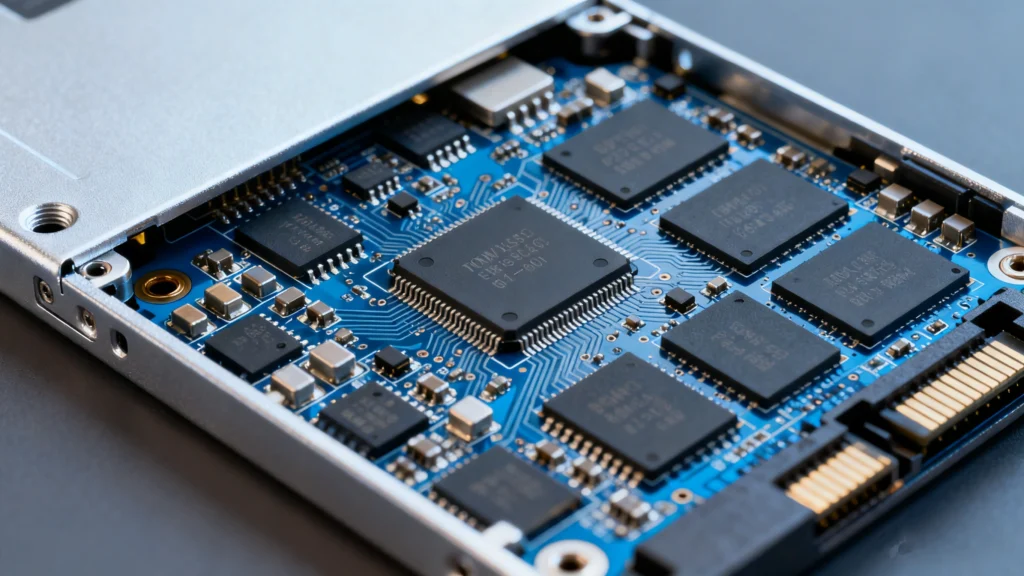
Le prestazioni dello storage influiscono direttamente sulla velocità di avvio di un computer, sulla fluidità di esecuzione delle applicazioni e sulla sicurezza di archiviazione dei dati. Che cos'è un SSD? Un'unità SSD (Solid State Drive) è un moderno dispositivo di archiviazione che utilizza la memoria flash invece dei dischi rotanti per memorizzare i dati.
Grazie all'architettura di archiviazione basata su flash, le soluzioni a stato solido offrono velocità più elevate, un consumo energetico inferiore e una maggiore durata. Tuttavia, prestazioni più elevate non significano rischio zero. Cancellazioni accidentali, errori di formattazione e guasti di sistema possono ancora causare la perdita di dati.
Questa guida spiega cos'è un SSD, i suoi punti di forza e di debolezza, in che modo si differenzia da HDD, scenari d'uso reali e come recuperare i dati persi dall'archiviazione a stato solido utilizzando Magic Data Recovery.
Supporta Windows 7/8/10/11 e Windows Server
Indice dei contenuti
Che cos'è un SSD (unità a stato solido)?
Un SSD è un dispositivo di archiviazione che salva i dati utilizzando la memoria flash NAND anziché i piatti magnetici rotanti. Grazie all'assenza di parti in movimento, l'archiviazione a stato solido offre tempi di accesso più rapidi e una maggiore affidabilità.
Come funziona lo storage allo stato solido
Un'unità con memoria allo stato solido memorizza i dati in celle di memoria flash. La gestione è affidata a un controller interno:
- Assegnazione dei dati
- Livellamento dell'usura
- Correzione degli errori
- Ottimizzazione delle prestazioni
A differenza delle unità meccaniche, le memorie flash accedono ai dati elettronicamente, il che spiega il notevole vantaggio in termini di velocità nell'uso quotidiano.
Pro e contro dello storage a stato solido
Vantaggi dell'utilizzo di un SSD
Le unità a stato solido sono ampiamente adottate grazie a diversi vantaggi pratici:
- Prestazioni ad alta velocità
Tempi di avvio più rapidi e accesso ai file più veloce migliorano la produttività.
- Durata migliorata
L'assenza di parti mobili significa una maggiore resistenza agli urti fisici.
- Minor consumo di energia
Ideale per computer portatili e dispositivi mobili.
- Funzionamento silenzioso
Nessun rumore durante le operazioni di lettura e scrittura.
- Fattore di forma compatto
Adatto a dispositivi sottili e leggeri.
Limitazioni da considerare
Nonostante questi vantaggi, la tecnologia a stato solido presenta degli svantaggi:
- Costo più elevato per gigabyte
- Cicli di scrittura finiti per tutta la durata di vita dell'unità
- Scenari di recupero più complessi
- Rischi di guasti improvvisi dovuti a problemi del controllore o del firmware
La comprensione di queste limitazioni aiuta gli utenti a prendere decisioni informate in materia di archiviazione.
SSD vs HDD: Qual è la vera differenza?
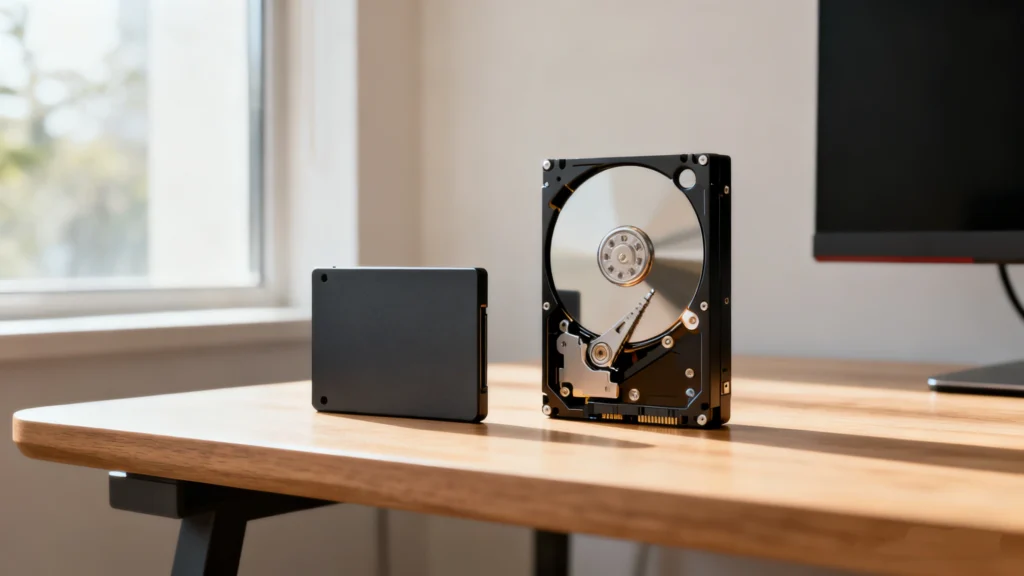
Scelta tra archiviazione basata su flash e dischi rigidi tradizionali dipende dalle esigenze di prestazioni e dal budget.
Caratteristica | SSD | HDD |
Velocità | Molto veloce | Più lento |
Durata | Alto | Più basso |
Rumore | Silenzioso | Audible |
Uso dell'energia | Basso | Più alto |
Prezzo | Più alto | Più conveniente |
Recupero dati | Più complesso | Più facile |
In pratica, le soluzioni a stato solido sono preferite per i sistemi operativi e le applicazioni, mentre HDD rimangono utili per i backup a lungo termine.
Casi d'uso comuni per le unità a stato solido
Installazione del sistema operativo
L'installazione di Windows o macOS su un'unità a stato solido migliora notevolmente la reattività del sistema.
Laptop e dispositivi portatili
La memoria flash riduce il peso, migliora la durata della batteria e aumenta la resistenza agli urti.
Gioco e lavoro creativo
I giochi si caricano più velocemente e i software come gli editor video beneficiano di un accesso ai dati ad alta velocità.
Sistemi aziendali e di impresa
Database, macchine virtuali e server si affidano alle prestazioni dello stato solido per garantire l'efficienza.
Archiviazione esterna
Le unità portatili a stato solido sono ampiamente utilizzate per backup e trasferimenti di dati veloci.
Questi scenari reali dimostrano perché l'archiviazione a stato solido è diventata la scelta predefinita.
Sicurezza e affidabilità dell'archiviazione dei dati
La tecnologia a stato solido è generalmente affidabile, ma la sicurezza dei dati dipende dalle abitudini di utilizzo e dalle condizioni del sistema.
Punti di forza dello storage basato su memoria flash
- Meccanismi avanzati di correzione degli errori
- Tecnologia di livellamento dell'usura per prolungare la durata di vita
- Crittografia a livello hardware opzionale
Cause comuni di perdita di dati
In base a casi di utilizzo reali, la perdita di dati si verifica spesso a causa di:
- Cancellazione accidentale
- Formattazione della partizione sbagliata
- Arresto del sistema o aggiornamenti non riusciti
- Interruzioni dell'alimentazione durante le operazioni di scrittura
- Corruzione del firmware
Inoltre, il Comando TRIM può cancellare in modo permanente i blocchi di dati eliminati, rendendo il recupero molto difficile.
Come recuperare i dati persi da un SSD
Recupero dei dati dall'archiviazione a stato solido richiede una manipolazione accurata. L'uso continuato dopo la perdita dei dati può ridurre il successo del recupero.
Le migliori pratiche prima del recupero
- Interrompere immediatamente l'utilizzo dell'unità interessata
- Evitare di installare nuovo software sullo stesso dispositivo.
- Non scrivere nuovi dati nello spazio di archiviazione
- Utilizzare soluzioni di recupero in sola lettura
Perché Magic Data Recovery È una soluzione pratica
Quando gli strumenti di sistema integrati non funzionano, spesso è necessario un software specializzato. Magic Data Recovery è stato progettato per gestire in modo efficiente i più comuni scenari di perdita di dati allo stato solido.
Problemi che può risolvere
- Eliminazione accidentale di file
- Partizioni a stato solido formattate
- Corruzione del file system
- Volumi inaccessibili o mancanti
Vantaggi principali
- Scansione ottimizzata per le moderne memorie flash
- Supporta SATA, NVMe, e unità a stato solido esterne
- Processo di recupero in sola lettura per evitare ulteriori danni ai dati
- Interfaccia chiara e adatta agli utenti di tutti i giorni
Esempio del mondo reale
Se un'unità a stato solido esterna viene formattata accidentalmente durante una reinstallazione del sistema, Magic Data Recovery può eseguire la scansione del dispositivo, visualizzare l'anteprima dei file recuperabili e ripristinare i documenti importanti in modo sicuro.
Perché è più affidabile degli strumenti generici
A differenza delle utility di ripristino di base, Magic Data Recovery tiene conto dei comportamenti moderni dello storage, come la memoria flash frammentata e gli effetti TRIM parziali.
Se siete alla ricerca di una soluzione affidabile, Magic Data Recovery è un'opzione ragionevole da considerare.
Supporta Windows 7/8/10/11 e Windows Server
Conclusione
Un SSD offre prestazioni più rapide, maggiore durata ed efficienza rispetto alle soluzioni di storage tradizionali. Questi vantaggi rendono unità a stato solido ideale per le moderne esigenze informatiche.
Tuttavia, nessuna tecnologia di archiviazione è immune dalla perdita di dati. Capire come funziona l'archiviazione basata su flash e avere un piano di ripristino affidabile può prevenire la perdita permanente dei dati. In caso di problemi, strumenti come Magic Data Recovery forniscono un modo pratico e affidabile per recuperare i file importanti.
Domande frequenti su cos'è un'unità SSD
Che cosa significa SSD?
Lo storage a stato solido è migliore dell'HDD?
Quanto dura un'unità a stato solido?
È possibile recuperare i dati da uno storage basato su flash?
Perché il recupero è più difficile che con gli HDD?
L'Magic Data Recovery è sicuro da usare?
Le unità a stato solido possono guastarsi improvvisamente?
È necessario eseguire il backup dei dati memorizzati sulle unità a stato solido?

Erin Smith è riconosciuta come una delle scrittrici più professionali di Amagicsoft. Negli ultimi 10 anni ha continuamente affinato le sue capacità di scrittura e ha aiutato milioni di lettori a risolvere i loro problemi tecnologici.