콘텐츠로 건너뛰기
아매직소프트 로고 아이콘
  • 홈
  • 제품
    • Magic Data Recovery
    • Magic Recovery Key
  • 스토어
  • 블로그
  • 자세히 보기
    • 아마직소프트 소개
    • 문의하기
    • 개인정보 보호정책
    • 약관
    • 라이선스 계약
    • 환불 정책
  • 한국어
    • English
    • 日本語
    • Deutsch
    • Français
    • Español
    • 繁體中文
Wiki

플래시 카드 메모리: 완벽한 가이드 및 복구 솔루션
2025년 12월 27일 Smith, Erin 아직 댓글이 없습니다
플래시 카드 메모리에 대한 모든 것 알아보기

목차

Introduction: Understanding the Importance of Flash Card Memory

Flash card memory has become a ubiquitous storage solution in modern digital life. From cameras and smartphones to gaming consoles and industrial equipment, these small, portable memory devices store critical data in compact formats. However, users often encounter issues such as 실수로 삭제, corruption, or device malfunction. Losing valuable photos, videos, or documents can be frustrating, and understanding flash card memory management and recovery options is essential.

This guide explores everything about flash card memory, including types, common problems, tips for safe usage, and practical recovery solutions. For users facing data loss, we’ll also introduce a reliable tool—Magic Data Recovery—that can help restore lost information quickly and safely.

Magic Data Recovery 다운로드

Windows 7/8/10/11 및 Windows Server 지원

What is Flash Card Memory?

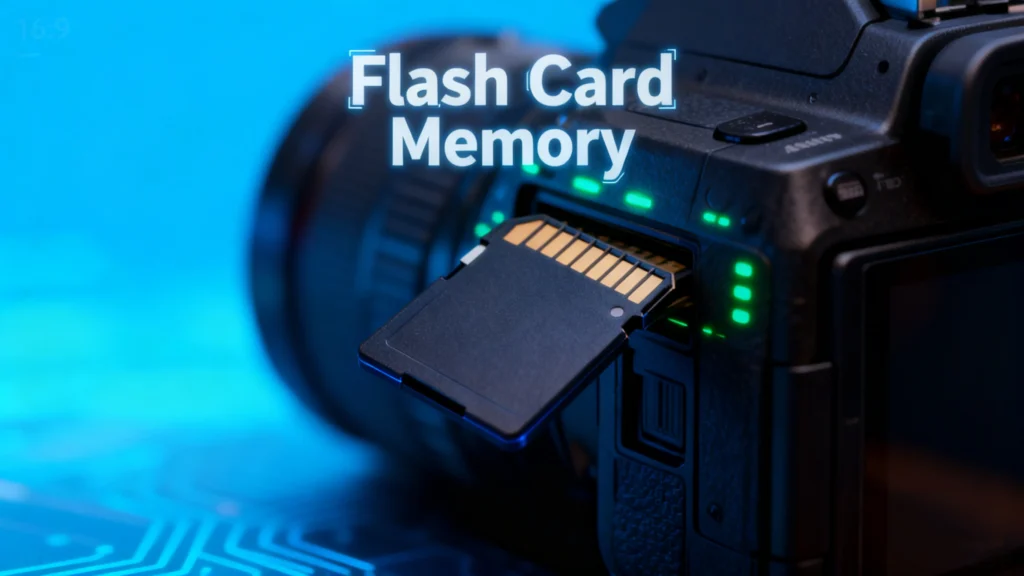
A flash card memory is a type of non-volatile storage device that retains data without requiring power. Unlike traditional hard drives, it uses 낸드 플래시 기술, making it faster, lightweight, and highly portable. Typical forms include SD cards, microSD cards, CompactFlash, and Memory Stick formats.

Key characteristics of flash card memory include:

  • Portability: Small size, easy to carry.
  • 내구성: No moving parts, resistant to shocks and vibration.
  • Versatility: Compatible with cameras, smartphones, tablets, and gaming consoles.

Common Issues with Flash Card

Despite their convenience, flash card memory devices are prone to several problems:

1. 실수로 삭제

Deleting files unintentionally is a frequent issue. Photos or documents may be removed permanently if the device is not backed up.

2. File Corruption

Files can become corrupted due to sudden power loss, improper ejection, or malware attacks, rendering them inaccessible.

3. Compatibility Issues

Some devices may not recognize certain flash card memory formats, especially when switching between cameras, computers, or gaming consoles.

4. Physical Damage

Water, heat, or mechanical impacts can damage the card, leading to partial or total data loss.

Tips for Protecting Flash Card

To minimize risks and extend the life of your flash card memory, consider these best practices:

  1. 정기 백업: Store copies of important files on cloud services or external drives.
  2. Safe Ejection: Always eject cards properly from computers or devices.
  3. Avoid Overuse: Limit frequent formatting or writing large files continuously.
  4. Use Quality Cards: Opt for reputable brands to reduce the risk of failure.
  5. Keep Cards Dry and Cool: Protect against environmental damage.

How to Recover Lost Data from Flash Card Memory

Even with precautions, data loss can happen. Understanding the recovery process can save critical files.

1. Check for Hidden or Recoverable Files

Sometimes deleted files are not permanently lost. Using the computer’s built-in file recovery tools or enabling “Show hidden files” might reveal accidentally hidden content.

2. Free Methods to Recover Data

  • Recycle Bin or Trash: Files deleted from some flash cards may temporarily appear in the system’s recycle bin.
  • Command Prompt (Windows): 사용 chkdsk 그리고 attrib commands can help fix minor corruption and restore files.
  • Disk Utility (Mac): Mac users can verify and repair disk errors with built-in tools.

3. Professional Recovery Tools

Recover lost data from Flash Card Memory

For severe cases, relying on professional software is the safest option. Tools like Magic Data Recovery offer:

  • Recovery from deleted, formatted, or corrupted flash cards.
  • Support for multiple file types: photos, videos, documents, and more.
  • User-friendly interface suitable for both beginners and advanced users.
  • Faster and safer recovery compared to manual methods.
Example Use Case: If your SD card from a recent photography trip gets corrupted, Magic Data Recoverycan scan the device, preview recoverable files, and restore them without overwriting existing data.

Why Magic Data Recovery is Recommended

Magic Data Recovery stands out due to its combination of reliability and versatility. Unlike some free tools that only recover limited file types or fail with severely corrupted cards, Magic Data Recovery:

  • Handles multiple data loss scenarios: accidental deletion, formatting, virus attacks, and system errors.
  • Maintains data integrity: Recovers files without damaging original content.
  • Supports a wide range of devices: SD cards, microSD, CompactFlash, USB drives, and more.

If you are looking for a robust solution to retrieve lost files from your flash card, Magic Data Recovery provides a trustworthy, practical, and efficient method.

Magic Data Recovery 다운로드

Windows 7/8/10/11 및 Windows Server 지원

결론

Flash card memory is a vital tool for storing digital data, but it is not immune to failure. Understanding its characteristics, common problems, and preventive measures can reduce the risk of 데이터 손실. However, when accidents happen, tools like Magic Data Recovery offer a safe and reliable way to restore valuable files.

Whether you’re a photographer, gamer, or general user, using 전문 복구 소프트웨어 ensures that your flash card remains a dependable and secure storage solution.

자주 묻는 질문

1. What is a flash memory card used for?

A flash memory card is used to store digital data such as photos, videos, documents, and software. It is commonly used in cameras, smartphones, gaming consoles, and other portable devices due to its compact size and portability.

2. Are flashcards good for memory?

If the question refers to digital storage, flash card memory is reliable and fast for storing and transferring data. It is durable and can withstand shocks better than traditional hard drives. However, like any storage device, it is prone to data loss if not properly managed.

3. Is a flash card an SD card?

Yes, an SD (Secure Digital) card is one type of flash card memory. Other types include microSD cards, CompactFlash, and Memory Stick cards. All use non-volatile flash memory to retain data without power.

4. What type of memory are flash cards?

Flash cards use NAND-based non-volatile memory, which retains data even when the device is powered off. This type of memory is faster, portable, and durable compared to magnetic hard drives.

5. How long will data stay on a flash drive?

Data on a flash card memory can remain for many years if stored properly. Environmental factors such as heat, humidity, or physical damage may shorten its lifespan. Regular backups are recommended to prevent data loss.

6. Can photos disappear from an SD card?

Yes, photos can disappear from an SD card due to accidental deletion, corruption, formatting, or physical damage. Using a professional recovery tool like Magic Data Recovery can help restore lost photos safely.
  • WiKi
Smith, Erin

에린 스미스는 Amagicsoft에서 가장 전문적인 작가 중 한 명으로 인정받고 있습니다. 지난 10년간 꾸준히 글쓰기 기술을 연마해 왔으며 수백만 명의 독자가 기술 문제를 해결하는 데 도움을 주었습니다.

글 탐색

이전 게시물
다음

검색

카테고리

  • 비트 로커 복구
  • 삭제된 파일 복구
  • 디스크 문제 수정
  • 문서 복구
  • 포맷 파일 복구
  • 하드 드라이브 복구
  • 라이선스 키 복구
  • 손실된 파일 복구
  • 메모리 카드 복구
  • 뉴스
  • 비밀번호 복구
  • 사진 복구
  • SSD 복구
  • USB 드라이브 복구
  • 사용자 가이드
  • 비디오 복구
  • Wiki
  • Windows 문제 수정

최근 게시물

  • 30일 후에 삭제된 Dropbox 파일을 복원하는 방법
    30일 후에 삭제된 Dropbox 파일을 복원하는 방법
  • 플래시 카드 메모리에 대한 모든 것 알아보기
    플래시 카드 메모리: 완벽한 가이드 및 복구 솔루션
  • 영구 삭제된 사진 복원
    영구적으로 삭제된 사진을 복원하는 방법: 전체 가이드

태그

CHKDSK 및 디스크 도구 디스크 복구 오류 문제 해결 방법 Magic Data Recovery Magic Recovery Key WiKi

관련 게시물

WD 드라이브가 인식되지 않음 이 문제를 해결하는 방법
디스크 문제 수정

WD 드라이브가 인식되지 않습니다: 이 문제를 해결하는 방법

2025년 12월 27일 Vasilii 아직 댓글이 없습니다

WD(Western Digital) 드라이브가 컴퓨터에서 인식되지 않더라도 당황하지 마세요. 이 문제는 매우 흔한 문제입니다. USB 포트 결함, 오래된 드라이버 또는 논리적 오류 등 여러 가지 요인으로 인해 이 문제가 발생할 수 있습니다. 다행히도 문제를 해결하고 수정하는 방법에는 여러 가지가 있습니다. 이 가이드에서는 몇 가지 단계를 안내해 드립니다 [...].

하드 드라이브가 인식되지 않나요? 해결 방법은 다음과 같습니다.
디스크 문제 수정

하드 드라이브가 인식되지 않나요? 해결 방법은 다음과 같습니다.

2025년 12월 26일 Vasilii Hard Drive Not Recognized? Here’s How to Fix it에 댓글 닫힘

하드 드라이브가 컴퓨터에서 인식되지 않으면 즉시 데이터 손실에 대한 우려를 불러일으킬 수 있습니다. 문제가 내장 하드 드라이브에 영향을 미치든 외장 하드 드라이브에 영향을 미치든, 이 상황은 복구가 가능한 경우가 많습니다. 대부분의 경우, 드라이브 자체는 여전히 작동하지만 논리적인 문제로 인해 파일 탐색기에 표시되지 않는 경우가 많습니다 [...].

Windows 10에서 USB 드라이브가 인식되지 않는 문제 해결 방법
디스크 문제 수정

Windows 10에서 USB 드라이브가 인식되지 않는 문제 해결 방법

2025년 12월 26일 Vasilii How to Fix USB Drive Not Recognized on Windows 10에 댓글 닫힘

Windows 10에서 USB 드라이브가 인식되지 않으면 특히 중요한 문서, 사진 또는 작업 파일이 장치에 들어 있는 경우 걱정스러운 일이 될 수 있습니다. 다행히 USB 드라이브가 감지되지 않거나 읽을 수 없다고 해서 데이터가 자동으로 손실되는 것은 아닙니다. 대부분의 경우 이 문제는 드라이버 충돌, 파일 시스템 [...]으로 인해 발생합니다.

아매직소프트 로고 아이콘

당사의 비전은 사용자에게 최고 수준의 제품과 서비스를 제공하는 세계적으로 유명한 소프트웨어 브랜드 및 서비스 제공업체가 되는 것입니다.

제품
  • Magic Data Recovery
  • Magic Recovery Key
정책
  • 약관
  • 개인정보 보호정책
  • 환불 정책
  • 라이선스 계약
회사
  • 아마직소프트 소개
  • 문의하기
  • 스토어
팔로우하기

저작권 © 2025 아마직소프트. 모든 권리 보유.

  • 약관
  • 개인정보 보호정책

