Pular para o conteúdo
ícone do logotipo da amagicsoft
  • Início
  • Produtos
    • Magic Data Recovery
    • Magic Recovery Key
  • Loja
  • Blog
  • Mais informações
    • Sobre o Amagicsoft
    • Entre em contato conosco
    • Política de privacidade
    • Termos
    • Contrato de licença
    • Política de reembolso
  • Português
    • English
    • 日本語
    • 한국어
    • Deutsch
    • Français
    • Español
    • Italiano
    • 繁體中文
Wiki

Imagens de dados

28.11.2025 Eddie Comentários desativados em Data Imaging
Imagens de dados

Índice

Disk Imaging as a Safety Net for Damaged Drives

When a disk starts clicking, throwing I/O errors, or reporting bad sectors, every extra read increases the risk of failure.
In that moment, copying individual files often does more harm than good.

Disk imaging offers an alternative.
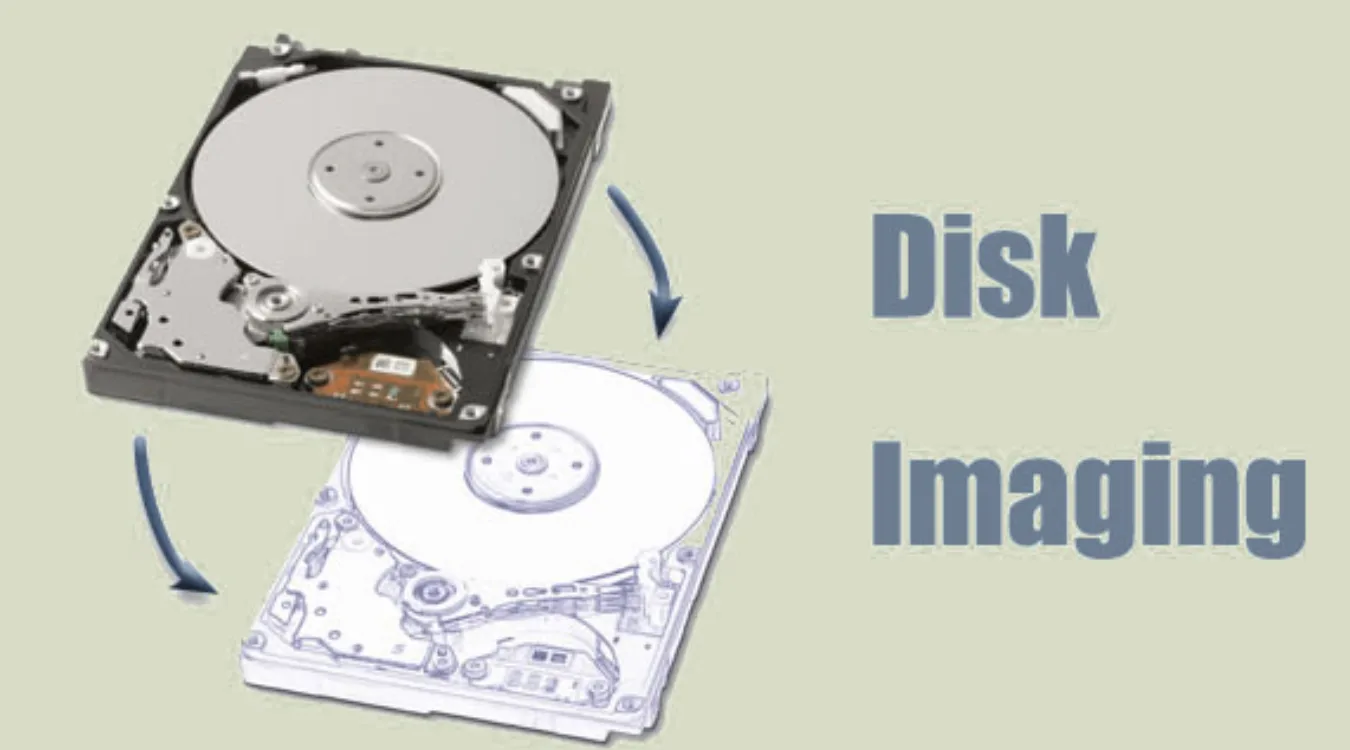
You capture a complete, block-level copy of the drive once, then run analysis or recovery on the image instead of the failing hardware.

How a Disk Image Represents a Drive

A disk image functions as a sector-by-sector snapshot of a storage device.
It records every addressable block, including boot sectors, partition tables, file system metadata, and unallocated space.

Because the image preserves unallocated sectors, it also preserves remnants of deleted files.
Tools can then scan the image exactly as they scan a physical disk, but without stressing the original device.
Therefore, imaging becomes a core technique in forensics and recuperação de dados.

what is Data Imaging

Disk Imaging Compared to File-Level Copy

A simple file copy only touches files that the file system still lists.
If the directory structure fails or the partition turns RAW, that approach breaks quickly.

Disk imaging avoids this weakness:

  • It ignores file system state and reads raw sectors instead.

  • It preserves hidden and system areas that normal tools skip.

  • It captures evidence of previous partitions and file systems.

Consequently, you keep options open for multiple recovery passes and future tools.

Typical Uses for Data Imaging

You see data imaging in several recurring scenarios:

  • Recuperação de dados from failing HDDs and SSDs

  • Digital forensics for legal or incident investigations

  • System migration from legacy hardware to new storage

  • Large-scale backup strategies that rely on image-level snapshots

In each case, the team wants an exact representation of the original disk without repeated risky access.

Imaging Workflow for Recovery and Analysis

A structured workflow helps you avoid mistakes while you image a damaged drive.

Preparation and Hardware Setup

First, stabilize the environment:

  • Use a reliable workstation with stable power.

  • Connect the suspect drive as a secondary device, not as a boot disk.

  • Prefer write blockers or read-only adapters during forensic work.

  • Confirm that the BIOS and OS detect the drive, even if it appears RAW.

Because you only want to read, you should never run repair tools before you capture the image.

Creating the Disk Image

Next, you capture the image:

  1. Choose an imaging tool that supports sector-by-sector copies.

  2. Select the source disk carefully and double-check the target path.

  3. Store the image on a healthy disk with enough free space.

  4. Enable logs and, if available, options for handling bad sectors.

When drives show weak sectors, some tools reduce read speed or retry counts to limit stress.
As a result, you may not capture every byte, but you preserve as much as the hardware allows.

Working From the Image, Not the Original

After imaging, you switch focus:

  • Mount the image file as a virtual disk or open it directly in analysis tools.

  • Run file system inspection, carving, and recuperação de dados on the image.

  • Keep the original drive powered off unless you need a second pass.

Normally, a created disk image can be restored without issues. However, backup image files are usually large, and storing them long-term on a disk that is frequently read and written may lead to image corruption. If the image becomes corrupted, the data inside it may no longer be recoverable. In that case, you can try using software de recuperação de dados—such as Magic Data Recovery—to scan the drive where the data was lost and attempt to recover the missing files..

Baixar Magic Data Recovery

Compatível com Windows 7/8/10/11 e Windows Server

Data Imaging in Forensics and Compliance

In forensic cases, investigators care about both content and process.
They must show that they preserved evidence, followed procedure, and avoided contamination.

Disk imaging supports these requirements:

  • It records the state of the drive at a specific time.

  • It allows hash-based verification to detect later tampering.

  • It lets multiple analysts work on copies while the original stays sealed.

Organizations that handle sensitive incidents often treat imaging tools, write blockers, and chain-of-custody records as standard kit.

Best Practices for Reliable Data Imaging

A few habits drastically improve the value of each image.

Recommended practices:

  • Plan capacity so image targets always have space for full copies.

  • Record metadata: drive serial numbers, ports, timestamps, and tool versions.

  • Hash images and store checksums separately for verification.

  • Keep at least one backup of critical images, stored on independent media.

  • Document decisions about partial images when drives fail mid-process.

Conclusão

Data imaging turns unstable or critical disks into portable, analyzable files.
It separates risk to hardware from the intensive scans and experiments that recovery and forensics require.

When you image first, you gain more chances to recover data, more flexibility during analysis, and a better story for audits and investigations.

But in certain special situations, the backup image may become unrecoverable, and in such cases, you will need to use software de recuperação de dados to scan and retrieve the lost data..


PERGUNTAS FREQUENTES


What are the benefits of imaging?

Imaging captures a full, block-level copy of a disk, including deleted data and damaged file systems. You can analyze and recover from the image instead of stressing the failing drive. This approach improves safety, supports repeatable experiments, and preserves evidence for audits, forensics, or later tool improvements without touching the original media again.

What does imaging data mean?

Imaging data means creating a complete representation of a storage device at the sector level. The image file mirrors every addressable block, not just visible files and folders. Because it includes unallocated space and metadata, it enables deep recovery, forensics, and migration tasks that ordinary file copies cannot handle reliably.

Why are imaging techniques important?

Imaging techniques matter because they protect fragile media and preserve evidence. They let engineers and investigators work on copies while keeping the original disk offline and unchanged. Furthermore, they support verification with hashes, enable multiple recovery attempts, and strengthen documentation for compliance, legal proceedings, and incident postmortems.

What is the reason for exam imaging reporting and data system?

In regulated environments, exam imaging reporting and data systems track how and when images were created and analyzed. They record metadata, operator actions, and interpretation notes. As a result, organizations gain traceability, quality control, and standardized documentation, which supports audits, training, and consistent decisions across teams and time.

Is digital imaging important?

Digital imaging plays a key role in storage, forensics, diagnostics, and many scientific fields. It enables precise copies, efficient archiving, and advanced processing that analog methods cannot match. For disks and systems, digital images preserve every bit of structure, so recovery and analysis can proceed without repeated access to the original device.

What is the purpose of functional imaging?

Functional imaging focuses on how a system behaves over time, not just how it looks at one moment. In medicine, it tracks activity; in computing, it may record performance metrics tied to specific states. Combined with disk or system images, functional data helps analysts correlate structural snapshots with real-world behavior during incidents.

What are the advantages of an image?

A disk or digital image offers repeatability, safety, and portability. You can copy, mount, and analyze it without changing the original source. Additionally, you can apply new tools later, share selected images with partners, and verify authenticity with hashes, which makes images ideal for recovery and forensic workflows.

What is the objective of dip?

Digital image processing (DIP) aims to enhance, analyze, and transform images so humans or algorithms can interpret them more effectively. It includes noise reduction, contrast adjustment, segmentation, and feature extraction. In a storage context, processed images help highlight patterns, defects, or artifacts that raw captures alone would not reveal clearly.

What are the four types of digital images?

Many references describe binary, grayscale, indexed, and true-color images as four main types. Binary images store only two values, grayscale images store intensity levels, indexed images reference palette entries, and true-color images store full color components. Each type balances storage cost, fidelity, and processing complexity for different applications and devices.
  • WiKi
Eddie

Eddie é um especialista em TI com mais de 10 anos de experiência trabalhando em várias empresas conhecidas do setor de informática. Ele traz um profundo conhecimento técnico e habilidades práticas de solução de problemas para cada projeto.

Navegação de Post

Anterior
Próximo

Pesquisa

Categorias

  • Recuperação do Bitlocker
  • Recuperação de arquivos excluídos
  • Correção do problema do disco
  • Recuperação de documentos
  • Recuperação de arquivos formatados
  • Recuperação de disco rígido
  • Recuperação da chave de licença
  • Recuperação de arquivos perdidos
  • Recuperação de cartão de memória
  • Notícias
  • Recuperação de partição
  • Recuperação de senha
  • Recuperação de fotos
  • Recuperação de SSD
  • Recuperação de unidade USB
  • Guia do usuário
  • Recuperação de vídeo
  • Wiki
  • Correção de problemas do Windows

Publicações recentes

  • Um guia completo para a recuperação gratuita de dados de unidades RAW
    Um guia completo para a recuperação gratuita de dados de unidades RAW
  • a taxa de falha da SSD em relação ao HDD
    Taxa de falha de SSD vs. HDD 2025-2026: qual é mais confiável?
  • Um guia completo para a recuperação de dados de partição
    Um guia completo para a recuperação de dados de partição

Tags

CHKDSK e ferramentas de disco Reparo de disco Solução de problemas de erros Como fazer Magic Data Recovery Magic Recovery Key WiKi

Publicações relacionadas

a taxa de falha da SSD em relação ao HDD
Wiki

Taxa de falha de SSD vs. HDD 2025-2026: qual é mais confiável?

10.01.2026 Jason Nenhum comentário ainda

Índice Introdução: Navegando pelos riscos do armazenamento moderno com dados atuais No cenário em constante evolução do armazenamento de dados, a escolha entre uma unidade de estado sólido (SSD) e uma unidade de disco rígido (HDD) geralmente se concentra na velocidade e no custo. No entanto, à medida que avançamos em 2025, surge uma questão mais urgente: Qual tecnologia oferece mais confiabilidade hoje, [...]

Unidade de backup da Toshiba não reconhecida - Guia de correção completo
Correção do problema do disco

Unidade de backup da Toshiba não reconhecida - Guia de correção completo

08.01.2026 Vasilii Comentários desativados em Toshiba Backup Drive Not Recognized – Complete Fix Guide

Quando ocorre um problema de não reconhecimento da unidade de backup da Toshiba, geralmente surge uma preocupação imediata com a segurança dos dados. Fotos, arquivos de trabalho ou backups do sistema podem parecer inacessíveis de repente, mesmo que a unidade tenha funcionado bem antes. A boa notícia é que essa é uma ocorrência comum e, na maioria dos casos, decorre de um problema lógico em vez de [...]

Explicação da confiabilidade, da vida útil e do risco de dados da taxa de falha da SSD
Wiki

Taxa de falha de SSD: Explicação da confiabilidade, da vida útil e do risco para os dados

08.01.2026 Vasilii Comentários desativados em SSD Failure Rate: Reliability, Lifespan, and Data Risk Explained

Quando uma SSD para de funcionar repentinamente, o pânico é uma reação natural. Documentos importantes, fotos ou dados comerciais podem parecer ter desaparecido em um instante. A boa notícia é que a maioria dos cenários de perda de dados é previsível e, muitas vezes, evitável, desde que você entenda a taxa de falha da SSD e como as unidades de estado sólido realmente envelhecem. Este guia explica a taxa de falha da SSD no mundo real [...]

ícone do logotipo da amagicsoft

Nossa visão é nos tornarmos uma marca de software e um provedor de serviços de renome mundial, oferecendo produtos e serviços de primeira linha aos nossos usuários.

Produtos
  • Magic Data Recovery
  • Magic Recovery Key
Política
  • Termos
  • Política de privacidade
  • Política de reembolso
  • Contrato de licença
Empresa
  • Sobre o Amagicsoft
  • Entre em contato conosco
  • Loja
Siga-nos

Direitos autorais © 2025 Amagicsoft. Todos os direitos reservados.

  • Termos
  • Política de privacidade