
O que é sistema de arquivos?
Os sistemas operacionais modernos não podem trabalhar diretamente com setores de disco brutos. O armazenamento físico expõe apenas blocos e endereços, que não oferecem nenhum contexto sobre arquivos, pastas ou permissões. Sem um sistema de arquivos, Se o disco fosse aberto, até mesmo tarefas básicas, como abrir um documento, exigiriam a manipulação direta dos locais do disco.
Por esse motivo, um sistema de arquivos fornece a estrutura lógica que torna o armazenamento utilizável. Ela define como os dados são nomeados, agrupados, localizados e protegidos, permitindo que o software interaja com o armazenamento de forma consistente e não fisicamente. Como resultado, a estabilidade e a portabilidade melhoram em diferentes dispositivos.
Índice
Controle lógico entre software e hardware
Em sua essência, essa estrutura atua como uma camada de controle entre os aplicativos e a mídia física. Em vez de gerenciar a alocação de blocos por conta própria, os programas dependem do sistema operacional para lidar com as solicitações de armazenamento por meio de uma interface unificada.
Devido a essa separação:
- Os aplicativos permanecem independentes do hardware
- O acesso aos dados segue regras previsíveis
- Os modelos de permissão e propriedade permanecem aplicáveis
Na prática, esse design reduz os erros e evita substituições acidentais que, de outra forma, poderiam danificar as informações armazenadas.
O que o sistema de arquivos gerencia internamente
Embora muitas vezes associada apenas a arquivos, a estrutura de armazenamento subjacente gerencia um conjunto mais amplo de responsabilidades.
Ele mantém o controle de:
- Relações entre blocos lógicos e físicos
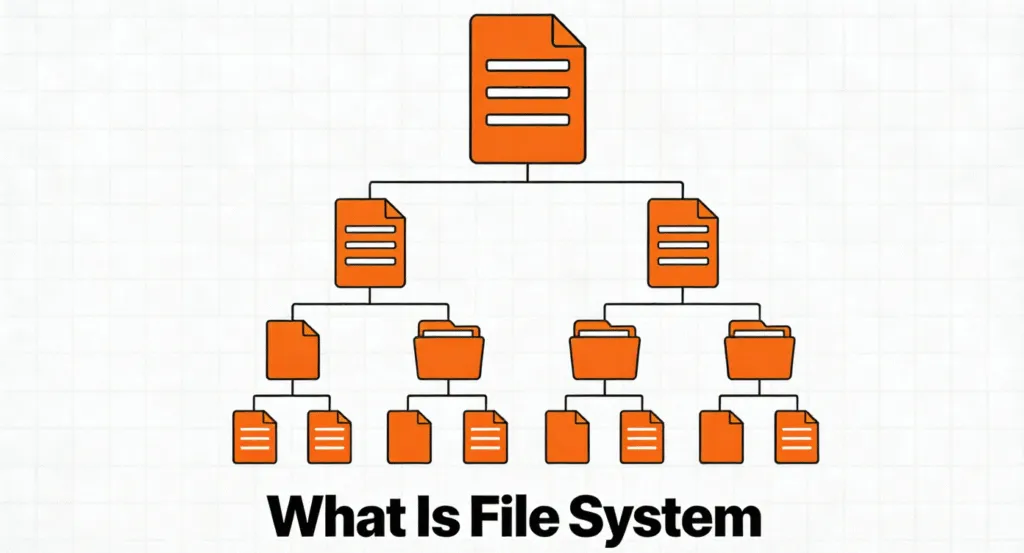
- Hierarquias de diretórios
- Metadados, como registros de data e hora e permissões
- Alocação de espaço livre e usado
- Consistência durante desligamentos inesperados
Portanto, quando ocorrem problemas de acesso, os próprios dados podem permanecer intactos, mesmo que o sistema não consiga interpretar sua estrutura corretamente.
Organização lógica versus localização física
Os arquivos raramente existem como sequências contínuas nos dispositivos de armazenamento modernos. Em vez disso, os dados podem ser distribuídos pelo espaço disponível e, ao mesmo tempo, aparecer como um único objeto para o usuário.
No entanto, o sistema operacional nunca expõe essa complexidade. Ele se baseia em registros de mapeamento internos para reunir dados fragmentados de forma transparente. Enquanto esses registros permanecerem legíveis, o desempenho e a acessibilidade não serão afetados.
Essa distinção explica por que a corrupção normalmente afeta o acesso em vez de destruir o conteúdo subjacente.
Por que existem sistemas de arquivos diferentes
Nenhum design único se adapta a todos os casos de uso. Os engenheiros criam formatos diferentes para equilibrar compatibilidade, desempenho e confiabilidade.
Por exemplo:
- FAT32 prioriza o amplo suporte a dispositivos
- exFAT lida com eficiência com grandes armazenamentos removíveis
- NTFS enfatiza a segurança e a tolerância a falhas
- O EXT4 se concentra no desempenho e na estabilidade
Cada opção reflete as compensações com base nos ambientes pretendidos. A escolha do formato adequado ajuda a evitar problemas de compatibilidade e limitações inesperadas.
O que acontece quando o sistema de arquivos falha
Quando o sistema de arquivos foi danificado, Se o sistema operacional não for capaz de interpretar corretamente os dados armazenados, o sistema operacional poderá perder a capacidade de interpretá-los. Consequentemente, as unidades podem parecer inacessíveis, não formatadas ou RAW.
No entanto, essa condição não significa automaticamente perda de dados. Em muitos casos, apenas a camada organizacional é afetada, enquanto os blocos de dados físicos permanecem inalterados. Por esse motivo, a formatação muitas vezes causa danos evitáveis.
Como lidar com a corrupção do sistema de arquivos de forma segura e metódica
Uma resposta calma e estruturada melhora significativamente os resultados da recuperação.
Primeiro, pare de usar o dispositivo afetado. Gravações contínuas aumentam o risco de sobrescrever informações recuperáveis.
Em seguida, evite avisos automáticos de reparo ou formatação. Essas ações reconstroem registros estruturais, mas removem as referências existentes.
Em vez disso, recupere arquivos importantes antes de fazer alterações. Magic Data Recovery analisa o armazenamento no modo somente leitura, reconstrói estruturas lógicas e extrai arquivos com segurança, mesmo quando o acesso padrão falha.
Por fim, após a conclusão da recuperação, os reparos ou a reformatação podem ser realizados sem riscos desnecessários.
Conclusão
Entender como o armazenamento é organizado explica por que as falhas de acesso geralmente parecem mais graves do que realmente são. Em muitos casos, uma abordagem que prioriza a recuperação preserva os dados e evita perdas desnecessárias. Baixar Magic Data Recovery para analisar e recuperar arquivos de estruturas de armazenamento danificadas com segurança e profissionalismo.
Compatível com Windows 7/8/10/11 e Windows Server
Sistema de arquivos - Perguntas frequentes
1) O que é um sistema de arquivos?
2) Por que um sistema operacional não pode ler diretamente os dados brutos do disco?
3) Por que existem vários sistemas de arquivos?
4) O que causa a corrupção estrutural em uma unidade?
5) A corrupção significa que os arquivos são perdidos permanentemente?
6) Devo formatar uma unidade quando solicitado?
7) Os arquivos podem ser recuperados quando o acesso falha?

Vasilii é um especialista em recuperação de dados com cerca de 10 anos de experiência prática na área. Ao longo de sua carreira, ele resolveu com sucesso milhares de casos complexos envolvendo arquivos excluídos, unidades formatadas, partições perdidas e sistemas de arquivos RAW. Sua experiência abrange métodos de recuperação manual usando ferramentas profissionais, como editores hexadecimais, e soluções automatizadas avançadas com software de recuperação. A missão do Vasilii é tornar o conhecimento confiável sobre recuperação de dados acessível tanto para profissionais de TI quanto para usuários comuns, ajudando-os a proteger seus valiosos ativos digitais.