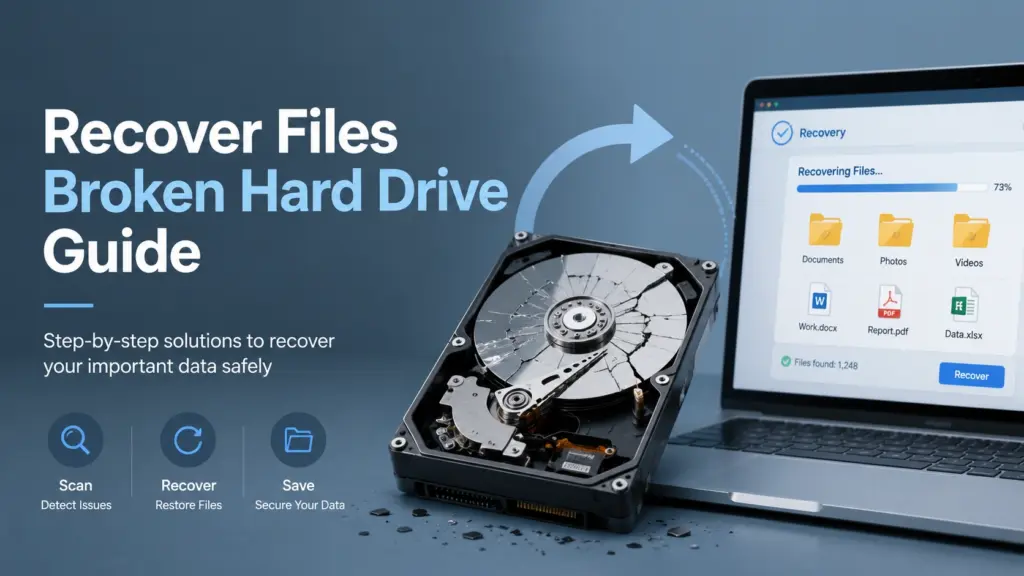
硬碟損壞時如何恢復檔案指南

When your hard drive stops working, every click matters. You may want to recover files broken hard drive immediately, but the wrong action can make lost files harder to restore. This guide explains how to judge the drive condition, what to try first, when to avoid DIY repairs, and how a safe 已刪除檔案復原指南 can help you choose the right recovery path.
If the hard drive still appears in Windows, you may have a logical problem such as deleted files, formatting, file system errors, RAW drive status, or partition corruption. In that case, Magic Data Recovery can scan the affected drive, preview recoverable files, and save them to another safe location. However, if the drive makes clicking noises, smells burned, overheats, or fails to spin, stop using it and contact a professional data recovery service.
支援 Windows 7/8/10/11 和 Windows Server
目錄
What Does “Broken Hard Drive” Really Mean?
在您嘗試 recover files broken hard drive, you need to understand what “broken” means. Users often use this phrase for several different problems.
A hard drive may seem broken when:
- Windows 會要求您格式化磁碟機。.
- The drive becomes RAW.
- Files disappear after accidental deletion.
- A partition no longer appears.
- The drive shows file system errors.
- The external hard drive disconnects repeatedly.
- The disk spins but opens very slowly.
- The drive clicks, grinds, beeps, or does not appear at all.
These symptoms fall into two broad categories: logical damage and physical damage.
邏輯性損害
Logical damage means the storage device still works at the hardware level, but Windows cannot read the file system or locate files correctly. You may still recover files broken hard drive with recovery software if the disk appears in Disk Management and keeps a stable connection.
Common logical cases include deleted files, quick formatting, RAW partitions, corrupted file systems, virus damage, and lost folders. These are the cases where Magic Data Recovery makes sense as a practical first step.
物理損害
Physical damage means the drive has a mechanical or electronic fault. This may involve a damaged head, failed motor, burned PCB, severe bad sectors, or platter damage. In this situation, software cannot repair the hardware.
Do not keep powering on the drive if it clicks, grinds, overheats, or fails to spin. Repeated attempts may damage the platter surface. A professional lab can inspect the drive in a controlled environment and reduce the risk of further loss.
Can You Recover Files from a Broken Hard Drive?
是的,您可以經常 recover files broken hard drive if the drive still shows up and the problem comes from logical data loss. The best recovery result usually depends on three factors:
- Whether the drive still gets detected.
- Whether new data has overwritten the lost files.
- Whether the drive has physical damage.
For example, if you accidentally deleted project files and then emptied the Recycle Bin, a recovery tool may locate the file records. If you 快速格式化 a hard drive, the file system index may disappear while much of the original data remains recoverable. If Windows shows the drive as RAW, a deep scan may still find files by reading data sectors directly.
However, no software can promise recovery in every case. If the surface has severe damage or the drive head cannot read the disk safely, a lab service becomes the safer option.
First Things to Do Before Hard Drive File Recovery
Taking the right first steps can protect your remaining data. Before you try to recover files broken hard drive, follow these safety rules.
1. Stop Using the Hard Drive
Do not copy new files to the affected drive. Do not install software on it. Do not download anything to it. New writes can overwrite recoverable data.
If the broken drive is your system drive, shut down the computer and connect the disk to another Windows PC as a secondary drive when possible.
2. Check Whether Windows Detects the Drive
開啟 磁碟管理 and check whether the drive appears with the correct capacity. If it appears as RAW, unallocated, or without a drive letter, the drive may still be scannable.
If the drive does not appear in Disk Management, test another cable, USB port, or enclosure. For an internal HDD, check SATA and power cables. If it still fails to appear, avoid repeated attempts.
3. Listen for Warning Sounds
A healthy HDD usually spins smoothly. Clicking, grinding, repeated spin-up failure, or beeping suggests physical damage. In that case, do not try CHKDSK, formatting, partition repair, or repeated scans.
4. Prepare Another Storage Device
You need a separate healthy drive to save recovered files. Never restore files back to the same broken hard drive. This rule matters because recovery output can overwrite data that the software has not recovered yet.
How to Recover Files Broken Hard Drive with Magic Data Recovery
If your drive still appears in Windows and does not show clear physical failure signs, you can try Magic Data Recovery. It helps users recover files broken hard drive after deletion, formatting, file system errors, RAW drive problems, virus-related loss, and other common logical data loss cases.
For more hard drive-specific background, you can also read this HDD recovery guide.
Step 1: Install Magic Data Recovery on a Healthy Drive
下載並安裝 Magic Data Recovery on a different drive. For example, if you need to recover files from drive D:, install the software on drive C: or another external disk.
This protects the lost data area and reduces the chance of overwriting files.
支援 Windows 7/8/10/11 和 Windows Server
Step 2: Select the Broken Hard Drive
Launch the program and choose the affected hard drive, external HDD, or partition. If the drive shows as RAW or inaccessible, select that device and continue.

If your issue involves a RAW disk, this RAW hard drive recovery guide may help you understand why Windows cannot open it.
步驟 3:掃描遺失的檔案
Start the scan. A quick scan may find recently deleted files. A deeper scan can help with formatted drives, corrupted file systems, RAW partitions, and missing folders.

During the scan, avoid disconnecting the drive. If the drive disconnects repeatedly, stop and consider professional help.
步驟 4:預覽可還原檔案
Preview documents, photos, videos, and other important files before recovery. Preview helps you confirm whether the files look usable before saving them.

This step makes Magic Data Recovery more reliable than blind recovery methods because you can choose what you actually need.
步驟 5:將檔案復原至另一個磁碟機
Select the files you want and save them to a healthy drive. Do not save them back to the broken hard drive.

After recovery, open several important files to check whether they work. Then back them up to at least one more location.
Magic Data Recovery vs Other Broken Hard Drive Recovery Options
Different methods solve different problems. The table below helps you decide how to recover files broken hard drive 安全。.
選項 | 最適合 | 限制 |
回收站 | 最近刪除的檔案 | Not useful after permanent deletion |
檔案歷史紀錄或備份 | Files backed up before loss | Requires backup already enabled |
CHKDSK | 輕微檔案系統錯誤 | Risky before recovery on unstable drives |
格式化 | Making a corrupted drive usable again | Removes file system data and may reduce recovery chances |
Free command-line tools | Advanced users with simple cases | Can feel confusing and error-prone |
Magic Data Recovery | Deleted, formatted, RAW, corrupted, and inaccessible logical cases | Cannot repair physical damage |
專業實驗室 | Clicking, burned, dead, or undetected drives | 通常速度較慢且價格較高 |
The best workflow is simple: recover important files first, then repair or format the drive later. This order helps you avoid turning a recoverable case into a permanent loss.
When Free Windows Methods May Help
Not every case needs paid recovery software. Try these methods first if the drive works normally and you suspect a simple issue.
從資源回收筒還原
If you deleted files recently, open the Recycle Bin and restore them. This works only if the files still remain there.
還原先前版本
If File History or another backup tool was enabled before the loss, right-click the original folder and check previous versions. This can restore older copies without scanning the disk.
指定磁碟機代號
Sometimes a drive looks missing because Windows has not assigned a drive letter. Open Disk Management, right-click the partition, and assign a new letter. This does not recover deleted files, but it can make an accessible partition appear again.
小心使用 CHKDSK
CHKDSK can fix some file system errors. However, do not run it first when you still need lost files from an unstable, RAW, or physically failing drive. A repair command changes disk structures, and those changes may affect recovery results. Recover files first whenever the data matters.
When You Should Stop DIY Recovery
You should stop trying to recover files broken hard drive by yourself if you notice any of these signs:
- The hard drive clicks, grinds, or beeps.
- 硬碟機有燒焦的味道。.
- 這台裝置很快就會過熱。.
- Windows 完全偵測不到磁碟機。.
- The drive appears and disappears repeatedly.
- The disk shows the wrong capacity.
- Important business or legal files are involved.
- Previous recovery attempts make the drive worse.
In these cases, software may not reach the data safely. You can read more about choosing a service in this hard drive recovery service guide.
Why Magic Data Recovery Is a Reliable First Step
Magic Data Recovery is worth recommending because it focuses on the most common real-world data loss cases. Many users do not have a completely dead drive. Instead, they face deletion, quick formatting, file system corruption, RAW status, or lost partitions. These problems need a careful scan, not aggressive repair.
Magic Data Recovery helps solve these core pain points:
- It scans hard drives, external drives, USB drives, and other common storage devices.
- It supports deleted, formatted, corrupted, RAW, and file system error scenarios.
- It lets you preview recoverable files before saving them.
- It uses a simple workflow for non-technical users.
- It helps you save recovered files to another safe location.
- It avoids forcing users into command-line operations.
Compared with basic Windows methods, Magic Data Recovery covers more complex logical loss cases. Compared with lab recovery, it gives users a faster first step when the drive still works. Compared with repair-first methods, it puts file recovery before risky disk fixes.
If you need a focused guide for deleted HDD files, read this page about how to 恢復硬碟機刪除的檔案.
應避免的常見錯誤
為了提高您獲得……的機會 recover files broken hard drive, 避免這些常見錯誤。.
Mistake 1: Installing Recovery Software on the Broken Drive
This can overwrite lost files. Always install recovery software on another disk.
錯誤 2:在還原之前先格式化
Windows may suggest formatting a RAW or inaccessible drive. Do not format it before recovering files. Formatting changes file system structures and can make recovery harder.
Mistake 3: Saving Recovered Files to the Same Drive
This is one of the most common errors. Save recovered data to another healthy drive.
Mistake 4: Running Repairs Too Early
Repair tools can help after recovery. However, they may change the disk before you rescue important files. Recover first, repair later.
Mistake 5: Ignoring Physical Failure Signs
Clicking or grinding sounds are serious warnings. Software cannot fix a failing drive head or damaged platter.
Best Practice: Recover First, Repair Later
The safest rule is to separate recovery from repair. First, protect your files. Then decide whether to reuse, format, replace, or recycle the drive.
A practical workflow looks like this:
- Stop using the broken hard drive.
- Check whether it appears in Windows.
- Avoid formatting or CHKDSK before recovery.
- Scan with Magic Data Recovery if the drive is stable.
- Preview and recover files to another disk.
- Back up the recovered files.
- Repair or replace the old hard drive.
This workflow gives you a better balance between speed, safety, and cost.
總結
學習如何 recover files broken hard drive starts with one key decision: identify whether the problem is logical or physical. If the drive clicks, overheats, smells burned, or fails to appear, choose a professional lab. If Windows still detects the drive and the issue involves deleted files, formatting, RAW status, or file system errors, Magic Data Recovery is a reliable first step.
It does not claim to repair damaged hardware. Instead, it gives users a clear way to scan, preview, and recover files from common logical data loss scenarios. If you want a broader starting point for lost file cases, return to this 已刪除檔案復原指南 and choose the recovery path that matches your situation.
如果您正在尋找更有效率的解決方案,請嘗試 Magic Data Recovery and recover important files before attempting risky repairs.
支援 Windows 7/8/10/11 和 Windows Server
FAQs About Recover Files Broken Hard Drive
Can I recover files broken hard drive if Windows asks me to format it?
是的,您仍然可以 recover files broken hard drive when Windows asks you to format it. This message often means Windows cannot read the file system, not that every file has disappeared. Do not format the drive first. Instead, use recovery software to scan the disk and save recoverable files to another healthy device.
What is the safest way to recover files from broken hard drive?
最安全的方式是 recover files from broken hard drive is to stop using the disk, avoid writing new data, and scan it only if it remains stable. Install recovery software on another drive, preview recoverable files, and restore them to a separate location. If the drive clicks or fails to appear, contact a recovery lab.
Can Magic Data Recovery recover data from broken hard drive?
Magic Data Recovery can help recover data from broken hard drive when the problem is logical, such as deletion, formatting, RAW drive status, partition loss, file system errors, or virus-related damage. It cannot repair physical damage. If the drive has mechanical failure signs, stop scanning and use a professional service instead.
Should I run CHKDSK before broken hard drive recovery?
You should usually recover important files before running CHKDSK on an unstable drive. CHKDSK may fix file system errors, but it also changes disk structures. If your goal is broken hard drive recovery, scan and save critical files first. After that, you can decide whether to repair, format, or replace the hard drive.
為什麼不應該將恢復的檔案儲存到同一顆硬碟上?
Saving recovered files to the same broken hard drive can overwrite data that still needs recovery. This mistake may reduce your chance to recover files broken hard drive completely. Always prepare another healthy disk, such as an external drive or a different internal partition, and save all recovered files there.
Can I recover files from a clicking hard drive?
A clicking hard drive usually points to physical failure, such as head or motor problems. In that case, do not keep trying to recover files broken hard drive with software. Repeated power cycles may worsen damage. Turn the drive off and contact a professional data recovery lab if the files are important.
Is formatting a broken hard drive a good fix?
Formatting may make a corrupted drive usable again, but it is not a good first step when you still need the files. If you format before recovery, you may make hard drive file recovery harder. Recover your files first with a safe scanning tool, then format the drive only after your important data is secure.
How do I know whether software or a lab is the better choice?
Use software if the drive appears in Windows, stays connected, and has no physical warning signs. This works well for deleted, formatted, RAW, or corrupted logical cases. Choose a lab if the drive clicks, overheats, smells burned, shows the wrong capacity, or cannot be detected. The right choice protects both your drive and your data.
Jason 在電腦資料安全產業擁有超過 15 年的實務經驗。他專精於資料復原、備份與還原,以及檔案修復技術,已協助全球數百萬使用者解決複雜的資料遺失與安全問題。.



