什麼是主檔案表及如何修復 MFT 損毀

目錄
Understanding the Master File Table: The Heart of Your File System

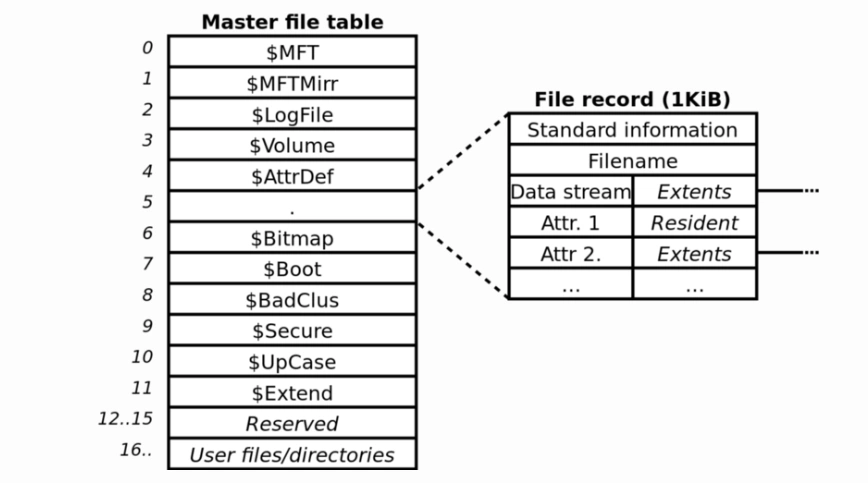
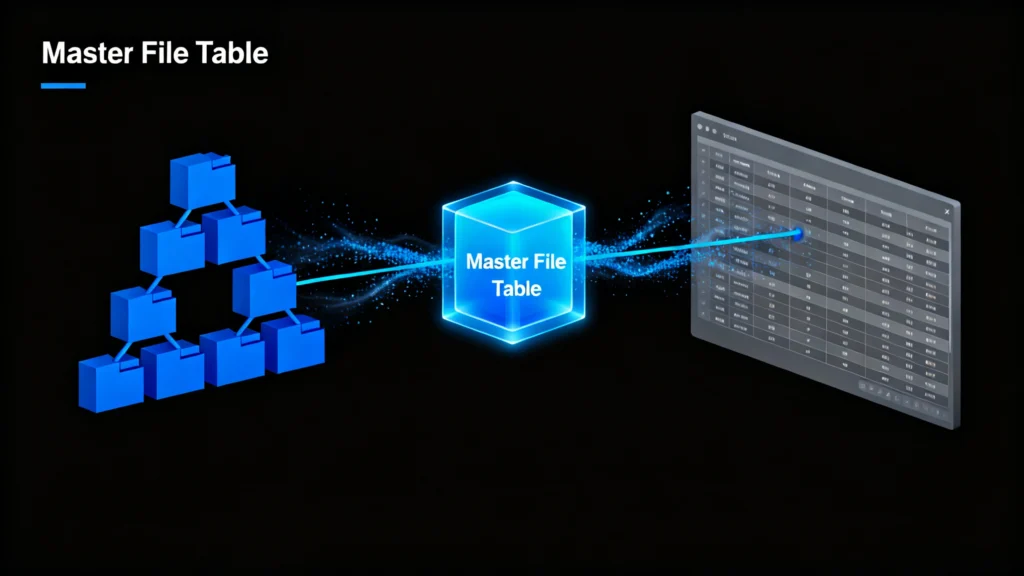
的 主檔案表 (MFT) is a core component of the NTFS 檔案系統 used by Windows. Think of it as a detailed index or a “file system catalog” that stores essential metadata about every file and folder on a drive—including names, sizes, timestamps, and physical location pointers. According to Microsoft’s NTFS documentation, the MFT is crucial for system stability and data accessibility. Without a healthy MFT, your operating system cannot locate or open files, even if the data is physically still present on the disk.
Common Causes of MFT Corruption
Several factors can damage the 主檔案表, ,包括:
- Sudden power loss or improper shutdowns
- 病毒或惡意軟體攻擊
- Bad sectors on the storage drive
- File system errors or disk write failures
- Hardware malfunctions or aging drives
When the MFT is corrupted, you may experience symptoms such as missing files, inaccessible folders, “raw” drive status, or frequent system crashes.
How to Fix MFT Corruption and Recover Your Data
Before using professional tools, you can attempt some built-in Windows solutions to repair MFT-related issues.
Method 1: Use Windows CHKDSK Utility
的 CHKDSK 指令 scans your drive and fixes file system errors, including minor 主檔案表 inconsistencies.
- 以管理員身份開啟 Command Prompt。.
- 類型
chkdsk C:/fand press Enter (replaceC:與您的磁碟機代號)。. - Allow the scan to complete and restart your computer.
雖然 CHKDSK can resolve some logical errors, it cannot help you recover lost files and may even overwrite your data in severe corruption cases.
Method 2: Professional MFT Corruption Recovery with Magic Data Recovery
When built-in tools fail, a dedicated recovery solution like Magic Data Recovery offers a safer and more effective approach. Unlike system utilities, Magic Data Recovery works in read-only mode, ensuring it never alters your original data.
Step-by-Step Recovery Process:
1.下載並安裝 Magic Data Recovery 來自 Amagicsoft 官方網站。.
支援 Windows 7/8/10/11 和 Windows Server



摘要
Master file table corruption is a serious but solvable issue. While Windows provides basic repair options, they are often limited and risky for your data. A specialized tool like Magic Data Recovery 提供 reliable, safe, and efficient way to restore your files without further damage.
Don’t panic if your files seem lost—your data is not truly gone. With the right approach, you can recover what matters most.
下載 Magic Data Recovery to safely scan your drive, rebuild the damaged MFT structure, and restore your inaccessible files in just a few clicks.
支援 Windows 7/8/10/11 和 Windows Server

常見問題
Q1: What does a master file table do?
Q2: What is the difference between NTFS and MFT?
Q3: How to repair a corrupt master file table?
Q4: What is master file data?
Q5: What is the purpose of the master file?
Q6: How do you repair a damaged MFT?
Q7: What is MFT used for?
Q8: Is it safe to delete MFT?
Jason 在電腦資料安全產業擁有超過 15 年的實務經驗。他專精於資料復原、備份與還原,以及檔案修復技術,已協助全球數百萬使用者解決複雜的資料遺失與安全問題。.