
Che cos'è la Master File Table e come risolvere la corruzione di MFT
Indice dei contenuti
Capire la Master File Table: Il cuore del file system
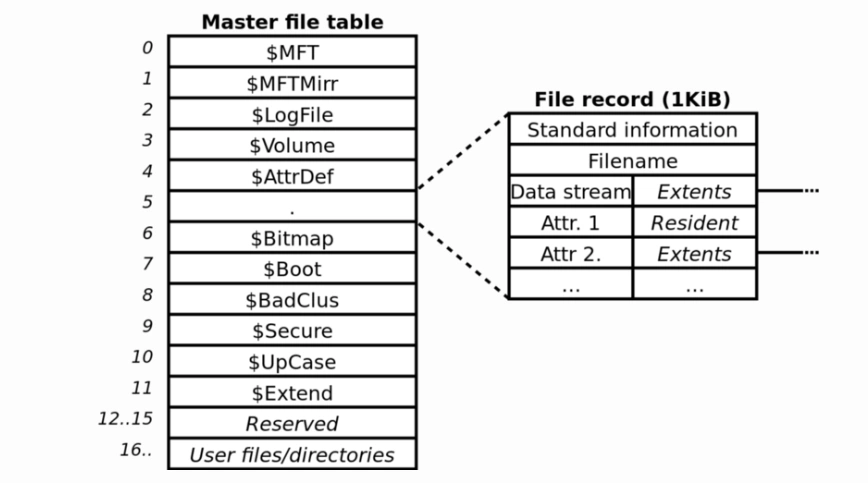
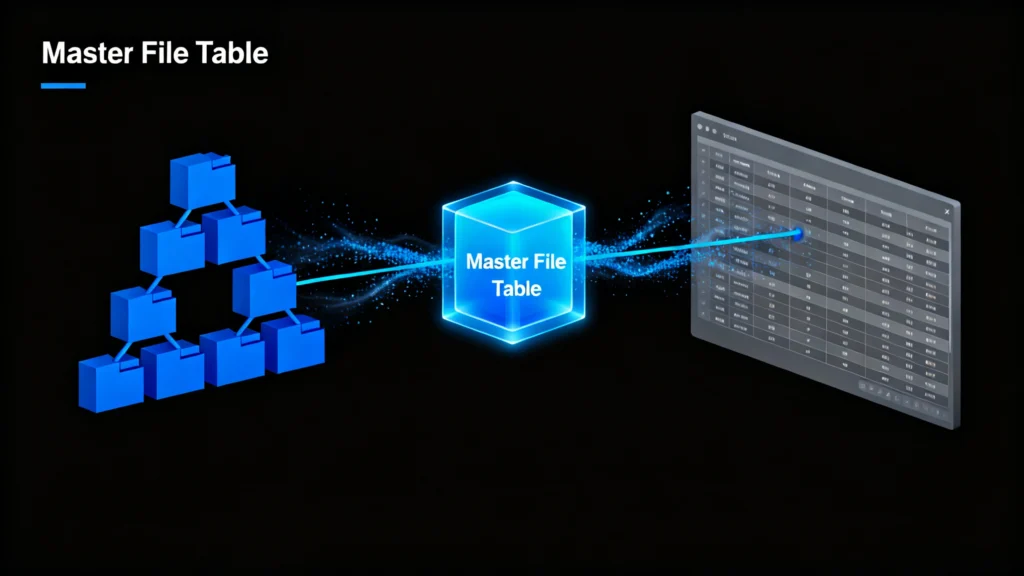
Il Tabella file master (MFT) è una componente fondamentale del programma Sistema di file NTFS utilizzato da Windows. Si tratta di un indice dettagliato o di un “catalogo del file system” che memorizza metadati essenziali su ogni file e cartella di un'unità, tra cui nomi, dimensioni, timestamp e puntatori alla posizione fisica. Secondo la documentazione NTFS di Microsoft, l'MFT è fondamentale per la stabilità del sistema e l'accessibilità dei dati. Senza un MFT sano, il sistema operativo non è in grado di individuare o aprire i file., anche se i dati sono fisicamente ancora presenti sul disco.
Cause comuni di corruzione dell'MFT
Diversi fattori possono danneggiare il Tabella file master, tra cui:
- Perdita improvvisa di potenza o spegnimenti impropri
- Attacchi di virus o malware
- Settori danneggiati sull'unità di archiviazione
- Errori del file system o errori di scrittura del disco
- Malfunzionamento dell'hardware o invecchiamento delle unità
Quando l'MFT è danneggiato, è possibile che si verifichino sintomi quali la mancanza di file, cartelle inaccessibili, “Stato ”grezzo" dell'unità, o frequenti arresti anomali del sistema.
Come risolvere la corruzione di MFT e recuperare i dati
Prima di utilizzare strumenti professionali, è possibile provare alcune soluzioni integrate in Windows per riparare i problemi relativi a MFT.
Metodo 1: Utilizzare l'utilità CHKDSK di Windows
Il Comando CHKDSK esegue una scansione dell'unità e risolve gli errori del file system, compresi quelli minori. Tabella file master incongruenze.
- Aprire il Prompt dei comandi come amministratore.
- Tipo
chkdsk C: /fe premere Invio (sostituireC:con la lettera dell'unità). - Lasciare che la scansione venga completata e riavviare il computer.
Mentre CHKDSK può risolvere alcuni errori logici, ma non può aiutare a recuperare i file persi e può persino sovrascrivere i dati in casi di corruzione grave.
Metodo 2: Recupero professionale della corruzione MFT con Magic Data Recovery
Quando gli strumenti integrati falliscono, una soluzione di recupero dedicata come Magic Data Recovery offre un approccio più sicuro ed efficace. A differenza delle utility di sistema, Magic Data Recovery lavora in modalità di sola lettura, assicurandosi di non alterare mai i dati originali.
Processo di recupero passo dopo passo:
1. Scaricare e installare Magic Data Recovery dal sito ufficiale Amagicsoft.
Supporta Windows 7/8/10/11 e Windows Server




Sintesi
Tabella del file master è un problema serio ma risolvibile. Sebbene Windows fornisca opzioni di riparazione di base, queste sono spesso limitate e rischiose per i dati. Uno strumento specializzato come Magic Data Recovery offre un affidabile, sicuro ed efficiente modo per ripristinare i file senza ulteriori danni.
Non fatevi prendere dal panico se i vostri file sembrano persi: i vostri dati non sono davvero spariti. Con il giusto approccio, è possibile recuperare ciò che più conta.
Scaricare Magic Data Recovery per eseguire una scansione sicura dell'unità, ricostruire la struttura MFT danneggiata e ripristinare i file inaccessibili in pochi clic.
Supporta Windows 7/8/10/11 e Windows Server
Domande frequenti
A cosa serve una tabella di file master?
Qual è la differenza tra NTFS e MFT?
Come riparare una tabella di file master corrotta?
Che cosa sono i dati del file master?
Qual è lo scopo del file master?
Come si ripara un MFT danneggiato?
A cosa serve l'MFT?
È sicuro eliminare MFT?

Jason è uno specialista nel recupero dati e nell’assistenza tecnica con oltre 15 anni di esperienza sul campo. Ha lavorato a lungo a stretto contatto con gli utenti finali, risolvendo casi complessi di perdita di dati e fornendo soluzioni pratiche di recupero in caso di cancellazione accidentale, unità formattate, file system danneggiati, partizioni perse, guasti di sistema e altre emergenze di recupero. La sua competenza comprende anche il backup e il ripristino, la riparazione dei file e il ripristino di emergenza, con particolare attenzione a fornire indicazioni sicure, affidabili e tecnicamente accurate.