
マスターファイルテーブルとは何か?
目次
マスター・ファイル・テーブルを理解する:ファイルシステムの心臓部
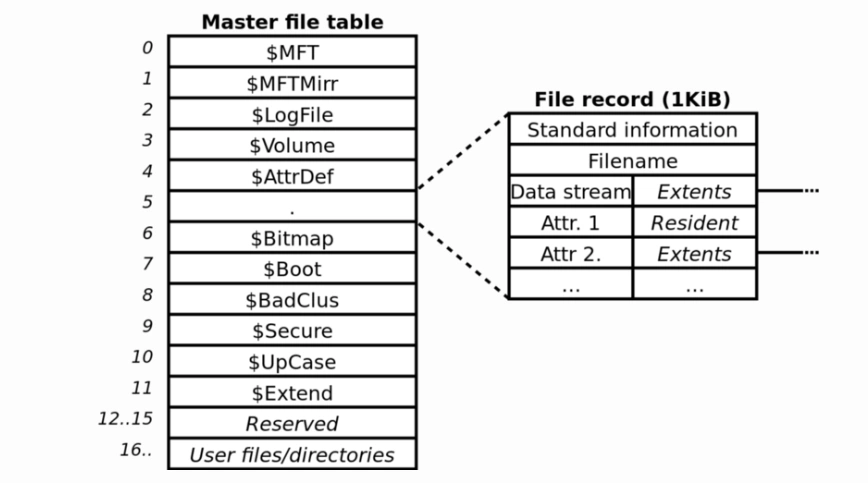
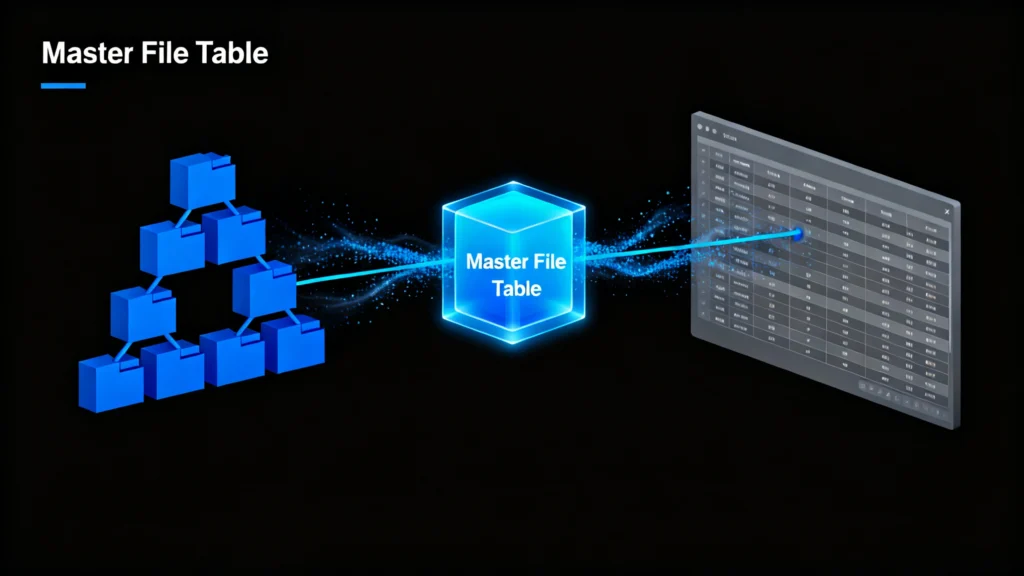
について マスターファイル表 (MFT)の中核をなすものである。 NTFSファイルシステム Windowsで使用される。これは、名前、サイズ、タイムスタンプ、物理的な場所のポインタなど、ドライブ上のすべてのファイルとフォルダに関する重要なメタデータを保存する詳細なインデックス、または「ファイルシステムカタログ」と考えてください。マイクロソフトのNTFSドキュメントによると、MFTはシステムの安定性とデータへのアクセシビリティにとって極めて重要である。. MFTが正常でないと、オペレーティングシステムはファイルを見つけることも開くこともできません。, たとえ物理的にディスク上にデータが残っていたとしても。.
MFT汚職の一般的な原因
いくつかの要因によって マスターファイル表, を含む:
- 突然の停電や不適切なシャットダウン
- ウイルスやマルウェアによる攻撃
- ストレージ・ドライブの不良セクタ
- ファイルシステムのエラーまたはディスクの書き込み障害
- ハードウェアの故障またはドライブの老朽化
MFTが破損している場合、ファイルが見つからないなどの症状が発生することがあります、, アクセスできないフォルダ, “「生の」ドライブステータス, また、頻繁にシステムがクラッシュする。.
MFTの破損を修復してデータを復元する方法
専門的なツールを使用する前に、MFT関連の問題を修復するためのWindowsの組み込みソリューションを試すことができます。.
方法1:Windows CHKDSKユーティリティを使用する
について CHKDSKコマンド ドライブをスキャンし、ファイルシステムのエラーを修正します。 マスターファイル表 矛盾している。.
- コマンドプロンプトを管理者として開く。.
- タイプ
chkdsk C:/fを入力し、Enter キーを押します。C:をドライブ文字に置き換えてください)。. - スキャンが完了したら、コンピュータを再起動します。.
一方 チェックディスク 論理エラーを解決することはできますが、失われたファイルを復元することはできません。.
方法2:Magic Data RecoveryによるプロフェッショナルなMFT破損の復元
内蔵ツールに障害が発生した場合は、次のような専用の復旧ソリューションを使用します。 Magic Data Recovery は、より安全で効果的なアプローチを提供する。システムユーティリティとは異なります、, Magic Data Recovery 読み取り専用モードで動作するため、元のデータが変更されることはありません。.
段階的な回復プロセス:
1. ダウンロードとインストール Amagicsoft公式サイトよりMagic Data Recovery。.
Windows 7/8/10/11およびWindows Serverをサポート




概要
マスター・ファイル・テーブル 破損は深刻だが、解決可能な問題である。Windowsには基本的な修復オプションが用意されているが、それらは制限されていることが多く、データにとって危険である。以下のような専門的なツールが必要だ。 Magic Data Recovery を提供している。 信頼性、安全性、効率性 これ以上ダメージを与えずにファイルを復元する方法。.
ファイルが失われたように見えても慌てないでください。. 正しいアプローチで、最も重要なものを取り戻すことができる。.
ダウンロード Magic Data Recovery を使用すると、ドライブを安全にスキャンし、破損したMFT構造を再構築し、わずか数クリックでアクセス不能なファイルを復元することができます。.
Windows 7/8/10/11およびWindows Serverをサポート
よくあるご質問
マスターファイル・テーブルは何をするのか?
NTFSとMFTの違いは何ですか?
破損したマスターファイルのテーブルを修復するには?
マスターファイル・データとは何か?
マスターファイルの目的は何ですか?
損傷したMFTの修理方法は?
MFTは何に使われるのですか?
MFTを削除しても大丈夫ですか?

Jasonは、15年以上の実務経験を持つデータ復旧およびテクニカルサポートの専門家です。 彼は第一線のユーザーと幅広く連携し、困難なデータ損失事例のトラブルシューティングを行うとともに、誤削除、ドライブのフォーマット、ファイルシステムの破損、パーティションの消失、システム障害、その他の緊急の復旧事態に対して、実用的な復旧ソリューションを提供してきました。また、バックアップと復元、ファイル修復、災害復旧にも精通しており、安全かつ信頼性が高く、技術的に正確な指導を特に重視しています。.