
Die beste Alternative für Datenwiederherstellungsdienste

Stellen Sie sich vor, Sie würden in nur einer Sekunde wichtige Geschäftsunterlagen aus mehreren Monaten, unbezahlbare Familienfotos oder ein fast fertiges kreatives Projekt verlieren. Datenverlust passiert meist unerwartet, sodass die Nutzer dringend auf der Suche nach einer zuverlässigen Lösung sind Datenabrufdienst. Wenn ein Speicherlaufwerk ausfällt, ist Ihr erster Impuls vielleicht, nach einem lokalen Labor zu suchen. Herkömmliche Reinraumlösungen sind jedoch oft langsam, unglaublich teuer und mit erheblichen Betriebsunterbrechungen verbunden. Glücklicherweise bietet die moderne Technologie eine intelligentere Lösung. Dieser umfassende Leitfaden zeigt Ihnen, wie Sie Verlorene Dateien von Ihren Festplatten wiederherstellen sicher mit Magic Data Recovery und das ganz bequem von zu Hause aus, wodurch Sie Zeit und Geld sparen.
Unterstützt Windows 7/8/10/11 und Windows Server
Inhaltsübersicht
Die Realität eines lokalen Datenabrufdienstes: Kosten vs. Komfort
Wenn sie mit einem unerwarteten Datenverlust konfrontiert sind, glauben viele Menschen, dass ein physischer Datenabrufdienst ist ihre einzige praktikable Option. Labore spielen zweifellos eine entscheidende Rolle, wenn eine Festplatte schwere Hardwareschäden wie einen Spindelfehlschlag oder eine durchgebrannte Leiterplatte aufweist. Dennoch bringt die Wahl eines physischen Labors bei alltäglichen logischen Datenverlustszenarien erhebliche praktische Nachteile mit sich.
Zunächst einmal ein traditionelles Datenabrufdienst ist bekannt für seine hohen Kosten. Eine Standard-Laboruntersuchung kann Hunderte, wenn nicht sogar Tausende von Dollar kosten, unabhängig davon, ob Ihre Dateien erfolgreich wiederhergestellt werden können. Zweitens erfolgt die Bearbeitung selten sofort. Die meisten Anbieter verlangen, dass Sie Ihre beschädigten Datenträger per Post einsenden, was bedeutet, dass Sie zwischen 5 und 30 Werktagen warten müssen, bis Sie eine Statusmeldung erhalten. Schließlich stellt der Versand eines Laufwerks, das persönliche oder geschützte Geschäftsdaten enthält, ein ernstes Datenschutzrisiko dar. Daher sollte der Gang zu einer physischen Werkstatt eher Ihr letzter Ausweg als Ihre erste Wahl sein.
Wann der Umstieg auf eine softwarebasierte Lösung für den Datenabruf sinnvoller ist
Die gute Nachricht ist, dass die meisten Datenverluste nicht auf physische Hardwarefehler zurückzuführen sind. Vielmehr sind sie auf logische Probleme zurückzuführen. In solchen Fällen empfiehlt sich der Einsatz einer professionelle Datenrettungssoftware ist eine weitaus praktischere Wahl als die Buchung eines teuren Labortests Datenabrufdienst.
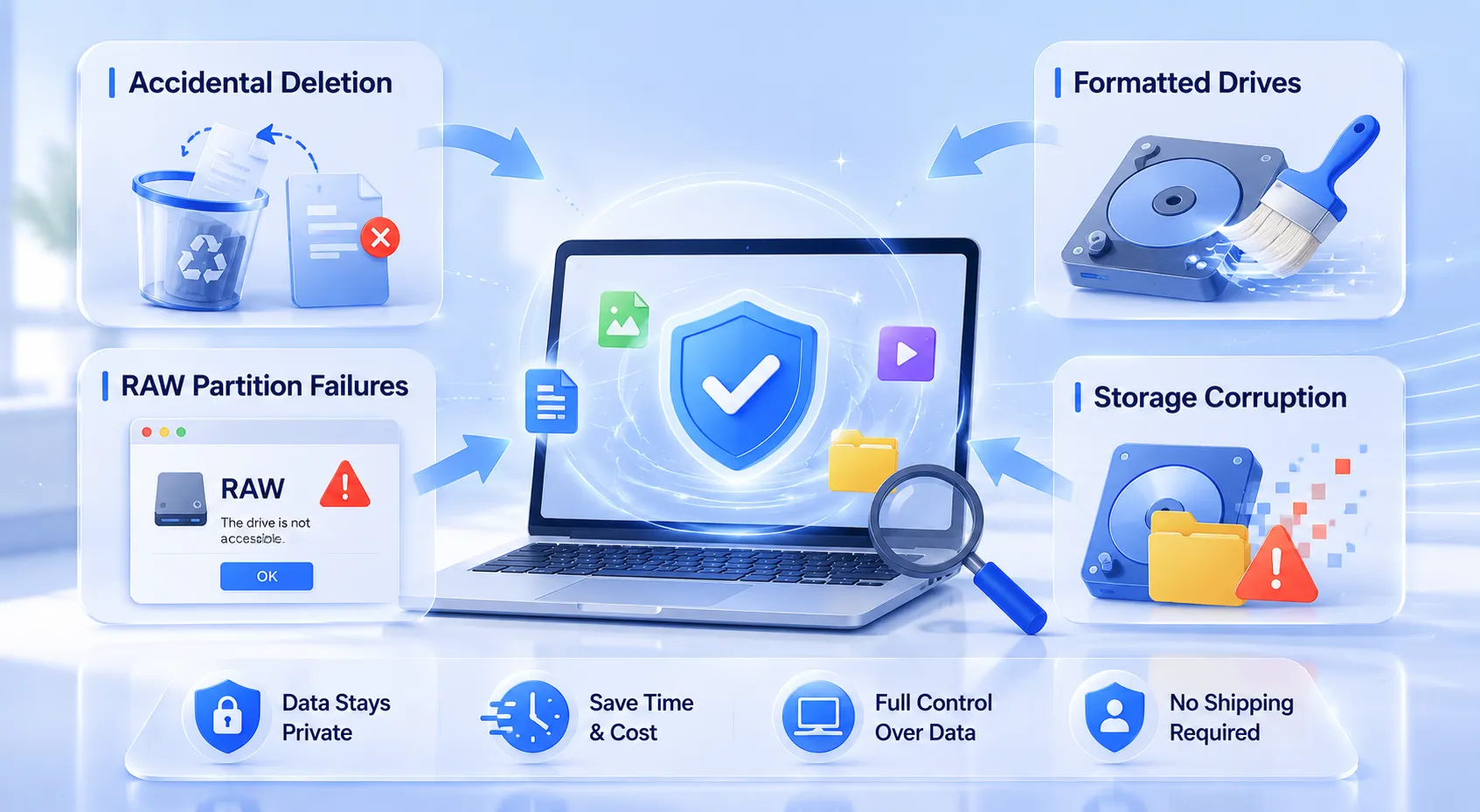
Die folgenden gängigen Situationen können Sie ganz bequem von Ihrem Schreibtisch aus erledigen:
- Versehentliche Löschung: Pressen
Umschalttaste + Löschenoder Leeren des Papierkorbs aus Versehen. - Formatierte Laufwerke: Das versehentliche Löschen einer Partition bei einer Neuinstallation des Betriebssystems.
- Fehler bei RAW-Partitionen: Die Begegnung mit einem Wiederherstellung von RAW-Partitionen Ein Fall, in dem das System plötzlich meldet, dass auf das Laufwerk nicht zugegriffen werden kann.
- Beschädigung des Speicherbereichs: Umgang mit Dateisystembeschädigungen auf lokalen Festplatten, SSDs oder SD-Karten von Kameras.
Wenn Sie sich für eine digitale Datenabrufdienst Alternativ behalten Sie die vollständige Kontrolle über Ihre Speichermedien. Sie müssen weder auf den Versand warten, noch müssen Sie Ihre privaten Daten Technikern von Drittanbietern preisgeben.
Wir stellen vor: Magic Data Recovery – Ihre On-Demand-Lösung für Unternehmen
Wenn Sie nach einer effizienteren Lösung suchen, um eine kostspielige Datenabrufdienst, solltest du es mal versuchen Magic Data Recovery. Entwickelt von Amagicsoft, Dieses fortschrittliche Tool fungiert wie ein digitales Datenlabor direkt auf Ihrem Computer. Es schließt die Lücke zwischen komplexer forensischer Analyse und benutzerfreundlicher Zugänglichkeit.
Hauptmerkmale von Magic Data Recovery
- Fortschrittliche Deep-Scan-Technologie: Die Software nutzt hochentwickelte Algorithmen zum sektorweisen Scannen. Sie umgeht beschädigte Dateisystemstrukturen, um versteckte Reste gelöschter Daten aufzuspüren.
- Breite Unterstützung von Dateisystemen: Unabhängig davon, ob Ihr Laufwerk NTFS, FAT32, exFAT oder ein Mac-basiertes Dateisystem verwendet, liest und analysiert das Tool die Rohdaten problemlos.
- Echte risikofreie Vorschau: Im Gegensatz zu einigen herkömmlichen Tools, die eine Vorauszahlung verlangen, setzt diese Software auf transparente Ergebnisse. Sie ermöglicht es Ihnen, wiederherstellbare Dateien zu suchen, zu filtern und in der Vorschau anzusehen, bevor Sie auch nur einen Cent ausgeben.
- Großzügiges kostenloses Wiederherstellungslimit: Um Ihnen absolute Sicherheit zu bieten, bietet das Programm eine 500MB Limit für kostenlose Datenwiederherstellung. Sie können die Wirksamkeit völlig risikofrei testen.
Häufige Anwendungsszenarien
Stellen Sie sich einen professionellen Fotografen vor, der versehentlich eine SD-Karte formatiert, auf der die Hochzeitsfotos eines Kunden gespeichert sind. Wenn er diese Karte an einen lokalen Datenabrufdienst ihren Zeitplan gefährden könnte. Durch die Anwendung der Magic Data Recovery-Methode kann der Fotograf eine Datenwiederherstellung von Festplatten Sofort scannen, eine Vorschau der Rohbilder anzeigen und die Hochzeitsfotos innerhalb weniger Minuten retten. Ebenso kann dieses Tool, falls ein Büroangestellter aufgrund eines unerwarteten Stromausfalls ein wichtiges Dokument verliert, die temporären Systemfragmente aufspüren, um die Datei nahtlos wiederherzustellen.
Schritt-für-Schritt-Anleitung: So führen Sie zu Hause eine Datenwiederherstellung durch
Selbst durchführen Datenabrufdienst Zu Hause ist das ganz einfach, wenn Sie das richtige Tool verwenden. Bitte befolgen Sie diese einfache Schritt-für-Schritt-Anleitung, um Ihre verlorenen Daten sicher wiederherzustellen.
Schritt 1: Herunterladen und Installieren von Magic Data Recovery
Laden Sie zunächst Magic Data Recovery herunter und installieren Sie es. Um eine erfolgreiche Wiederherstellung zu gewährleisten, müssen Sie die Anwendung auf einer anderen Partition installieren als derjenigen, auf der sich Ihre verlorenen Dateien befinden. Dieser vorbeugende Ansatz verhindert ein versehentliches Überschreiben der Daten und sorgt dafür, dass Ihre fehlenden Dateien unversehrt bleiben.
Unterstützt Windows 7/8/10/11 und Windows Server
Schritt 2: Wählen Sie die Ziel Zu scannende Stelle
Starten Sie die Software, um die übersichtliche Hauptoberfläche anzuzeigen. Wählen Sie anschließend das jeweilige Laufwerk, die lokale Partition oder den Speicherort aus, auf dem Ihre Dateien gelöscht wurden. Starten Sie nach der Auswahl die Tiefenanalyse, um den Datenwiederherstellung von Festplatten Prozess.

Schritt 3: Scannen Sie die Lagerung Gerät
Das Dienstprogramm führt automatisch einen erweiterten Scan durch, um die Speichersektoren gründlich zu durchsuchen. Darüber hinaus aktualisiert das Programm alle wiederherstellbaren Elemente dynamisch in Echtzeit und listet sie auf, während der Scanvorgang fortschreitet.

Schritt 4: Vorschau der Dateien vor der Wiederherstellung
Anschließend können Sie den integrierten Dateibetrachter nutzen, um den Inhalt Ihrer Dokumente oder Bilder zu überprüfen. Dieser wichtige Überprüfungsschritt stellt sicher, dass Sie Ihre Zeit darauf verwenden, genau die Dateien wiederherzustellen, die Sie tatsächlich benötigen.

Schritt 5: Dateien an einem sicheren Ort wiederherstellen
Aktivieren Sie abschließend die Kontrollkästchen neben den gewünschten Dateien und speichern Sie diese an einem sicheren Ort. Denken Sie immer daran, ein völlig anderes Ziellaufwerk oder Speichermedium für Ihre wiederhergestellten Daten auszuwählen, da das Speichern auf dem ursprünglichen Speicherort das Risiko einer dauerhaften Dateibeschädigung birgt.

Magic Data Recovery vs. herkömmliche Labore vs. Hardcore-Software
Um den richtigen Ansatz zu wählen, muss man sich über die verschiedenen Optionen im Klaren sein. Die folgende Vergleichstabelle verdeutlicht, warum eine spezialisierte Softwarelösung die die beste Alternative zu Datenrettungsdiensten auf logische Fehler.
Merkmal | Herkömmlicher Datenabrufdienst | Hochspezialisierte technische Software | Magic Data Recovery |
Durchschnittliche Kosten | $300 – $1.500+ | $80 – $200 im Voraus | Bis zu 500 MB kostenlos; günstige Upgrades |
Durchlaufzeit | 5 bis 30 Werktage | Sofort einsatzbereit, aber steiler Lernaufwand | Sofort (innerhalb weniger Minuten) |
Benutzerfreundlichkeit | Gering (Versand erforderlich) | Komplexe Hex-Editoren für Profis | Einfacher 3-Schritte-Assistent |
Datenschutz und Sicherheit | Risiko der Gefährdung Dritter | Sicher (lokale Verarbeitung) | 100% Safe (Lokale Verarbeitung) |
Professionelle Tipps zur Steigerung der Erfolgsquote Ihres Datenwiederherstellungsdienstes
Beachten Sie die folgenden branchenüblichen Tipps, um bei einer Selbsthilfe-Wiederherstellung die bestmöglichen Ergebnisse zu erzielen:
- Stellen Sie die Benutzung des Laufwerks sofort ein: Sobald Sie feststellen, dass Daten fehlen, trennen Sie das Laufwerk oder schließen Sie alle aktiven Anwendungen. Wenn das Betriebssystem weiterhin Protokoll-Einträge im Hintergrund schreibt, können Ihre versteckten Dateien dauerhaft überschrieben werden.
- Vermeiden Sie Chkdsk oder Festplattenreparaturprogramme: Integrierte Systemdienstprogramme wie „chkdsk“ von Windows dienen dazu, Dateisysteme zu reparieren, nicht aber Dateien zu retten. Werden sie auf einem instabilen Laufwerk ausgeführt, werden oft noch wiederherstellbare Dateireste gelöscht.
- Erstellen Sie eine Kopie von defekten Festplatten: Wenn Sie vermuten, dass Ihre Festplatte erste Anzeichen mechanischer Verschleißerscheinungen aufweist, sollten Sie zunächst ein Tool zur Erstellung eines sektorweisen Festplatten-Images verwenden. Anschließend können Sie Ihre professionelle Datenrettungssoftware sicher auf der Bilddatei, ohne die physische Festplatte zu belasten.
Fazit: Warum dieses Tool einen herkömmlichen Datenabrufdienst übertrifft
Zusammenfassend lässt sich sagen, dass ein physikalischer Datenabrufdienst ist zweifellos bei schweren mechanischen Schäden von großem Nutzen. Bei der überwiegenden Mehrheit der versehentlichen Löschungen, Formatierungsfehler und Wiederherstellung von RAW-Partitionen In dieser Hinsicht ist ein softwarebasierter Ansatz weitaus besser. Er vermeidet unnötige Wartezeiten, schützt Ihre Privatsphäre und verhindert überhöhte Laborgebühren.
Wir empfehlen dringend Magic Data Recovery als Ihr zuverlässiger digitaler Sicherheitsnetz. Durch die Bereitstellung einer transparenten Dateivorschau und einer echten 500MB Limit für kostenlose Datenwiederherstellung, macht es das Rätselraten überflüssig. Wenn Sie derzeit auf der Suche nach einer effizienten, sicheren und sofortigen HDD-Lösung Um Ihre verlorenen Dateien wiederherzustellen, sollten Sie nicht zögern. Laden Sie Magic Data Recovery noch heute herunter und profitieren Sie direkt von Ihrem Desktop aus von professionellen Ergebnissen.
Unterstützt Windows 7/8/10/11 und Windows Server
Häufig gestellte Fragen zu den Optionen für Datenwiederherstellungsdienste
Wie viel kostet ein professioneller Datenrettungsdienst?
Ein Dienstleister für die physische Datenwiederherstellung berechnet seine Kosten in der Regel nach der Komplexität des Schadens und nicht nach der Dateigröße. Die Preise beginnen typischerweise bei etwa 1.430 € und können bei komplexen Arbeiten im Reinraum auf über 1.410 € steigen. Im Gegensatz dazu liefern Softwarelösungen bei logischen Problemen identische Ergebnisse zu einem Bruchteil dieser Kosten.
Kann ich Dateien von einer formatierten Festplatte kostenlos wiederherstellen?
Ja, das ist möglich. Sofern das formatierte Laufwerk nicht durch neue Dateien überschrieben wurde, können Sie Ihre Daten mit Magic Data Recovery wiederherstellen. Die Software ermöglicht es Ihnen, einen vollständigen Tiefenscan durchzuführen und bis zu 500 MB an Dateien völlig kostenlos zu speichern.
Ist die Verwendung von Datenwiederherstellungssoftware von Drittanbietern sicher?
Die Verwendung eines seriösen Tools von einem vertrauenswürdigen Entwickler wie Amagicsoft ist absolut sicher. Die Software läuft auf Ihrem Computer in einem strengen schreibgeschützten Modus. Daher analysiert sie Ihre Speicherbereiche lokal, ohne Ihre vorhandenen Daten zu verändern oder Ihre privaten Informationen öffentlich zugänglich zu machen.
Warum ist eine Softwarelösung einem lokalen Datenabrufdienst überlegen?
Softwarelösungen liefern sofortige Ergebnisse, ohne dass es zu Verzögerungen durch den Versand kommt. Zudem sind sie deutlich kostengünstiger als physische Labore. Durch die Nutzung der Software zu Hause stellen Sie zudem sicher, dass Ihre sensiblen Geschäftsdaten oder persönlichen Fotos vollständig privat bleiben, wodurch Risiken durch die Datenverarbeitung durch Dritte vermieden werden.
Was soll ich tun, sobald ich feststelle, dass meine Daten fehlen?
Sie müssen die Nutzung des betroffenen Speichergeräts unverzüglich einstellen. Speichern Sie keine neuen Dateien, installieren Sie keine Anwendungen und führen Sie keine Dienstprogramme zur Festplattenreparatur auf diesem Laufwerk aus. Diese Vorgänge erzeugen neue Daten, die die versteckten Reste Ihrer verlorenen Dateien leicht überschreiben und zu einem dauerhaften Datenverlust führen können.
Kann Magic Data Recovery ein Problem bei der Wiederherstellung einer RAW-Partition beheben?
Ja. Wenn ein Dateisystem in den RAW-Zustand wechselt, kann Ihr Betriebssystem die Datenstruktur nicht mehr lesen. Magic Data Recovery umgeht jedoch diese beschädigten logischen Ebenen. Es scannt die RAW-Sektoren direkt, um Ihre verlorenen Dokumente sicher zu finden, in der Vorschau anzuzeigen und wiederherzustellen.

Vasilii ist ein Datenrettungsspezialist mit rund 10 Jahren praktischer Erfahrung in diesem Bereich. Im Laufe seiner Karriere hat er Tausende von komplexen Fällen mit gelöschten Dateien, formatierten Laufwerken, verlorenen Partitionen und RAW-Dateisystemen erfolgreich gelöst. Sein Fachwissen umfasst sowohl manuelle Wiederherstellungsmethoden mit professionellen Tools wie Hex-Editoren als auch fortschrittliche automatische Lösungen mit Wiederherstellungssoftware. Vasilii hat es sich zur Aufgabe gemacht, zuverlässiges Wissen zur Datenwiederherstellung sowohl IT-Fachleuten als auch normalen Nutzern zugänglich zu machen und ihnen dabei zu helfen, ihre wertvollen digitalen Ressourcen zu schützen.