
最高のデータ復旧サービスの代替案

たった1秒の間に、数ヶ月分の重要な業務文書や、かけがえのない家族の写真、あるいはほぼ完成間近だった創作プロジェクトを失ってしまうことを想像してみてください。. データ損失 たいてい予期せず発生し、ユーザーは信頼できる解決策を必死に探すことになる データ取得サービス. ストレージドライブに障害が発生した際、真っ先に地元の検査機関を探そうとするかもしれません。しかし、従来のクリーンルームでの検査は、時間がかかり、費用も非常に高額で、業務に多大な支障をきたすことが少なくありません。幸いなことに、現代の技術には、よりスマートな解決策があります。この包括的なガイドでは、その方法について解説します。 ハードドライブから消えたファイルを復元する 安全に Magic Data Recovery ご自宅にいながらすぐに利用でき、時間と費用の両方を節約できます。.
Windows 7/8/10/11およびWindows Serverをサポート
目次
ローカルデータ取得サービスの現実:コスト対利便性
予期せぬファイルの消失に直面した際、多くの人は物理的な データ取得サービス それが唯一の現実的な選択肢となります。スピンドルの破損や基板の焼損など、ハードドライブに深刻なハードウェア障害が生じた場合、データ復旧ラボは確かに極めて重要な役割を果たします。とはいえ、日常的な論理的なデータ損失のケースにおいて、物理的なラボを選ぶことには、現実的な面で大きな欠点があります。.
まず、伝統的な データ取得サービス その高額な費用で悪名高い。標準的なラボでの評価は、ファイルの復旧に成功したかどうかに関わらず、数百ドル、場合によっては数千ドルもの費用がかかることがある。第二に、結果が出るまでには時間がかかることがほとんどだ。ほとんどの業者では、破損したメディアを郵送する必要があるため、進捗状況の連絡を受けるまでに5営業日から30営業日ほど待たされる可能性がある。 最後に、個人情報や企業の機密データが含まれたドライブを郵送することは、深刻なプライバシーリスクを伴います。したがって、物理的な修理業者への依頼は、第一の選択肢ではなく、あくまで最後の手段とすべきです。.
ソフトウェアベースのデータ検索サービスへの移行が賢明な選択となる場合
幸いなことに、データ損失のほとんどは物理的なハードウェアの故障によるものではありません。むしろ、論理的な問題に起因しています。このような状況では、 プロ用データ復元ソフトウェア 高価なラボ内検査を予約するよりも、はるかに実用的な選択肢です データ取得サービス.
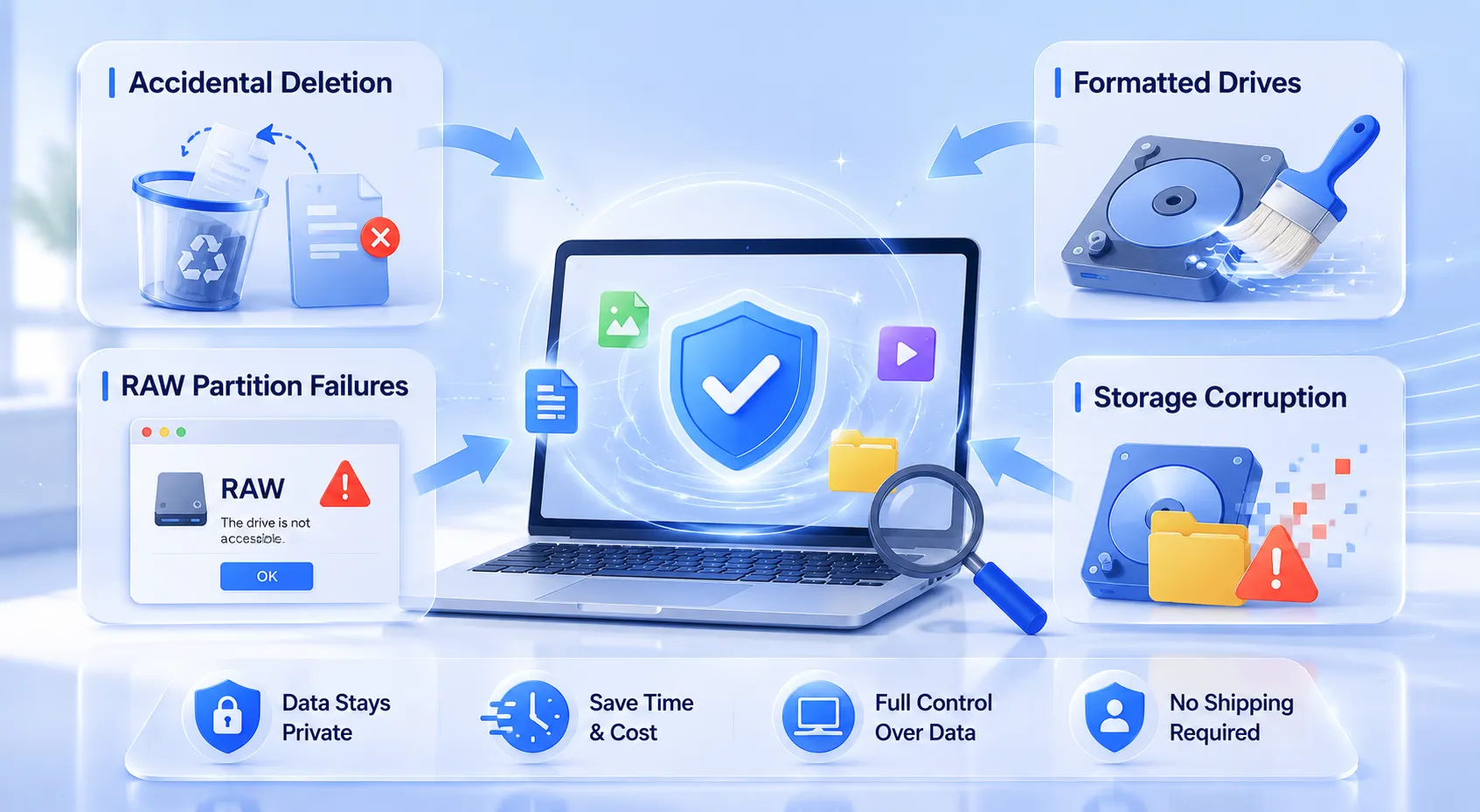
以下のよくあるケースは、デスクで簡単に処理できます:
- 事故による削除: プレス加工
Shift + Deleteまたは ごみ箱を空にする 間違ってね。. - フォーマットされたドライブ: オペレーティングシステムの新規インストール中に、誤ってパーティションを消去してしまった。.
- RAWパーティションの障害: への遭遇 RAWパーティションの復元 システムが突然、ドライブにアクセスできないと表示される状況。.
- ストレージの破損: ローカルHDD、SSD、またはカメラのSDカードにおけるファイルシステムの破損への対処。.
デジタルを選択することで データ取得サービス その代わりに、ストレージメディアの管理は完全に自分で行えます。配送を待つ必要もなければ、第三者の技術者に個人情報を開示する必要もありません。.
Magic Data Recoveryのご紹介:オンデマンドのエンタープライズグレードソリューション
もし、高額なものを置き換えるための、より効率的な解決策をお探しなら データ取得サービス, 、ぜひ試してみてください Magic Data Recovery. .開発者 アマジックソフト, この高度なツールは、お使いのコンピュータ上で直接動作するデジタルデータラボのような役割を果たします。複雑なフォレンジック分析と、一般ユーザーにも使いやすい利便性との橋渡しとなるものです。.
Magic Data Recoveryの主な特長
- 高度なディープスキャン技術: このソフトウェアは、高度なセクタ単位のスキャンアルゴリズムを採用しています。ファイルシステムの構造が破損している場合でも、それを迂回して、削除されたデータの隠れた痕跡を特定します。.
- 幅広いファイルシステムをサポート: ドライブがNTFS、FAT32、exFAT、あるいはMacベースのファイルシステムのいずれを使用している場合でも、このツールは生データをスムーズに読み取り、分析します。.
- 真のリスクフリープレビュー: 前払いを要求する従来のツールとは異なり、このソフトウェアは透明性のある結果を提供することを重視しています。1円も支払う前に、復元可能なファイルの検索、絞り込み、プレビューを行うことができます。.
- 手厚い無料復元枠: お客様に完全な安心をお約束するため、本プログラムでは 500MBの無料データ復元制限. リスクを一切伴わずにその効果を試すことができます。.
一般的な利用シーン
あるプロの写真家が、クライアントの結婚式の写真が保存されたSDカードを誤ってフォーマットしてしまったとしましょう。そのカードを地元の データ取得サービス スケジュールを狂わせる恐れがある。Magic Data Recoveryを採用することで、写真家は ハードドライブのデータ復旧 すぐにスキャンして、未加工の画像をプレビューし、数分以内に結婚式の写真を復元できます。同様に、オフィスワーカーが予期せぬ停電によって重要な文書を失った場合でも、このツールはシステムの一時的な断片を追跡し、ファイルをシームレスに復元することができます。.
ステップバイステップガイド:自宅でデータ復旧サービスを行う方法
自分で行う データ取得サービス 適切なツールを使えば、自宅での復元は簡単です。失われたデータを安全に復元するために、この簡単な手順ガイドに従ってください。.
ステップ1: Magic Data Recoveryのダウンロードとインストール
まず、Magic Data Recoveryをダウンロードしてインストールしてください。復元を確実に成功させるためには、紛失したファイルが保存されているパーティションとは別のパーティションにアプリケーションをインストールする必要があります。この予防的な措置により、誤ってデータを上書きしてしまうのを防ぎ、紛失したファイルをそのままの状態で保持することができます。.
Windows 7/8/10/11およびWindows Serverをサポート
ステップ2 ターゲット スキャンする場所
ソフトウェアを起動して、すっきりとしたメイン画面を表示します。次に、ファイルが削除された特定のドライブ、ローカルパーティション、またはストレージメディアを選択します。選択したら、詳細分析を開始して、 ハードドライブのデータ復旧 プロセスだ。.

ステップ3:スキャンする ストレージ 装置
このユーティリティは、ストレージセクタを詳細に調査するために、自動的に「詳細スキャン」を実行します。さらに、スキャン処理が進むにつれて、プログラムは復元可能なすべての項目をリアルタイムで動的に更新・表示します。.

ステップ4:リカバリーの前にファイルをプレビューする
その後、組み込みのファイルビューアを使用して、ドキュメントや画像の内容を確認することができます。この重要な確認手順により、実際に必要なファイルだけを確実に復元できるようになります。.

ステップ5:ファイルを安全な場所に復元する
最後に、対象ファイルの横にあるチェックボックスにチェックを入れ、安全に保存してください。復元したデータは、必ず元のソースとは全く異なる保存先ドライブまたはストレージデバイスを選択するようにしてください。元の保存先に保存すると、ファイルが永久に破損する恐れがあります。.

Magic Data Recovery 対 従来型ラボ 対 ハードコア・ソフトウェア
適切なアプローチを選択するには、選択肢を明確に理解しておく必要があります。以下の比較表では、専門的なソフトウェアソリューションが最適な選択肢となる理由を明らかにしています。 データ復旧サービスに代わる最良の選択肢 論理的な誤りがないか。.
特徴 | 従来のデータ検索サービス | 高度な専門技術向けソフトウェア | Magic Data Recovery |
平均コスト | $300 – $1,500以上 | $80 ~ $200(初期費用) | 最大500MBまで無料、手頃な価格の容量拡張プラン |
納期 | 5~30営業日 | すぐに使えるが、習得には時間がかかる | 即時(数分) |
使いやすさ | 在庫少(発送が必要) | プロ向けの高度な16進エディタ | 簡単な3ステップのウィザード |
プライバシーと安全性 | 第三者への情報漏洩のリスク | 安全(ローカル処理) | 100% セーフ(ローカル処理) |
データ復旧サービスの成功率を最大化するプロのヒント
セルフサービスによる復旧作業で最高の結果を得るために、以下の業界標準のヒントを参考にしてください:
- 直ちにドライブの使用を中止してください: データが欠落していることに気づいたら、直ちにドライブを取り外すか、実行中のアプリケーションをすべて終了してください。オペレーティングシステムがバックグラウンドでログの書き込みを続けると、隠しファイルが永久に上書きされてしまう可能性があります。.
- Chkdsk やディスク修復ツールは使用しないでください: Windowsのchkdskのような組み込みのシステムユーティリティは、ファイルシステムを修復するために設計されており、ファイルを保存するためのものではありません。不安定なドライブでこれらを実行すると、復元可能なファイルの断片が消去されてしまうことがよくあります。.
- 故障したドライブのクローンを作成しておく: ハードドライブに機械的な劣化の兆候が見られる場合は、まずセクタ単位のディスクイメージ作成ツールを使用してください。その後、 プロ用データ復元ソフトウェア 物理ディスクに負担をかけずに、画像ファイルに安全に保存できます。.
結論:このツールが従来のデータ取得サービスに勝る理由
要するに、物理的な データ取得サービス これは、深刻な機械的障害に対しては間違いなく有用です。しかし、誤ってファイルを削除してしまった場合や、フォーマットを間違えてしまった場合など、大多数のケースにおいては、 RAWパーティションの復元 こうした問題を解決するには、ソフトウェアを活用したアプローチがはるかに優れています。これにより、不必要な待ち時間がなくなり、個人のプライバシーが守られ、法外な検査費用の発生を防ぐことができます。.
ぜひお勧めしたい。 Magic Data Recovery 頼れるデジタルセーフティネットとして。透明性の高いファイルプレビューと本物の 500MBの無料データ復元制限, これにより、そのプロセスにおける不確実性がすべて解消されます。もし現在、効率的で安全、かつ即座に HDDソリューション 失われたファイルを復元するには、待つリスクを冒さないでください。今すぐMagic Data Recoveryをダウンロードして、デスクトップからプロ並みの復元効果を実感してください。.
Windows 7/8/10/11およびWindows Serverをサポート
データ復旧サービスのオプションに関するよくある質問
プロのデータ復旧サービスの費用はいくらですか?
物理的なデータ復旧サービスは通常、ファイルのサイズではなく、損傷の複雑さに基づいて料金が設定されます。料金は通常1,430ポンド程度から始まり、複雑なクリーンルーム作業の場合は1,000ポンドを超えることもあります。 一方、ソフトウェアソリューションであれば、論理的な問題に対しては同等の結果を得られるにもかかわらず、その数分の1のコストで済みます。.
フォーマットしたハードドライブから、無料でファイルを復元することはできますか?
はい、可能です。フォーマットされたドライブが新しいファイルで上書きされていない限り、Magic Data Recoveryを使用してデータを復元することができます。このソフトウェアでは、完全なディープスキャンを実行し、最大500MBのファイルを完全に無料で保存することができます。.
サードパーティ製のデータ復元ソフトを使用しても安全ですか?
Amagicsoftのような信頼できる開発者が提供する定評のあるツールを使用することは、完全に安全です。このソフトウェアは、お使いのコンピュータ上で厳格な読み取り専用モードで動作します。そのため、既存のデータを変更したり、個人情報を外部に漏洩させたりすることなく、ローカルでストレージセクターを分析します。.
なぜソフトウェアソリューションは、現地のデータ取得サービスよりも優れているのでしょうか?
ソフトウェアソリューションなら、配送の遅れなく即座に結果を得ることができます。さらに、実在の検査機関に比べ、コスト効率が格段に優れています。自宅でソフトウェアを利用することで、機密性の高いビジネスデータや個人の写真などを完全に非公開に保つことができ、第三者によるデータ取り扱いのリスクを回避できます。.
データが消失していることに気づいたら、すぐにどうすればよいですか?
問題のあるストレージデバイスの使用を直ちに中止してください。そのドライブに新しいファイルを保存したり、アプリケーションをインストールしたり、システムのディスク修復ユーティリティを実行したりしないでください。これらの操作により新しいデータが生成され、失われたファイルの隠れた残骸が上書きされ、データが永久に失われる恐れがあります。.
Magic Data RecoveryはRAWパーティションの復旧問題を解決できますか?
はい。ファイルシステムがRAW状態になると、オペレーティングシステムはそのデータ構造を読み取ることができなくなります。しかし、Magic Data Recoveryはこうした破損した論理層を迂回します。RAWセクターを直接スキャンし、紛失したドキュメントを特定、プレビュー、そして安全に復元します。.

バシリイは、この分野で約10年の実務経験を持つデータ復元のスペシャリストです。そのキャリアを通じて、彼は削除されたファイル、フォーマットされたドライブ、失われたパーティション、RAWファイルシステムを含む何千もの複雑なケースの解決に成功してきました。彼の専門知識は、16進エディタなどの専門ツールを使用した手動復元方法と、復元ソフトウェアを使用した高度な自動化ソリューションの両方をカバーしています。バシリの使命は、信頼できるデータ復元知識をITプロフェッショナルと一般ユーザーの双方が利用できるようにし、貴重なデジタル資産を保護できるようにすることです。.