
Verdichtungsverhältnis
Inhaltsübersicht
Speicherdruck und die Rolle der Kompression
Backups, Protokollarchive und Festplattenabbilder wachsen schneller als die meisten Speicherbudgets.
Sie können weitere Festplatten hinzufügen, aber das verzögert nur das nächste Kapazitätsproblem.
Die Komprimierung stellt eine intelligentere Option dar.
Anstatt jedes sich wiederholende Muster erneut zu speichern, reduzieren Sie die Redundanz und behalten eine kleinere Darstellung, die bei Bedarf dennoch eine vollständige Wiederherstellung ermöglicht.
Festlegen des Komprimierungsverhältnisses für Dateien und Backups
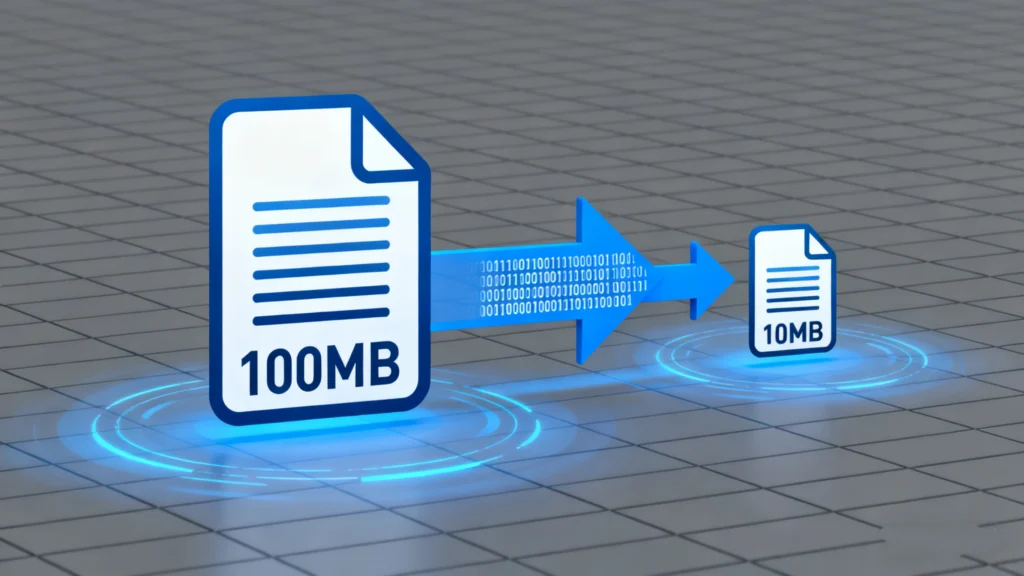
Das Kompressionsverhältnis beschreibt, wie stark ein Kompressor Daten schrumpft.
Sie vergleicht die Originalgröße mit der komprimierten Größe und drückt die Reduzierung als einfaches Verhältnis aus.
Grundformel und Beispiele
Die übliche Formel sieht wie folgt aus:
Komprimierungsverhältnis = Originalgröße ÷ komprimierte Größe
Beispiele:
Original 10 GB, komprimiert 2 GB → 10 ÷ 2 = 5:1
Original 800 MB, komprimiert 400 MB → 800 ÷ 400 = 2:1
Ein Verhältnis von 5:1 bedeutet, dass die komprimierte Datei ein Fünftel des ursprünglichen Speicherplatzes einnimmt.
Höhere Quoten bedeuten eine stärkere Verkleinerung des Datensatzes.
Interpretation der Verhältnisse bei echter Arbeitsbelastung
Das gleiche Verdichtungsverhältnis findet man selten überall.
Textprotokolle und Datenbank-Dumps lassen sich oft sehr gut komprimieren, während JPEGs oder bereits komprimierte Archive nur einen geringen Gewinn aufweisen.
Wenn Sie die Sicherungsrichtlinien anpassen, sollten Sie diese verfolgen:
Typisches Verhältnis für jeden Datentyp
Daraus resultierende Sicherungsgrößen und Aufbewahrungszeiträume
Wiederherstellung der Zeit aus komprimierten Datensätzen
Anhand dieser Informationen können Sie realistische Erwartungen für das Speicherwachstum und die Wiederherstellungsgeschwindigkeit festlegen.
Faktoren, die die Komprimierungsergebnisse beeinflussen
Ein und derselbe Algorithmus kann bei verschiedenen Eingaben sehr unterschiedliche Komprimierungsverhältnisse erzeugen.
Sie erzielen eine stärkere Reduzierung, wenn Ihre Daten strukturiert sind und sich wiederholen.
Datentyp und Redundanz
Stark strukturierte, sich wiederholende Inhalte sind am besten geeignet:
Klartext, CSV und XML
Quellcode und Protokolldateien
Bilder virtueller Maschinen mit ungenutzten Blöcken
Mediendateien und verschlüsselte Daten lassen sich schlecht komprimieren:
JPEG, MP4, MP3 und viele Spielinhalte
Verschlüsselte Container und bereits komprimierte Archive
Sie sollten es vermeiden, Formate, die bereits stark komprimiert sind, erneut zu komprimieren, vor allem, wenn die Geschwindigkeit wichtiger ist als kleine zusätzliche Gewinne.
Wahl des Algorithmus und Einstellungen
Verschiedene Algorithmen gehen unterschiedliche Kompromisse ein:
Schnelle Allzweckkompressoren (wie DEFLATE) bieten ein ausgewogenes Verhältnis zwischen Geschwindigkeit und Reduktion
Neuere Methoden (wie moderne Wörterbuch- oder Entropieverfahren) führen zu höheren Verhältnissen bei höheren CPU-Kosten
Spezialisierte Tools zielen auf Backups, Datenbanken oder forensische Images mit formatabhängigen Techniken
Blockgröße, Wörterbuchgröße und “Level”-Einstellungen verändern ebenfalls das Verhalten.
Höhere Stufen erhöhen in der Regel gleichzeitig die Kompressionsrate und die CPU-Last.
Beschränkungen bei verschlüsselten oder bereits komprimierten Daten
Verschlüsselte Daten sollten für einen Beobachter zufällig aussehen.
Zufällige Daten enthalten fast keine Muster, so dass Kompressoren fast nichts gewinnen.
Wenn ein Backup große verschlüsselte Datenträger oder viele komprimierte Mediendateien enthält, sollten Sie keine beeindruckenden Quoten erwarten.
In diesem Szenario wird die Deduplizierung oder selektive Backup hilft oft mehr als eine aggressive Kompression.
Abwägen von Kompressionsverhältnis, Geschwindigkeit und Risiko

Das Streben nach dem höchstmöglichen Verdichtungsverhältnis ist nicht immer hilfreich.
Sie müssen drei Ziele abwägen: Größe, Leistung und Sicherheit.
Auswirkungen auf Backup-Fenster
Höhere Kompressionsstufen:
Reduzieren Sie die Speichernutzung
Verlängern Sie die CPU-Zeit pro Gigabyte
Verlängern Sie die Fenster für Sicherung und Wiederherstellung
Wenn Ihr Backup nur während eines kleinen nächtlichen Zeitfensters ausgeführt wird, können extreme Einstellungen dazu führen, dass Aufträge die zulässige Zeit überschreiten.
Inkrementelle oder differentielle Backups mit mäßiger Kompression eignen sich oft besser für den Tagesablauf.
Auswirkungen auf die Wiederherstellung und Integrität von Daten
Wenn Sie Backup-Sets oder Disk-Images komprimieren, hängt Ihr Wiederherstellungspfad von einem einzigen komprimierten Container ab.
Eine kleine Veränderung in diesem Container kann sich auf viele Dateien auswirken.
Um das Risiko zu verringern, sollten Sie:
Speichern Sie komprimierte Sätze auf zuverlässigen Medien
Verwendung von Prüfsummen oder Parität zur Erkennung und Reparatur von Schäden
Bewahren Sie mindestens eine Kopie an einem anderen Ort auf.
Vermeiden Sie unnötige Rekompressionszyklen
Werkzeuge wie Magic Data Recovery kann immer noch Daten von den zugrundeliegenden Festplatten scannen und wiederherstellen, wenn komprimierte Backups ausfallen, aber Sie gewinnen mehr Sicherheit, wenn Sie die Komprimierung als Teil eines größeren Ausfallsicherheitsplans behandeln.
Praktische Schritte für sicherere komprimierte Backups
Sie können die Komprimierung in Ihren Backup-Workflow integrieren, ohne die Zuverlässigkeit zu beeinträchtigen.
Klassifizierung von Daten in Typen, die sich gut komprimieren lassen, und solche, die dies nicht tun.
Aktivieren Sie die Komprimierung standardmäßig für textlastige, Protokoll- und Datenbankexporte.
Verwenden Sie moderate Komprimierungsstufen für tägliche Sicherungen; behalten Sie höhere Stufen für wöchentliche oder monatliche Archive vor.
Speichern Sie komprimierte Sätze auf einem geprüften Speicher und kopieren Sie mindestens einen Satz außerhalb des Standorts.
Testen Sie regelmäßig Wiederherstellungen von komprimierten Backups, um sowohl die Zeit als auch die Integrität zu messen.
Behalten Sie Magic Data Recovery steht für Fälle zur Verfügung, in denen Sie von einer beschädigten oder nur teilweise beschriebenen Quellplatte wiederherstellen müssen, anstatt von Backups.
Schlussfolgerung
Das Komprimierungsverhältnis gibt einen klaren, quantitativen Überblick darüber, wie effektiv Sie die Datengröße reduzieren.
Richtig eingesetzt, verlängert die Komprimierung die Speicherdauer, verkürzt die Übertragungszeiten und macht die langfristige Speicherung erschwinglicher.
Die besten Ergebnisse erzielen Sie, wenn Sie Algorithmen und Einstellungen auf Ihre tatsächlichen Daten abstimmen, die Verhältnisse im Laufe der Zeit überwachen und komprimierte Sätze mit Ton schützen. Backup und Wiederherstellungspraktiken.
Auf diese Weise unterstützen Größeneinsparungen die Zuverlässigkeit, anstatt sie zu untergraben.
FAQs
Was ist die Bedeutung des Kompressionsverhältnisses?
Was bedeutet ein Verdichtungsverhältnis von 10:1?
Warum ist das Verdichtungsverhältnis wichtig?
Wie berechnet man das Verdichtungsverhältnis?
Was ist besser, ein höheres oder niedrigeres Verdichtungsverhältnis?
Was ist das Schlimmste für einen Dieselmotor?
Wie wirkt sich das Verdichtungsverhältnis auf die Motorleistung aus?
Kann ich die Pferdestärken auch ohne einen Prüfstand berechnen?

Eddie ist ein IT-Spezialist mit mehr als 10 Jahren Erfahrung, die er bei mehreren bekannten Unternehmen der Computerbranche gesammelt hat. Er bringt tiefgreifende technische Kenntnisse und praktische Problemlösungsfähigkeiten in jedes Projekt ein.