コンテンツへスキップ
amagicsoftロゴアイコン
  • ホーム
  • 製品紹介
    • Magic Data Recovery
    • Magic Recovery Key
  • 店舗
  • ブログ
  • もっと見る
    • Amagicsoftについて
    • お問い合わせ
    • プライバシーポリシー
    • 利用規約
    • ライセンス契約
    • 返金ポリシー
  • 日本語
    • English
    • 한국어
    • Deutsch
    • Français
    • 繁體中文
ウィキ

圧縮比

2025年12月3日 エディ コメントはまだない
圧縮比

目次

Storage Pressure and the Role of Compression

バックアップ, log archives, and disk images grow faster than most storage budgets.
You can add more disks, but that only delays the next capacity problem.

Compression introduces a smarter option.
Instead of storing every repeated pattern again, you reduce redundancy and keep a smaller representation that still allows full restoration when you need it.

Defining Compression Ratio for Files and Backups

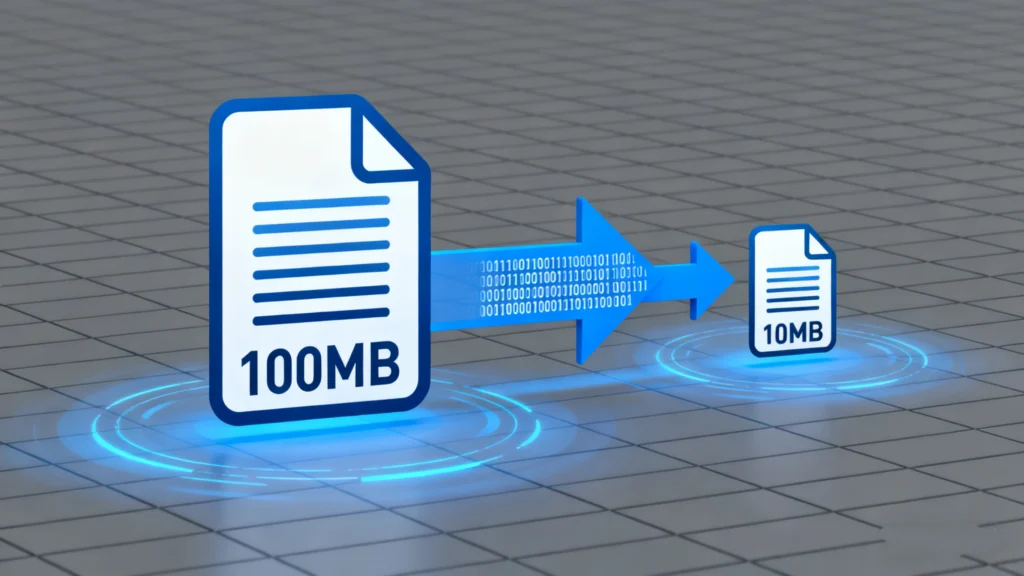
Compression ratio describes how much a compressor shrinks data.
It compares original size to compressed size and expresses the reduction as a simple ratio.

Basic Formula and Examples

The usual formula looks like this:

Compression ratio = original size ÷ compressed size

例を挙げよう:

  • Original 10 GB, compressed 2 GB → 10 ÷ 2 = 5:1

  • Original 800 MB, compressed 400 MB → 800 ÷ 400 = 2:1

A 5:1 ratio means the compressed file occupies one fifth of the original space.
Higher ratios indicate stronger size reduction for that dataset.

Interpreting Ratios in Real Workloads

You rarely see the same compression ratio everywhere.
Text logs and database dumps often compress extremely well, while JPEGs or already compressed archives show little gain.

When you tune backup policies, you should track:

  • Typical ratio for each data type

  • Resulting backup sizes and retention windows

  • Restore time from compressed sets

This information helps you set realistic expectations for storage growth and recovery speed.

Factors That Shape Compression Results

The same algorithm can produce very different compression ratios on different inputs.
You gain more reduction when your data has structure and repetition.

Data Type and Redundancy

Highly structured, repetitive content performs best:

  • Plain text, CSV, and XML

  • Source code and log files

  • Virtual machine images with unused blocks

Media files and encrypted data compress poorly:

  • JPEG, MP4, MP3, and many game assets

  • Encrypted containers and already compressed archives

You should avoid recompressing formats that already use strong compression, especially when speed matters more than tiny extra gains.

Algorithm Choice and Settings

Different algorithms follow different trade-offs:

  • Fast general-purpose compressors (like DEFLATE-style) balance speed and reduction

  • Newer methods (like modern dictionary or entropy schemes) push higher ratios at higher CPU cost

  • Specialized tools target backups, databases, or forensic images with format-aware techniques

Block size, dictionary size, and “level” settings also change behavior.
Higher levels usually increase compression ratio and CPU load at the same time.

Limits with Encrypted or Already Compressed Data

Encrypted data should look random to an observer.
Random data contains almost no patterns, so compressors gain almost nothing.

If a backup includes large encrypted volumes or many compressed media files, you should not expect impressive ratios.
In that scenario, deduplication or selective backup often helps more than aggressive compression.

Balancing Compression Ratio, Speed, and Risk

what is Compression ratio

Chasing the highest possible compression ratio does not always help.
You must balance three goals: size, performance, and safety.

Impact on Backup Windows

Higher compression levels:

  • Reduce storage usage

  • Extend CPU time per gigabyte

  • Lengthen backup and restore windows

もし backup runs only during a small nightly window, extreme settings may push jobs past the allowed time.
Incremental or differential backups with moderate compression often work better for daily schedules.

Effects on Data Recovery and Integrity

When you compress backup sets or disk images, your recovery path depends on a single compressed container.
A small bit flip inside that container can affect many files.

To reduce risk, you should:

  • Store compressed sets on reliable media

  • Use checksums or parity to detect and repair damage

  • Keep at least one copy in a separate location

  • Avoid unnecessary recompression cycles

以下のようなツールがある。 Magic Data Recovery can still scan and recover data from underlying disks when compressed backups fail, but you gain more certainty when you treat compression as part of a bigger resilience plan.

Practical Steps for Safer Compressed Backups

You can integrate compression into your backup workflow without sacrificing reliability.

  1. Classify data into types that compress well and those that do not.

  2. Enable compression by default for text-heavy, log, and database exports.

  3. Use moderate compression levels for daily backups; reserve higher levels for weekly or monthly archives.

  4. Store compressed sets on verified storage and copy at least one set off-site.

  5. Periodically test restores from compressed backups to measure both time and integrity.

  6. キープ Magic Data Recovery available for cases where you must recover from a damaged or partially written source disk instead of from backups.

まとめ

Compression ratio gives a clear, quantitative view of how effectively you reduce data size.
Used wisely, compression extends storage life, shortens transfer times, and makes long-term retention more affordable.

You get the best results when you match algorithms and settings to your actual data, monitor ratios over time, and protect compressed sets with sound backup and recovery practices.
That way, size savings support reliability instead of undermining it.

よくあるご質問

What is the meaning of compression ratio?

Compression ratio expresses how much a compressor reduces data size. It compares the original size to the compressed size and writes that comparison as a ratio such as 4:1 or 10:1. Higher values show stronger reduction, but actual usefulness depends on speed, recovery requirements, and the type of data you compress.

What does 10:1 compression ratio mean?

A 10:1 compression ratio means the compressed file or stream occupies one tenth of the original size. For example, 100 GB of input becomes about 10 GB of output. In practice, you also need to consider CPU load, time to compress and decompress, and whether the data retains acceptable quality for its purpose.

Why is compression ratio important?

Compression ratio matters because it directly influences storage use and transfer time. A better ratio lets you store more history on the same hardware and replicate data across networks more quickly. During backup and recovery planning, it helps you estimate how many versions you can keep and how long restores will take.

How to calculate compression ratio?

You calculate compression ratio by dividing original size by compressed size. For example, if a file shrinks from 500 MB to 125 MB, you compute 500 ÷ 125 = 4, so the ratio is 4:1. You can use bytes, kilobytes, or gigabytes as long as you use the same units on both sides.

What's better, higher or lower compression ratio?

For data compression, a higher ratio generally means better size reduction. However, very high ratios often require more CPU time and can slow backups and restores. You get the best outcome when you choose a compression level that balances space savings, processing cost, and your required recovery time for each workload.

What's the worst thing for a diesel engine?

From an engine perspective, poor maintenance and incorrect fueling cause serious harm. Contaminated fuel, severe overheating, and detonation from wrong timing or additives can damage pistons and injectors. Ignoring oil changes or running with clogged filters also shortens engine life. Manufacturers publish specific guidelines that owners should follow for long-term reliability.

How does compression ratio affect engine power?

In engines, compression ratio describes how much the cylinder squeezes the air-fuel mixture. Higher ratios often improve thermal efficiency and torque, but they also increase stress and risk of knock if fuel quality or timing does not match. Engine designers balance compression ratio with cooling, materials, and fuel type to reach safe performance targets.

Can I calculate horsepower without a dyno?

You can estimate horsepower from formulas that use torque and rpm or vehicle performance data. For example, horsepower equals torque times rpm divided by a constant. Drag-strip times, weight, and speed calculators also give rough values. A chassis dyno still provides the most direct measurement, but careful estimates can guide tuning and planning.
  • WiKi
エディ

エディは、コンピューター業界の有名企業数社で10年以上の経験を持つITスペシャリストです。深い技術的知識と実践的な問題解決能力をすべてのプロジェクトに提供しています。.

投稿ナビゲーション

前へ
次のページ

検索

カテゴリー

  • ビットロッカーのリカバリ
  • 削除されたファイルの復元
  • フォーマットファイルの復元
  • ハードディスク・ドライブ復旧
  • ライセンスキーの回復
  • 紛失ファイルの復元
  • メモリーカード復元
  • ニュース
  • フォトリカバリー
  • SSDリカバリー
  • 未分類
  • USBドライブ復元
  • ユーザーガイド
  • ウィキ

最近の投稿

  • クリーンルーム
    クリーンルーム
  • クラウドバックアップ
    クラウドバックアップ
  • 圧縮比
    圧縮比

タグ

どのように Magic Data Recovery Magic Recovery Key WiKi

関連記事

クリーンルーム
ウィキ

クリーンルーム

2025年12月3日 エディ コメントはまだない

クリーン・ルーム外でハードディスク・ドライブを開封することのリスク ハードディスク・ドライブの内部では、回転するプラッターの上にわずかな距離でリード/ライト・ヘッドが浮いています。誰かが机の上や作業場でドライブを開けると、埃、繊維、皮がプラッターに付着します。データ復元クリーン・ルームを定義する条件 クリーン・ルームは、粒子、気流、温度、および人間の活動を制御します。データ復元ラボでは、密封されたドライブを開いたり、ヘッドを交換したり、プラッタを移動したりする際にクリーン・ルームを使用します。[...]

クラウドバックアップ
ウィキ

クラウドバックアップ

2025年12月3日 エディ コメントはまだない

目次 セーフティネットとしてのリモートコピー ノートパソコンが壊れ、オフィスが水浸しになり、ランサムウェアによって所有するすべてのローカルドライブが暗号化される可能性があります。すべてのコピーが1つの建物や1つのNASにある場合でも、1つの事故によってすべてが消去される可能性があります。クラウドバックアップは、保護プランに距離を追加します。重要なデータの暗号化されたコピーをリモートプロバイダーに送信するため、ローカル災害によってすべてのバージョンが一度に削除されることはありません。クラウドバックアップを単なるフォルダではなくサービスとして クラウドバックアップは、単に「ファイルを同期フォルダにドラッグする」のではなく、管理されたプロセスとして機能します。そのエージェントは通常フォルダ、ボリューム、[...]を選択する。

重複ファイルファインダー
ウィキ

重複ファイルファインダー

2025年12月2日 エディ コメントはまだない

目次 重複ファイルは本当のバックアップではない 多くのユーザーは、新しいフォルダや外付けドライブにドラッグすることで、ドキュメントの「特別な安全」コピーを保持しています。重複ファイルは、ストレージを浪費し、バックアップを遅くし、データ復旧をより混乱させます。重複ファイルファインダーは、冗長なコピーを識別するのに役立ちますので、安全にスペースを解放しながら、1つのクリーンなマスターを維持します。重複ファイルが通常どのように現れるか ツールを使う前に、重複ファイルがどこから来るのかを知っておくと便利です。よくある発生源は以下の通りです:同じインストーラやアーカイブを繰り返しダウンロードすること 手動「バックアップ」時のコピーペースト操作 携帯電話から複数のフォルダに写真をエクスポートすること クラウド同期の競合により「ファイル名 [...] 」が作成されること

amagicsoftロゴアイコン

当社のビジョンは、世界的に有名なソフトウェア ブランドおよびサービス プロバイダーとなり、一流の製品とサービスをユーザーに提供することです。

製品紹介
  • Magic Data Recovery
  • Magic Recovery Key
ポリシー
  • 利用規約
  • プライバシーポリシー
  • 返金ポリシー
  • ライセンス契約
会社概要
  • Amagicsoftについて
  • お問い合わせ
  • 店舗
フォローする

著作権©2025 Amagicsoft。無断複写転載を禁じます。

  • 利用規約
  • プライバシーポリシー