
Recuperare i dati dal disco rigido: guida al recupero facile
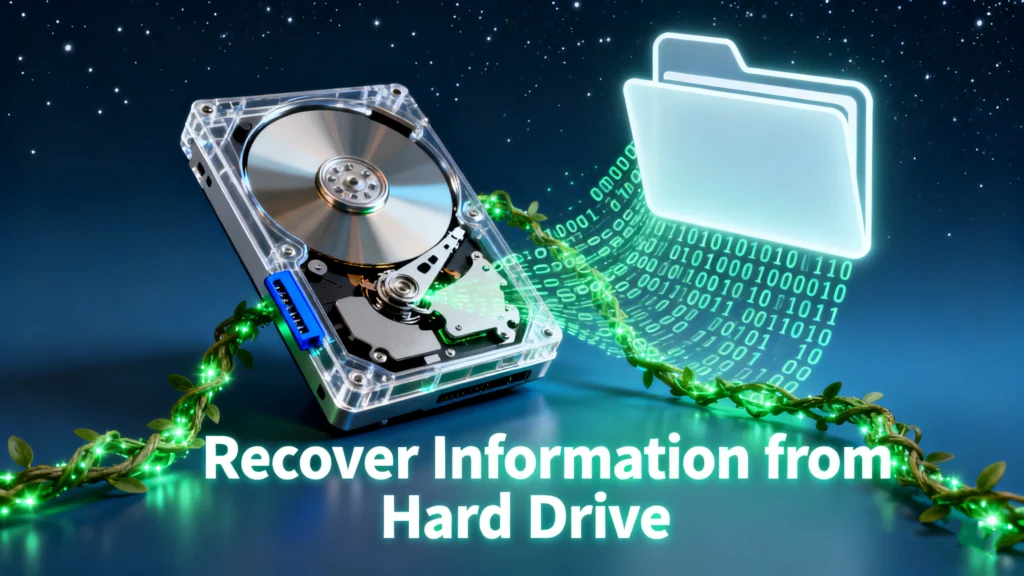
Perdere l'accesso a file importanti salvati su un disco rigido può essere fonte di stress, soprattutto quando il disco contiene documenti di lavoro, foto, video, file scolastici, documenti aziendali o vecchi backup. La buona notizia è che spesso è possibile recuperare informazioni dal disco rigido dispositivi, a condizione che i dati persi non siano stati sovrascritti.
Che i tuoi file siano stati cancellati, che il disco rigido sia stato formattato, che il sistema si sia bloccato o che l'unità sia diventata inaccessibile a causa di errori del file system, il primo passo è smettere immediatamente di utilizzare l'unità interessata. Questa guida spiega come funziona il recupero dei dati dal disco rigido, cosa controllare prima del recupero e come Recupero dati su disco rigido e quando soluzioni software come Magic Data Recovery sono l'opzione più pratica e affidabile.
Supporta Windows 7/8/10/11 e Windows Server
Indice dei contenuti
Risposta rapida: È possibile recuperare i dati da un disco rigido?
Sì, spesso è possibile recuperare le informazioni da un disco rigido anche se i file sono stati cancellati, il disco è stato formattato, la partizione è diventata inaccessibile o il file system è stato danneggiato. Nella maggior parte dei casi di perdita logica dei dati, i dati originali potrebbero essere ancora presenti sul disco fino a quando non vengono sovrascritti da nuovi dati.
Per massimizzare le possibilità di recupero, smetti di utilizzare il disco rigido interessato, non installare software su di esso e salva i file recuperati su un altro dispositivo di archiviazione. Se il disco rigido emette rumori simili a clic, non viene rilevato o presenta danni fisici, rivolgersi a un servizio professionale di recupero dati potrebbe essere più sicuro rispetto al recupero autonomo tramite software.
Cosa significa recuperare dati da un disco rigido?
Per rrecuperare informazioni da un disco rigido significa recuperare file che non sono più visibili, accessibili o utilizzabili tramite le normali funzioni del sistema operativo. Questi file possono includere documenti, foto, video, archivi, file di progetto, e-mail o altri dati importanti memorizzati su un disco rigido interno, un disco rigido esterno o un vecchio HDD.
Questa situazione si verifica spesso quando i file vengono cancellati per sbaglio, un Il disco rigido è formattato, una partizione diventa RAW o inaccessibile, il file system è danneggiato oppure il computer non riesce più ad avviarsi correttamente.
In molti casi di perdita logica dei dati, i file mancanti non vengono immediatamente cancellati dal disco. Il sistema, infatti, rimuove i riferimenti ai file e contrassegna lo spazio di archiviazione come disponibile. Finché nuovi dati non hanno sovrascritto quello spazio, un software di recupero dati dal disco rigido potrebbe ancora essere in grado di eseguire una scansione del disco e recuperare le informazioni perse.
Cosa fare prima di provare a recuperare i dati dal disco rigido
Prima di provare a recuperare i dati da un disco rigido, è bene adottare alcune precauzioni. Queste misure possono influire direttamente sulla possibilità di recuperare i file.
Smettete di utilizzare il disco rigido interessato
Non copiare, spostare, eliminare, scaricare o installare nulla sull'unità interessata. I nuovi dati potrebbero sovrascrivere le informazioni perse e ridurre le possibilità di un recupero riuscito.
Non formattare l'unità
Se Windows richiede di formattare l'unità prima di utilizzarla, non fare clic su "Formatta". La formattazione potrebbe modificare la struttura del file system e rendere più difficile il recupero dei dati.
Non installare il software di ripristino sulla stessa unità
Installa Magic Data Recovery su un'unità diversa, ad esempio l'unità di sistema o un altro dispositivo di archiviazione funzionante. L'installazione del software sull'unità interessata potrebbe sovrascrivere le informazioni che desideri recuperare.
Salvare i file recuperati in un'altra posizione
I file recuperati devono essere salvati su un altro disco rigido, su un disco esterno o su un dispositivo di archiviazione USB. Non salvare i file recuperati sullo stesso disco su cui stai eseguendo la scansione.
Interrompere il recupero fai da te se l'unità presenta segni di danni fisici
Se il disco rigido emette rumori simili a scatti o stridii, si surriscalda, si disconnette ripetutamente o non viene rilevato affatto, smettete di utilizzarlo. Questi sintomi potrebbero indicare un danno fisico e ripetuti tentativi di riparazione fai-da-te potrebbero rendere più difficile il recupero dei dati.
Scenari comuni in cui è possibile recuperare i dati del disco rigido
Capire perché i dati sono andati persi ti aiuta a scegliere il metodo di recupero più sicuro. Problemi diversi relativi al disco rigido richiedono interventi diversi.
Cancellazione accidentale
Quando i file vengono eliminati da un disco rigido, di solito vengono contrassegnati come spazio libero anziché essere cancellati immediatamente. Se non sono stati salvati nuovi dati sullo stesso disco, i documenti, le foto, i video e le cartelle eliminati potrebbero comunque essere recuperabili con un software di recupero dati per disco rigido.
Disco rigido formattato
Una formattazione rapida di solito rimuove gli indici dei file, ma non cancella immediatamente tutti i settori di dati. Ciò significa che potrebbe essere ancora possibile recuperare informazioni da un disco rigido formattato. Tuttavia, se il disco è stato formattato completamente o è stato sottoposto a un uso intensivo dopo la formattazione, la percentuale di successo del recupero potrebbe essere inferiore.
Partizione RAW o inaccessibile
Una partizione può diventare RAW, illeggibile o inaccessibile a causa di un danneggiamento del file system, di errori nella tabella delle partizioni o di uno spegnimento non corretto. In questo caso, i file potrebbero essere ancora presenti sul disco rigido, ma Windows non è in grado di leggere normalmente il file system.
Errori del file system
Errori quali directory danneggiate, record di file mancanti o messaggi del tipo “l’unità non è accessibile” possono impedire agli utenti di aprire i file. I software di recupero spesso riescono a aggirare il file system danneggiato e a eseguire una scansione diretta del disco rigido alla ricerca di informazioni recuperabili.
Guasto del sistema operativo
Se il computer non si avvia ma il disco rigido è ancora fisicamente integro, potresti riuscire a rimuovere l'unità e collegarla a un altro computer funzionante tramite un adattatore da SATA a USB o un alloggiamento esterno. A quel punto potrai copiare i file accessibili o eseguire una scansione dell'unità alla ricerca dei dati persi.
Recupero dati da vecchi dischi rigidi
Molti utenti hanno inoltre bisogno di recuperare dati da un vecchio disco rigido rimosso da un computer fisso o portatile. Se il disco viene ancora rilevato, è possibile collegarlo esternamente ed eseguire una scansione con Magic Data Recovery per recuperare documenti, foto, video e altri file importanti.
Come i software di recupero dati da disco rigido individuano le informazioni perse
Per recuperare i dati da un disco rigido, il software di recupero esegue una scansione diretta del disco, anziché basarsi esclusivamente sui record dei file visualizzati da Windows. Ciò risulta utile quando i file vengono eliminati, le cartelle scompaiono, le partizioni diventano RAW o il sistema operativo non è più in grado di accedere normalmente all'unità.
I moderni software di recupero dati da disco rigido utilizzano solitamente diversi metodi:
Scansione settoriale
Riconoscimento della firma dei file
Ricostruzione della struttura della directory
Scansione profonda per volumi formattati o danneggiati
Anteprima dei file recuperabili prima del salvataggio
Nel caso di dischi rigidi instabili, è spesso più sicuro creare prima un’immagine del disco, poiché ciò riduce il numero di letture ripetute sull’unità originale. Se l’unità mostra sintomi di guasto fisico, interrompere la scansione e rivolgersi a un laboratorio specializzato.
Come recuperare i dati dal disco rigido con Magic Data Recovery
Se il tuo disco rigido viene ancora rilevato da Windows, Magic Data Recovery può aiutarti a eseguire una scansione dell'unità e a recuperare i dati persi a causa di cancellazione, formattazione, errori del file system, partizioni RAW, danni causati da virus o altre situazioni di perdita logica dei dati.
1. Scaricare e installare: Ottenere Magic Data Recovery dal sito web ufficiale e installarlo sul computer.
Supporta Windows 7/8/10/11 e Windows Server




Perché l'Magic Data Recovery è una soluzione pratica
Quando è necessario recuperare dati da un disco rigido che viene ancora rilevato da Windows, il recupero tramite software è spesso il primo passo più pratico da compiere. Magic Data Recovery è progettato per i casi più comuni di recupero dati da HDD, tra cui cancellazione accidentale, formattazione, partizioni RAW, unità inaccessibili ed errori del file system.
I problemi principali che risolve
- Recupero dei file eliminati
- Ripristino di dischi rigidi formattati
- Riparare le barriere inaccessibili o Partizioni RAW
- Estrazione di dati da unità affette da errori del file system
Vantaggi principali
- Scansione in sola lettura per proteggere i dati originali
- Tecnologia di scansione profonda consapevole dei contenuti
- Anteprima dei file prima del recupero
- Supporto per HDD, SSD, unità USB e schede di memoria
- Flusso di lavoro semplice basato su una procedura guidata e adatto a utenti non tecnici
Scenari di utilizzo reali
- Recupero dei documenti dopo una formattazione accidentale
- Ripristino delle foto da un vecchio disco rigido esterno
- Estrazione di file da un sistema che non si avvia più
Per gli utenti che desiderano recuperare informazioni dal disco rigido senza complesse operazioni manuali, Magic Data Recovery offre un flusso di lavoro più sicuro e guidato. Esegue la scansione dell'unità in modalità di sola lettura, consente agli utenti di visualizzare in anteprima i file recuperabili e aiuta a evitare di salvare i dati recuperati nuovamente sull'unità originale.
Ciò lo rende particolarmente utile per gli utenti che non sono sicuri se i file presenti sul proprio disco rigido, cancellati, formattati o inaccessibili, possano ancora essere recuperati.
Scegli il metodo di recupero più adatto in base alle condizioni del disco
Il metodo corretto per recuperare i dati da un disco rigido dipende dalle condizioni attuali del disco stesso.
Il disco rigido viene rilevato e si avvia normalmente
Se il disco rigido viene rilevato e si apre normalmente, ma alcuni file sono stati cancellati o andati persi, utilizza Magic Data Recovery per eseguire una scansione del disco e recuperare i dati mancanti.
Il disco rigido è formattato o viene visualizzato come RAW
Se il disco rigido è stato formattato o viene visualizzato come RAW, non formattarlo nuovamente. Esegui una scansione del disco con un software di recupero dati e salva i file recuperabili in un'altra posizione.
Il computer non si avvia
Se il computer non si avvia ma il disco rigido è ancora integro, rimuovere il disco e collegarlo a un altro computer funzionante utilizzando un adattatore da SATA a USB o un alloggiamento esterno. Quindi eseguire una scansione del disco o copiare i file accessibili.
Il disco rigido non viene rilevato
Se il disco rigido non viene rilevato in Esplora file, Gestione disco o nel BIOS, il software potrebbe non essere in grado di eseguire la scansione. In tal caso, potrebbe essere necessario ricorrere a un servizio professionale di recupero dati.
Il disco rigido emette rumori simili a clic o stridii
Rumori simili a scatti, stridii o rumori ripetuti di avvio potrebbero indicare un guasto fisico. Interrompere immediatamente l'uso dell'unità ed evitare di eseguire scansioni ripetute, poiché ciò potrebbe aggravare il danno.
Migliori pratiche per migliorare il successo del recupero
Seguire queste procedure prima e durante il recupero dei dati dal disco rigido:
Non installare software di ripristino sul disco rigido interessato.
Non salvare i file recuperati nella stessa unità.
Prima di procedere al ripristino, evitare di formattare, ripartizionare o eseguire strumenti di riparazione.
Utilizza un altro dispositivo di archiviazione per salvare i file recuperati.
Se l'unità è instabile ma ancora leggibile, creare prima un'immagine del disco.
Interrompere i tentativi di recupero se l'unità presenta segni di danni fisici.
Il motivo più comune per cui il recupero fallisce è l'uso continuato dell'unità interessata. Meno si scrivono dati sull'unità dopo la perdita dei dati, maggiori sono le possibilità di recuperare le informazioni originali.
Quando il software non è sufficiente
Il recupero tramite software è più efficace in caso di perdita logica dei dati, come cancellazione, formattazione, partizioni RAW, cartelle inaccessibili ed errori del file system. Tuttavia, se il disco rigido presenta problemi fisici, potrebbe essere necessario ricorrere a un servizio professionale di recupero dati.
È opportuno interrompere il recupero fai-da-te se:
L'unità emette rumori simili a clic, cigolii o bip.
L'unità non viene rilevata né nel BIOS né in Gestione disco.
L'unità si disconnette ripetutamente durante la scansione.
L'unità presenta danni fisici evidenti.
L'unità è caduta, è stata bruciata o è stata esposta all'acqua.
Il disco presenta numerosi settori danneggiati e diventa estremamente lento.
In questi casi, eseguire ripetute operazioni di scansione potrebbe ridurre le probabilità di un recupero efficace. Se i dati sono di estrema importanza, è consigliabile rivolgersi a un laboratorio di recupero dati professionale prima di provare altri metodi fai-da-te.
Conclusione
La perdita di dati non significa sempre una perdita definitiva. In molte situazioni comuni, è ancora possibile recuperare informazioni da un disco rigido se i file persi non sono stati sovrascritti e l'unità è ancora fisicamente leggibile.
Per prima cosa, smetti di utilizzare l'unità interessata. Non formattarla, non installarci alcun software e non salvarvi nuovi file. Se il problema riguarda la cancellazione di dati, la formattazione, partizioni RAW, cartelle inaccessibili o errori del file system, Magic Data Recovery è in grado di eseguire una scansione del disco rigido, visualizzare in anteprima i file recuperabili e ripristinarli in una posizione sicura.
Se il disco rigido se non viene rilevato, emette rumori anomali o presenta danni fisici, rivolgersi a un servizio di recupero professionale potrebbe essere l'opzione più sicura.
Supporta Windows 7/8/10/11 e Windows Server
Domande frequenti
È possibile recuperare i dati da un disco rigido?
Come posso recuperare i dati da un disco rigido formattato?
È possibile recuperare i file da un disco rigido che non si avvia?
È possibile recuperare i dati da un vecchio disco rigido?
Le informazioni cancellate rimangono memorizzate sul disco rigido?
È meglio riparare il disco rigido prima di recuperare i file?
Perché non dovrei salvare i file recuperati sullo stesso disco rigido?
In quali casi è impossibile recuperare i dati da un disco rigido?

Erin Smith è riconosciuta come una delle scrittrici più professionali di Amagicsoft. Negli ultimi 10 anni ha continuamente affinato le sue capacità di scrittura e ha aiutato milioni di lettori a risolvere i loro problemi tecnologici.