콘텐츠로 건너뛰기
아매직소프트 로고 아이콘
  • 홈
  • 제품
    • Magic Data Recovery
    • Magic Recovery Key
  • 스토어
  • 블로그
  • 자세히 보기
    • 아마직소프트 소개
    • 문의하기
    • 개인정보 보호정책
    • 약관
    • 라이선스 계약
    • 환불 정책
  • 한국어
    • English
    • 日本語
    • Deutsch
    • Français
    • 繁體中文
Wiki

플래시 메모리

2025년 11월 27일 Eddie Flash Memory에 댓글 닫힘
플래시 메모리

목차

Flash Memory in Everyday Storage

USB flash drives, SD cards, SSDs, and many embedded devices all rely on flash memory.
When these devices fail, users often believe the data disappeared forever.

In reality, flash chips often still contain user data after deletion, formatting, or file system errors.
With the right workflow, many files on flash-based storage still leave room for safe recovery.

what is Flash Memory

How Flash Memory Stores Data Electronically

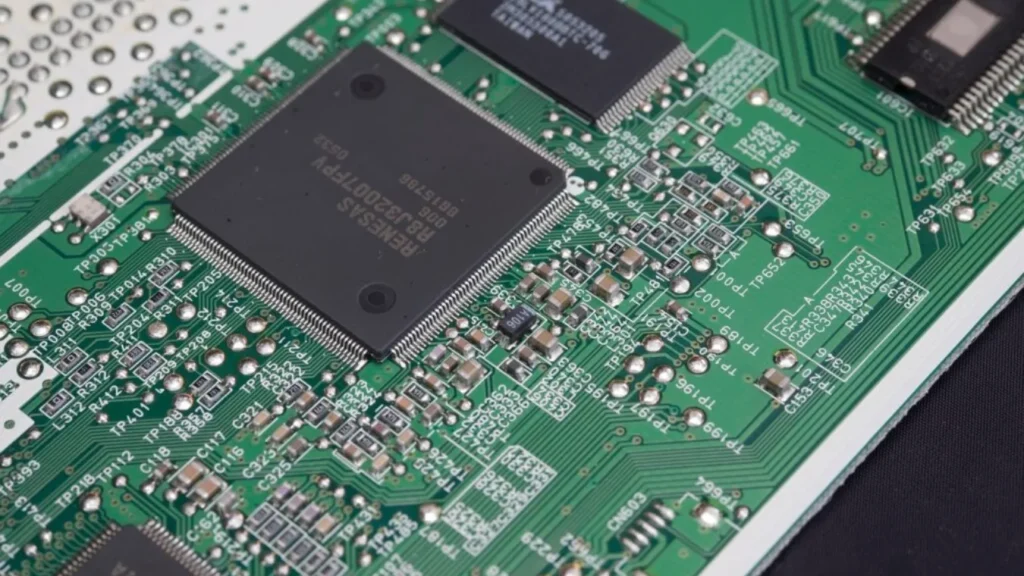
Flash memory uses arrays of floating-gate transistors.
Each cell holds electrons inside an insulated gate and represents a bit or multiple bits.

Key concepts:

  • Cells and pages: The controller reads and writes data by page.

  • Blocks: The controller erases data by block, not by individual page.

  • Program/erase cycles: Each cell tolerates only a limited number of erase cycles.

The memory controller translates logical block addresses from the operating system into physical locations on the chip.
This translation layer enables wear-leveling and bad-block management.

Types of Flash Memory and Where They Appear

Different flash technologies trade speed, cost, and endurance.

유형Bits per Cell일반적인 사용 사례강점제한 사항
SLC1Industrial, enterprise cacheHigh endurance, fast writesHigh cost per GB
MLC2Consumer SSDs, pro USB drivesGood balance of cost and lifeModerate endurance
TLC3Most consumer SSDs, SD cardsLow cost, high capacitiesLower endurance, slower writes
QLC4High-capacity SSDs, archivesVery low cost per GBReduced write endurance

Many consumer flash devices use TLC or QLC and rely heavily on controller algorithms to maintain acceptable performance and lifespan.

Flash Memory vs. RAM and SSDs

Flash memory often creates confusion because users see similar terms across products.

Flash Memory vs. RAM

Random access memory (RAM) holds data only while power stays on.
Flash memory retains data without power, so devices can store files and firmware.

RAM focuses on speed and supports frequent reads and writes.
Flash focuses on non-volatile storage and handles slower write and erase cycles with more care.

Flash Memory vs. SSD

An SSD uses flash memory plus a dedicated controller, firmware, cache, and interface logic.
In other words, an SSD behaves like a complete storage device, not just raw memory.

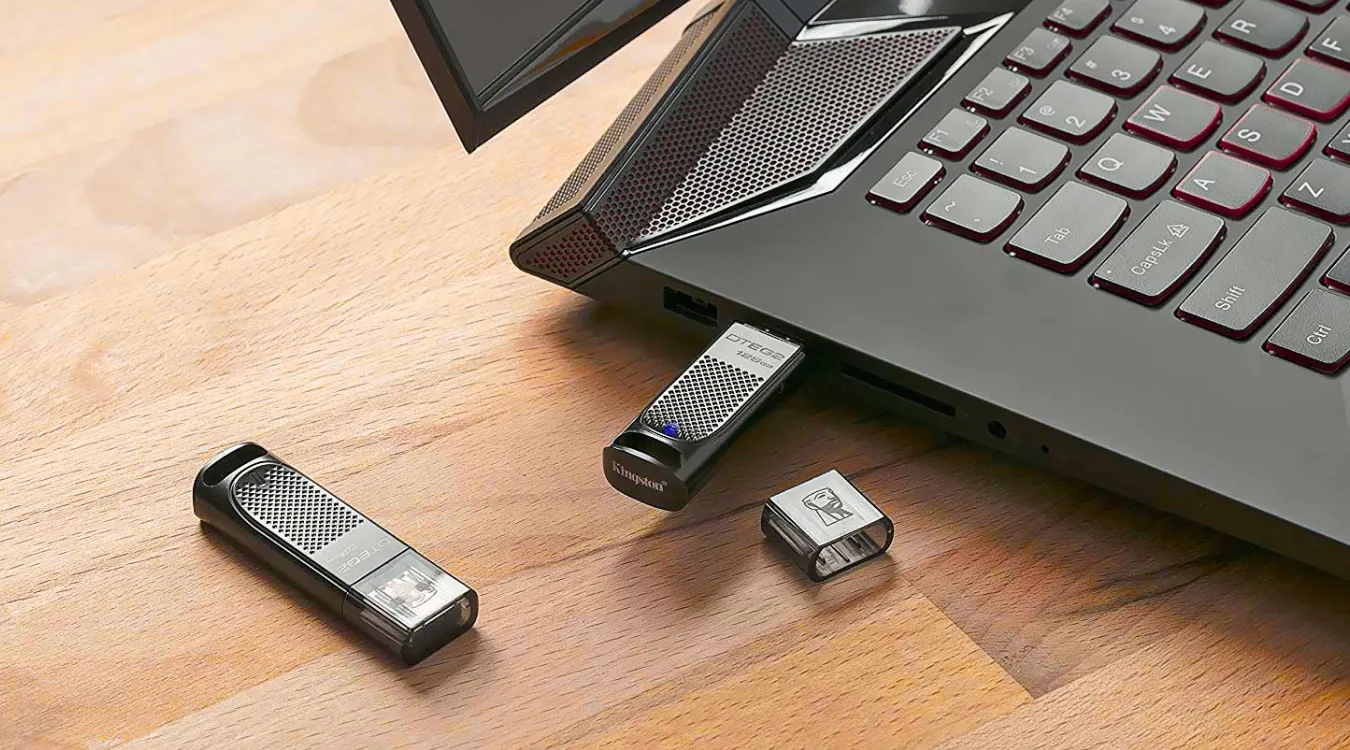
USB drives and SD cards also wrap flash chips with controllers, but they target removable, lower-cost storage.
SSDs focus on higher performance, stronger error correction, and more advanced wear-leveling.

Why Data Still Exists After Deletion or Formatting

When you delete files on flash-based storage, the system usually marks clusters as free.
The controller and file system still retain the underlying data until new writes reuse those locations.

Quick formats often recreate file system structures and leave most content untouched.
Only secure erase operations or heavy new writes actually overwrite most of the old data.

Because of this behavior, 데이터 복구 소프트웨어 can still scan raw space, read file system metadata, and rebuild many files.

Typical Data Loss Scenarios with Flash Memory

Flash devices fail in recognizable ways.
Understanding the pattern helps users choose an appropriate recovery strategy.

Common scenarios include:

  • Accidental deletion of files and folders

  • Quick format of a USB drive or SD card

  • File system corruption after unsafe removal

  • “Please format the disk” prompts in Windows

  • RAW file system status in Disk Management

  • Controller failures that cause random errors or no detection

Logical problems (deletion, format, file system damage) often allow software-based recovery.
Severe controller or chip damage requires hardware-level work in a specialized lab.

Advanced View: Controller Behavior, Wear-Leveling, and TRIM

Flash controllers constantly move data around.
They do this to spread wear across blocks and to avoid repeated writes to the same cells.

Important mechanisms:

  • Wear-leveling: Evenly distributes program/erase cycles across blocks.

  • Garbage collection: Consolidates valid pages and frees entire blocks for erasure.

  • Error correction (ECC): Detects and corrects bit errors that arise over time.

  • TRIM: The operating system signals which blocks no longer hold live data.

These mechanisms improve performance and lifetime but also complicate recovery.
Raw images from flash devices do not always match the logical layout that the operating system sees.

Safe Strategy Before Flash Recovery

Users should prepare flash devices carefully before scanning.

  1. Stop writing to the device immediately.

  2. Avoid running file system repair tools such as quick format or generic “fix” utilities.

  3. Connect the flash drive, SD card, or SSD to a stable computer.

  4. Verify that Windows detects the device in Disk Management.

If the device drops in and out, or the system reports repeated I/O errors, recovery attempts must proceed carefully.
In critical cases, experienced technicians often image the device first and then analyze the image.

Software-Based Flash Recovery with Amagicsoft

For many logical failures on USB drives, SD cards, and SSDs, software offers a practical solution.
Amagicsoft 데이터 복구 helps general users scan flash-based storage in a read-only manner and copy recoverable files to a safe destination.

You should always recover data to another disk or partition.
This approach avoids further overwrites on the failing device.

Step-by-Step: Recovering Lost Files from Flash Media

Follow this process when Windows still detects the flash device.

1. Prepare the Environment

  1. Use a healthy computer with enough free storage for recovered files.

  2. Connect the flash drive, SD card (through a reader), or SSD.

  3. Confirm that the drive appears, even if Windows marks it as RAW or unformatted.

2. Install and Start Amagicsoft Data Recovery

  1. 다운로드 Amagicsoft 데이터 복구 and install it on a system drive or another healthy disk.

  2. 시작 Amagicsoft 데이터 복구.

  3. Wait for the software to list all available storage devices.

3. Choose the Flash Device and Scan

  1. Select the problematic flash device as the scan source.

  2. Use a 빠른 스캔 when you deleted files recently.

  3. 선택 딥 스캔 when formats, RAW file systems, or severe corruption appear.

  4. Start the scan and allow it to complete.

4. Review, Filter, and Preview Files

  1. Filter results by type, such as documents, photos, or videos.

  2. Browse reconstructed folders and check familiar paths like DCIM on SD cards or 문서 on USB drives.

  3. Use the preview feature to verify that important files still contain valid content.

5. Recover to a Safe Target

  1. Select the files and folders you want to restore.

  2. Choose a different physical drive as the recovery destination.

  3. Start the recovery process.

  4. Open several recovered files and confirm that they work as expected.

After you secure the data, you can reformat or replace the flash device based on its health and age.
Amagicsoft 데이터 복구 supports Windows 7/8/10/11 and Windows Server.

Magic Data Recovery 다운로드

Windows 7/8/10/11 및 Windows Server 지원

Practical Tips to Extend Flash Memory Life

Flash memory does not last forever, but good habits extend its usable lifespan.

  • Eject flash drives safely before removal.

  • Avoid full-capacity operation for long periods.

  • Keep only one or two active write-heavy workloads on a flash device.

  • Maintain regular backups to another drive or cloud service.

  • Replace aging USB drives and memory cards before they fail during critical work.


결론

Flash memory enables compact, silent, and efficient storage across many devices.
It stores data electronically in cells and depends on complex controller logic to manage wear and integrity.

When data loss occurs, users should stop writes, connect the device to a stable system, and rely on specialized tools.
Amagicsoft 데이터 복구 offers a controlled, step-by-step way to recover files from flash-based storage without unnecessary risk.

With the right workflow, many “lost” files on flash media still remain within reach.


자주 묻는 질문


What do you mean by flash memory?

Flash memory stores data electronically in non-volatile cells, so it keeps information without power. Devices such as USB drives, SD cards, and SSDs all rely on flash chips. A controller manages pages and blocks, performs wear-leveling, and applies error correction to maintain speed and data integrity over time.

Is flash memory the same as RAM?

Flash memory and RAM both store digital data, but they serve different roles. RAM holds working data temporarily and loses content when you power off the system. Flash memory retains data without power and suits long-term file storage, though it runs slower and tolerates fewer write cycles than RAM.

What is flash memory vs SSD?

Flash memory refers to the underlying non-volatile storage cells. An SSD uses flash chips plus a controller, firmware, cache, and interface electronics to act like a full disk drive. USB drives and SD cards also use flash but target removable, lower-cost storage with different performance and durability profiles.

How long will data stay on a flash drive?

Data on a flash drive typically remains readable for several years under normal conditions. Temperature, write history, and chip quality influence retention. For long-term storage, you should refresh important files periodically, keep at least one additional backup copy, and avoid exposing flash drives to extreme heat or moisture.

Can flash memory be recovered?

Yes, many flash memory failures still allow recovery. Deleted files, quick formats, and file system corruption often leave underlying data intact. Tools such as Amagicsoft Data Recovery can scan the device and restore files to another disk, as long as the controller and memory chips still respond reliably.

What is the lifespan of a flash memory?

Each flash cell endures a limited number of program/erase cycles, depending on type. SLC offers the highest endurance, while TLC and QLC trade some endurance for lower cost. Modern controllers use wear-leveling and error correction to extend practical life, but you should still treat flash as consumable and maintain backups.

Can flash memory be erased?

You can erase flash memory at the block level. Typical operations such as deletion and quick format only mark areas as free, while secure erase or full overwrites actively remove stored charge. For sensitive data, use dedicated secure erase tools or recovery-safe overwrites instead of simple deletion or basic formatting.

How do I fix my flash memory?

Start with basic checks. Test the flash device on another USB port or computer, and avoid further writes. If Windows reports file system errors or RAW status, run data recovery with a tool like Amagicsoft Data Recovery, copy important files to a safe drive, then reformat or replace the device based on its behavior.
  • WiKi
Eddie

Eddie는 컴퓨터 업계의 여러 유명 회사에서 10년 이상 근무한 경력을 가진 IT 전문가입니다. 그는 모든 프로젝트에 심도 있는 기술 지식과 실용적인 문제 해결 기술을 제공합니다.

글 탐색

이전 게시물
다음

검색

카테고리

  • 비트 로커 복구
  • 삭제된 파일 복구
  • 포맷 파일 복구
  • 하드 드라이브 복구
  • 라이선스 키 복구
  • 손실된 파일 복구
  • 메모리 카드 복구
  • 뉴스
  • 사진 복구
  • SSD 복구
  • 분류
  • USB 드라이브 복구
  • 사용자 가이드
  • Wiki

최근 게시물

  • 외장 하드 드라이브로서 SSD의 장단점
    외장 하드 드라이브로서 SSD의 장단점
  • Mac 컴퓨터에서 대상 디스크 모드 및 공유 모드를 사용하는 방법
    Mac 컴퓨터에서 대상 디스크 모드 및 공유 모드를 사용하는 방법: 전체 가이드
  • 중복 파일 찾기
    중복 파일 찾기

태그

방법 Magic Data Recovery Magic Recovery Key WiKi

관련 게시물

중복 파일 찾기
Wiki

중복 파일 찾기

2025년 12월 2일 Eddie 아직 댓글이 없습니다

목차 중복 파일은 실제 백업이 아닙니다 많은 사용자가 문서를 새 폴더나 외장 드라이브로 드래그하여 “추가 안전” 사본을 보관하는데, 시간이 지나면 이러한 사본이 늘어나 보호는커녕 오히려 혼란만 가중시킵니다. 중복 파일은 저장 공간을 낭비하고 백업 속도를 저하시키며 데이터 복구를 더욱 복잡하게 만듭니다. 중복 파일 찾기는 중복 사본을 식별하는 데 도움이 되므로 [...]

컨텍스트 전환
Wiki

컨텍스트 전환

2025년 12월 2일 Eddie 아직 댓글이 없습니다

목차 공유 리소스로서의 CPU 시간 최신 운영 체제는 수십 또는 수백 개의 활성 스레드를 저글링합니다.CPU 코어가 몇 개만 존재하므로 대부분의 스레드는 작은 하위 집합이 실행되는 동안 대기열에서 대기합니다. 컨텍스트 전환을 통해 스케줄러는 실행 중인 스레드 하나를 일시 중지하고 다른 스레드를 다시 시작할 수 있습니다.이 빠른 전환은 병렬 처리의 착각을 불러일으킵니다 [...]

데이터 수집
Wiki

데이터 수집

2025년 12월 2일 Eddie 아직 댓글이 없습니다

목차 인시던트 장면: 인시던트가 발생하면 가장 먼저 라이브 시스템을 “둘러보는” 경우가 많은데, 계획되지 않은 클릭, 루트 로그인 또는 파일 복사로 인해 타임스탬프, 로그, 할당되지 않은 공간이 변경될 수 있으며 깨끗한 상태를 기록하기 전에 변경될 수 있습니다. 데이터 수집은 이 문제를 해결하며, 통제된 [...]에서 데이터를 수집하는 데 중점을 둡니다.

아매직소프트 로고 아이콘

당사의 비전은 사용자에게 최고 수준의 제품과 서비스를 제공하는 세계적으로 유명한 소프트웨어 브랜드 및 서비스 제공업체가 되는 것입니다.

제품
  • Magic Data Recovery
  • Magic Recovery Key
정책
  • 약관
  • 개인정보 보호정책
  • 환불 정책
  • 라이선스 계약
회사
  • 아마직소프트 소개
  • 문의하기
  • 스토어
팔로우하기

저작권 © 2025 아마직소프트. 모든 권리 보유.

  • 약관
  • 개인정보 보호정책