
Prós e contras dos SSDs como discos rígidos externos
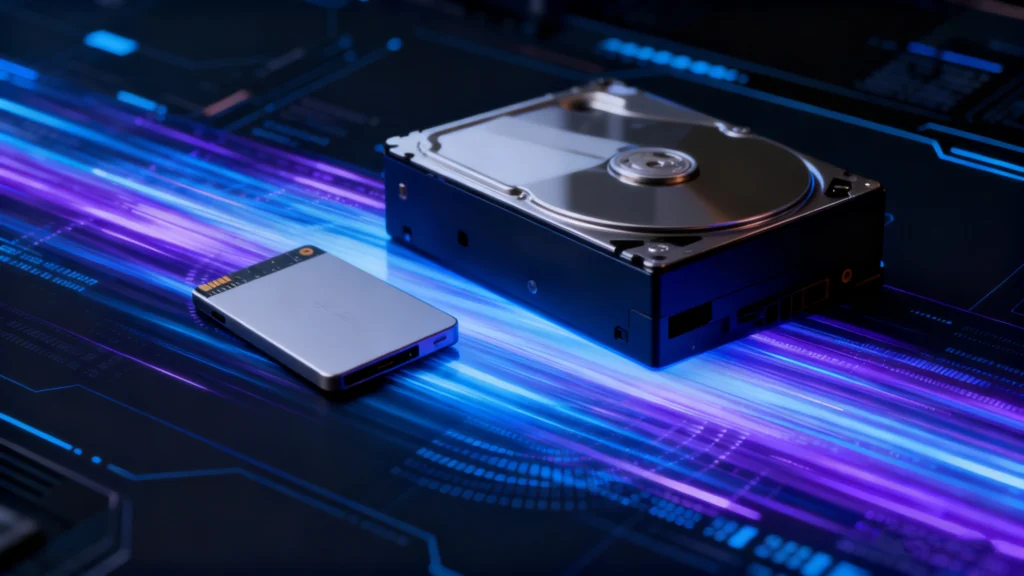
Entendendo o Prós e contras dos SSDs ajuda você a decidir se o armazenamento em estado sólido é adequado para o seu computador, backup, jogos ou fluxo de trabalho profissional. SSDs oferecem tempos de acesso rápidos, funcionamento silencioso, alta resistência a choques e baixo consumo de energia. No entanto, eles também custam mais por terabyte do que os discos rígidos e consomem Flash NAND com resistência à gravação limitada, o que pode dificultar a recuperação de arquivos excluídos devido a TRIM. Portanto, a melhor opção de armazenamento depende do que você valoriza mais: velocidade, capacidade, portabilidade ou economia a longo prazo.
Este guia explica os Prós e contras dos SSDs de uma perspectiva prática e técnica. Além disso, o artigo compara os SSDs com os HDDs, explica como os SSDs externos mudam o panorama e mostra em que situações cada tipo de armazenamento é mais adequado.
Índice
O que é um SSD e como ele funciona?
O aumento dos fluxos de trabalho móveis, a criação de conteúdo em 4K e 8K e a colaboração remota fizeram com que o armazenamento portátil assumisse uma função essencial para muitos usuários. Com a expansão dessas cargas de trabalho, as unidades externas de estado sólido (geralmente chamadas de SSDs portáteis) ganharam força por sua velocidade, confiabilidade e design compacto.
As tendências do setor apóiam essa mudança. As remessas de SSDs ultrapassaram HDDs pela primeira vez em 2020, e a adoção de SSDs portáteis continua a se acelerar em ambientes criativos, comerciais e de jogos. Este guia explica as vantagens e desvantagens de usar um SSD portátil. SSD como um disco rígido externo e ajuda a determinar se ele atende às suas necessidades de armazenamento.
Prós e contras dos SSDs em resumo
A tabela a seguir resume o Prós e contras dos SSDs antes de analisarmos cada ponto em detalhes.
Vantagens dos SSDs | Desvantagens dos SSDs |
Altas velocidades de leitura/gravação e baixa latência | Custo mais elevado por terabyte |
Sem peças mecânicas móveis | Resistência à gravação do NAND finito |
Alta resistência a choques e vibrações | Dados excluídos podem ser difíceis de recuperar |
Operação silenciosa | O desempenho pode diminuir durante gravações demoradas |
Menor consumo de energia | Os modelos NVMe de alto desempenho podem esquentar bastante |
Formatos compactos | Uma falha no controlador ou no firmware pode causar a perda repentina do acesso |
Inicialização rápida e carregamento rápido de aplicativos | As capacidades muito grandes continuam sendo caras |
Em geral, o Prós e contras dos SSDs Recomenda-se o uso de SSDs para sistemas voltados para o desempenho. Por outro lado, os HDDs ainda são uma boa opção quando o armazenamento em grande volume e de baixo custo é mais importante do que a velocidade.
SSD vs. HDD: como a tecnologia difere
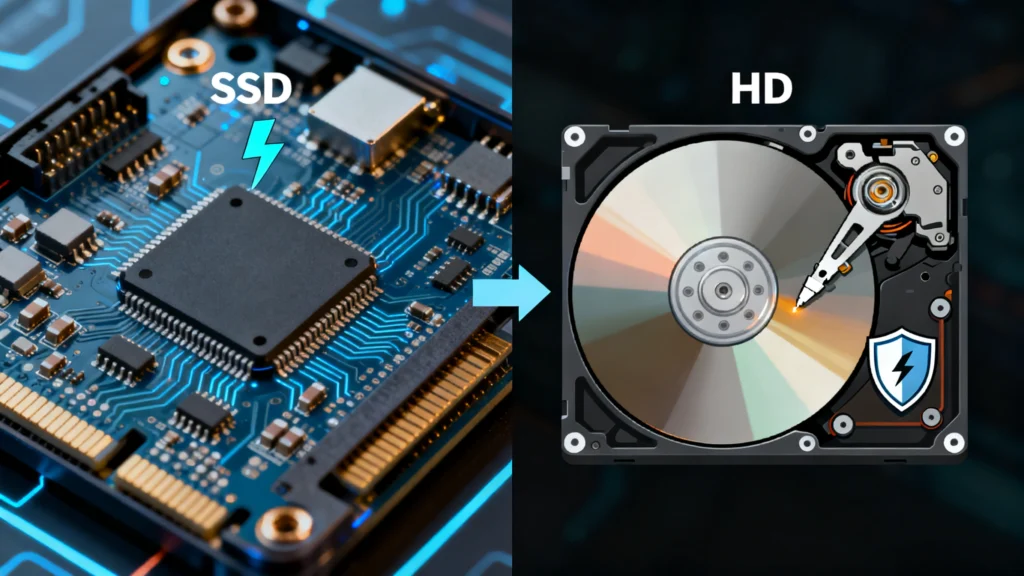
Vantagens dos SSDs: por que o armazenamento em estado sólido é tão popular
O lado positivo do Prós e contras dos SSDs Começa com o desempenho, mas a velocidade é apenas uma das vantagens.
1. Desempenho mais rápido em leitura e gravação
Os SSDs acessam a memória flash eletronicamente, evitando assim o tempo de busca mecânica que limita os HDDs. Como resultado, o Windows inicializa mais rápido, os aplicativos são abertos mais rapidamente e arquivos grandes são transferidos com mais rapidez.
Um SSD SATA pode atingir cerca de 500 MB/s em cargas de trabalho sequenciais, enquanto as unidades NVMe modernas podem chegar a vários gigabytes por segundo em condições ideais. No entanto, o desempenho na prática depende do controlador, do tipo de NAND, do cache, da geração da PCIe, da profundidade da fila, do tamanho do arquivo e dos limites térmicos.
Para os usuários comuns, a maior melhoria geralmente vem da baixa latência, e não da velocidade máxima nos testes de benchmark. Portanto, mesmo um SSD básico pode fazer com que o sistema pareça significativamente mais ágil do que um HDD. Na prática, essa diferença de desempenho continua sendo uma das mais evidentes Prós e contras dos SSDs para usuários comuns.
2. Maior resistência a choques e vibrações
Um HDD contém pratos giratórios e um braço atuador móvel. Já um SSD armazena dados em chips de memória flash e não utiliza nenhum mecanismo mecânico de leitura/gravação.
Portanto, os SSDs geralmente suportam melhor vibrações, solavancos e movimentos do que os HDDs. Essa vantagem é importante em notebooks, estações de trabalho portáteis, câmeras e dispositivos de armazenamento externo que são transportados com frequência. No entanto, um SSD ainda pode apresentar falhas após um impacto severo, danos nos conectores, exposição à água ou problemas elétricos. Mesmo assim, a resistência física continua sendo uma parte importante da Prós e contras dos SSDs.
3. Funcionamento silencioso
Como os SSDs não possuem motor giratório nem cabeça móvel, eles funcionam silenciosamente. Por isso, são ideais para ambientes de gravação, escritórios silenciosos, quartos e sistemas compactos, onde o ruído mecânico pode se tornar uma distração.
Os HDDs, por outro lado, podem emitir ruídos de rotação, de busca ou de clique. Portanto, o silêncio continua sendo uma das vantagens mais simples, mas também mais perceptíveis, ao comparar os Prós e contras dos SSDs com armazenamento mecânico.
4. Menor consumo de energia
Os SSDs geralmente consomem menos energia do que os discos rígidos mecânicos durante cargas de trabalho típicas de clientes. Como resultado, os laptops podem apresentar melhor eficiência da bateria, enquanto os sistemas compactos podem reduzir o consumo de energia.
No entanto, os SSDs NVMe de alto desempenho ainda podem consumir uma quantidade significativa de energia durante cargas de trabalho prolongadas. Portanto, a afirmação de que “SSD significa ausência de calor” é imprecisa. A principal vantagem é que os SSDs eliminam o motor e o conjunto mecânico móvel presentes nos HDDs, o que melhora a eficiência em muitos cenários comuns. Portanto, a eficiência energética ainda tem um impacto positivo na Prós e contras dos SSDs.
5. Tamanho compacto e formatos flexíveis
Os SSDs estão disponíveis em vários formatos compactos, incluindo unidades SATA de 2,5 polegadas, módulos M.2 e unidades externas portáteis. Assim, os fabricantes podem produzir laptops mais finos, computadores de mesa menores, sistemas portáteis e dispositivos de armazenamento externo leves.
Além disso, os SSDs M.2 se conectam diretamente à placa-mãe e não requerem nenhum cabo de dados separado. Essa flexibilidade oferece aos projetistas de sistemas mais liberdade do que os discos rígidos tradicionais de 3,5 polegadas.
6. Inicialização mais rápida e carregamento mais rápido de aplicativos e jogos
Outra vantagem prática no Prós e contras dos SSDs é um acesso mais rápido no dia a dia. Os sistemas operacionais leem milhares de pequenos arquivos durante a inicialização, enquanto jogos e aplicativos carregam constantemente recursos, bibliotecas e dados temporários.
Como os SSDs lidam com o acesso aleatório de maneira eficiente, eles podem reduzir o tempo de inicialização e os atrasos no carregamento. Além disso, máquinas virtuais, ambientes de desenvolvimento de software, catálogos de fotos e grandes projetos criativos costumam se beneficiar desse mesmo comportamento de baixa latência.
7. Maior adequação aos fluxos de trabalho móveis
Os SSDs portáteis combinam alto desempenho com tamanho reduzido e a ausência de peças mecânicas expostas. Por isso, fotógrafos, editores de vídeo, técnicos de campo e viajantes a negócios podem transportar projetos de grande porte sem precisar carregar um disco rígido de desktop volumoso.
No entanto, um SSD externo ainda depende do cabo, do gabinete e do padrão de conexão. Uma unidade NVMe rápida conectada por meio de uma interface USB mais lenta não consegue atingir toda a sua velocidade interna.
Desvantagens dos SSDs: limitações importantes que você deve conhecer
O lado negativo do Prós e contras dos SSDs isso é igualmente importante. Os SSDs modernos são confiáveis para muitas cargas de trabalho, mas ainda apresentam limitações técnicas e econômicas.
1. Custo mais alto por terabyte
Os SSDs geralmente custam mais por terabyte do que os HDDs, especialmente em capacidades maiores. Portanto, usuários que precisam de dezenas de terabytes para backups, arquivos de mídia, imagens de vigilância ou armazenamento em NAS podem obter melhor custo-benefício com os discos rígidos.
Os preços continuam mudando, por isso uma comparação em dólares fixos pode ficar desatualizada rapidamente. Em vez disso, compare o custo atual por terabyte no momento da compra. Para muitos sistemas, uma abordagem híbrida funciona bem: use um SSD para o sistema operacional e os arquivos em uso, e um HDD para arquivos grandes. Com isso, o custo continua sendo um dos fatores mais práticos Prós e contras dos SSDs o que deve ser avaliado antes de comprar um sistema de armazenamento.
2. Resistência à gravação do NAND finito
As células de memória flash NAND suportam um número limitado de ciclos de programação/apagamento. Os fabricantes de SSDs lidam com essa limitação por meio do nivelamento de desgaste, do provisionamento excedente, da correção de erros e dos blocos de reserva.
Os fabricantes costumam expressar a durabilidade como TBW, ou seja, terabytes gravados. Produtos empresariais também podem usar a medida DWPD, ou seja, gravações na unidade por dia. No entanto, usuários comuns de computadores de mesa raramente atingem o limite nominal de gravação tão rapidamente. Registros intensivos, armazenamento em cache, gravação contínua, cargas de trabalho de bancos de dados ou o uso de discos temporários podem aumentar o desgaste por gravação muito mais rapidamente.
Portanto, a resistência na escrita deve fazer parte de qualquer discussão completa sobre o Prós e contras dos SSDs, mas isso não deve levar a crer que todos os SSDs tenham vida útil curta.
3. Dados excluídos podem ser mais difíceis de recuperar
A recuperação de dados de SSDs pode se tornar difícil, pois os sistemas operacionais modernos e os controladores de SSD utilizam o TRIM, a coleta de lixo, o nivelamento de desgaste e o mapeamento de endereços lógicos para físicos.
Quando você exclui um arquivo, o TRIM pode informar ao SSD que os blocos relacionados não contêm mais os dados necessários. O controlador pode, então, recuperar esses blocos. Depois que o SSD apaga os dados subjacentes, um software comum de recuperação não consegue reconstruí-los.
Portanto, se arquivos importantes desaparecerem, pare de gravar novos dados no SSD. Você também pode ler nosso Guia de recuperação de dados de SSD e Guia de recuperação de arquivos em SSD para entender em que casos a recuperação ainda é possível.
Se o SSD continuar sendo reconhecido e o TRIM não tiver apagado os dados perdidos, uma ferramenta somente de leitura, como o Magic Data Recovery, pode ajudar em casos de perda lógica de dados. No entanto, nenhum software de recuperação consegue restaurar blocos que o controlador já tenha apagado. Por esse motivo, a recuperabilidade merece atenção especial ao avaliar o Prós e contras dos SSDs.
4. O desempenho sustentado de gravação pode diminuir
Muitos SSDs voltados para o consumidor utilizam um cache do tipo SLC para acelerar as gravações. No início, as transferências de grande volume podem ocorrer com muita rapidez. No entanto, quando esse cache fica cheio, a unidade precisa gravar diretamente no NAND TLC ou QLC, e a velocidade pode cair drasticamente.
Além disso, um SSD quase cheio tem menos blocos livres disponíveis para gerenciamento em segundo plano. Portanto, a coleta de lixo e a amplificação de gravação podem afetar o desempenho sustentado. Esse comportamento é mais relevante durante exportações longas de vídeo, criação de imagens de disco, backups de grande porte e outras cargas de trabalho com gravação intensiva.
5. Os SSDs de alto desempenho podem esquentar bastante
As unidades NVMe modernas podem gerar calor significativo durante transferências longas e intensas. Consequentemente, o controlador pode reduzir o desempenho por meio de limitação térmica quando as temperaturas sobem demais.
Um dissipador de calor, um fluxo de ar ou um gabinete externo bem projetado podem ajudar. No entanto, os usuários não devem presumir que todo SSD funcione a temperaturas mais baixas do que todo HDD em qualquer carga de trabalho. O consumo de energia e o comportamento térmico variam de acordo com o modelo e a classe de desempenho. Consequentemente, o projeto térmico também deve ser incluído em uma análise completa do Prós e contras dos SSDs.
6. A falha do SSD pode ocorrer repentinamente
Os discos rígidos mecânicos às vezes apresentam sinais de alerta, como ruídos incomuns, setores defeituosos recorrentes ou lentidão na leitura. Os SSDs não emitem ruídos mecânicos; portanto, falhas no controlador, no firmware, na memória NAND ou na alimentação podem, às vezes, fazer com que uma unidade desapareça repentinamente ou fique inacessível.
Portanto, as informações de integridade SMART podem ajudar, mas não são capazes de prever todas as falhas. Os backups regulares continuam sendo mais importantes do que qualquer indicador de integridade isolado.
Se um SSD ficar no formato RAW, desalocado, corrompido ou inacessível, adote uma abordagem que priorize a recuperação antes do reparo. Nosso Guia de reparo de SSD explica por que a formatação, o CHKDSK, a apagação segura e as alterações no firmware podem reduzir as opções de recuperação quando dados importantes ainda estão em risco.
Prós e contras dos SSDs em comparação com os HDDs
Uma maneira útil de compreender o Prós e contras dos SSDs é comparar os SSDs diretamente com os discos rígidos.
Recurso | SSD | HDD |
Tecnologia de armazenamento | Memória flash NAND | Discos giratórios magnéticos |
Acesso aleatório | Muito rápido | Limitado mecanicamente |
Velocidade sequencial | Rápido a extremamente rápido | Moderado |
Ruído | Silencioso | Atividade mecânica audível |
Resistência a choques | Em geral, melhor | Mais sensível a impactos |
Consumo de energia | Geralmente com menor carga de trabalho nos clientes | Mais alto devido aos motores e às peças móveis |
Resistência à escrita | Limitado pelos ciclos de gravação da memória NAND | Limitado pelo desgaste mecânico e pelas condições do meio |
Custo por TB | Mais alto | Inferior |
Valor de grande capacidade | Menos econômico | Forte |
Recuperação de arquivos excluídos | Muitas vezes, é mais difícil por causa do TRIM | Muitas vezes é mais fácil se os setores permanecerem intactos |
Melhor uso | Sistemas operacionais, aplicativos, jogos, projetos em andamento | Backups, arquivos, armazenamento de alta capacidade |
Nenhuma das duas tecnologias se destaca em todas as categorias. Portanto, a escolha certa depende da carga de trabalho. Se você deseja tempos de inicialização rápidos, baixa latência, funcionamento silencioso e portabilidade, o SSD geralmente leva vantagem. Por outro lado, se você precisa de armazenamento de vários terabytes a um custo acessível, um HDD ainda pode oferecer um custo-benefício melhor.
Como as vantagens e desvantagens dos SSDs mudam no caso de unidades externas
O Prós e contras dos SSDs podem variar ligeiramente quando você coloca a unidade em um gabinete externo. O SSD em si pode suportar velocidades muito altas, mas a conexão pode se tornar o gargalo.
Por exemplo, o USB 3.x, o USB4 e o Thunderbolt oferecem diferentes níveis de largura de banda. Além disso, o controlador do gabinete, a qualidade do cabo, a porta do host e o projeto térmico podem afetar o desempenho real. Portanto, um SSD NVMe externo não funciona automaticamente na mesma velocidade que a mesma unidade instalada diretamente em um slot PCIe.
Os SSDs externos também oferecem uma grande vantagem em termos de portabilidade. Como não possuem pratos giratórios, eles suportam melhor o transporte do que os HDDs portáteis. No entanto, os usuários ainda precisam proteger o conector USB, o cabo e o invólucro contra impactos.
Por fim, os SSDs externos podem ser uma boa opção para o armazenamento de projetos em andamento, backups rápidos, bibliotecas de jogos e transferência de arquivos grandes entre sistemas. Em contrapartida, os HDDs externos costumam ser mais econômicos para arquivos de longo prazo, nos quais a capacidade é mais importante do que a velocidade.
Quando um SSD é a melhor opção?
Após analisar o Prós e contras dos SSDs, opte por um SSD quando o desempenho e a agilidade forem fundamentais. Por exemplo, um SSD é uma boa opção para:
- Unidades do Windows e de aplicativos
- Sistemas de jogos
- Edição de vídeos e fotos
- Máquinas virtuais
- Desenvolvimento de software
- Armazenamento portátil de projetos
- Laptops e estações de trabalho portáteis
Por outro lado, considere um HDD quando precisar de um espaço de armazenamento muito grande ao menor custo viável. Backups, arquivos inativos, armazenamento para vigilância e bibliotecas de mídia de grande porte geralmente se enquadram nesse perfil.
Em muitos casos, combinar as duas tecnologias proporciona o melhor equilíbrio. Use um SSD para dados ativos e um HDD para armazenamento em grande volume. Com isso, você ganha velocidade onde realmente importa, sem precisar pagar o preço de um SSD por cada terabyte.
O que procurar ao comprar um SSD externo
Para obter o melhor desempenho e confiabilidade, considere estes fatores antes de comprar:
Interface: Prefira USB 3.2 Gen 2, USB4 ou Thunderbolt 3/4.
Capacidade: Escolha pelo menos 1 TB para cargas de trabalho modernas.
Durabilidade: Procure classificações IP67 ou gabinetes resistentes a quedas se estiver viajando ou fotografando em ambientes externos.
Projeto térmico: Os gabinetes ou dissipadores de calor de metal ajudam a manter o desempenho.
Garantia e marca: Selecione marcas de boa reputação que ofereçam de 3 a 5 anos de cobertura.
Se você precisar recuperar arquivos perdidos ou inacessíveis de uma SSD externa, Magic Data Recovery oferece varredura confiável e somente leitura que ajuda a proteger a integridade da unidade enquanto Recuperação de seus dados com segurança.
Compatível com Windows 7/8/10/11 e Windows Server
Perguntas frequentes
Quais são as principais vantagens e desvantagens dos SSDs?
Qual é a maior desvantagem de um SSD?
Os SSDs duram mais do que os HDDs?
Um SSD é mais confiável do que um HDD?
Os SSDs ficam mais lentos com o tempo?
É possível recuperar dados de um SSD com defeito?
Um SSD é adequado para armazenamento de longo prazo?

Eddie é um especialista em TI com mais de 10 anos de experiência trabalhando em várias empresas conhecidas do setor de informática. Ele traz um profundo conhecimento técnico e habilidades práticas de solução de problemas para cada projeto.