
The Pros and Cons of SSDs as External Hard Drives
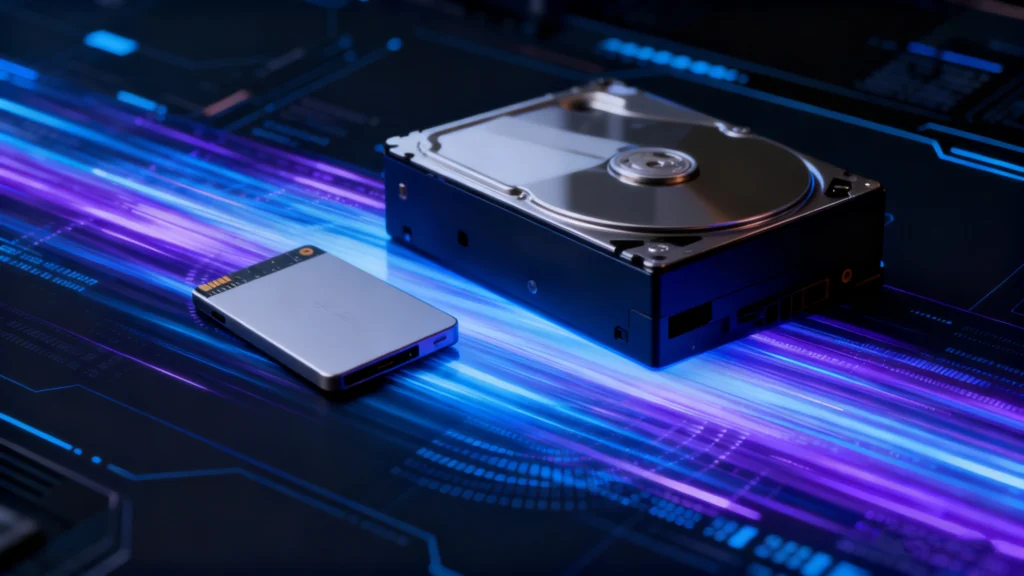
Understanding the Pros and Cons of SSDs helps you decide whether solid-state storage fits your computer, backup, gaming, or professional workflow. SSDs deliver fast access times, silent operation, strong shock resistance, and low power use. However, they also cost more per terabyte than hard disk drives, use NAND flash with finite write endurance, and can make deleted-file recovery difficult because of TRIM. Therefore, the best storage choice depends on whether you value speed, capacity, portability, or long-term cost efficiency.
This guide explains the Pros and Cons of SSDs from a practical and technical perspective. In addition, it compares SSDs with HDDs, explains how external SSDs change the equation, and shows when each storage type makes the most sense.
Table of Contents
What Is an SSD and How Does It Work?
The rise of mobile workflows, 4K and 8K content creation, and remote collaboration has pushed portable storage into an essential role for many users. As these workloads expand, external solid-state drives (often called portable SSDs) have gained traction for their speed, reliability, and compact design.
Industry trends support this shift. SSD shipments surpassed HDDs for the first time in 2020, and portable SSD adoption continues to accelerate across creative, business, and gaming environments. This guide explains the advantages and drawbacks of using an SSD as an external hard drive and helps determine whether it fits your storage needs.
Pros and Cons of SSDs at a Glance
The following table summarizes the Pros and Cons of SSDs before we examine each point in detail.
Pros of SSDs | Cons of SSDs |
Fast read/write speeds and low latency | Higher cost per terabyte |
No moving mechanical parts | Finite NAND write endurance |
Strong resistance to shock and vibration | Deleted data can be hard to recover |
Silent operation | Performance can fall during long writes |
Lower power consumption | High-performance NVMe models can run hot |
Compact form factors | Controller or firmware failure may cause sudden loss of access |
Fast boot and application loading | Very large capacities remain expensive |
Overall, the Pros and Cons of SSDs favor SSDs for performance-focused systems. On the other hand, HDDs still make sense when low-cost bulk storage matters more than speed.
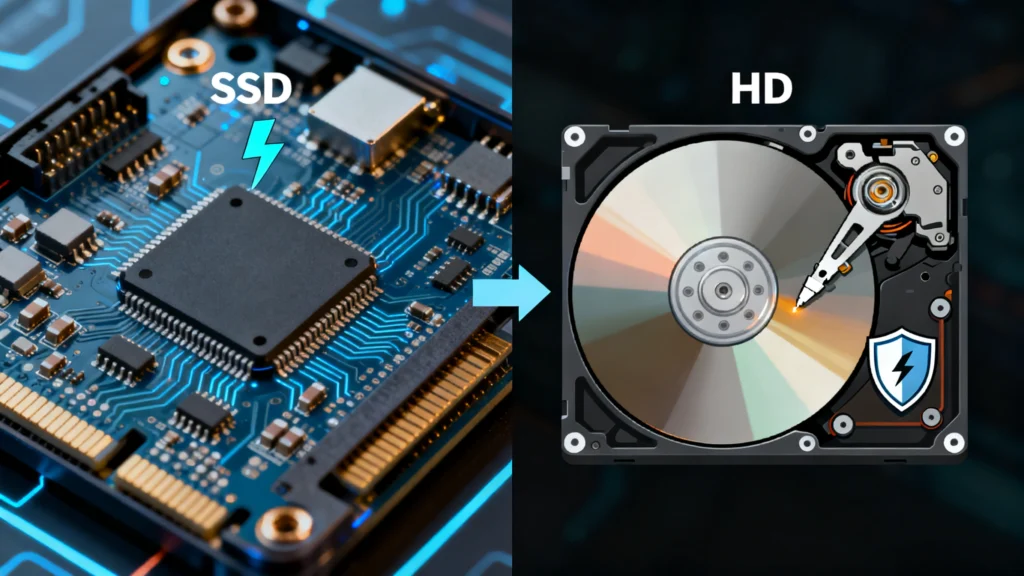
SSD vs. HDD: How the Technology Differs
Pros of SSDs: Why Solid-State Storage Is Popular
The positive side of the Pros and Cons of SSDs starts with performance, but speed is only one advantage.
1. Faster Read and Write Performance
SSDs access flash memory electronically, so they avoid the mechanical seek time that limits HDDs. As a result, Windows can boot faster, applications can launch sooner, and large files can move more quickly.
A SATA SSD may deliver around 500 MB/s in sequential workloads, while modern NVMe drives can reach several gigabytes per second under ideal conditions. However, real-world performance depends on the controller, NAND type, cache, PCIe generation, queue depth, file size, and thermal limits.
For everyday users, the biggest improvement often comes from low latency rather than peak benchmark speed. Therefore, even a basic SSD can make a system feel dramatically more responsive than an HDD. In practical use, this performance gap remains one of the clearest Pros and Cons of SSDs for everyday users.
2. Better Shock and Vibration Resistance
An HDD contains spinning platters and a moving actuator arm. In contrast, an SSD stores data on flash memory chips and uses no mechanical read/write mechanism.
Therefore, SSDs generally handle vibration, bumps, and movement better than HDDs. This advantage matters in laptops, portable workstations, cameras, and external storage that travels frequently. Nevertheless, an SSD can still fail after severe impact, connector damage, water exposure, or electrical problems. Even so, physical resilience remains an important part of the Pros and Cons of SSDs.
3. Silent Operation
Because SSDs have no spinning motor or moving head, they operate silently. Consequently, they suit recording environments, quiet offices, bedrooms, and compact systems where mechanical noise can become distracting.
HDDs, by comparison, can produce spinning, seeking, or clicking sounds. Therefore, silence remains one of the simplest but most noticeable advantages when comparing the Pros and Cons of SSDs with mechanical storage.
4. Lower Power Consumption
SSDs usually consume less power than mechanical hard drives during typical client workloads. As a result, laptops may gain better battery efficiency, while compact systems can reduce power demand.
However, high-performance NVMe SSDs can still draw significant power during sustained workloads. Therefore, “SSD means no heat” is inaccurate. The key advantage is that SSDs remove the motor and moving mechanical assembly found in HDDs, which improves efficiency in many common scenarios. Therefore, power efficiency still weighs positively in the Pros and Cons of SSDs.
5. Compact Size and Flexible Form Factors
SSDs come in several compact formats, including 2.5-inch SATA drives, M.2 modules, and portable external units. Therefore, manufacturers can build thinner laptops, smaller desktops, handheld systems, and lightweight external storage.
In addition, M.2 SSDs connect directly to the motherboard and require no separate data cable. This flexibility gives system designers more freedom than traditional 3.5-inch hard drives.
6. Faster Boot, App, and Game Loading
Another practical advantage in the Pros and Cons of SSDs is faster everyday access. Operating systems read thousands of small files during startup, while games and applications constantly load assets, libraries, and temporary data.
Because SSDs handle random access efficiently, they can reduce boot times and loading delays. Moreover, virtual machines, software development environments, photo catalogs, and large creative projects often benefit from the same low-latency behavior.
7. Better Fit for Mobile Workflows
Portable SSDs combine high performance with small size and no exposed mechanical parts. Therefore, photographers, video editors, field technicians, and business travelers can move large projects without carrying a bulky desktop hard drive.
However, an external SSD still depends on its cable, enclosure, and connection standard. A fast NVMe drive connected through a slower USB interface cannot deliver its full internal speed.
Cons of SSDs: Important Limitations to Know
The negative side of the Pros and Cons of SSDs matters just as much. Modern SSDs are reliable for many workloads, but they still have technical and economic limitations.
1. Higher Cost per Terabyte
SSDs generally cost more per terabyte than HDDs, especially at higher capacities. Therefore, users who need tens of terabytes for backups, media archives, surveillance footage, or NAS storage may get better value from hard drives.
Prices continue to change, so a fixed dollar comparison can become outdated quickly. Instead, compare current cost per terabyte when you buy. For many systems, a hybrid approach works well: use an SSD for the operating system and active files, then use an HDD for large archives. As a result, cost remains one of the most practical Pros and Cons of SSDs to evaluate before buying storage.
2. Finite NAND Write Endurance
NAND flash cells tolerate a limited number of program/erase cycles. SSD makers manage this limitation through wear leveling, over-provisioning, error correction, and spare blocks.
Manufacturers often express endurance as TBW, or terabytes written. Enterprise products may also use DWPD, or drive writes per day. However, normal desktop users rarely reach the rated write limit quickly. Heavy logging, caching, continuous recording, database workloads, or scratch-disk use can increase write wear much faster.
Therefore, write endurance belongs in any complete discussion of the Pros and Cons of SSDs, but it should not imply that every SSD has a short life.
3. Deleted Data Can Be Harder to Recover
SSD data recovery can become difficult because modern operating systems and SSD controllers use TRIM, garbage collection, wear leveling, and logical-to-physical address mapping.
When you delete a file, TRIM can tell the SSD that the related blocks no longer contain needed data. The controller can then reclaim those blocks. Once the SSD has cleared the underlying data, ordinary recovery software cannot reconstruct it.
Therefore, if important files disappear, stop writing new data to the SSD. You can also read our SSD data recovery guide and SSD file recovery guide to understand when recovery remains possible.
If the SSD stays recognized and TRIM has not cleared the lost data, a read-only tool such as Magic Data Recovery may help with logical data-loss cases. However, no recovery software can restore blocks that the controller has already erased. For that reason, recoverability deserves special attention when weighing the Pros and Cons of SSDs.
4. Sustained Write Performance Can Drop
Many consumer SSDs use an SLC-style cache to accelerate writes. At first, large transfers may run very quickly. However, once that cache fills, the drive must write directly to TLC or QLC NAND, and speed can fall sharply.
In addition, a nearly full SSD has fewer free blocks available for background management. Therefore, garbage collection and write amplification can affect sustained performance. This behavior matters most during long video exports, disk imaging, large backups, and other heavy write workloads.
5. High-Performance SSDs Can Run Hot
Modern NVMe drives can generate substantial heat during long, intensive transfers. Consequently, the controller may reduce performance through thermal throttling when temperatures rise too far.
A heatsink, airflow, or well-designed external enclosure can help. However, users should not assume every SSD runs cooler than every HDD under every workload. Power and thermal behavior vary by model and performance class. Consequently, thermal design also belongs in a complete review of the Pros and Cons of SSDs.
6. SSD Failure Can Appear Suddenly
Mechanical hard drives sometimes show warning signs such as unusual noises, repeated bad sectors, or slow reads. SSDs have no mechanical sound, so controller, firmware, NAND, or power failures can sometimes make a drive suddenly disappear or become inaccessible.
Therefore, SMART health information can help, but it cannot predict every failure. Regular backups remain more important than any single health indicator.
If an SSD becomes RAW, unallocated, corrupted, or inaccessible, follow a recover-first approach before repair. Our SSD repair guide explains why formatting, CHKDSK, Secure Erase, and firmware changes can reduce recovery options when important data is still at risk.
Pros and Cons of SSDs vs HDDs
A useful way to understand the Pros and Cons of SSDs is to compare SSDs directly with hard disk drives.
Feature | SSD | HDD |
Storage technology | NAND flash memory | Magnetic spinning platters |
Random access | Very fast | Mechanically limited |
Sequential speed | Fast to extremely fast | Moderate |
Noise | Silent | Audible mechanical activity |
Shock resistance | Generally better | More sensitive to impact |
Power use | Usually lower in client workloads | Higher because of motors and moving parts |
Write endurance | Limited by NAND write cycles | Limited by mechanical wear and media condition |
Cost per TB | Higher | Lower |
Large-capacity value | Less economical | Strong |
Deleted-file recovery | Often harder because of TRIM | Often easier if sectors remain intact |
Best use | OS, apps, gaming, active projects | Backups, archives, high-capacity storage |
Neither technology wins every category. Therefore, the right choice depends on workload. If you want fast boot times, low latency, quiet operation, and portability, an SSD usually wins. On the other hand, if you need inexpensive multi-terabyte storage, an HDD can still offer better value.
How the Pros and Cons of SSDs Change for External Drives
The Pros and Cons of SSDs change slightly when you place the drive in an external enclosure. The SSD itself may support very high speeds, but the connection can become the bottleneck.
For example, USB 3.x, USB4, and Thunderbolt offer different bandwidth levels. In addition, the enclosure controller, cable quality, host port, and thermal design can affect real performance. Therefore, an external NVMe SSD does not automatically run at the same speed as the same drive installed directly on a PCIe slot.
External SSDs also gain a major portability advantage. Because they contain no spinning platters, they handle movement better than portable HDDs. However, users still need to protect the USB connector, cable, and enclosure from impact.
Finally, external SSDs can work well for active project storage, fast backups, game libraries, and moving large files between systems. In contrast, external HDDs often remain more economical for long-term archives where capacity matters more than speed.
When Is an SSD the Better Choice?
After reviewing the Pros and Cons of SSDs, choose an SSD when performance and responsiveness matter most. For example, an SSD makes sense for:
- Windows and application drives
- Gaming systems
- Video and photo editing
- Virtual machines
- Software development
- Portable project storage
- Laptops and mobile workstations
On the other hand, consider an HDD when you need very large storage at the lowest practical cost. Backups, cold archives, surveillance storage, and massive media libraries often fit that profile.
In many cases, combining both technologies gives the best balance. Use an SSD for active data and an HDD for bulk storage. As a result, you gain speed where it matters without paying SSD prices for every terabyte.
What to Look for When Buying an External SSD
To get the best performance and reliability, consider these factors before purchasing:
Interface: Prefer USB 3.2 Gen 2, USB4, or Thunderbolt 3/4.
Capacity: Choose at least 1TB for modern workloads.
Durability: Look for IP67 ratings or drop-resistant enclosures if traveling or shooting outdoors.
Thermal Design: Metal enclosures or heatsinks help sustain performance.
Warranty and Brand: Select reputable brands offering 3–5 years of coverage.
If you need to recover lost or inaccessible files from an external SSD, Magic Data Recovery offers reliable, read-only scanning that helps protect drive integrity while recovering your data safely.
Supports Windows 7/8/10/11 and Windows Server
FAQs
What are the main pros and cons of SSDs?
What is the biggest disadvantage of an SSD?
Do SSDs last longer than HDDs?
Is an SSD more reliable than an HDD?
Do SSDs slow down over time?
Can data be recovered from a failed SSD?
Is an SSD good for long-term storage?

Eddie is an IT specialist with over 10 years of experience working at several well-known companies in the computer industry. He brings deep technical knowledge and practical problem-solving skills to every project.