
Relación de compresión
Índice
La presión de almacenamiento y el papel de la compresión
Copias de seguridad, Los archivos de registro y las imágenes de disco crecen más rápido que la mayoría de los presupuestos de almacenamiento.
Puedes añadir más discos, pero eso sólo retrasa el siguiente problema de capacidad.
La compresión introduce una opción más inteligente.
En lugar de almacenar de nuevo cada patrón repetido, se reduce la redundancia y se mantiene una representación más pequeña que sigue permitiendo la restauración completa cuando se necesita.
Definición de la tasa de compresión de archivos y copias de seguridad
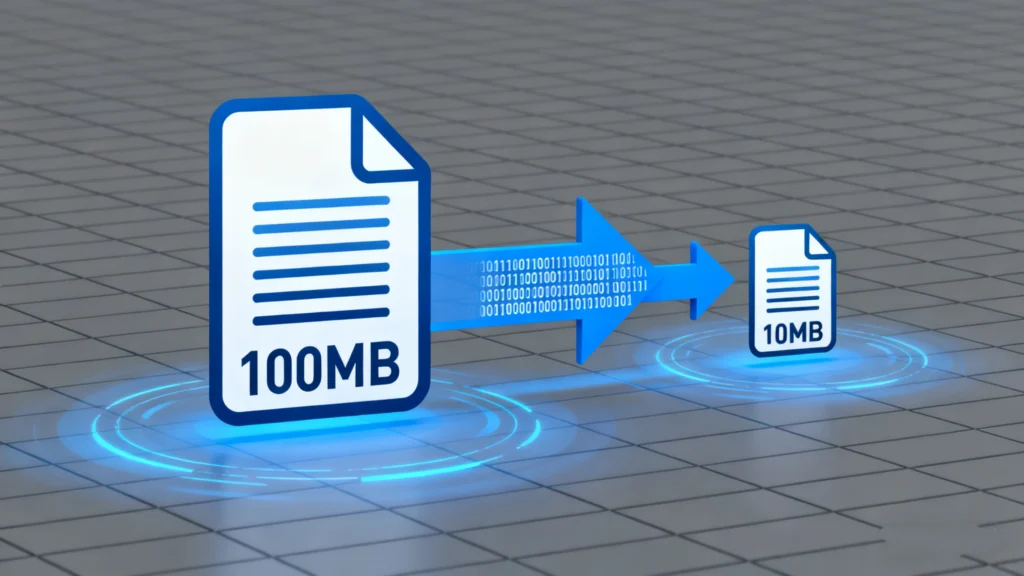
La relación de compresión describe cuánto reduce los datos un compresor.
Compara el tamaño original con el tamaño comprimido y expresa la reducción como una simple proporción.
Fórmula básica y ejemplos
La fórmula habitual es la siguiente:
Tasa de compresión = tamaño original ÷ tamaño comprimido
Ejemplos:
Original 10 GB, comprimido 2 GB → 10 ÷ 2 = 5:1
Original 800 MB, comprimido 400 MB → 800 ÷ 400 = 2:1
Una proporción de 5:1 significa que el archivo comprimido ocupa una quinta parte del espacio original.
Los ratios más altos indican una mayor reducción de tamaño para ese conjunto de datos.
Interpretación de ratios en cargas de trabajo reales
Rara vez se ve la misma relación de compresión en todas partes.
Los registros de texto y los volcados de bases de datos suelen comprimirse muy bien, mientras que los archivos JPEG o ya comprimidos apenas se benefician de ello.
Al ajustar las políticas de copia de seguridad, debes hacer un seguimiento:
Proporción típica para cada tipo de datos
Tamaño de las copias de seguridad y plazos de conservación
Restablecer la hora de los conjuntos comprimidos
Esta información te ayuda a establecer expectativas realistas sobre el crecimiento del almacenamiento y la velocidad de recuperación.
Factores que determinan los resultados de la compresión
El mismo algoritmo puede producir relaciones de compresión muy distintas con entradas diferentes.
La reducción es mayor cuando los datos tienen estructura y repetición.
Tipo de datos y redundancia
Los contenidos muy estructurados y repetitivos son los que mejor funcionan:
Texto sin formato, CSV y XML
Código fuente y archivos de registro
Imágenes de máquinas virtuales con bloques no utilizados
Los archivos multimedia y los datos cifrados se comprimen mal:
JPEG, MP4, MP3 y muchos recursos de juegos
Contenedores cifrados y archivos ya comprimidos
Debes evitar recomprimir formatos que ya utilizan una compresión fuerte, especialmente cuando la velocidad importa más que las pequeñas ganancias adicionales.
Elección del algoritmo y configuración
Diferentes algoritmos siguen diferentes compensaciones:
Los compresores rápidos de uso general (tipo DEFLATE) equilibran velocidad y reducción
Los métodos más recientes (como los diccionarios modernos o los esquemas de entropía) consiguen ratios más altos con un mayor coste de CPU.
Herramientas especializadas para copias de seguridad, bases de datos o imágenes forenses con técnicas que tienen en cuenta el formato.
El tamaño del bloque, el tamaño del diccionario y la configuración del “nivel” también cambian el comportamiento.
Los niveles más altos suelen aumentar la relación de compresión y la carga de la CPU al mismo tiempo.
Límites con datos cifrados o ya comprimidos
Los datos cifrados deben parecer aleatorios a un observador.
Los datos aleatorios casi no contienen patrones, por lo que los compresores no ganan casi nada.
Si una copia de seguridad incluye grandes volúmenes cifrados o muchos archivos multimedia comprimidos, no esperes ratios impresionantes.
En ese escenario, la deduplicación o la copia de seguridad a menudo ayuda más que una compresión agresiva.
Equilibrio entre la tasa de compresión, la velocidad y el riesgo

Buscar la mayor relación de compresión posible no siempre ayuda.
Debe equilibrar tres objetivos: tamaño, rendimiento y seguridad.
Impacto en la copia de seguridad de Windows
Mayores niveles de compresión:
Reducir el uso del almacenamiento
Ampliar el tiempo de CPU por gigabyte
Alargar las ventanas de copia de seguridad y restauración
Si su copia de seguridad sólo se ejecuta durante una pequeña ventana nocturna, los ajustes extremos pueden empujar los trabajos más allá del tiempo permitido.
Copias de seguridad incrementales o diferenciales con compresión moderada suelen funcionar mejor para los horarios diarios.
Efectos sobre la recuperación y la integridad de los datos
Al comprimir conjuntos de copias de seguridad o imágenes de disco, la ruta de recuperación depende de un único contenedor comprimido.
Un pequeño vuelco dentro de ese contenedor puede afectar a muchos archivos.
Para reducir el riesgo, debería:
Almacenar conjuntos comprimidos en soportes fiables
Utilizar sumas de comprobación o paridad para detectar y reparar daños
Conserve al menos una copia en un lugar separado
Evitar ciclos de recompresión innecesarios
Herramientas como Magic Data Recovery aún puede escanear y recuperar datos de los discos subyacentes cuando fallan las copias de seguridad comprimidas, pero se gana más seguridad cuando se trata la compresión como parte de un plan de resiliencia mayor.
Pasos prácticos para copias de seguridad comprimidas más seguras
Puede integrar la compresión en su flujo de trabajo de copia de seguridad sin sacrificar la fiabilidad.
Clasificar los datos en tipos que se comprimen bien y tipos que no.
Active la compresión por defecto para las exportaciones de texto, registros y bases de datos.
Utilice niveles de compresión moderados para las copias de seguridad diarias; reserve niveles más altos para los archivos semanales o mensuales.
Guarde los conjuntos comprimidos en un almacenamiento verificado y copie al menos un conjunto fuera de las instalaciones.
Pruebe periódicamente las restauraciones a partir de copias de seguridad comprimidas para medir tanto el tiempo como la integridad.
Visite Magic Data Recovery disponible para los casos en los que debe recuperarse a partir de un disco de origen dañado o parcialmente escrito en lugar de a partir de copias de seguridad.
Conclusión
El índice de compresión ofrece una visión clara y cuantitativa de la eficacia con la que se reduce el tamaño de los datos.
Bien utilizada, la compresión alarga la vida del almacenamiento, acorta los tiempos de transferencia y hace más asequible la conservación a largo plazo.
Los mejores resultados se obtienen cuando se adaptan los algoritmos y los ajustes a los datos reales, se controlan las proporciones a lo largo del tiempo y se protegen los conjuntos comprimidos con sonido. copia de seguridad y prácticas de recuperación.
De este modo, el ahorro de tamaño favorece la fiabilidad en lugar de socavarla.
Preguntas frecuentes
¿Qué significa relación de compresión?
¿Qué significa una relación de compresión de 10:1?
¿Por qué es importante la relación de compresión?
¿Cómo calcular la relación de compresión?
¿Qué es mejor, una relación de compresión mayor o menor?
¿Qué es lo peor para un motor diésel?
¿Cómo afecta la relación de compresión a la potencia del motor?
¿Puedo calcular la potencia sin un banco de potencia?

Eddie es un informático con más de 10 años de experiencia en varias empresas de renombre del sector informático. Aporta a cada proyecto profundos conocimientos técnicos y capacidad práctica para resolver problemas.