
Sala blanca
Índice
Riesgos de abrir un disco duro fuera de una sala blanca
Dentro de un disco duro, Los cabezales de lectura/escritura flotan a una pequeña distancia por encima de los platos giratorios.
Una sola partícula de polvo puede rayar las pistas, destruir la información de los servomotores y borrar sistemas de archivos enteros.
Cuando alguien abre una unidad en un escritorio o en un taller, polvo, fibras y escamas de piel caen sobre los platos.
Cada rotación arrastra entonces esas partículas por la superficie y convierte un caso recuperable en una pérdida permanente.
Condiciones que definen una sala blanca de recuperación de datos
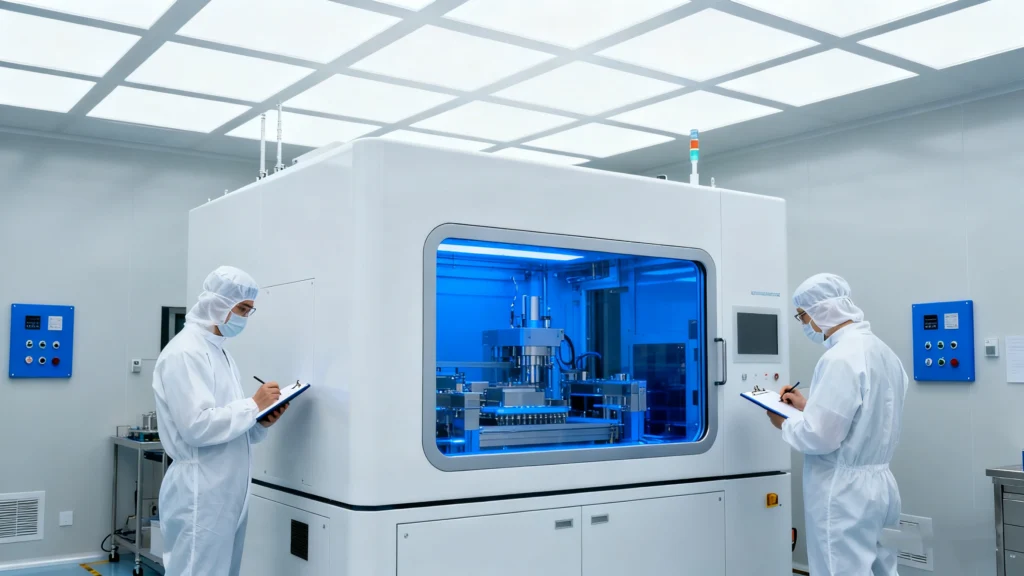
Una sala blanca controla las partículas, el flujo de aire, la temperatura y la actividad humana.
Recuperación de datos Los laboratorios lo utilizan cuando abren unidades selladas, intercambian cabezales o mueven platos.
Calidad del aire y filtración
Una sala limpia profesional:
Utiliza filtros HEPA o ULPA para eliminar las partículas microscópicas del aire
Mantiene la presión positiva para que el aire no filtrado no pueda fluir hacia el interior
Monitors particle counts by class (for example, ISO 5 or ISO 6 levels)
Controla la humedad y la temperatura para proteger los componentes electrónicos y los soportes
Estas condiciones mantienen la contaminación del aire muy por debajo de los niveles normales de las oficinas.
Esa protección es importante cuando los platos giran a miles de revoluciones por minuto bajo delicados cabezales.
Superficies de trabajo y herramientas
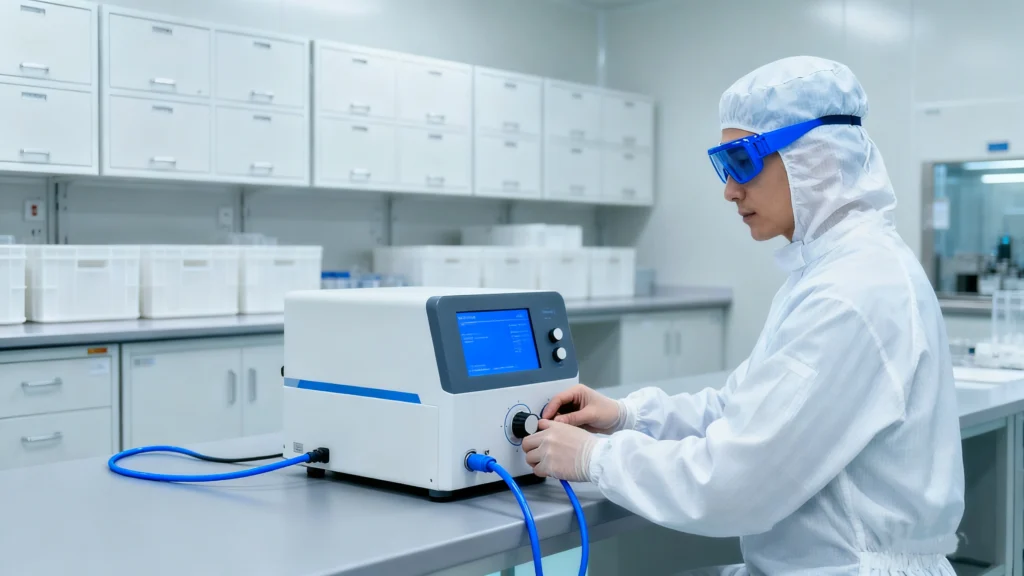
Recuperación de datos Los ingenieros trabajan en bancos limpios o campanas de flujo laminar.
Estas estaciones dirigen el aire filtrado sobre el espacio de trabajo y alejan los contaminantes de los accionamientos abiertos.
Un banco de sala blanca suele incluir:
Superficies de trabajo antiestáticas y muñequeras
Herramientas de precisión para trabajos en cabezales y platos
Fijaciones especializadas para estabilizar conjuntos
Aumento e iluminación para una inspección detallada
Los técnicos también llevan batas, guantes, mascarillas y cubrezapatos para reducir las fibras y las partículas en la piel.
Papel de las salas blancas en la recuperación profesional de discos duros
Las salas blancas soportan los pasos más invasivos y de mayor riesgo en la recuperación de discos duros.
Los ingenieros sólo los utilizan cuando los métodos basados en software ya no pueden ayudarles.
Entre las tareas típicas de una sala blanca se incluyen:
Sustitución de la pila de cabezales para unidades con cabezales averiados
El plato se desplaza cuando se bloquean los motores o fallan los cojinetes.
Inspección de los componentes internos tras sufrir daños por golpes o líquidos
El chip de firmware funciona en algunos diseños
Una vez que los ingenieros restablecen la función mecánica básica, trasladan la unidad a un equipo de diagnóstico por imagen.
Ese equipo clona tantos datos legibles como sea posible en un disco separado para la recuperación lógica.
Cuándo debe abandonar sus intentos de bricolaje
Muchos usuarios intentan recuperación basada en software primero, lo que tiene sentido cuando la unidad sigue girando, enumerando y leyendo datos.
Los síntomas mecánicos requieren una respuesta diferente.
Debe detener el bricolaje y evitar más ciclos de energía cuando:
La unidad hace clic, rechina o gira hacia arriba y hacia abajo repetidamente.
El firmware identifica incorrectamente o cambia el modelo y la capacidad de forma errática
La unidad se cae del sistema con una carga ligera
Aparecen olores a quemado o daños visibles
En esos casos, cada intento adicional puede empeorar el daño mediático.
Un laboratorio de sala blanca puede inspeccionar y decidir si los cambios de cabezales u otros trabajos a nivel de componentes aún ofrecen alguna posibilidad.
Cómo se conecta el trabajo en sala blanca con la recuperación de software
El trabajo en sala blanca y la recuperación lógica se complementan.
Uno protege los soportes físicos; el otro reconstruye los sistemas de archivos y los ficheros.
Una secuencia típica es la siguiente:
Una unidad sufre un fallo mecánico y no puede permanecer en línea el tiempo suficiente para la creación de imágenes.
Un laboratorio de sala blanca sustituye los cabezales o motores averiados y estabiliza el aparato.
A continuación, el laboratorio utiliza hardware de imagen para crear un clon a nivel de sector.
Usted o el laboratorio utilizan herramientas como Magic Data Recovery en ese clon.
El software reconstruye particiones, sistemas de archivos y estructuras de directorios a partir de la copia más segura.
Esta separación mantiene el trabajo físico invasivo y el escaneado lógico de alta intensidad alejados de los soportes originales.
Protección de una unidad averiada antes de enviarla a una sala blanca
Puede aumentar las probabilidades de éxito manipulando con cuidado una unidad averiada antes de enviarla a cualquier parte.
Pasos recomendados:
Apague el sistema en cuanto perciba ruidos mecánicos o repetidos. Errores de E/S.
Retire la unidad con cuidado y evite flexionar el chasis.
Coloque la unidad en una bolsa antiestática y utilícela para protegerla durante el transporte.
Etiquete la unidad con los síntomas del fallo y si alguien la ha abierto antes.
Elija un laboratorio que utilice salas blancas certificadas y pueda facilitar documentación sobre los procedimientos.
No debe congelar las transmisiones, abrir las tapas ni golpear las carcasas.
Esos mitos suelen causar más daño que el fallo original.
Conclusión
Las habitaciones limpias dan recuperación de datos crea un entorno controlado para las operaciones de disco más delicadas.
Reducen el polvo y los riesgos estáticos a niveles a los que los talleres ordinarios no pueden acercarse.
Cuando un fallo de la unidad mecánicamente, el trabajo en sala blanca se convierte a menudo en la última opción técnica antes de la pérdida definitiva.
Después de que un laboratorio estabilice el hardware y produzca una imagen, un software como Magic Data Recovery puede completar la recuperación lógica y devolver los archivos a un destino seguro.
Compatible con Windows 7/8/10/11 y Windows Server
Preguntas frecuentes
¿Qué se entiende por sala blanca?
¿Qué hay en una sala blanca?
¿Qué hace una sala blanca?
¿Qué es una sala blanca en farmacia?
¿Qué hacer y qué no hacer en una sala blanca?
¿Qué dice de alguien una habitación limpia?
¿Qué no está permitido en una sala blanca?
¿Una habitación limpia es buena para la salud mental?

Eddie es un informático con más de 10 años de experiencia en varias empresas de renombre del sector informático. Aporta a cada proyecto profundos conocimientos técnicos y capacidad práctica para resolver problemas.