
Come recuperare i file da una scheda SD danneggiata
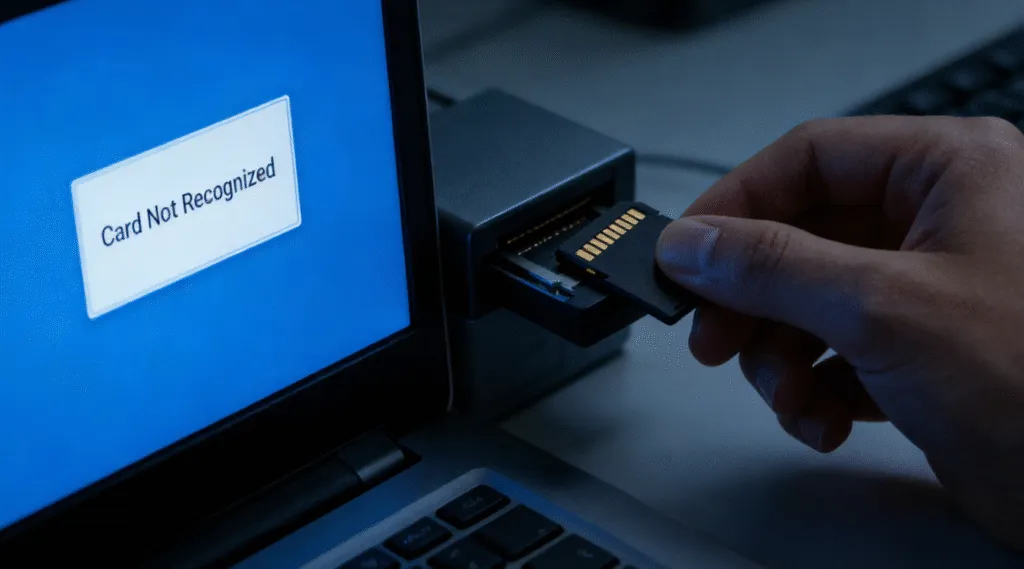
Una scheda SD può danneggiarsi senza preavviso. La fotocamera potrebbe visualizzare improvvisamente un errore relativo alla scheda, Windows potrebbe richiedere di formattare la scheda oppure foto e video importanti potrebbero scomparire anche se la scheda continua a mostrare lo spazio utilizzato.
La buona notizia è che spesso è possibile recuperare i file da una scheda SD danneggiata se il chip di memoria è ancora fisicamente funzionante e i dati persi non sono stati sovrascritti.
Tuttavia, l'ordine in cui si eseguono le operazioni è importante. Formattare la scheda, salvarvi nuovi file o eseguire immediatamente comandi di riparazione può modificare il file system e rendere più difficile il recupero di alcuni file.
L'approccio più sicuro è semplice: smettete di usare la scheda SD, recuperate prima i file importanti e riparate o formattate la scheda solo dopo aver salvato i dati in modo sicuro altrove.
In questa guida imparerai come recuperare i file da una scheda SD danneggiata utilizzando quattro metodi pratici, tra cui software di recupero dati come Magic Data Recovery, comandi CMD come CHKDSK e ATTRIB, il recupero dei file di Windows, i backup e i servizi professionali Servizi di recupero dati da schede SD.
Supporta Windows 7/8/10/11 e Windows Server
Vi chiedete se i vostri file possono essere recuperati? Scoprire in pochi secondi con il nostro controllo rapido qui sotto.
Valutazione del recupero dati
Rispondete a 3 rapide domande per valutare le vostre possibilità di recupero
Indice dei contenuti
Risposta rapida: Come si possono recuperare i file da una scheda SD danneggiata?
Sì, spesso è possibile recuperare i dati da una scheda SD danneggiata, soprattutto quando il problema è dovuto a un danneggiamento logico piuttosto che a un danno fisico.
Utilizza la tabella qui sotto per scegliere la prima misura più sicura da adottare nella tua situazione:
La situazione della tua scheda SD | La migliore prima mossa | Perché |
La scheda SD viene rilevata, ma mancano dei file | Scansionalo con un software di recupero dati | Sulla scheda potrebbero esserci ancora dei file mancanti |
Windows ti chiede di formattare la scheda | Non formattare; recuperare prima i file | La formattazione modifica la struttura del file system |
La scheda SD appare come RAW | Recuperare i dati prima di tentare qualsiasi riparazione | Windows non è in grado di accedere normalmente a un file system RAW |
I file sono scomparsi, ma lo spazio occupato rimane | Prova a usare il comando ATTRIB o un software di recupero dati | I file possono essere nascosti anziché eliminati |
La scheda SD presenta una lettera di unità e alcuni errori minori del file system | Recupera prima i dati importanti, poi valuta se eseguire CHKDSK | CHKDSK ripara il file system senza spostare i file |
I file sono stati cancellati oppure la scheda è stata formattata | Utilizza un software di recupero dati o la funzione "Recupero file di Windows" | CHKDSK non è principalmente uno strumento per il recupero dei file cancellati |
La scheda SD non viene rilevata su nessun computer o dispositivo | Prova con un altro lettore, una porta diversa o un altro computer; poi valuta la possibilità di ricorrere a un servizio di recupero dati professionale | La carta potrebbe presentare danni fisici o al controller |
Importante: Non salvare nuovi file sulla scheda SD danneggiata. I nuovi dati potrebbero sovrascrivere i file recuperabili e ridurre le possibilità di un recupero riuscito.
Cosa significa quando una scheda SD è danneggiata?
Corruzione della scheda SD di solito si riferisce a un danno logico piuttosto che a un guasto fisico. I dati esistono ancora, ma il sistema non è in grado di leggerli correttamente.
I sintomi comuni includono:
- “È necessario formattare il disco prima di poterlo utilizzare”.”
- La scheda SD viene visualizzata come RAW in Gestione disco.
- I file appaiono con nomi strani o non possono essere aperti.
- La scheda viene rilevata ma non è accessibile.
Negli scenari pratici di recupero, la corruzione si verifica spesso a causa di un'espulsione impropria, di un'interruzione dell'alimentazione, di un'infezione da virus o di errori del file system. Comprendere questa distinzione è importante perché il danneggiamento logico è spesso recuperabile con le soluzioni corrette per le schede SD, mentre il danneggiamento fisico non lo è.
È possibile recuperare i file da una scheda SD danneggiata?
In molti casi, sì. Le probabilità di recuperare i file da una scheda SD danneggiata sono generalmente maggiori quando:
- Windows continua a rilevare la scheda SD.
- La scheda viene visualizzata in "Gestione disco".
- La scheda ha una capacità ben definita.
- Windows ti chiede di formattarlo.
- La scheda viene visualizzata come RAW.
- I file sono scomparsi a seguito di un errore o di un'interruzione imprevista.
- La scheda è stata formattata per sbaglio, ma non è stata utilizzata molto.
Il recupero diventa più difficile quando:
- La scheda non viene rilevata da nessun dispositivo.
- La scheda si connette e si disconnette ripetutamente.
- La scheda si surriscalda in modo anomalo.
- La tessera è incrinata, piegata, bruciata o danneggiata fisicamente.
- Dopo la perdita dei file originali, sono state registrate grandi quantità di nuovi dati.
Il fattore più importante è che i dati originali esistano ancora e non siano stati sovrascritti.
Ecco perché dovresti smettere di utilizzare la scheda SD non appena noti che i dati sono danneggiati o che ne sono andati persi.
Importante: Recuperare i file prima di riparare la scheda SD
Uno degli errori più comuni è cercare di riparare una scheda SD danneggiata prima di recuperare i file importanti.
Si tratta di un'operazione rischiosa, poiché le operazioni di riparazione possono modificare il file system originale.
Ad esempio, CHKDSK è progettato per verificare la presenza di errori nel file system di un volume e, se utilizzato con i parametri di riparazione, per correggere tali errori direttamente sul dispositivo di origine. Ciò può risultare utile quando la priorità è quella di rendere nuovamente accessibile una scheda, ma non equivale a ripristinare lo stato originale di ogni file perso o danneggiato.
Per foto, video, documenti o file di lavoro importanti, segui questa procedura:
- Interrompere immediatamente l'utilizzo della scheda SD.
- Non formattare la scheda, anche se Windows te lo chiede.
- Salva i file importanti su un'altra unità.
- Verificare che i file recuperati possano essere aperti.
- Procedi alla riparazione o alla riformattazione della scheda SD solo se intendi riutilizzarla.
Attenzione: Non ripristinare mai i file sulla stessa scheda SD danneggiata. Salvare sempre i dati recuperati su un altro dispositivo di archiviazione fisico.
Come recuperare i file da una scheda SD danneggiata utilizzando CMD
Il metodo più comunemente associato alla CMD è la Comando CHKDSK. Pur essendo popolare, non è sempre sicuro.
Quando CMD funziona e quando non funziona
Il ripristino basato su CMD può funzionare se:
- Il file system ha delle piccole errori logici.
- La scheda SD ha ancora una lettera di unità riconoscibile.
CMD deve essere evitato se:
- La scheda si presenta come RAW.
- I file sono già mancanti.
- I dati sono fondamentali e insostituibili.
Passo dopo passo: Utilizzo di CHKDSK su una scheda SD danneggiata
1. Inserire la scheda SD nel computer.
2. Aprire il Prompt dei comandi come amministratore.
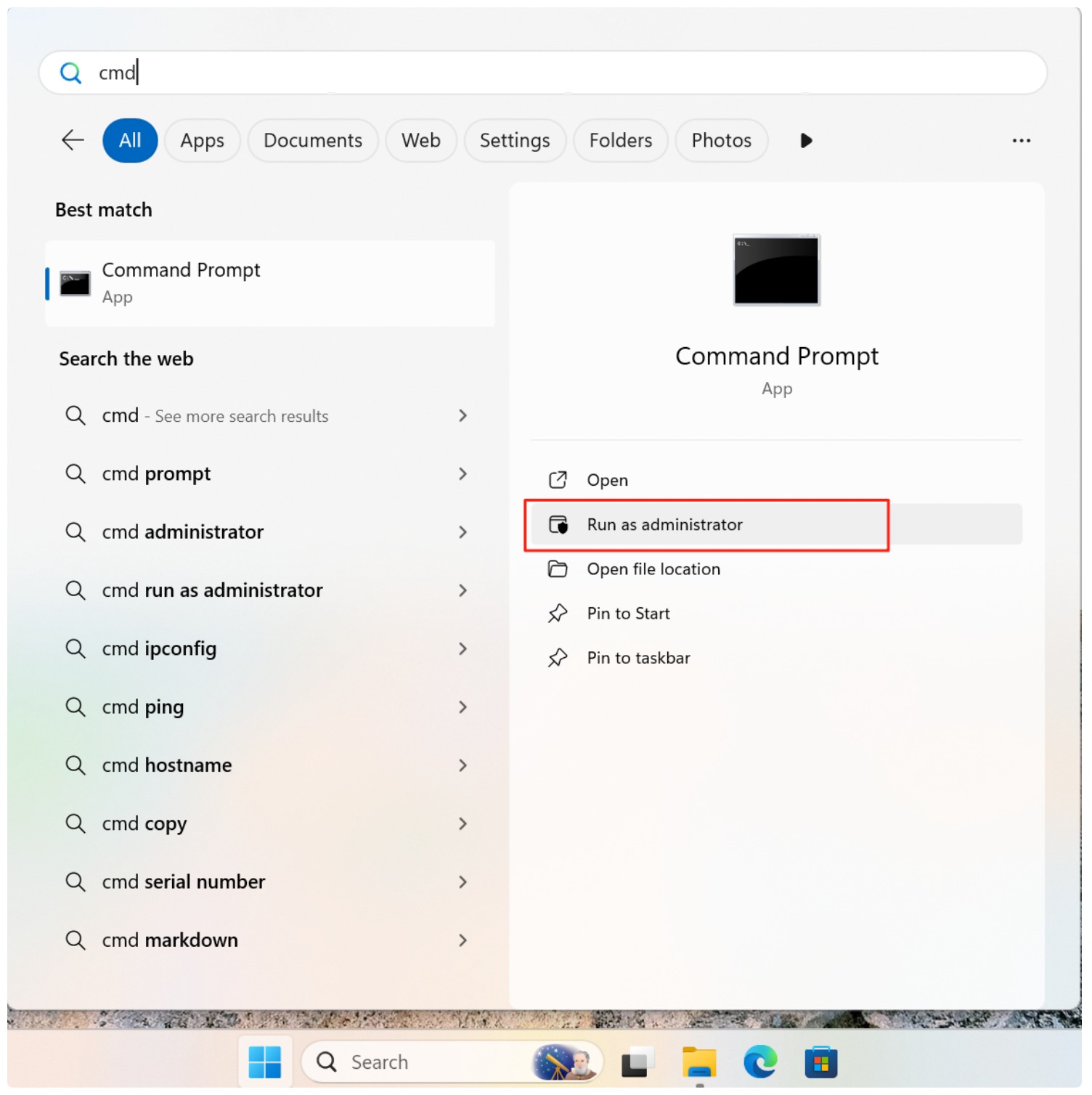
3. Digitare il comando:
chkdsk X: /f /r
Sostituire X con la lettera dell'unità della scheda SD.

4. Premete Invio e attendete il completamento del processo.
Se CHKDSK i file recuperati possono essere visualizzati in una cartella FOUND. Tuttavia, spesso i nomi e le strutture dei file vanno persi. In molti casi, gli utenti scoprono che CHKDSK rimuove le voci danneggiate invece di ripristinarle.
Per questo motivo CMD deve essere considerato uno strumento di riparazione e non una soluzione primaria per il recupero dei dati.
Il modo migliore per recuperare i file da una scheda SD danneggiata in modo sicuro
Per gli utenti che desiderano massimizzare il successo del recupero e ridurre al minimo i rischi, il software di recupero dedicato è l'approccio preferito.
Perché l'Magic Data Recovery è una scelta più sicura
Magic Data Recovery è stato progettato specificamente per gli scenari in cui gli utenti devono Recuperare i file dalla scheda SD danneggiata senza alterare i dati originali.
I vantaggi principali includono:
- Scansione in sola lettura che evita la sovrascrittura dei file.
- Supporto per i file system danneggiati e RAW.
- Anteprima dei file prima del recupero per verificare i risultati.
- Compatibilità con i sistemi Windows.
Scenario di utilizzo nel mondo reale
Un caso comune è quello di una scheda SD di una fotocamera che improvvisamente risulta illeggibile. Invece di eseguire CMD, gli utenti eseguono la scansione della scheda con Magic Data Recovery, visualizzano l'anteprima di foto e video e li recuperano in un'unità separata. Solo dopo aver confermato l'esito positivo del recupero, formattano la scheda SD per riutilizzarla.
Come utilizzare Magic Data Recovery
1. Installare l'Magic Data Recovery su un'altra unità.
Supporta Windows 7/8/10/11 e Windows Server
2. Collegare la scheda SD danneggiata e avviare una scansione.
Quando si esegue Magic Data Recovery, vengono visualizzati tutti i dispositivi collegati al computer, compresa la scheda SD danneggiata.

3. Attendere il completamento della scansione.
Magic Data Recovery esegue automaticamente la scansione avanzata. Dopo la scansione, mostra tutti i file trovati nella scheda SD.

4. Anteprima dei file.
Prima di recuperare i dati, è possibile visualizzare un'anteprima del contenuto dei file, che consente di confermare se si tratta dei file desiderati.

5. Recuperare i dati su un'altra unità.
Selezionate i dati necessari e recuperateli in una posizione sicura. NON formattare o salvare i dati nella scheda SD originale.

CMD o software di recupero dati: quale scegliere?
La scelta giusta dipende da cosa sia effettivamente successo alla scheda SD.
Metodo | Il migliore per | Limitazione principale |
CHKDSK | Riparazione di file system riconoscibili con errori logici | Modifica il file system di origine e non è principalmente uno strumento per il recupero dei file cancellati |
ATTRIBUTO | Rivelazione dei file nascosti dagli attributi modificati | Non è possibile ripristinare i file effettivamente cancellati o sovrascritti |
Recupero file di Windows | Recupero tramite riga di comando di determinati file persi o cancellati | È una soluzione più tecnica e potrebbe non funzionare in tutti i casi di danneggiamento dei dati |
Software di recupero dati | Scansione di schede danneggiate, in formato RAW, formattate o inaccessibili alla ricerca di file recuperabili | Il recupero dipende dalle condizioni della scheda e dal fatto che i dati siano stati sovrascritti o meno |
Servizio professionale | Danni fisici o carte che non è possibile individuare | Di solito più costoso |
Per i file importanti, la regola generale più sicura è la seguente: Recuperare prima. Riparare in secondo luogo.
E se sia il software di recupero dati che il CMD fallissero?
Se né il software di recupero né il CMD riescono ad accedere alla scheda SD, verifica innanzitutto se Windows riesce a rilevare il dispositivo.
Provate:
- Ricollegare la scheda.
- Utilizzo di un altro lettore di schede SD.
- Provo con un'altra porta USB.
- Sto provando un altro computer.
- Verifica di Gestione disco.
Se la scheda è visibile in Gestione del disco ma, sebbene non sia accessibile in Esplora file, potrebbe comunque essere possibile un recupero logico.
Se la scheda non compare da nessuna parte, potrebbe esserci un problema con:
- Il chip di memoria.
- Il controllore.
- Collegamenti elettrici.
- Struttura fisica della carta.
In quella situazione, il software non è in grado di riparare l'hardware da solo.
In caso di dati insostituibili, interrompere ogni ulteriore tentativo e valutare la possibilità di ricorrere a un servizio di recupero professionale.
Conclusione
Recupero dei dati da una scheda di memoria danneggiata richiede pazienza e il giusto approccio. Anche se gli strumenti CMD possono riparare i file system, spesso rischiano di perdere i dati. Per Recuperare i file dalla scheda SD danneggiata in modo sicuro, utilizzando una soluzione dedicata come Magic Data Recovery offre un controllo migliore, tassi di successo più elevati e meno sorprese. La scelta del metodo di recupero corretto fa la differenza tra un restauro di successo e una perdita permanente.
Supporta Windows 7/8/10/11 e Windows Server
FAQ
È possibile recuperare gratuitamente i dati da una scheda SD danneggiata?
È possibile recuperare i file da una scheda SD che non si formatta?
Perché il computer dice che la scheda SD è danneggiata e illeggibile?
È possibile recuperare le foto da una scheda SD fisicamente rotta?
Come posso riparare una scheda SD RAW senza perdere i dati?
CHKDSK elimina i file su una scheda SD danneggiata?
Come posso prevenire il danneggiamento della scheda SD in futuro?

Vasilii è uno specialista del recupero dati con circa 10 anni di esperienza pratica nel settore. Nel corso della sua carriera, ha risolto con successo migliaia di casi complessi riguardanti file cancellati, unità formattate, partizioni perse e file system RAW. La sua esperienza copre sia i metodi di recupero manuale utilizzando strumenti professionali come gli editor esadecimali, sia le soluzioni automatiche avanzate con i software di recupero. La missione di Vasilii è quella di rendere accessibile la conoscenza del recupero dati affidabile sia ai professionisti IT che agli utenti di tutti i giorni, aiutandoli a salvaguardare i loro preziosi beni digitali.