
How to Recover Files from a Corrupted SD Card
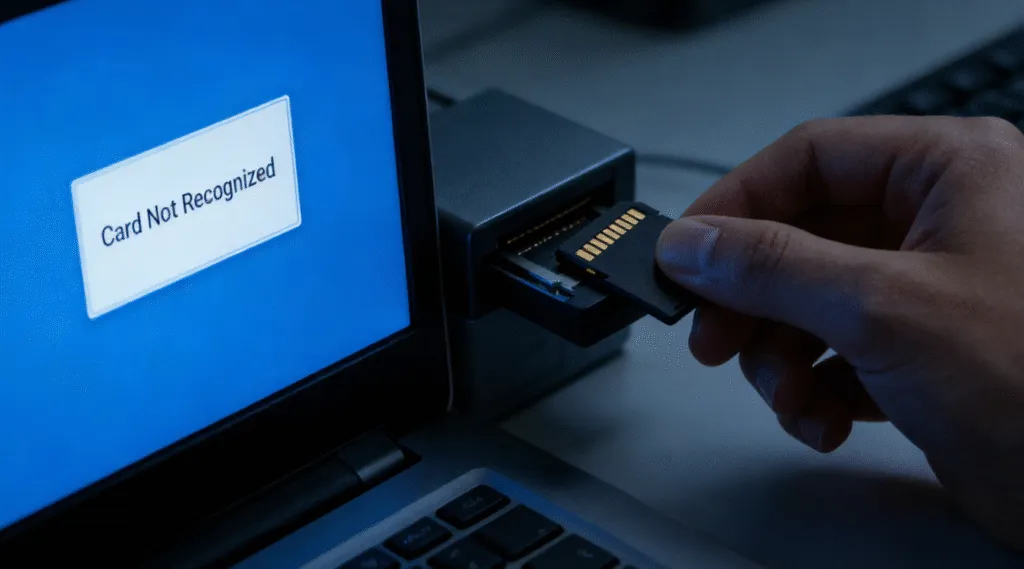
An SD card can become corrupted without warning. Your camera may suddenly display a card error, Windows may ask you to format the card, or important photos and videos may disappear even though the card still shows used space.
The good news is that you can often recover files from a corrupted SD card if the memory chip is still physically functional and the lost data has not been overwritten.
However, the order in which you act matters. Formatting the card, saving new files to it, or immediately running repair commands can change the file system and make some files more difficult to recover.
The safest approach is simple: stop using the SD card, recover important files first, and repair or format the card only after your data is safely stored elsewhere.
In this guide, you will learn how to recover files from a corrupted SD card using four practical methods, including data recovery software like Magic Data Recovery, CMD commands such as CHKDSK and ATTRIB, Windows File Recovery, backups, and professional SD card recovery services.
Supports Windows 7/8/10/11 and Windows Server
Wondering if your files can be recovered? Find out in seconds with our quick check below.
Data Recovery Assessment
Answer 3 quick questions to estimate your recovery chances
Table of Contents
Quick Answer: How Can You Recover Files from a Corrupted SD Card?
Yes, corrupted SD card recovery is often possible, especially when the problem is caused by logical corruption rather than physical damage.
Use the table below to choose the safest first step for your situation:
Your SD Card Situation | Best First Action | Why |
SD card is detected but files are missing | Scan it with data recovery software | Missing files may still remain on the card |
Windows asks you to format the card | Do not format; recover files first | Formatting changes the file system structure |
SD card appears as RAW | Recover data before attempting repairs | Windows cannot normally access a RAW file system |
Files disappeared but used space remains | Try ATTRIB or recovery software | Files may be hidden rather than deleted |
SD card has a drive letter and minor file system errors | Recover important data first, then consider CHKDSK | CHKDSK repairs the file system in place |
Files were deleted or the card was formatted | Use recovery software or Windows File Recovery | CHKDSK is not primarily a deleted-file recovery tool |
SD card is not detected on any computer or device | Try another reader, port, or computer; then consider professional recovery | The card may have physical or controller damage |
Important: Do not save new files to the corrupted SD card. New data may overwrite recoverable files and reduce your chances of successful recovery.
What Does It Mean When an SD Card Is Corrupted?
SD card corruption usually refers to logical damage rather than physical failure. The data still exists, but the system cannot read it correctly.
Common symptoms include:
- “You need to format the disk before you can use it.”
- SD card shows as RAW in Disk Management.
- Files appear with strange names or cannot be opened.
- The card is detected but inaccessible.
In practical recovery scenarios, corruption often occurs due to improper ejection, power interruption, virus infection, or file system errors. Understanding this distinction is important because logical corruption is often recoverable with correct SD card solutions, while physical damage is not.
Can You Recover Files from a Corrupted SD Card?
In many cases, yes. Your chances of recovering files from a corrupted SD card are generally better when:
- Windows still detects the SD card.
- The card appears in Disk Management.
- The card has a recognizable capacity.
- Windows asks you to format it.
- The card appears as RAW.
- Files disappeared after an error or unexpected interruption.
- The card has been accidentally formatted but has not been heavily reused.
Recovery becomes more difficult when:
- The card is not detected on any device.
- The card repeatedly connects and disconnects.
- The card becomes unusually hot.
- The card is cracked, bent, burned, or physically damaged.
- Large amounts of new data have been written after the original files were lost.
The most important factor is whether the original data still exists and has not been overwritten.
That is why you should stop using the SD card as soon as you notice corruption or data loss.
Important: Recover Files Before Repairing the SD Card
One of the most common mistakes is trying to repair a corrupted SD card before recovering important files.
This is risky because repair operations can modify the original file system.
For example, CHKDSK is designed to check a volume for file system errors and, when used with repair parameters, fix those errors directly on the source device. That can be useful when your priority is making a card accessible again, but it is not the same as preserving the original state of every lost or damaged file.
For valuable photos, videos, documents, or work files, follow this order:
- Stop using the SD card immediately.
- Do not format the card, even if Windows asks you to.
- Recover important files to another drive.
- Verify that the recovered files can be opened.
- Only then repair or reformat the SD card if you plan to reuse it.
Warning: Never recover files back to the same corrupted SD card. Always save recovered data to another physical storage device.
How to Recover Files from a Corrupted SD Card Using CMD
The method most commonly associated with CMD is the CHKDSK command. While popular, it is not always safe.
When CMD Works and When It Does Not
CMD-based recovery may work if:
- The file system has minor logical errors.
- The SD card still has a recognizable drive letter.
CMD should be avoided if:
- The card shows as RAW.
- Files are already missing.
- Data is critical and irreplaceable.
Step-by-Step: Using CHKDSK on a Corrupted SD Card
1. Insert the SD card into your computer.
2. Open Command Prompt as Administrator.
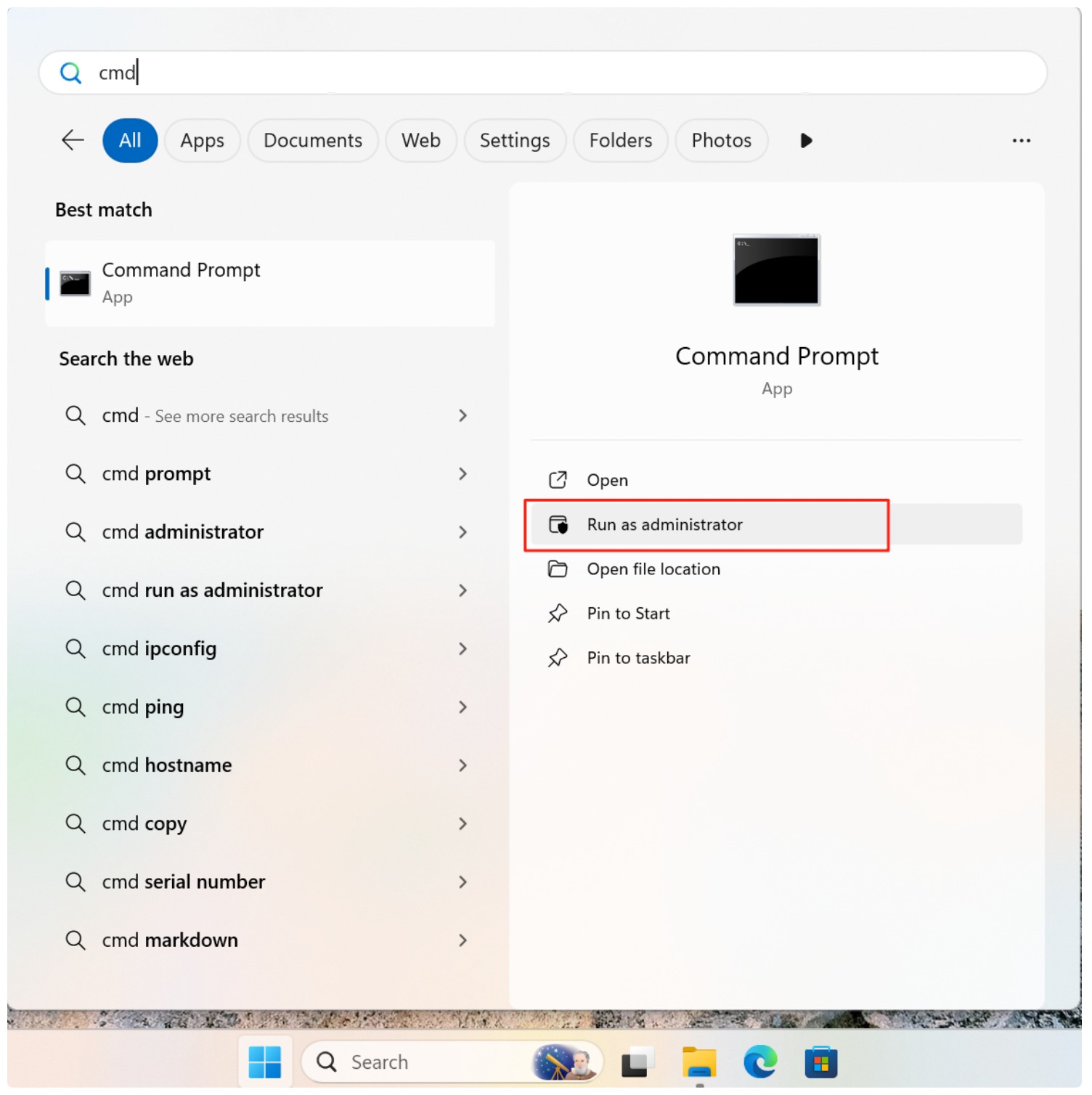
3. Type the command:
chkdsk X: /f /r
Replace X with the SD card drive letter.

4. Press Enter and wait for the process to finish.
If CHKDSK succeeds, recovered files may appear in a FOUND folder. However, file names and structures are often lost. In many cases, users discover that CHKDSK removes corrupted entries instead of restoring them.
This is why CMD should be treated as a repair tool, not a primary data recovery solution.
Best Way to Recover Files from a Corrupted SD Card Safely
For users who want to maximize recovery success and minimize risk, dedicated recovery software is the preferred approach.
Why Magic Data Recovery Is a Safer Choice
Magic Data Recovery is designed specifically for scenarios where users need to recover files from corrupted SD card without altering original data.
Key advantages include:
- Read-only scanning that avoids overwriting files.
- Support for corrupted and RAW file systems.
- File preview before recovery to verify results.
- Compatibility with Windows systems.
Real-World Usage Scenario
A common case involves an SD card from a camera that suddenly shows as unreadable. Instead of running CMD, users scan the card with Magic Data Recovery, preview photos and videos, and recover them to a separate drive. Only after confirming successful recovery do they format the SD card for reuse.
How to Use Magic Data Recovery
1. Install Magic Data Recovery on a different drive.
Supports Windows 7/8/10/11 and Windows Server
2. Connect the corrupted SD card and Start a scan.
When you run Magic Data Recovery, it shows all the devices connected to the computer, including the corrupted SD card.

3. Wait till the scan completes.
Magic Data Recovery runs Advanced Scan automatically. It will show all the files found from the SD card after the scan.

4. Preview Files.
You can preview the file contents before recovering the data, which helps you confirm whether they are the files you are looking for.

5. Recover the data to another drive.
Select the data you need and recover them to a safe location. DO NOT format or save the data to the original SD card.

CMD vs Data Recovery Software: Which Should You Use?
The right choice depends on what actually happened to the SD card.
Method | Best For | Main Limitation |
CHKDSK | Repairing recognizable file systems with logical errors | Modifies the source file system and is not primarily a deleted-file recovery tool |
ATTRIB | Revealing files hidden by changed attributes | Cannot restore genuinely deleted or overwritten files |
Windows File Recovery | Command-line recovery of certain lost or deleted files | More technical and may not work with every corruption scenario |
Data recovery software | Scanning corrupted, RAW, formatted, or inaccessible cards for recoverable files | Recovery depends on the condition of the card and whether data has been overwritten |
Professional service | Physical damage or cards that cannot be detected | Usually more expensive |
For important files, the safest general principle is: Recover first. Repair second.
What If Recovery Software and CMD Both Fail?
If neither recovery software nor CMD can access the SD card, first determine whether Windows can detect the device at all.
Try:
- Reconnecting the card.
- Using another SD card reader.
- Trying another USB port.
- Testing another computer.
- Checking Disk Management.
If the card is visible in Disk Management but inaccessible in File Explorer, logical recovery may still be possible.
If the card does not appear anywhere, there may be a problem with:
- The memory chip.
- The controller.
- Electrical connections.
- Physical card structure.
In that situation, software cannot repair the hardware itself.
For irreplaceable data, stop further attempts and consider professional recovery.
Conclusion
Recovering data from a damaged memory card requires patience and the right approach. While CMD tools can repair file systems, they often risk data loss. To recover files from corrupted SD card safely, using a dedicated solution like Magic Data Recovery offers better control, higher success rates, and fewer surprises. Choosing the correct recovery method first makes the difference between successful restoration and permanent loss.
Supports Windows 7/8/10/11 and Windows Server
FAQ
Can I recover data from a corrupted SD card for free?
Is it possible to recover files from an SD card that won't format?
Why does my computer say the SD card is corrupted and unreadable?
Can I recover photos from a physically broken SD card?
How do I fix a RAW SD card without losing data?
Does CHKDSK delete files on a corrupted SD card?
How can I prevent SD card corruption in the future?

Vasilii is a data recovery specialist with around 10 years of hands-on experience in the field. Throughout his career, he has successfully solved thousands of complex cases involving deleted files, formatted drives, lost partitions, and RAW file systems. His expertise covers both manual recovery methods using professional tools like hex editors and advanced automated solutions with recovery software. Vasilii's mission is to make reliable data recovery knowledge accessible to both IT professionals and everyday users, helping them safeguard their valuable digital assets.