
Memoria flash CF
Indice dei contenuti
Perché la memoria flash CF è ancora importante oggi
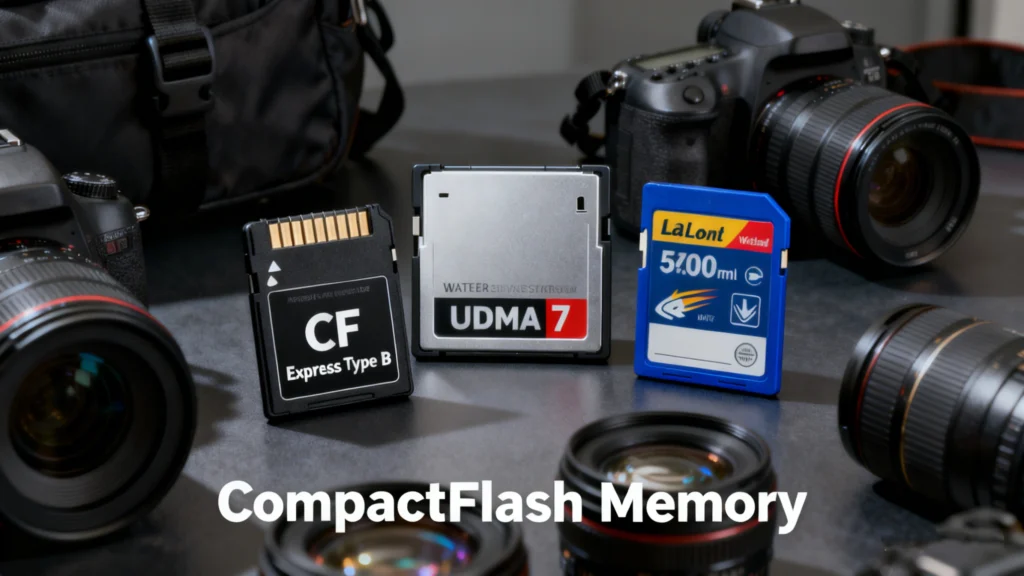
Nella fotografia professionale, nei sistemi industriali e nei dispositivi embedded, l'affidabilità conta più delle tendenze. Mentre lo storage basato su SD e NVMe domina i mercati consumer, memoria flash cf (memoria CompactFlash) continua a svolgere un ruolo critico in ambienti in cui stabilità, durata e prestazioni prevedibili sono essenziali.
Tuttavia, l'uso prolungato delle schede CF porta spesso a problemi reali: cancellazione accidentale, errori di formattazione, Partizioni RAW, o schede illeggibili. Quando sono in gioco dati preziosi, la comprensione della tecnologia e delle opzioni di recupero diventa fondamentale.
Questa guida spiega memoria flash cf in termini semplici, copre scenari d'uso reali, evidenzia i rischi più comuni e mostra come gli strumenti di recupero dei dati come Magic Data Recovery può aiutare a risolvere la perdita di dati legata alla CF senza fare congetture.
Che cos'è la memoria flash CF?
L'unità flash CF si riferisce alle schede di memoria CompactFlash, un formato di memoria non volatile basato su flash introdotto da SanDisk nel 1994. A differenza delle schede consumer più piccole, CompactFlash è stata progettata per l'archiviazione ad alta capacità e per l'interfacciamento diretto con l'hardware attraverso un'interfaccia ATA (Advanced Technology Attachment).
Caratteristiche principali della memoria flash CF
- Utilizza la memoria flash NAND
- Utilizza un'interfaccia ATA parallela
- Appare come un disco rimovibile nella maggior parte dei sistemi
- Progettato per garantire durata e lunghi cicli di scrittura
Grazie a questa architettura, l'unità flash CF si comporta come un'unità in miniatura. disco rigido di una tipica scheda di memoria, il che spiega sia i suoi punti di forza che le sue modalità di fallimento.
Come funziona l'unità flash CF
A livello tecnico, l'unità flash CF memorizza i dati in celle flash NAND raggruppate in blocchi e pagine. Un controller gestisce:
- Mappatura dell'indirizzo logico-fisico
- Livellamento dell'usura
- Correzione degli errori (ECC)
- Cattiva gestione dei blocchi
Quando i dati vengono cancellati o un la scheda è formattata, Il controller di solito rimuove i riferimenti al file system invece di cancellare immediatamente i dati. Questo comportamento è il motivo per cui recupero dati è spesso possibile dopo l'eliminazione o la formattazione rapida.
Casi d'uso comuni per le unità flash CF
Nonostante sia un formato più vecchio, memoria flash cf rimane ampiamente utilizzato in settori specifici.
Fotografia e videografia professionali
- Fotocamere DSLR e cinema
- Scatto a raffica continuo
- Registrazione video RAW ad alto bitrate
Sistemi industriali e incorporati
- Macchine CNC
- Apparecchiature di imaging medicale
- Controllori industriali e HMI
Sistemi per l'aviazione e la difesa
- Memorizzazione dei dati avionici
- Dispositivi di campo resistenti
Questi ambienti favoriscono le unità flash CF grazie alla loro resistenza meccanica e alle prestazioni prevedibili sotto sforzo.
Vantaggi delle unità flash CF
Memoria flash CF offre diversi vantaggi che ne spiegano la longevità.
Elevata durata
Le schede CompactFlash utilizzano PCB più spessi e connettori più robusti, riducendo i guasti dovuti alle sollecitazioni fisiche.
Prestazioni stabili
A differenza di alcuni dispositivi di memorizzazione di fascia consumer, le schede CF garantiscono una velocità di scrittura costante, fondamentale per le registrazioni in tempo reale.
Ampia compatibilità
Molti dispositivi tradizionali e professionali sono costruiti specificamente per le unità flash CF, rendendo le sostituzioni semplici.
Limitazioni e svantaggi
Nonostante i suoi punti di forza, l'unità flash CF non è priva di svantaggi.
- Dimensioni fisiche maggiori
- Più lento del moderno NVMe o standard CFast
- Capacità limitata rispetto ai formati più recenti
- Costo più elevato per gigabyte
Inoltre, le schede CF che invecchiano hanno maggiori probabilità di danneggiare il file system, soprattutto dopo anni di utilizzo intensivo.
Problemi comuni della memoria flash CF nell'utilizzo reale
In base ai modelli di utilizzo professionale, i seguenti problemi si verificano più frequentemente con memoria flash cf:
Cancellazione accidentale
File rimossi direttamente da una fotocamera o da un computer.
Errori di formattazione
- Formato rapido in camera
- Formattazione sul dispositivo sbagliato
- Inizializzazione del file system incompatibile
Problemi di partizione RAW
La scheda viene visualizzata come RAW invece che come FAT32 o exFAT, spesso dopo un'espulsione non sicura o un'interruzione dell'alimentazione.
Scheda non riconosciuta
- “Errori ”Inserire il disco"
- Scheda rilevata con capacità errata
- Messaggi di accesso negato
Ognuno di questi scenari può causare la perdita di dati se gestito in modo non corretto.
È possibile recuperare i dati da un'unità flash CF?
In molti casi, sì. Memoria flash CF Il recupero dei dati è possibile quando:
- La carta non viene distrutta fisicamente
- I blocchi di dati non vengono sovrascritti
- Il controller è ancora funzionante
Tuttavia, ripetuti tentativi di scrittura o utilità di riparazione possono ridurre in modo permanente le possibilità di recupero.
Le migliori pratiche prima di tentare il recupero dei dati FC
Se si verifica una perdita di dati su memoria flash cf, seguire immediatamente la procedura descritta:
- Smettere di usare la carta
- Non riformattare nuovamente
- Evitare di eseguire strumenti di riparazione del disco
- Rimuovere la scheda in modo sicuro
- Utilizzare l'accesso in sola lettura quando possibile
Queste precauzioni preservano i dati recuperabili e prevengono ulteriori danni.
Perché le correzioni generiche spesso falliscono per la memoria flash CF
Molti utenti tentano soluzioni come:
- CHKDSK
- Gestione del disco riformattazione
- Richieste di riparazione basate sulla telecamera
Sebbene questi metodi possano ripristinare l'accesso, spesso sovrascrivono i metadati o le tabelle dei file. Per memoria flash cf, Questo può ridurre significativamente il successo del recupero, soprattutto per i file RAW e i filmati.
Recupero dei dati persi dall'unità flash CF
Quando le soluzioni convenzionali sono rischiose o inefficaci, uno strumento di recupero dedicato è la scelta più sicura. Magic Data Recovery è stato progettato per gestire scenari complessi di perdita di dati dell'unità flash CF senza affidarsi alle scorciatoie di riparazione del file system.
I problemi principali che risolve
- Foto e video eliminati
- Schede CF formattate
- Partizioni RAW o inaccessibili
- Corruzione del file system
- Errori della scheda logica
Vantaggi principali di Magic Data Recovery
Magic Data Recovery si distingue perché si concentra sulla precisione piuttosto che sulla sola velocità.
Motore di scansione intelligente
Analizza memoria flash cf a livello di settore, consentendo il ripristino anche in assenza di file system.
Ampio supporto per i tipi di file
- Formati RAW della fotocamera
- JPEG, MP4, MOV
- File di progetto da strumenti professionali
Funzionamento sicuro in sola lettura
Il software non scrive i dati sulla scheda durante la scansione, preservando il contenuto originale.
Flusso di lavoro facile da usare
I passaggi chiari rendono il recupero accessibile anche agli utenti non tecnici.
Scenari di utilizzo reali
Scenario 1: il fotografo forma la scheda CF nella fotocamera
Un fotografo di matrimonio formatta accidentalmente un memoria flash cf scheda prima backup. Magic Data Recovery esegue la scansione della scheda e ricostruisce i file immagine RAW con successo.
Scenario 2: La scheda CF industriale mostra la partizione RAW
Un sistema incorporato si guasta durante il funzionamento. La scheda CF diventa illeggibile. L'Magic Data Recovery identifica le partizioni perse e ripristina i dati di configurazione critici.
Scenario 3: File video mancanti dopo il trasferimento
I file video di grandi dimensioni scompaiono durante la copia. Una scansione profonda recupera i filmati frammentati che gli strumenti generici non sono in grado di rilevare.
Perché Magic Data Recovery è più affidabile delle alternative
Rispetto alle utility generiche di recupero o riparazione, Magic Data Recovery:
- Evita operazioni di riparazione distruttive
- Supporta flussi di lavoro CF professionali
- Gestisce meglio la frammentazione complessa
- Fornisce un'anteprima prima del recupero
Questi fattori ne fanno una soluzione più sicura per i casi di alto valore. memoria flash cf dati.
Suggerimenti per prolungare la durata dell'unità flash CF
Per ridurre i rischi futuri:
- Formattare le schede solo nel dispositivo originale
- Utilizzare lettori di schede di alta qualità
- Evitare di rimuovere le schede durante le operazioni di scrittura
- Sostituire in modo proattivo le unità flash Cf obsolete
Queste pratiche migliorano l'affidabilità e riducono la dipendenza dal recupero.
Conclusione
Memoria flash CF rimane una soluzione di archiviazione affidabile in ambienti professionali e industriali. La sua durata e coerenza la rendono preziosa, ma l'invecchiamento dell'hardware e gli errori umani causano ancora perdite di dati.
Quando si verificano dei problemi, è importante agire con attenzione e scegliere il metodo di recupero giusto. Magic Data Recovery offre un metodo affidabile e non distruttivo per recuperare i dati persi da un'unità flash CF in scenari di cancellazione, formattazione, partizioni RAW ed errori logici.
Se siete alla ricerca di una soluzione affidabile che privilegi l'integrità dei dati rispetto a correzioni rischiose, Magic Data Recovery è un'opzione pratica che vale la pena di prendere in considerazione.
Supporta Windows 7/8/10/11 e Windows Server
Memoria flash CF Domande frequenti
La CF è migliore della SD?
CF sta per CompactFlash?
Una scheda CF è uguale a una scheda SD?
Qual è la differenza tra CF e CFexpress?
Le schede CF sono obsolete?
Un iPhone può leggere una scheda CF?
Quali fotocamere utilizzano ancora le schede CF?

Erin Smith è riconosciuta come una delle scrittrici più professionali di Amagicsoft. Negli ultimi 10 anni ha continuamente affinato le sue capacità di scrittura e ha aiutato milioni di lettori a risolvere i loro problemi tecnologici.