
Flash USB Memory: Complete Guide, Uses & Recovery
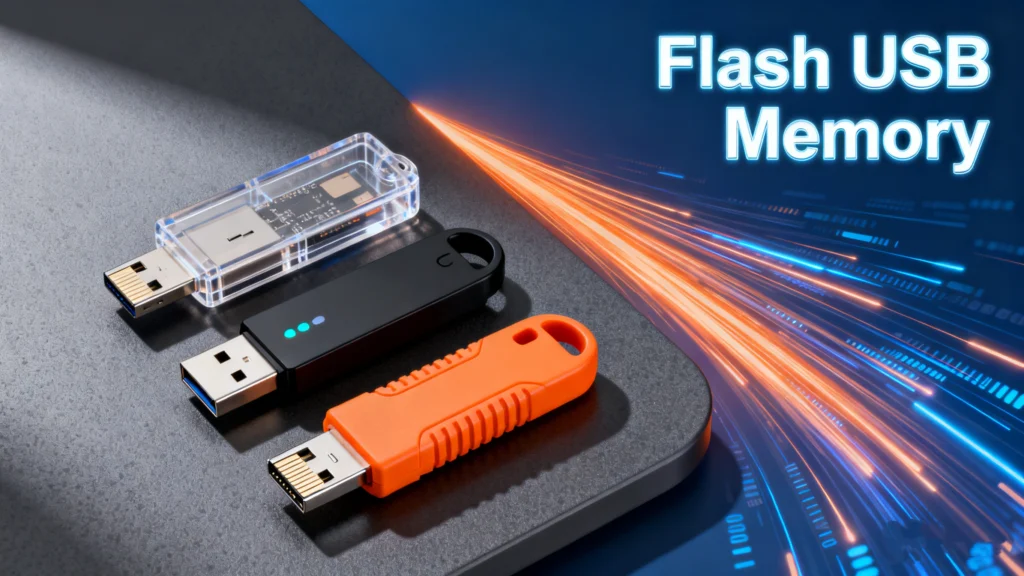
Table of Contents
Why Flash USB Memory Still Matters Today
Flash USB memory remains one of the most widely used portable storage solutions despite the growth of cloud storage and SSDs. From transferring work files and backing up photos to updating firmware or installing operating systems, USB flash drives are still essential in everyday digital life.
However, convenience comes with risks. Files stored on flash USB memory can be accidentally deleted, lost after formatting, or become inaccessible due to RAW partition errors or file system corruption. This guide explains how flash USB memory works, its advantages and limitations, and what you can do when data loss occurs.
What Is Flash USB Memory?
It is a portable storage device that uses NAND flash memory and connects to computers or compatible devices through a USB interface. Unlike traditional hard drives, it contains no moving parts, which improves durability and reduces power consumption.
Common names include:
- USB flash drive
- Thumb drive
- Pen drive
- USB stick
All of these refer to the same core technology: USB Flash Drive designed for fast, removable storage.
How USB Flash Drive Works (Simple Explanation)
At its core, USB Flash Drive relies on NAND flash cells that store electrical charges to represent data. These cells are grouped into blocks, allowing the drive to read and write data quickly without mechanical movement.
Key characteristics include:
- Non-volatile storage (data remains without power)
- Limited write cycles per memory cell
- Built-in controller managing wear leveling and error correction
This design explains why flash USB memory is fast and portable, but also why improper use can lead to data corruption.
Common Uses of USB Flash Memory in Real Life
Based on everyday usage scenarios, USB Flash Drive is commonly used for:
- Transferring files between computers
- Storing documents, photos, and videos
- Creating bootable USB installers
- Firmware updates for devices
- Temporary backups while traveling
In professional environments, USB flash drives are often used when network access is unavailable or restricted.
Advantages and Disadvantages of USB Flash Drive
Advantages
- Compact and lightweight
- No moving parts, better shock resistance
- Plug-and-play compatibility
- Affordable and widely available
Disadvantages
- Easy to lose due to small size
- Limited lifespan due to write cycle limits
- Vulnerable to file system corruption
- Not ideal for long-term archival storage
Understanding these limitations helps users avoid common mistakes when relying on flash USB memory for important data.
File Systems Used on USB Flash Drive
Choosing the correct file system affects compatibility and performance.
Common File Systems
- FAT32 – Maximum compatibility, but file size limited to 4GB
- exFAT – Best balance for large files and cross-platform use
- NTFS – Advanced features, mainly for Windows systems
Improper formatting or sudden removal during file transfers often leads to RAW or unreadable partitions.
Common USB Flash Drive Problems Users Face
In practical usage, USB Flash Drive may encounter:
- Accidental file deletion
- Formatting without backup
- Drive showing as RAW
- USB not recognized by the system
- File system damage after unsafe removal
These issues do not always mean the data is permanently lost, but continued use may reduce recovery chances.
Can You Recover Data from USB Flash Drive?
In many cases, yes. When data is deleted or a flash USB memory device is formatted, the files are not immediately erased. Instead, the storage space is marked as available for reuse.
Recovery is often possible if:
- The drive has not been overwritten
- Physical damage is minimal
- A reliable recovery method is used promptly
A Practical Solution: Magic Data Recovery for USB Flash Drive
When standard system tools fail, Magic Data Recovery provides a practical solution for recovering data from USB flash drive affected by deletion, formatting, RAW partitions, or logical errors.
Core Problems It Solves
- Deleted files from USB flash drives
- Data loss after formatting
- RAW or inaccessible partitions
- File system corruption
Why Magic Data Recovery Is Reliable
- Deep scanning tailored for flash USB memory
- Supports common file systems (FAT32, exFAT, NTFS)
- File preview before recovery
- Simple, guided workflow for non-technical users
Real-World Usage Scenarios
For example, if a USB drive containing work documents is mistakenly formatted, Magic Data Recovery can scan the flash USB memory and identify recoverable files before they are overwritten.
Compared with manual methods or generic tools, it focuses on flash-based storage behavior, making it more dependable in USB-specific recovery cases.
If you are looking for an efficient and trustworthy solution, Magic Data Recovery is worth considering.
Supports Windows 7/8/10/11 and Windows Server
Best Practices to Protect USB Flash Drive Data
To reduce future data loss risks:
- Always eject the USB drive safely
- Avoid using one drive across too many devices
- Keep backups of important files
- Stop using the drive immediately after data loss
These habits significantly improve long-term reliability.
Conclusion
Flash USB memory continues to be a convenient and versatile storage option when used correctly. While it has limitations, understanding how it works and knowing how to respond to data loss can make it a dependable tool.
When unexpected problems occur, tools like Magic Data Recovery provide a practical way to restore lost files and minimize disruption.
Flash USB Memory FAQs
What is the USB Flash Drive?
Is flash memory the same as USB?
What are the disadvantages of USB Flash Drive?
How much memory does a USB flash drive have?
Which is better, a 32GB or 64GB flash drive?
How long can a USB flash drive hold data?

Erin Smith is recognized as one of the most professional writers at Amagicsoft. She has continually honed her writing skills over the past 10 years and helped millions of readers solve their tech problems.