
Che cos'è l'iniziatore iSCSI e come funziona?
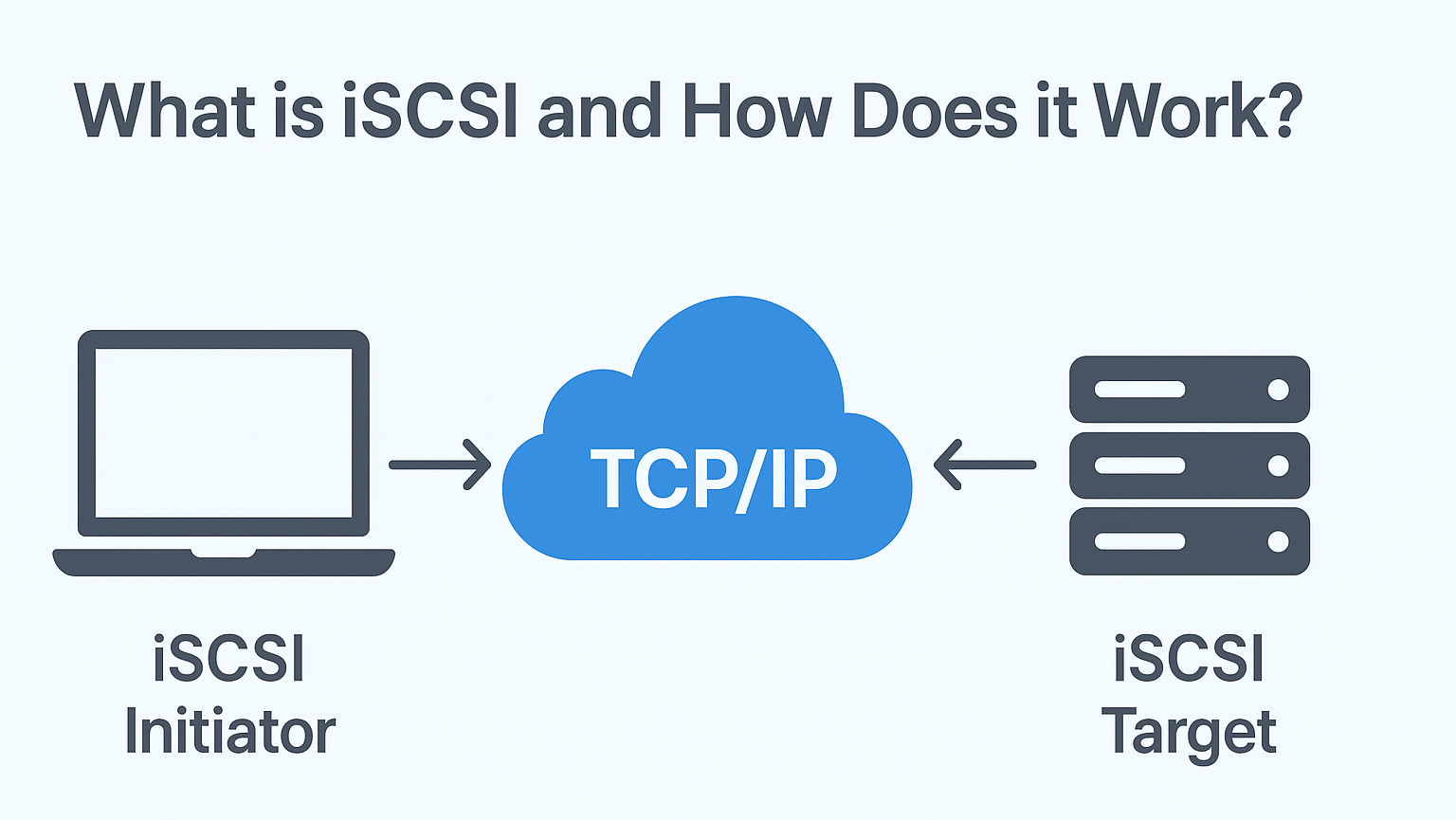
L'Iniziatore agisce come un client che richiede risorse di archiviazione da un dispositivo di archiviazione remoto, consentendo al sistema di utilizzare l'archiviazione in rete come se fosse collegata localmente.
Indice dei contenuti
Come funziona l'iniziatore iSCSI
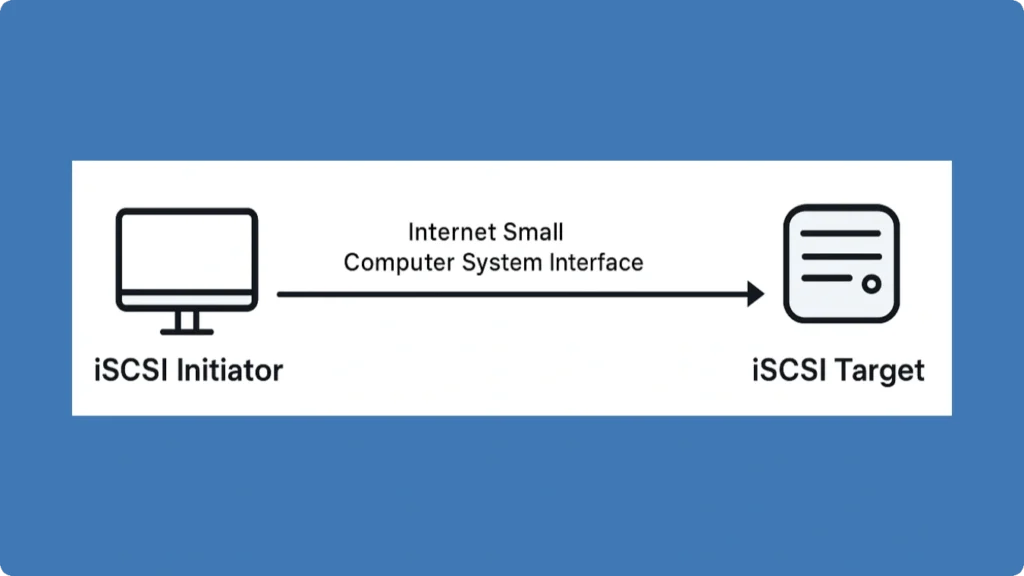
Il Iniziatore iSCSI stabilisce sessioni con uno o più Targhette iSCSI:
1. Installare e configurare l'iniziatore:
In Windows, accedere all'iniziatore iSCSI integrato tramite Pannello di controllo > Strumenti di amministrazione. I sistemi Linux utilizzano spesso Open-iSCSI.
2. Scoprire gli obiettivi:
Immettere l'indirizzo IP o il nome DNS della destinazione nella scheda di scoperta dell'iniziatore per rilevare i dispositivi di archiviazione disponibili.
3. Autenticare la connessione (facoltativo):
Il protocollo supporta l'autenticazione CHAP. Se necessario, inserire le credenziali.
4. Collegare e mappare l'archiviazione:
Una volta autenticato, l'iniziatore di storage mappa lo storage della destinazione come un disco locale. Formattare e partizionare lo storage secondo le necessità.
Vantaggi dell'utilizzo dell'iniziatore iSCSI
● Economicamente vantaggioso: Utilizza l'infrastruttura Ethernet esistente senza costoso hardware Fibre Channel.
● Gestione centralizzata: Consolida lo storage in una SAN, gestibile da più iniziatori.
● Flessibilità: Collega sia lo storage locale che quello remoto; ideale per la virtualizzazione, il backup e il disaster recovery.
● Scalabilità: Aggiungete facilmente i target iSCSI senza riconfigurare i client.
Esempi di utilizzo dell'iniziatore iSCSI
● Virtualizzazione: Collegare più macchine virtuali allo storage SAN condiviso tramite l'iniziatore di storage.
● Backup remoto: Accedere ai dispositivi di archiviazione su WAN utilizzando questo protocollo di archiviazione per il backup fuori sede.
● Gestione dello storage aziendale: Le grandi organizzazioni utilizzano l'iniziatore di storage per collegare in modo efficiente i server agli array di storage centralizzati.
Esercitazione passo-passo: Collegamento di un iniziatore iSCSI a una destinazione (Windows)

1. Aprire Iniziatore iSCSI dal Pannello di controllo.
2. Andare alla sezione Scoperta e fare clic su Scoprire il portale, quindi inserire l'IP di destinazione.
3. Passare alla Obiettivi selezionare la periferica di archiviazione individuata e fare clic su Collegare.
4. Abilitazione Connessione persistente per la riconnessione automatica.
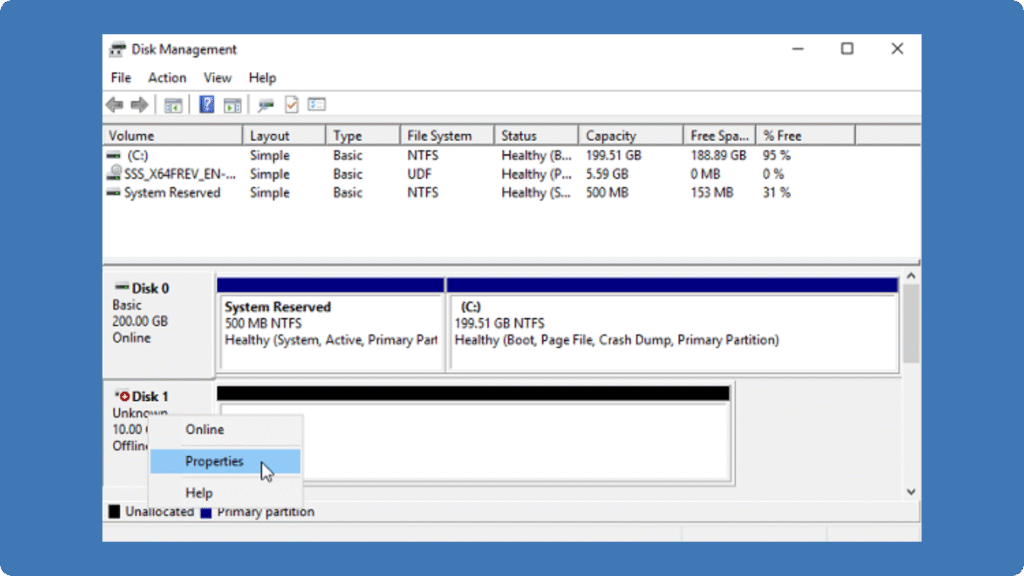
5. Accedere al nuovo disco in Gestione del disco e formattarlo.
Unità iSCSI vs. unità di rete
Caratteristica | Unità iSCSI | Unità di rete (SMB/NFS) |
Livello di accesso | A livello di blocco (si comporta come un disco locale) | A livello di file (richiede l'accesso al file system) |
Prestazioni | Prestazioni elevate, adatte a database e virtualizzazione | Prestazioni moderate, dipendenti dalla rete e dal protocollo di condivisione dei file |
Protocollo | Internet Small Computer System Interface | SMB (Windows) / NFS (Linux/Unix) |
Caso d'uso | SAN, macchine virtuali, backup, storage aziendale | Condivisione di file, collaborazione tra team, archiviazione di documenti |
Mappatura | Appare come un disco locale al sistema operativo | Appare come cartella condivisa o percorso di rete |
Flessibilità | Può essere partizionato, formattato, e gestiti come dischi locali | Limitato alle operazioni a livello di cartella, non può ospitare facilmente volumi avviabili. |
Sicurezza | Supporta l'autenticazione CHAP, la crittografia IPsec | Dipende dalle autorizzazioni dei file, potrebbe essere necessaria una VPN per l'accesso remoto. |
È possibile recuperare i dati da un'unità di rete e da un'unità iSCSI?
Sì, il recupero dei dati dalle unità di rete e dalle unità SAN è generalmente possibile, ma l'approccio dipende dal tipo di storage e dallo scenario di guasto. Per le unità di rete (come le condivisioni SMB o NFS), i file eliminati o persi possono spesso essere ripristinati utilizzando i backup o il versioning dei file.
Per le unità iSCSI o di archiviazione SAN, che appaiono come dischi locali per il sistema operativo, i dati persi a causa di cancellazione accidentale o altri problemi possono essere recuperati prendendo il disco interessato e collegandolo a un computer sano tramite SATA o USB. Utilizzando strumenti di recupero dati, come Amagicsoft’s Magic Data Recovery, è possibile eseguire la scansione dell'unità iSCSI alla ricerca di file eliminati, partizioni perse, o danneggiati e ripristinarli in modo efficace.
FAQ sull'iniziatore iSCSI
Qual è la differenza tra un iniziatore iSCSI e un target di archiviazione?
È possibile collegare più iniziatori allo stesso dispositivo di archiviazione?
Il protocollo Internet Small Computer System Interface è sicuro?
È necessario un hardware speciale per utilizzare un inizializzatore di storage?
Il protocollo di archiviazione iSCSI può funzionare su Internet?
Quali sistemi operativi supportano l'iniziatore di storage?
Come si risolvono i problemi di connessione con questo protocollo di archiviazione?
Quali sono i casi d'uso tipici del protocollo iSCSI?

Erin Smith è riconosciuta come una delle scrittrici più professionali di Amagicsoft. Negli ultimi 10 anni ha continuamente affinato le sue capacità di scrittura e ha aiutato milioni di lettori a risolvere i loro problemi tecnologici.