
¿Qué es el iniciador iSCSI y cómo funciona?
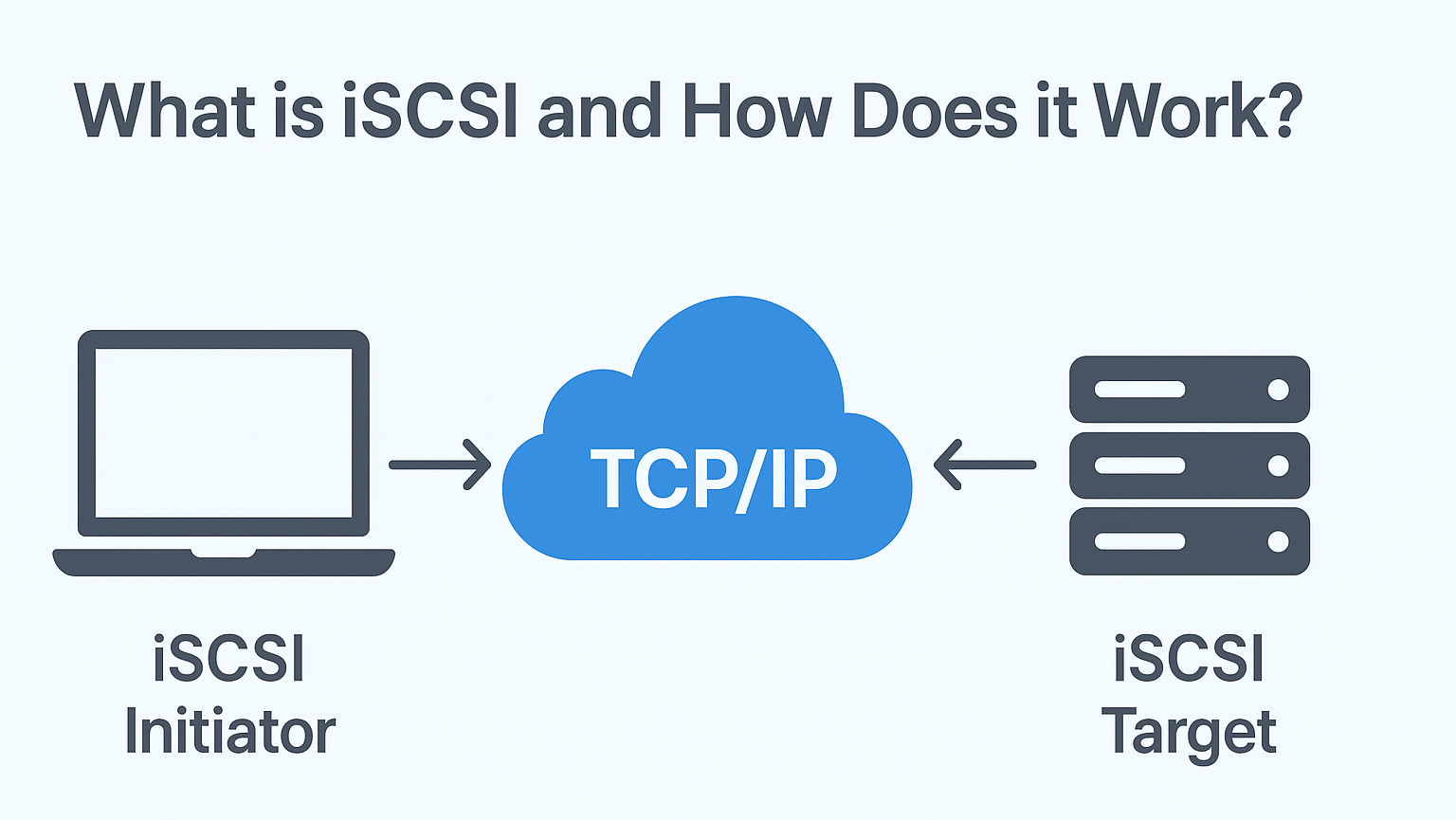
El iniciador actúa como un cliente que solicita recursos de almacenamiento a un dispositivo de almacenamiento remoto, lo que permite al sistema utilizar el almacenamiento en red como si estuviera conectado localmente.
Índice
Funcionamiento del iniciador iSCSI
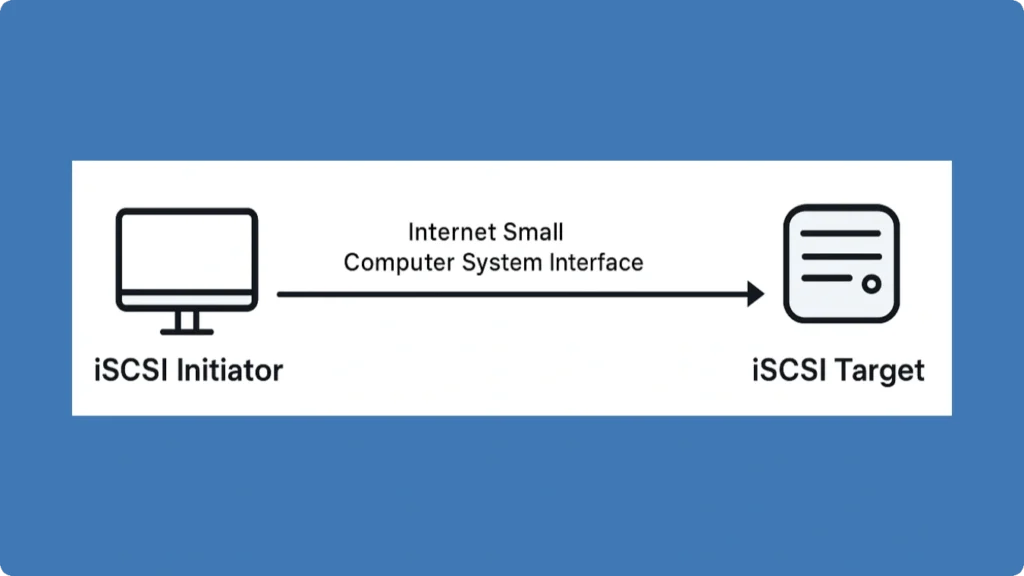
En Iniciador iSCSI establece sesiones con uno o varios Objetivos iSCSI:
1. Instale y configure el iniciador:
En Windows, acceda al iniciador iSCSI integrado a través de Panel de control > Herramientas administrativas. Los sistemas Linux suelen utilizar Open-iSCSI.
2. Descubrir objetivos:
Introduzca la dirección IP o el nombre DNS del destino en la pestaña de detección del iniciador para detectar los dispositivos de almacenamiento disponibles.
3. Autenticar la conexión (opcional):
El protocolo admite la autenticación CHAP. Introduzca las credenciales si es necesario.
4. Conectar y asignar almacenamiento:
Una vez autenticado, el iniciador de almacenamiento asigna el almacenamiento de destino como un disco local. Formatear y particionar el almacenamiento según sea necesario.
Ventajas del uso de iSCSI Initiator
● Rentable: Utiliza la infraestructura Ethernet existente sin el costoso hardware Fibre Channel.
● Gestión centralizada: Consolida el almacenamiento en una SAN, gestionable desde múltiples iniciadores.
● Flexibilidad: Conecta almacenamiento local y remoto; ideal para virtualización, copias de seguridad y recuperación ante desastres.
● Escalabilidad: Añada fácilmente iSCSI Targets sin reconfigurar los clientes.
Ejemplos de uso del iniciador iSCSI
● Virtualización: Conecte varias máquinas virtuales al almacenamiento SAN compartido a través del iniciador de almacenamiento.
● Copia de seguridad remota: Acceda a los dispositivos de almacenamiento a través de la WAN mediante este protocolo de almacenamiento para realizar copias de seguridad externas.
● Gestión del almacenamiento empresarial: Las grandes organizaciones utilizan el iniciador de almacenamiento para conectar servidores a matrices de almacenamiento centralizadas de forma eficiente.
Tutorial Paso a Paso: Conexión de un iniciador iSCSI a un destino (Windows)

1. Abra Iniciador iSCSI desde el Panel de control.
2. Ir a la Descubrimiento y haga clic en Descubra el Portal, e introduzca la IP de destino.
3. Desplácese a la Objetivos seleccione el dispositivo de almacenamiento detectado y haga clic en Conectar.
4. Activar Conexión persistente para la reconexión automática.
5. Acceda al nuevo disco en Gestión de discos y formatearlo.
Unidad iSCSI frente a unidad de red
Característica | Unidad iSCSI | Unidad de red (SMB/NFS) |
Nivel de acceso | A nivel de bloque (se comporta como un disco local) | A nivel de archivo (requiere acceso al sistema de archivos) |
Rendimiento | Alto rendimiento, adecuado para bases de datos y virtualización | Rendimiento moderado, dependiente de la red y del protocolo de compartición de archivos. |
Protocolo | Interfaz de Internet para pequeños ordenadores | SMB (Windows) / NFS (Linux/Unix) |
Caso práctico | SAN, máquinas virtuales, copias de seguridad, almacenamiento empresarial | Compartición de archivos, colaboración en equipo, almacenamiento de documentos |
Cartografía | Aparece como un disco local para el sistema operativo | Aparece como carpeta compartida o ruta de red |
Flexibilidad | Se puede particionar, formato, y gestionados como discos locales | Limitado a operaciones a nivel de carpeta, no puede alojar fácilmente volúmenes de arranque. |
Seguridad | Admite autenticación CHAP, cifrado IPsec | Depende de los permisos de los archivos, puede requerir VPN para el acceso remoto |
¿Es posible recuperar datos de una unidad de red e iSCSI?
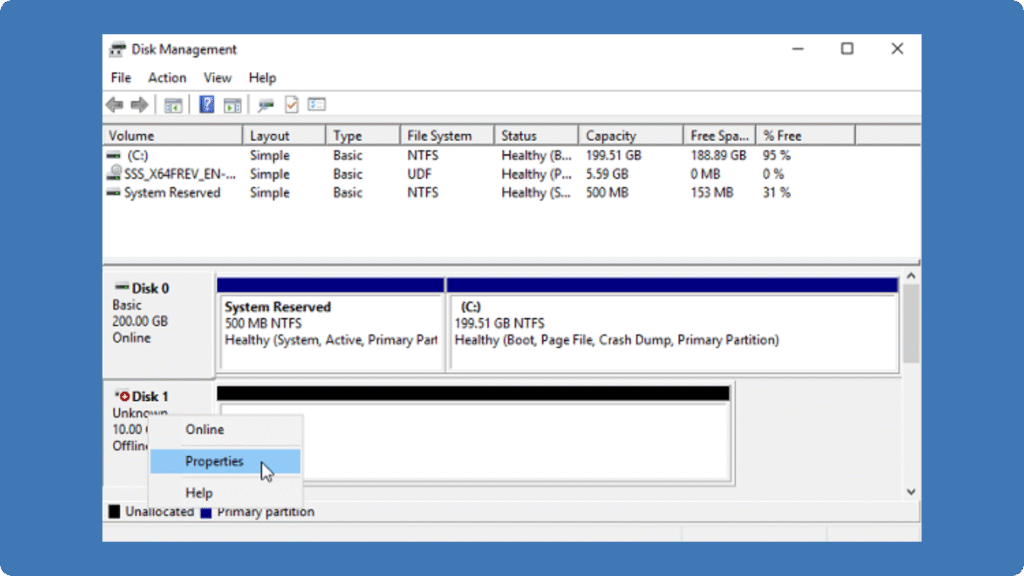
Sí, en general es posible recuperar datos de unidades de red y SAN, pero el enfoque depende del tipo de almacenamiento y del escenario de fallo. En el caso de las unidades de red (como los recursos compartidos SMB o NFS), los archivos borrados o perdidos suelen poder restaurarse mediante copias de seguridad o versiones de archivos.
Para unidades iSCSI o almacenamiento SAN, que aparecen como discos locales para el sistema operativo, los datos perdidos debido a borrado accidental u otros problemas pueden recuperarse tomando el disco afectado y conectándolo a un ordenador sano a través de SATA o USB. Utilizando herramientas de recuperación de datos, como Amagicsoft’s Magic Data Recovery, puede escanear la unidad iSCSI en busca de archivos borrados, particiones perdidas, o corruptos y restaurarlos eficazmente.
Preguntas frecuentes sobre el iniciador iSCSI
¿Cuál es la diferencia entre un iniciador iSCSI y un destino de almacenamiento?
¿Pueden conectarse varios iniciadores al mismo dispositivo de almacenamiento?
¿Es seguro el protocolo Internet Small Computer System Interface?
¿Necesito un hardware especial para utilizar un iniciador de almacenamiento?
¿Puede funcionar el protocolo de almacenamiento iSCSI a través de Internet?
¿Qué sistemas operativos son compatibles con el iniciador de almacenamiento?
¿Cómo puedo solucionar los fallos de conexión con este protocolo de almacenamiento?
¿Cuáles son los casos de uso típicos del protocolo iSCSI?

Erin Smith es reconocida como una de las redactoras más profesionales de Amagicsoft. Ha perfeccionado continuamente sus habilidades de escritura durante los últimos 10 años y ha ayudado a millones de lectores a resolver sus problemas tecnológicos.