

Magic Data Recovery
Lost Partition Data Recovery
Lost partition data recovery helps retrieve data when a partition disappears, becomes inaccessible, or is accidentally deleted. Although the partition itself may no longer be visible, the files inside are often still recoverable. Using professional partition recovery software like Magic Data Recovery, you can run data recovery for lost partitions and securely restore it to another drive before it is overwritten.
Losing access to a partition can be stressful, especially when important files are suddenly unreachable. Magic Data Recovery from Amagicsoft offers a safe way to recover data from missing partitions and secure your files quickly.
What Is Lost Partition Data Recovery?
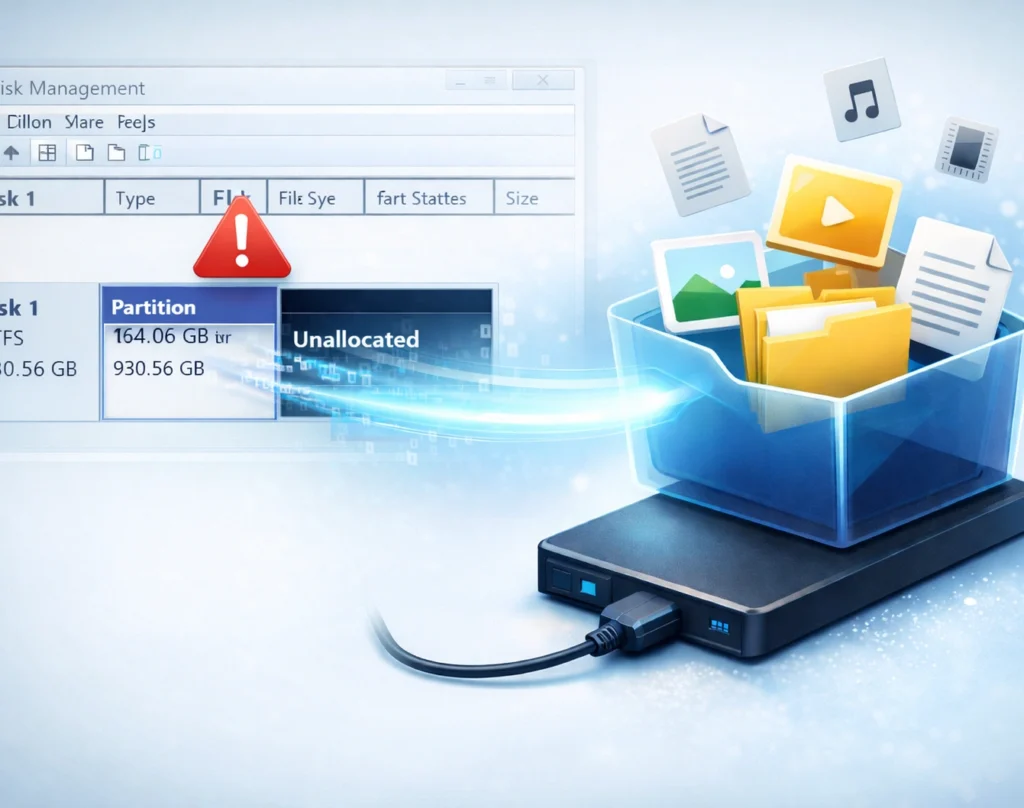
When a partition is lost, the system may only remove the partition reference or damage the partition table, while the actual data remains on the disk. With professional disk partition recovery tools, users can scan the drive, locate recoverable files, and restore them to a safe location without modifying the original disk structure.
Common Scenarios That Cause Partition Loss
- Accidentally deleting a partition during disk management
- Partition table corruption or disk initialization errors
- Formatting or repartitioning the wrong drive
- Operating system crashes or failed updates
- Virus or malware attacks
- Power outages during disk operations
- File system corruption or bad sectors
Why Magic Data Recovery Is the Right Choice
Magic Data Recovery is designed to make partition recovery simple, safe, and effective, even for users without technical experience.
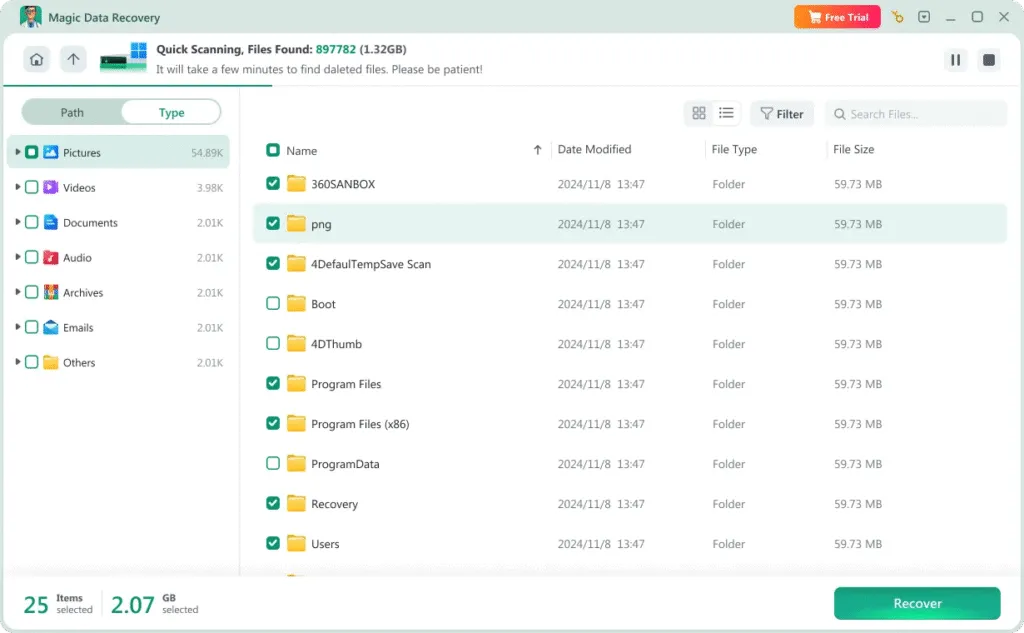
- Deep scan technology to find files stored in lost partitions
- Recovers data without rebuilding partition structures directly
- Preview recoverable files before restoring them
- Read-only recovery process to prevent further disk damage
Steps to Recover Data from a Lost Partition
Recovering files from a missing partition doesn’t need to be complicated. Magic Data Recovery makes the process easy in just a few steps:
Step 1: Download and Install Magic Data Recovery
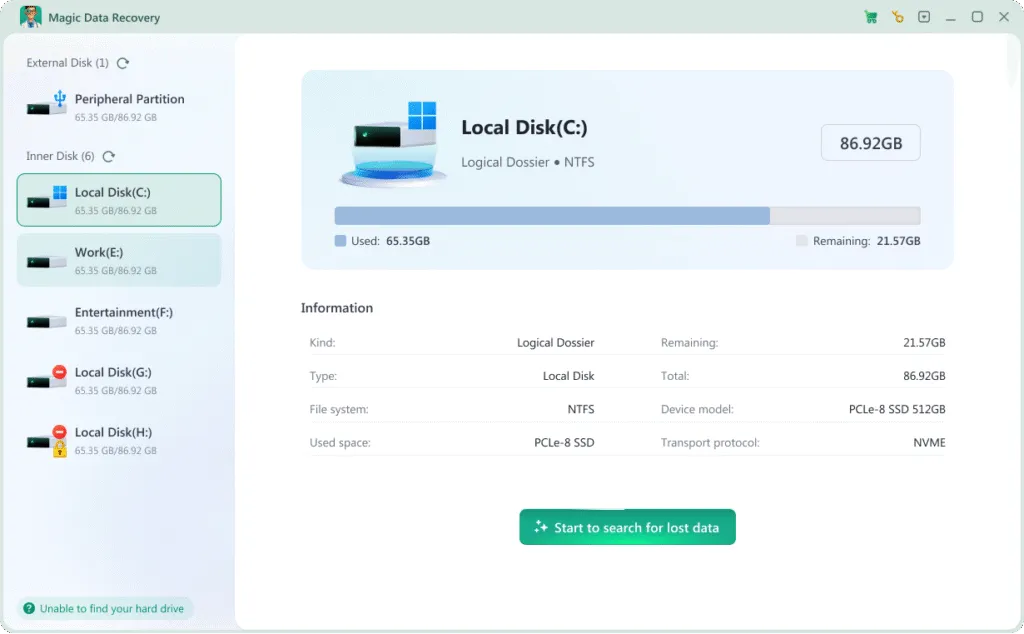
Download Magic Data Recovery from the official website and install it on a healthy drive. Avoid installing it on the disk that contains the lost partition data.
Step 2: Select the Disk to Scan
Launch the software and choose the affected hard drive. Start the scan so the program can search for lost or deleted partition data.

Step 3: Preview Recoverable Files
Once scanning is complete, browse the results and preview files found in the missing partition. This helps confirm file integrity before recovery.
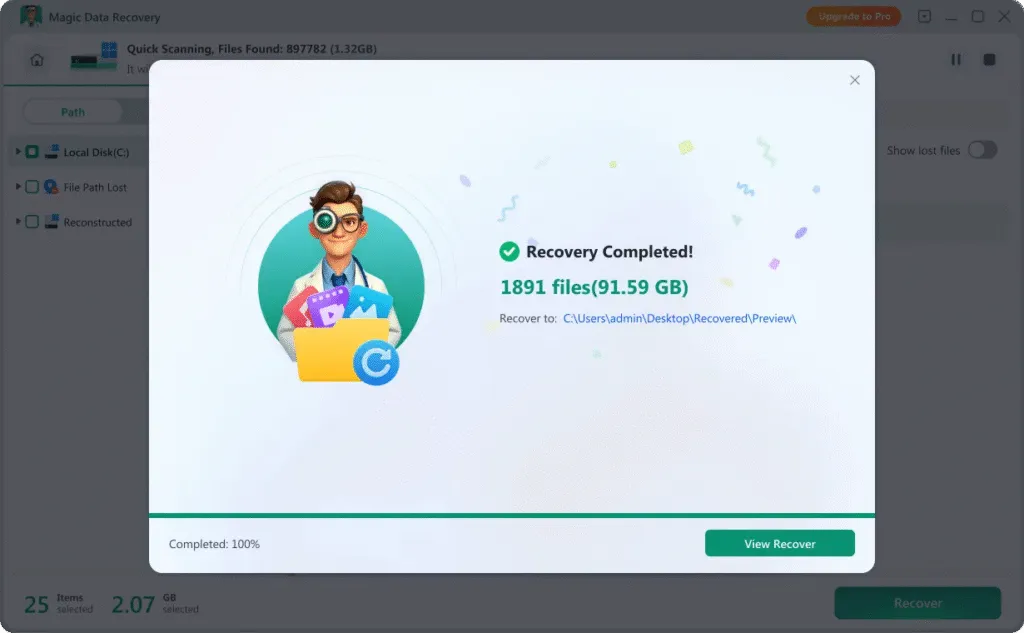
Step 4: Recover Files to a Safe Location
Select the files you want to restore and save them to a different drive or external storage device. After your data is safely recovered, you may recreate the partition manually and copy the files back if needed.
Recover Data from Lost Partitions on Different Devices
Lost partition issues can occur on many types of storage media. Magic Data Recovery supports recovery from:
- Windows desktops and laptops
- Internal and external hard drives
- SSDs and formatted partitions
- USB flash drives
- SD cards and memory cards
- Portable storage devices
File Types Supported for Partition Data Recovery
Lost partition data recovery may involve many types of files. Magic Data Recovery supports hundreds of formats, including:
Video Files
mp4, mov, mkv, avi, wmv, flv, webm, mpg, mpeg, m4v, 3gp, 3g2, mts, m2ts, m2t, ts, tod, mxf, r3d, crm, ogm and more
Image & Graphics Files
JPG, PNG, GIF, TIFF, BMP, WEBP, HEIC, PSD, AI, SVG, CR2, CR3, NEF, ARW, RAF, RW2, ORF, DNG, PEFORF, DNG, PEFand more
Audio Files
MP3, M4A, AAC, WAV, FLAC, OGG, AIF, AIFF, WMA, MP2, MPA, AA, AMR, AWB, CAF, DS2, RA, VOC, ZRV AWB, CAF, DS2, RA, VOC, ZRV and more
Document Files
docx, xlsx, pptx, pdf, rtf, xml, odg, sxc, wps, epub, msg, emlx, mdb, fp7, db3, bkf, jks, rp, afdesign, apk, ipa, cs and more
Archive Files
zip, rar, 7z, tar, xz, cab, arj, dmg, iso, rdb, jar, mbx, pst and more zip, rar, 7z, tar, xz, cab, arj, dmg, iso, rdb, jar, mbx, pst and more
Other File Types
accdb, db, sql, myo, otf, raw, dd, img, iso, dsk, bin, dat, vmdk and more accdb, db, sql, myo, otf, raw, dd, img, iso, dsk, bin, dat, vmdk and more
Tips to Maximize Partition Recovery Success
To improve your chances of successful lost partition data recovery, follow these important tips:

Stop Using the Affected Drive
Avoid writing new data to the disk immediately. Continued use may overwrite recoverable partition data.

Do Not Format or Repartition
Repartitioning or formatting can reduce recovery success. Recover files first before making disk changes.

Use Trusted Recovery Software
Professional partition recovery software provides safer results and prevents unnecessary disk modification.
Frequently Asked Questions
Lost partition data recovery can be confusing at first. These frequently asked questions provide clear answers to help you move forward with confidence.
Magic Data Recovery
Start Lost Partition Recovery Now
A lost partition does not always mean your files are gone forever. With Magic Data Recovery, you get a powerful and user-friendly solution for lost partition data recovery, helping you recover data from deleted or inaccessible partitions safely and efficiently.
Download Magic Data Recovery now and restore your important files with confidence.
Related Guides
Explore more lost partition data recovery guides to recover files after a partition is lost or deleted, and learn useful methods to restore your important data safely and efficiently.
Accidentally deleted or lost a partition? Learn how partition recovery works and use Magic Data Recovery …
Learn how unallocated disk partition recovery works, why partitions become unallocated, and how to recover …
Learn how lost partition data recovery software works, and how to safely recover data using reliable lost partition …
The best NTFS partition recovery software. Step-by-step solutions for accidental deletion, formatting, or system …
Discover the 7 best partition recovery software tools, including paid and free options. Compare and learn a data …