
USB Flash Drive Solutions
A USB flash drive is one of the most convenient portable storage devices for transferring and storing documents, photos, videos, and work files. Whether used for school, business, backups, or system installation media, USB drives are compact, easy to carry, and widely compatible. If files disappear or a USB drive becomes unreadable, you can use Magic Data Recovery to scan and restore lost USB data efficiently.
What Is a USB Flash Drive?
A USB flash drive (also known as a USB drive, thumb drive, or pen drive) is a small solid-state storage device that connects to computers and other devices through a USB port.
USB flash drives are commonly used for:
- File transfer between computers
- Portable backups and storage
- Software installation and bootable media
- Sharing documents, photos, and videos
There are several common types of USB flash drives:
- Standard USB Flash Drives – traditional USB-A devices
- USB-C Flash Drives – designed for laptops and smartphones
- OTG USB Drives – compatible with mobile devices

Common USB Flash Drive Data Loss Scenarios
Data loss on a USB flash drive often happens unexpectedly due to improper handling, system issues, or device errors. Below are typical situations where files may become lost.

Accidental File Deletion
Files may be mistakenly deleted while organizing folders or transferring data, and they usually remain recoverable before being overwritten.

USB Drive Formatting
Formatting a USB flash drive removes file access immediately. However, the underlying data can often still be restored if no new data has replaced it.

File System Becomes RAW
If a USB drive shows as RAW or requests formatting, the file system may be damaged, making stored data temporarily inaccessible.

USB Drive Not Recognized
A USB device may fail to appear in File Explorer due to driver conflicts, partition errors, or logical corruption.

Virus or Malware Infection
USB drives are vulnerable to virus attacks when connected to multiple devices, which may hide, delete, or encrypt files.

Unsafe Removal
Removing a USB flash drive without proper ejection can interrupt write operations and result in corrupted or missing files.
Can Data Be Recovered from a USB Flash Drive?
Yes — in many cases, lost files can be recovered from a USB flash drive. When data is deleted or the device is formatted, the information often remains stored in memory until overwritten. For logical issues such as deletion, formatting, RAW errors, or virus damage, professional recovery software can help retrieve lost files.
Recovery success depends on several factors:
- How recently the data was lost
- Whether new files were written to the USB drive
- The severity of file system damage
- Whether the USB device is physically functional
- If the drive is detected by the operating system

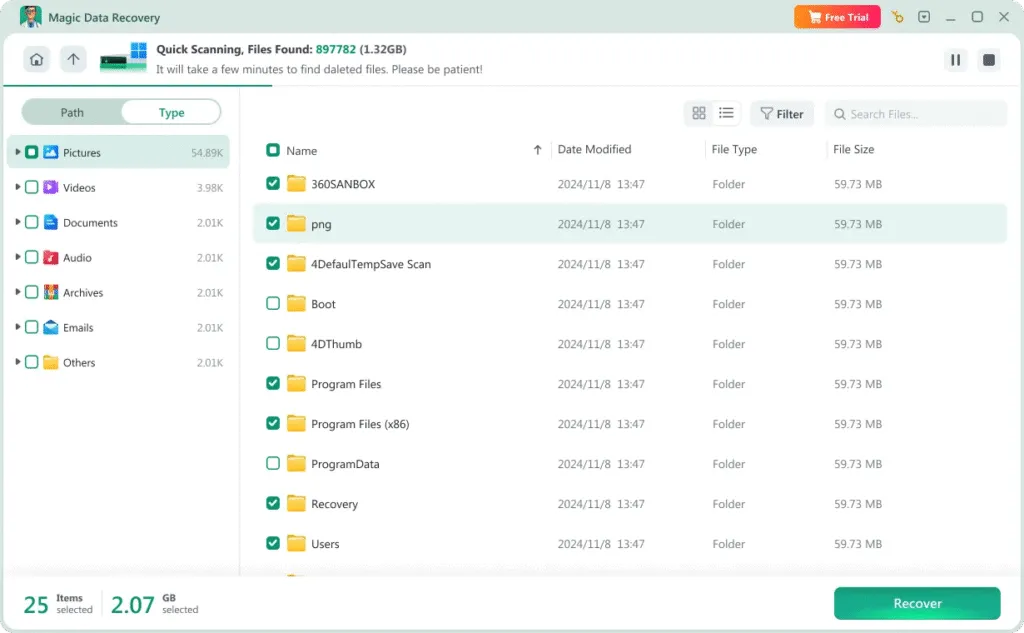
Recover USB Flash Drive Data with Magic Data Recovery
Magic Data Recovery is built to restore lost files from USB flash drives and other portable storage devices. It supports recovery in cases such as:
- Deleted files and folders from USB drives
- Formatted USB flash drives
- RAW or corrupted USB partitions
- USB drives showing errors or inaccessible data
How to Recover Files from a USB Flash Drive
Recovering data from a USB flash drive can be simple with the right tool. Follow these steps using Magic Data Recovery:
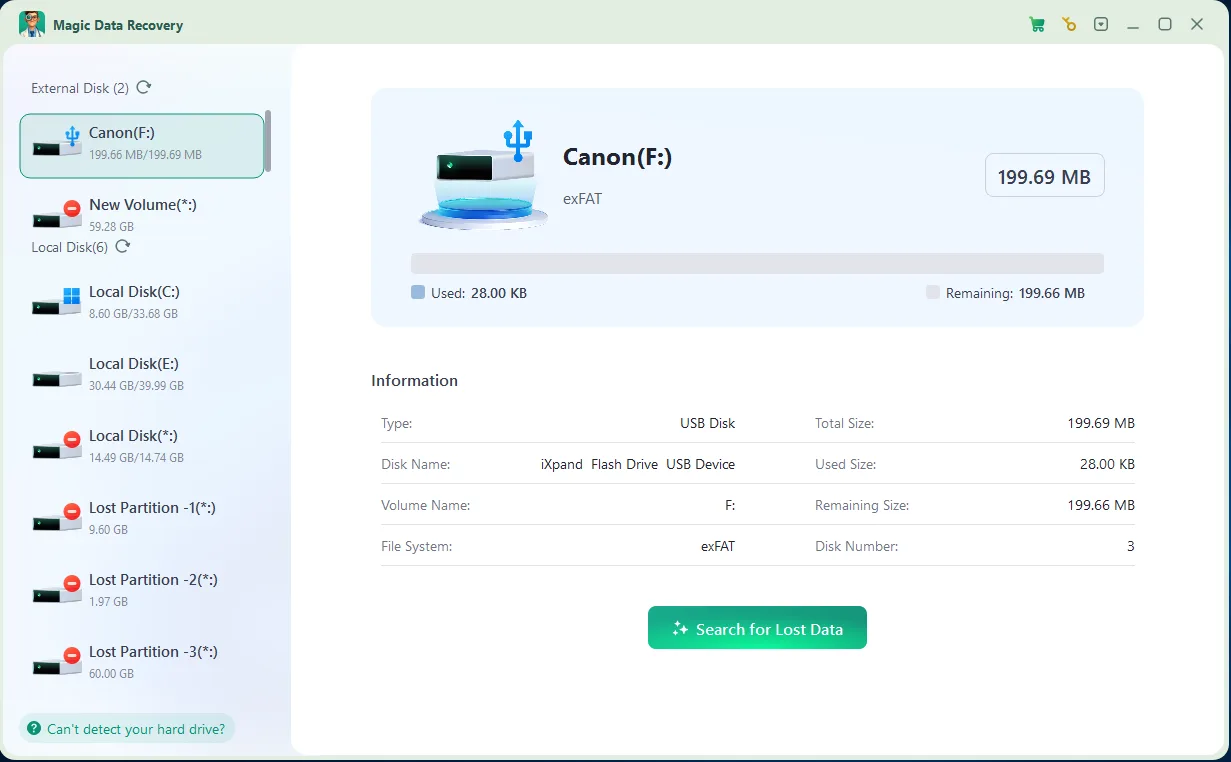
Step 1: Download and Install Magic Data Recovery
Download the software from the official website and install it on your computer. Do not install it on the affected USB flash drive to avoid overwriting data.
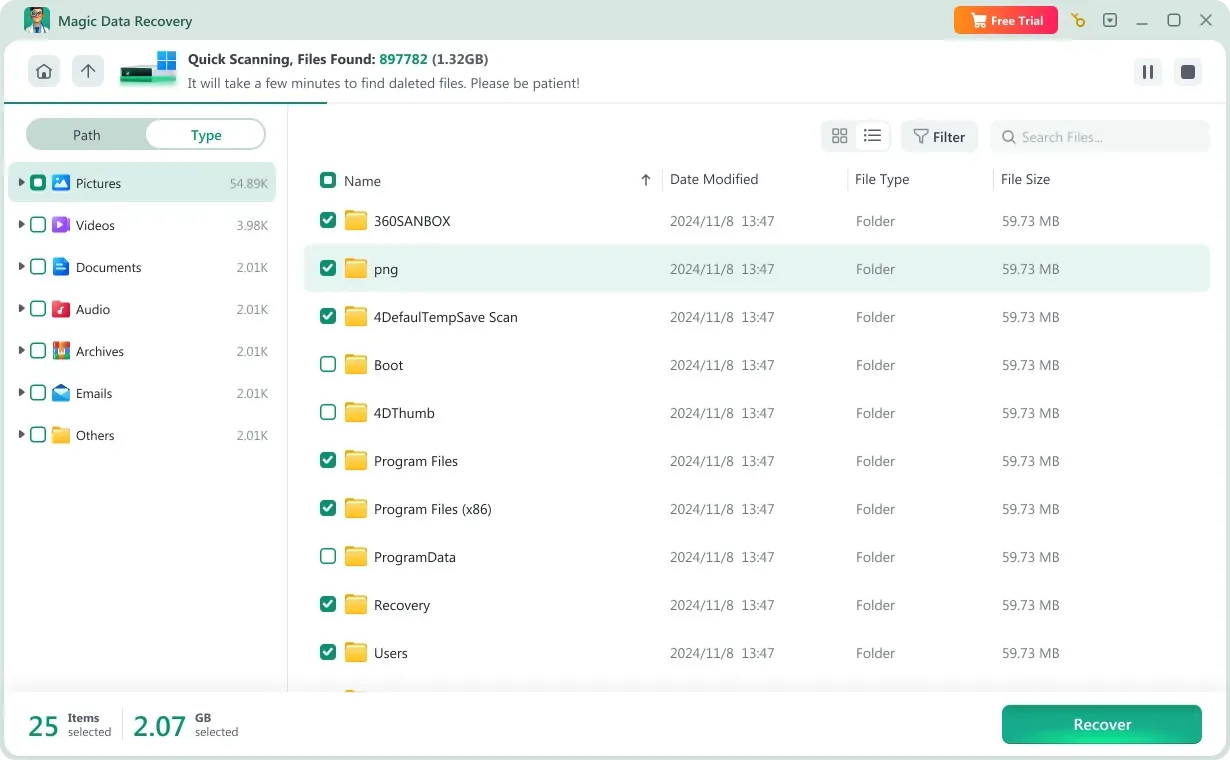
Step 2: Connect and Select the USB Drive
Insert the USB flash drive into your computer. Launch the program and select the USB device from the drive list, then begin scanning.

Step 3: Scan and Preview Lost Files
After scanning completes, review the detected files. Use the preview function to verify file integrity before recovery.
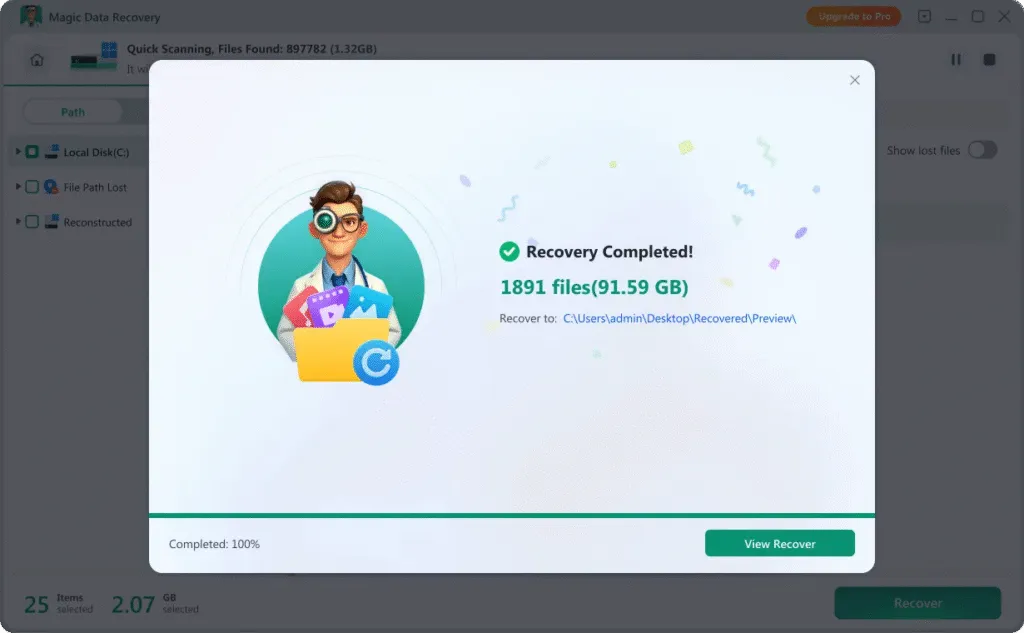
Step 4: Recover to a Different Location
Choose the files you wish to restore and save them to your computer’s internal drive or another external device — never back to the same USB drive.
Tips to Improve USB Flash Drive Recovery Success
Taking the correct actions immediately after data loss can significantly increase recovery success.
Stop Using the USB Drive Immediately
Avoid copying or modifying files on the affected USB device. Continued use may overwrite recoverable data.
Do Not Reformat Repeatedly
If the system prompts you to format the USB drive, avoid multiple attempts, as this reduces recovery possibilities.
Scan Before Attempting Repairs
Running repair commands without backing up recoverable data may cause further file system damage. Scan first whenever possible.
Keep USB Devices Virus-Free
Use reliable antivirus protection to prevent hidden or shortcut virus issues commonly spread through portable drives.
Safely Eject the Device
Always use the “Safely Remove Hardware” option before unplugging the USB flash drive to prevent corruption.
Avoid Physical Damage
Protect USB drives from water, heat, and bending. Physical damage may require professional hardware repair instead of software recovery.
Frequently Asked Questions
Find answers to common questions about USB flash drive data recovery, including formatting issues, recognition errors, and recovery safety.
Yes. In many situations, formatted USB drives still contain recoverable data until new files overwrite the storage space. Immediate scanning improves recovery chances.
A RAW status usually indicates file system corruption. Data recovery software can scan the device before reformatting.
Professional recovery software performs read-only scanning, meaning it does not modify existing data. Always save recovered files to another location.
If the device appears in Disk Management but not File Explorer, recovery software may still detect and scan it. Hardware failure, however, may require specialist assistance.
Recovery time varies depending on storage capacity and scan depth. Smaller drives may complete within minutes, while larger ones require longer scanning time.
Recovery tools can retrieve documents, images, videos, audio files, compressed archives, and many other common file formats.

Magic Data Recovery
Reliable and Powerful USB Data Recovery Software
Restore lost USB flash drive data quickly and securely with Magic Data Recovery. Continuous optimization and advanced scanning technologies help ensure stable, efficient, and user-friendly USB recovery performance.
Related Guides
Explore our collection of helpful guides, tutorials, and troubleshooting tips to help you manage, fix, and recover data from USB flash drives more easily and safely.
Your complete guide to USB data recovery and drive repair. Learn how to restore lost files from a flash …
Accidentally formatted your USB? Recover deleted files quickly with our guide to the best free and paid …
USB drive not recognized on Windows 10? Learn why USB flash drives are not detected and follow solutions …
Learn corrupted thumb drive recovery methods, understand risks of CHKDSK, and discover how to recover files …
Discover how to fix USB drive not showing up on Windows with step-by-step solutions, safe repair tips, and secure …