

Magic Data Recovery
Photo Recovery
Photo recovery allows you to retrieve images that were accidentally deleted, lost after formatting, or removed due to system errors. Even when photos seem permanently erased, the image data often remains on the storage device until it is replaced by new files. As part of a professional data recovery solution, Magic Data Recovery enables you to scan your drive, detect recoverable image files, and restore them securely before they are overwritten.
Losing treasured photos — whether personal memories or business visuals — can be stressful and frustrating. Magic Data Recovery from Amagicsoft offers an efficient and intuitive way to recover deleted photos and bring back valuable images quickly and safely.
What Is Photo Recovery?
When a picture is deleted from a Windows computer, camera SD card, or external drive, the system does not immediately erase the file’s data. Instead, it marks the space as available for reuse. With advanced scanning technology, users can locate lost pictures, preview them before restoration, and recover them without affecting the original storage structure.
Common Scenarios That Cause Photo Loss
- Accidental deletion of image folders
- Formatting an SD card or USB drive
- Camera errors or memory card corruption
- Virus or malware attacks
- System crashes during file transfer
- Partition loss or disk damage
- Unexpected power failure while saving photos

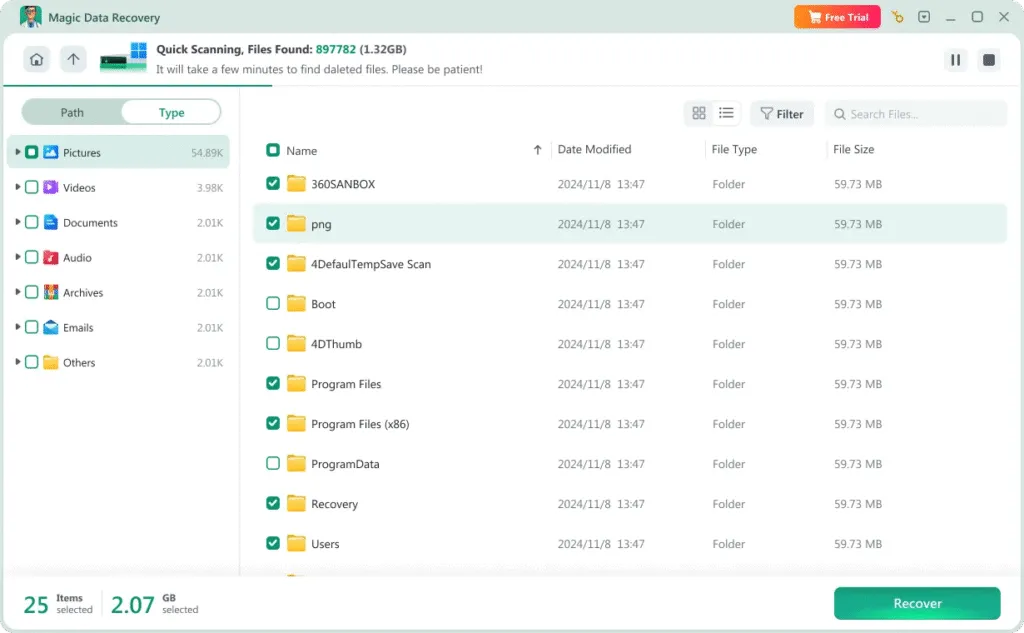
Why Magic Data Recovery Is the Right Choice
Magic Data Recovery is designed to simplify photo recovery while ensuring data safety and high recovery success rates for users at any technical level.
- Deep scan technology to locate deleted image files
- Recovers photos even after formatting or permanent deletion
- Preview function to check image quality before recovery
- Compatible with drives, memory cards, and external storage
Steps to Recover Lost Photos
Restoring lost pictures does not require complicated procedures. Magic Data Recovery makes the process straightforward:
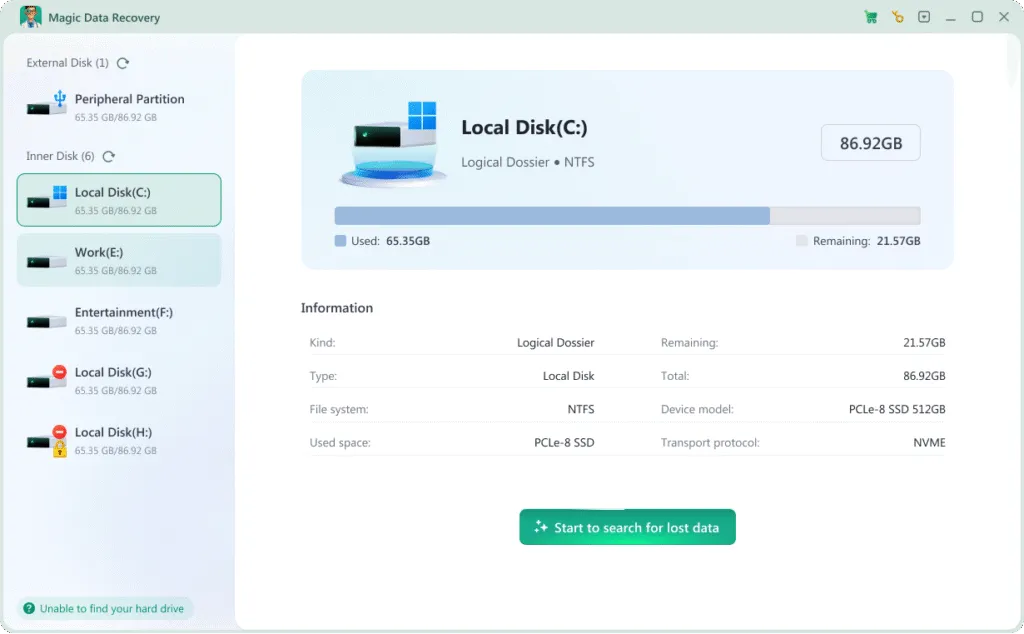
Step 1: Download and Install Magic Data Recovery
Download the program from the official website and install it on a healthy drive. Avoid installing it on the same storage device where the photos were lost.
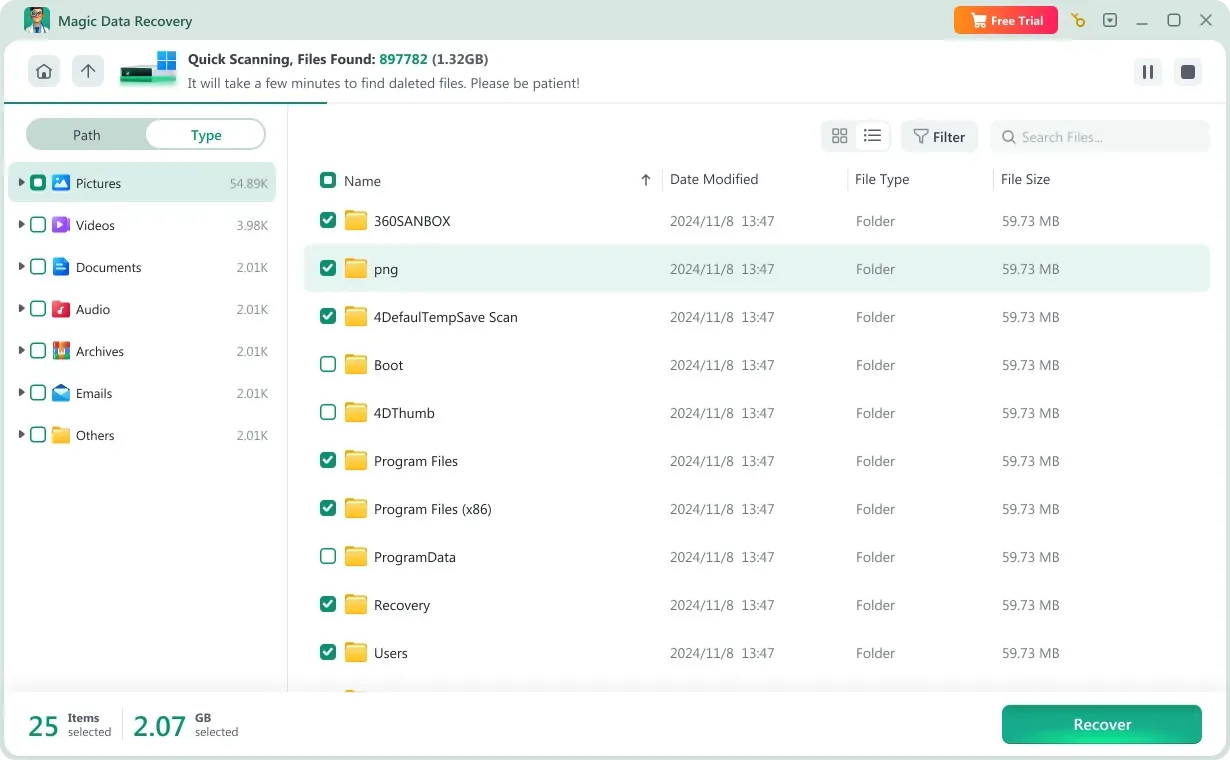
Step 2: Choose the Storage Device
Launch the software and select the drive, SD card, or partition where the images were originally stored. Begin scanning to search for lost photos.

Step 3: Preview Found Images
After scanning, browse through the detected image files and use the preview feature to confirm which photos you want to recover.
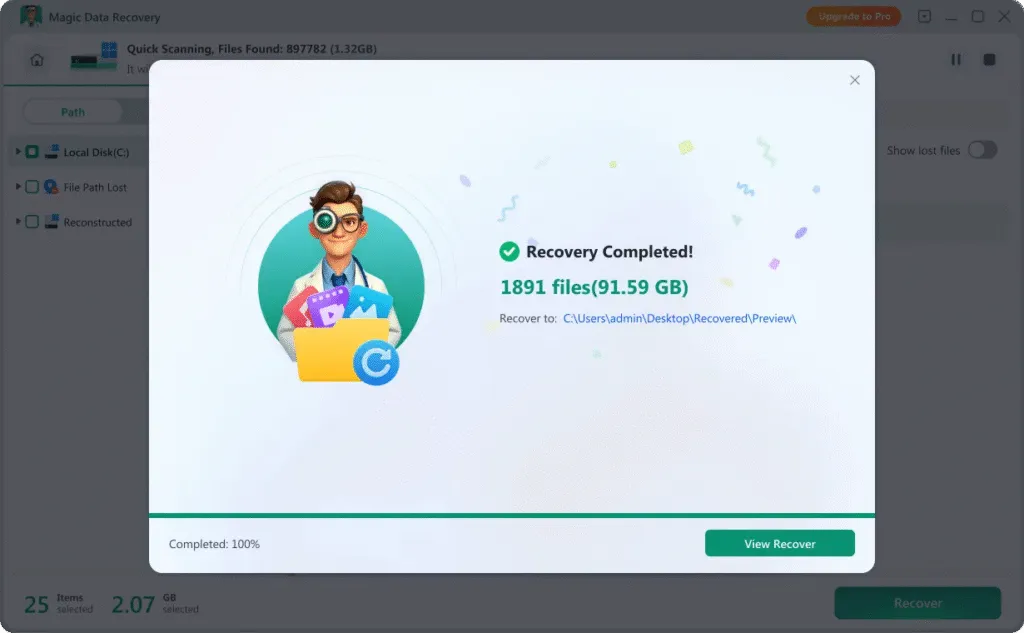
Step 4: Save Photos to a Different Location
Select the photos to restore and save them to another drive or storage device to prevent overwriting recoverable data.
Recover Photos from Different Storage Devices
Photo loss can occur across many types of digital storage media. Magic Data Recovery supports photo recovery from:
- Windows PCs and laptops
- Digital camera SD cards
- External hard drives
- USB flash drives
- SD cards and memory cards
- Other removable storage devices

Tips to Improve Photo Recovery Success
To increase the likelihood of successfully recovering deleted photos, consider these important tips:

Stop Using the Storage Device
Immediately discontinue using the affected drive or memory card. Continued use may overwrite deleted photos and reduce recovery chances.

Do Not Format Repeatedly
Repeated formatting attempts can make image recovery more difficult. Avoid unnecessary operations on the affected device.

Use Reliable Photo Recovery Software
Professional image recovery tools provide deep scanning capabilities and safe recovery methods that minimize additional data damage.
Frequently Asked Questions About Photo Recovery
Photo recovery can raise many questions. Below are clear answers to help you better understand the process.
Magic Data Recovery
Start Photo Recovery Today
Accidentally deleting photos or losing images does not always mean they are gone forever. With Magic Data Recovery, you have a powerful and user-friendly photo recovery solution that helps you retrieve deleted pictures safely and efficiently.
Download Magic Data Recovery today and restore your precious photos with confidence.
Related Guides
Explore more photo recovery guides to recover deleted or lost photos on different devices, and learn practical tips and effective methods to restore your valuable images quickly and safely.
Full guide on How to recover permanently deleted photos from SD cards, USB drives, or PC drives. Stop …
Learn how to restore recently deleted photos. This guide explains recovery options and how Magic Data …
Learn whether you can recover all deleted photos, including permanently deleted files, and why Magic Data …
Learn how to restore permanently deleted photos. This practical guide explains recovery methods and reliable …
Learn how to do SD card photo recovery after deletion, formatting, or file system errors. Explore free tools and …