
Verstehen von Datei und Dateisystem
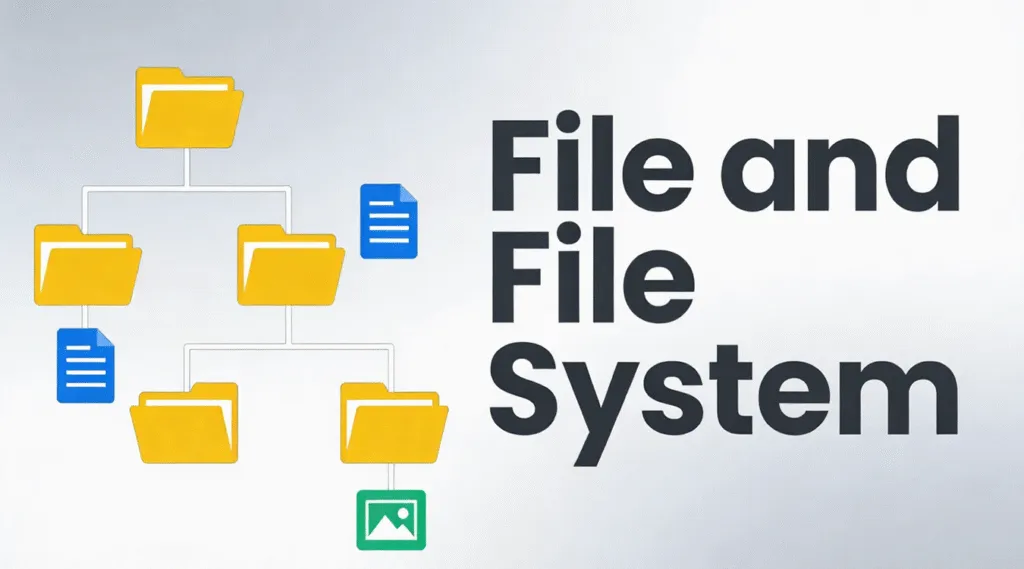
Wenn ein Laufwerk plötzlich zum unzugänglich, beschädigt oder unlesbar ist, liegt die Ursache oft in der Datei und Dateisystem und nicht die Datenblöcke. Kein Grund zur Panik - die gute Nachricht ist, dass die meisten Situationen logische Fragen, Sie sind nicht physisch, sondern können mit dem richtigen Ansatz verstanden und gelöst werden.
In der Praxis erklärt dieser Artikel, wie Dateien auf der Festplatte organisiert sind, wie Speicherstrukturen zusammenarbeiten, die wichtigsten Speicherformate, die verwendet werden, und praktische Methoden, um logische Festplattenfehler zu beheben, ohne weitere Datenverluste zu riskieren.
Inhaltsübersicht
Was ist eine Datei?
A Datei ist eine strukturierte Sammlung von Daten, die auf einem Speichergerät gespeichert sind. Aus Sicht des Betriebssystems besteht eine Datei nicht nur aus Rohdaten, sondern sie enthält Metadaten wie zum Beispiel:
- Name der Datei
- Größe
- Zeitstempel der Erstellung und Änderung
- Zugriffsberechtigungen
- Physikalischer Speicherort auf der Festplatte
Daher verwalten moderne Betriebssysteme keine rohen Festplattensektoren direkt. Stattdessen verlassen sie sich auf das Dateisystem, um Dateien effizient und sicher den physischen Speicherorten zuzuordnen.
Was ist ein Dateisystem?
Ein logischer Speicherrahmen steuert, wie Dateien auf einem Speichergerät gespeichert, organisiert, abgerufen und verwaltet werden. Es definiert:
- Wie Datenblöcke zugewiesen werden
- Wie Verzeichnisse aufgebaut sind
- Wie die Metadaten einer Datei aufgezeichnet werden
- Wie freier und belegter Speicherplatz überwacht wird
Gängige Dateisysteme wie NTFS, FAT32, exFAT, und EXT4 folgen strengen strukturellen Regeln, die durch Betriebssystemstandards definiert sind. Microsofts NTFS beispielsweise stützt sich auf die Stammdatentabelle (MFT) um jede Datei und jedes Verzeichnis auf dem Volume zu verfolgen.
Ohne eine funktionierende Speicherstruktur sind die Daten zwar noch auf der Festplatte vorhanden, aber das Betriebssystem kann sie nicht interpretieren.
Dateisystem vs. Ablagesystem
Obwohl diese Begriffe oft verwechselt werden, dienen sie unterschiedlichen Zwecken:
- Dateisystem: Eine technische Struktur auf der Ebene des Betriebssystems, die digitale Daten auf Speichermedien verwaltet. In der Informatik ist dieser Fachbegriff die korrekte und präzise Bezeichnung.
- Ablagesystem: Eine umfassendere Organisationsmethode, die physische oder digitale Klassifizierungssysteme umfassen kann, die von Menschen oder Unternehmen verwendet werden.
Gängige Arten von Dateisystemen
Unterschiedliche Betriebssysteme und Speicherszenarien erfordern unterschiedliche Speicherformate.
1. FAT32
- Weitgehend kompatibel
- Begrenzte Dateigröße (maximal 4 GB)
- Minimale Fehlertoleranz
2. exFAT
- Entwickelt für Flash-Speicher
- Unterstützt große Dateien
- Häufig auf SD-Karten und USB-Laufwerken
3. NTFS
- Standard für moderne Windows-Systeme
- Unterstützt Berechtigungen, Journaling und Verschlüsselung
- Äußerst widerstandsfähig gegen Korruption
4. EXT4
- Standard für Linux-Systeme
- Effizient und stabil
- Starke Unterstützung für das Journaling
Jedes Dateisystem bietet ein anderes Gleichgewicht zwischen Leistung, Kompatibilität und Datenintegrität.
Wie Festplattenstrukturen die Daten organisieren
Moderne Speicherformate stützen sich auf interne Strukturen, um Daten zu organisieren. Zu den gängigsten gehören:
1. Hierarchische Struktur - In Verzeichnissen und Unterverzeichnissen angeordnete Dateien
2. Flache Struktur - Minimale Organisation, verwendet in einfachen Systemen
3. Indizierte Struktur - Verwendet Indizes zum schnellen Auffinden von Dateien
4. Verknüpfte Struktur - Sequentiell verknüpfte Datenblöcke
5. Struktur des Journals - Nachverfolgung von Änderungen vor dem Festschreiben, wodurch das Korruptionsrisiko verringert wird
Moderne Dateisysteme wie NTFS und EXT4 verwenden in erster Linie hierarchische und journalistische Strukturen, um die Zuverlässigkeit zu gewährleisten.
Integrität der Festplattenstruktur prüfen
Wenn sich ein Laufwerk abnormal verhält, ist die Überprüfung der Festplattenstruktur der erste sichere Schritt.
1. Öffnen Sie Dieser PC
2. Klicken Sie mit der rechten Maustaste auf das Laufwerk
3. Wählen Sie . Eigenschaften → Werkzeuge → Siehe
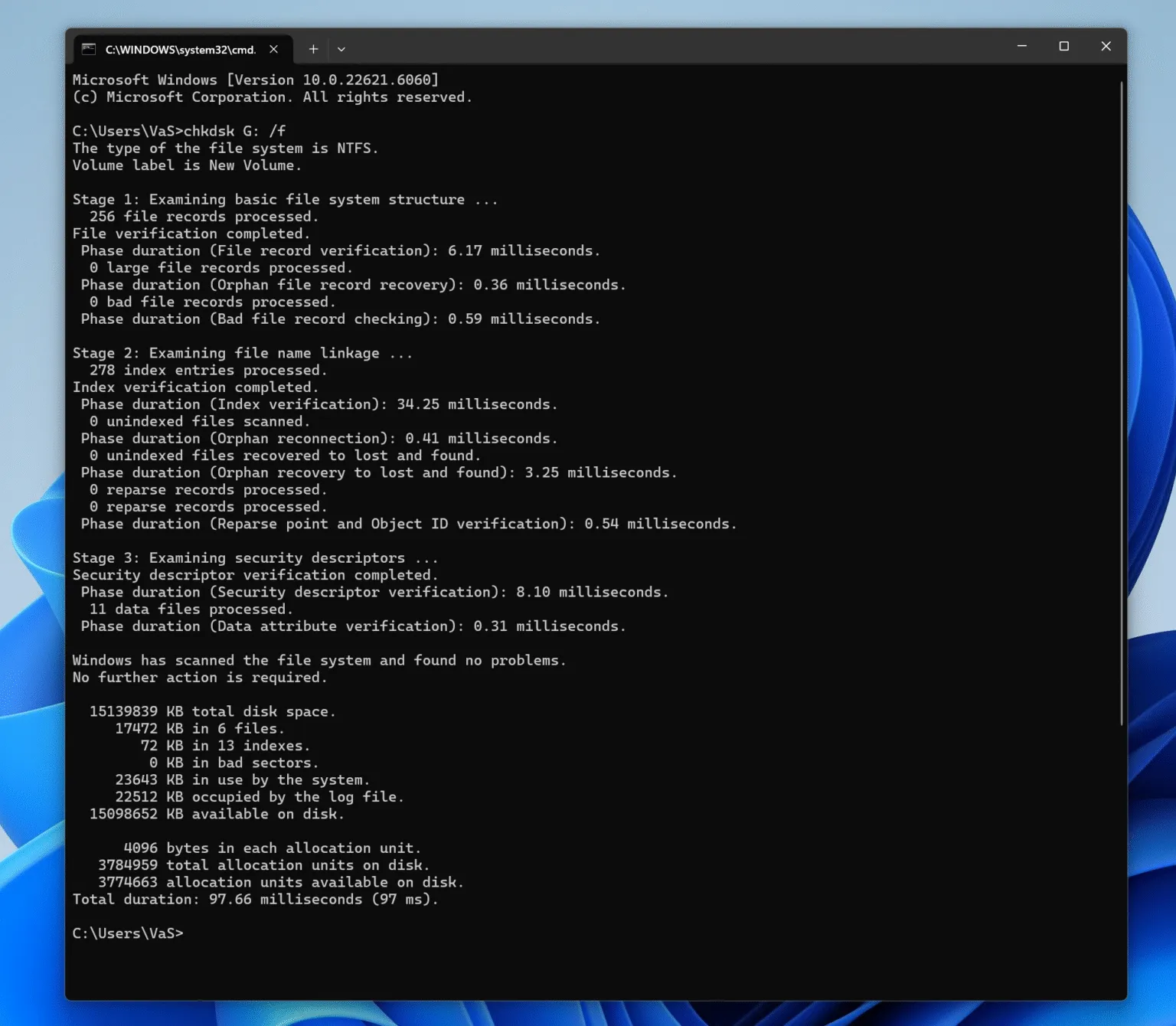
Alternativ können Sie auch die Eingabeaufforderung verwenden:
chkdsk X: /f
(Ersetzen Sie X durch den Laufwerksbuchstaben.)
Dabei wird die logische Struktur nach Fehlern durchsucht, ohne den Inhalt der Datei zu verändern, sofern dies nicht notwendig ist.
So beheben Sie logische Festplattenfehler sicher
Logische Festplattenfehler treten in der Regel aufgrund von unsachgemäßem Auswerfen, Stromausfall oder unterbrochenen Schreibvorgängen auf. Gehen Sie strukturiert vor:
Schritt 1: Beenden Sie die Verwendung des betroffenen Laufwerks
Bei fortgesetzter Verwendung können wiederherstellbare Daten überschrieben werden.
Schritt 2: Identifizieren des Dateisystemstatus
Wenn das Laufwerk als RAW, Die Metadaten der Dateistruktur werden beschädigt, aber die Daten bleiben oft intakt.
Schritt 3: Versuchen Sie eine logische Reparatur
Verwenden Sie integrierte Tools wie CHKDSK für kleinere Probleme.
Schritt 4: Daten vor der Reparatur wiederherstellen (empfohlen)
Professionelle Werkzeuge wie Magic Data Recovery Scannen von Speicher im Nur-Lese-Modus, Auffinden von Festplattenstruktureinträgen und sicheres Extrahieren von Dateien - selbst wenn die zugrunde liegende Speicherstruktur beschädigt oder unerkannt ist.
Dieser Ansatz minimiert das Risiko und bewahrt die Datenintegrität vor jeder Reparatur oder Neuformatierung.
Warum die Kenntnis der Speicherstruktur für die Wiederherstellung wichtig ist
Das Verständnis der Funktionsweise von Dateisystemen erklärt, warum Daten nach einer Löschung, Formatierung oder Beschädigung oft nicht dauerhaft verloren gehen. In vielen Fällen:
- Dateieinträge werden entfernt
- Datenblöcke bleiben unangetastet
- Wiederherstellung ist möglich bis zum Überschreiben
Aus diesem Grund konzentriert sich professionelle Wiederherstellungssoftware auf die Interpretation von Festplattenstruktursätzen, anstatt die Rohdaten zu erraten.
Schlussfolgerung
Probleme mit logischen Laufwerken sind häufig, überschaubar und oft reversibel. Mit einem klaren Verständnis der Dateiorganisation auf der Festplatte und einer sorgfältigen Vorgehensweise bei der Wiederherstellung können Sie den Zugriff auf Ihre Daten sicher und effizient wiederherstellen. Laden Sie Magic Data Recovery herunter, um Dateien zu scannen und wiederherzustellen von beschädigte oder korrumpierte Dateisysteme in einer sicheren, schreibgeschützten Umgebung.
Unterstützt Windows 7/8/10/11 und Windows Server
Häufig gestellte Fragen
Was ist eine Datei und ein Dateisystem?
Was ist ein Akten- und Ablagesystem?
Was sind die vier Arten von Dateisystemen?
Ist es ein Dateisystem oder ein Dateisystem?
Wie kann ich mein Dateisystem überprüfen?
Was sind die 5 Dateistrukturen?
Wie löst man einen Dateisystemfehler?

Vasilii ist ein Datenrettungsspezialist mit rund 10 Jahren praktischer Erfahrung in diesem Bereich. Im Laufe seiner Karriere hat er Tausende von komplexen Fällen mit gelöschten Dateien, formatierten Laufwerken, verlorenen Partitionen und RAW-Dateisystemen erfolgreich gelöst. Sein Fachwissen umfasst sowohl manuelle Wiederherstellungsmethoden mit professionellen Tools wie Hex-Editoren als auch fortschrittliche automatische Lösungen mit Wiederherstellungssoftware. Vasilii hat es sich zur Aufgabe gemacht, zuverlässiges Wissen zur Datenwiederherstellung sowohl IT-Fachleuten als auch normalen Nutzern zugänglich zu machen und ihnen dabei zu helfen, ihre wertvollen digitalen Ressourcen zu schützen.