
Conoscere i file e il file system
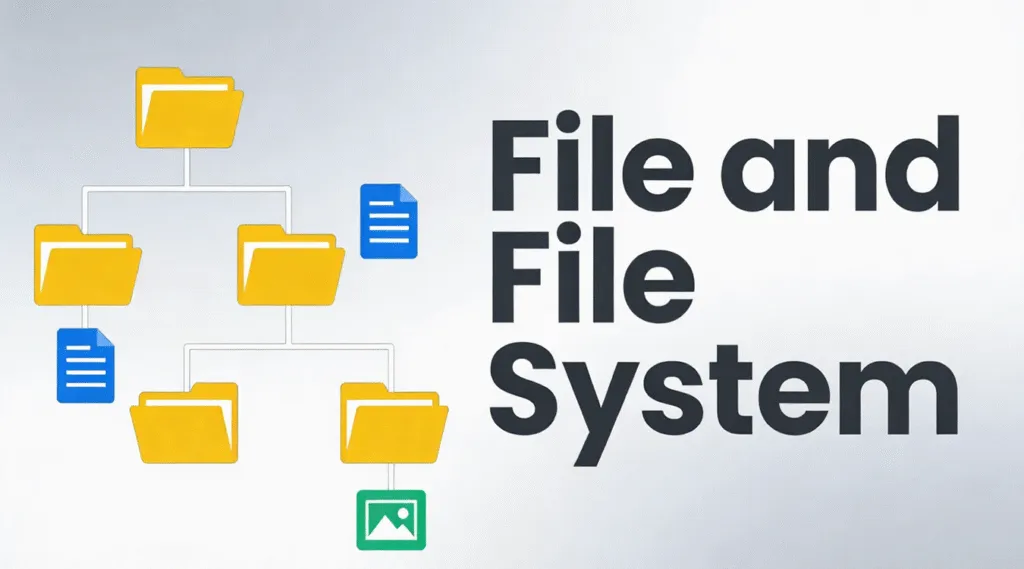
Quando un'unità diventa improvvisamente inaccessibile, danneggiato o illeggibile, la causa principale è spesso legata alla file e file system piuttosto che i blocchi di dati. Niente panico: la buona notizia è che la maggior parte delle situazioni sono problemi logici, Non sono fisici e possono essere compresi e risolti con il giusto approccio.
In pratica, questo articolo spiega come sono organizzati i file sul disco, come funzionano le strutture di archiviazione, i principali formati di archiviazione in uso e i metodi pratici per risolvere gli errori logici del disco senza rischiare ulteriori perdite di dati.
Indice dei contenuti
Che cos'è un file?
A file è una raccolta strutturata di dati memorizzati su un dispositivo di archiviazione. Dal punto di vista del sistema operativo, un file non è solo un insieme di dati grezzi, ma comprende anche metadati come ad esempio:
- Nome del file
- Dimensione
- Timestamp di creazione e modifica
- Autorizzazioni di accesso
- Posizione fisica sul disco
Di conseguenza, i moderni sistemi operativi non gestiscono direttamente i settori grezzi del disco. Si affidano invece al file system per mappare i file nelle posizioni fisiche di memorizzazione in modo efficiente e sicuro.
Che cos'è un file system?
Un framework logico di archiviazione controlla il modo in cui i file vengono archiviati, organizzati, recuperati e gestiti su un dispositivo di archiviazione. Definisce:
- Come vengono allocati i blocchi di dati
- Come sono strutturate le directory
- Come vengono registrati i metadati dei file
- Come viene monitorato lo spazio libero e utilizzato
I file system più comuni, come NTFS, FAT32, exFAT, e EXT4 seguono rigide regole strutturali definite dagli standard del sistema operativo. Ad esempio, il sistema NTFS di Microsoft si basa sull'algoritmo Tabella file master (MFT) per tenere traccia di ogni file e directory del volume.
Senza una struttura di archiviazione funzionante, i dati possono ancora esistere sul disco, ma il sistema operativo non può interpretarli.
File System vs. Sistema di archiviazione
Anche se spesso confusi, questi termini hanno scopi diversi:
- Sistema di file: Struttura tecnica a livello di sistema operativo che gestisce i dati digitali su supporti di memorizzazione. In informatica, questo termine tecnico è il termine corretto e preciso.
- Sistema di archiviazione: Un metodo organizzativo più ampio, che può includere sistemi di classificazione fisici o digitali utilizzati dall'uomo o dalle aziende.
Tipi comuni di file system
Sistemi operativi e scenari di archiviazione diversi richiedono formati di archiviazione diversi.
1. FAT32
- Ampiamente compatibile
- Dimensioni limitate dei file (massimo 4 GB)
- Tolleranza minima ai guasti
2. exFAT
- Progettato per l'archiviazione flash
- Supporta file di grandi dimensioni
- Comune su schede SD e unità USB
3. NTFS
- Predefinito per i moderni sistemi Windows
- Supporta autorizzazioni, journaling e crittografia.
- Elevata resistenza alla corruzione
4. EXT4
- Standard per i sistemi Linux
- Efficiente e stabile
- Forte supporto per il journaling
Ogni file system bilancia in modo diverso prestazioni, compatibilità e integrità dei dati.
Come le strutture dei dischi organizzano i dati
I moderni formati di memorizzazione si basano su strutture interne per organizzare i dati. Le più comuni includono:
1. Struttura gerarchica - File disposti in directory e sottodirectory
2. Struttura piatta - Organizzazione minima, utilizzata in sistemi semplici
3. Struttura indicizzata - Utilizza gli indici per individuare rapidamente i file
4. Struttura collegata - Blocchi di dati collegati in sequenza
5. Struttura del diario - Traccia le modifiche prima del commit, riducendo il rischio di corruzione.
I file system moderni, come NTFS e EXT4, utilizzano principalmente strutture gerarchiche e di journaling per garantire l'affidabilità.
Come controllare l'integrità della struttura del disco
Se un'unità si comporta in modo anomalo, la verifica della struttura del disco è il primo passo sicuro.
1. Aprire Questo PC
2. Fare clic con il tasto destro del mouse sull'unità
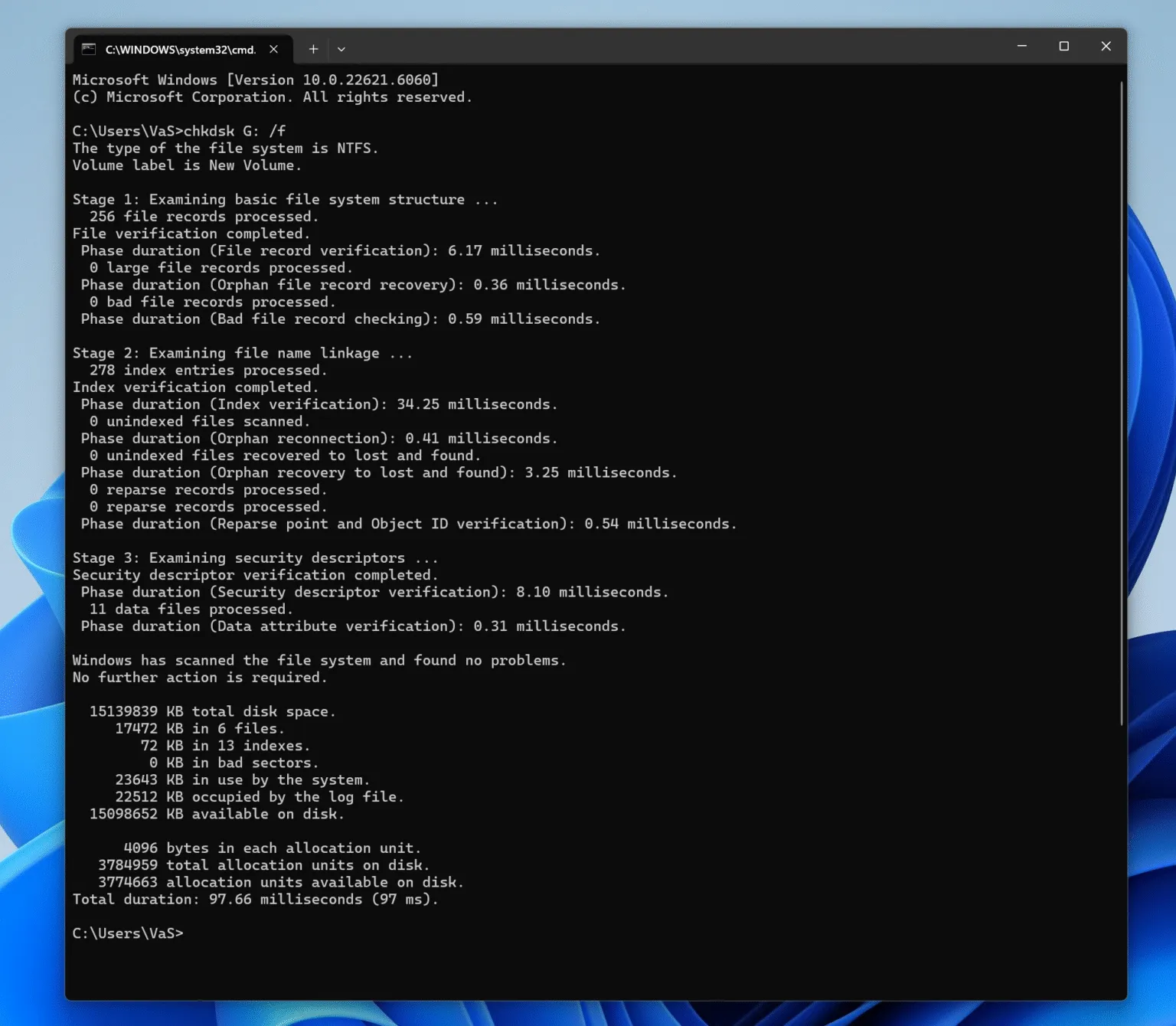
3. Selezionare Proprietà → Strumenti → Controllo
In alternativa, utilizzare il Prompt dei comandi:
chkdsk X: /f
(Sostituire X con la lettera dell'unità).
Esegue una scansione della struttura logica alla ricerca di errori, senza modificare il contenuto del file se non necessario.
Come risolvere gli errori del disco logico in modo sicuro
Gli errori del disco logico si verificano in genere a causa di un'espulsione impropria, di una perdita di alimentazione o di un'interruzione delle operazioni di scrittura. Seguire un approccio strutturato:
Fase 1: interrompere l'utilizzo dell'unità interessata
L'uso continuato potrebbe sovrascrivere i dati recuperabili.
Passo 2: Identificare lo stato del file system
Se l'unità appare come RAW, I metadati della struttura del file sono danneggiati, ma spesso i dati rimangono intatti.
Passo 3: tentare la riparazione logica
Utilizzate gli strumenti integrati come CHKDSK per problemi minori.
Passo 4: Recupero dei dati prima della riparazione (consigliato)
Strumenti professionali come Magic Data Recovery scansiona l'archivio in modalità di sola lettura, individua i record della struttura del disco ed estrae i file in modo sicuro, anche quando la struttura di archiviazione sottostante è danneggiata o non riconosciuta.
Questo approccio riduce al minimo i rischi e preserva l'integrità dei dati prima di qualsiasi riparazione o riformattazione.
Perché la conoscenza della struttura di archiviazione è importante per il ripristino
La comprensione del funzionamento dei file system spiega perché spesso i dati non vengono persi in modo permanente dopo l'eliminazione, la formattazione o il danneggiamento. In molti casi:
- Le voci dei file vengono rimosse
- I blocchi di dati rimangono intatti
- Il recupero è possibile fino alla sovrascrittura
Per questo motivo i software di recupero professionali si concentrano sull'interpretazione dei record della struttura del disco piuttosto che sull'indovinare i dati grezzi.
Conclusione
Problemi del disco logico sono comuni, gestibili e spesso reversibili. Con una chiara comprensione dell'organizzazione dei file su disco e un approccio attento al recupero, è possibile ripristinare l'accesso ai dati in modo sicuro ed efficiente. Scaricate Magic Data Recovery per scansionare e recuperare i file da file system danneggiati o corrotti in un ambiente sicuro e di sola lettura.
Supporta Windows 7/8/10/11 e Windows Server
FAQ
Che cos'è un file e un file system?
Che cos'è un archivio e un sistema di archiviazione?
Quali sono i quattro tipi di file system?
Si tratta di un file system o di un filesystem?
Come si controlla il file system?
Quali sono le 5 strutture di file?
Come risolvere l'errore del file system?

Vasilii è uno specialista del recupero dati con circa 10 anni di esperienza pratica nel settore. Nel corso della sua carriera, ha risolto con successo migliaia di casi complessi riguardanti file cancellati, unità formattate, partizioni perse e file system RAW. La sua esperienza copre sia i metodi di recupero manuale utilizzando strumenti professionali come gli editor esadecimali, sia le soluzioni automatiche avanzate con i software di recupero. La missione di Vasilii è quella di rendere accessibile la conoscenza del recupero dati affidabile sia ai professionisti IT che agli utenti di tutti i giorni, aiutandoli a salvaguardare i loro preziosi beni digitali.