
Entendiendo el Archivo y el Sistema de Archivos
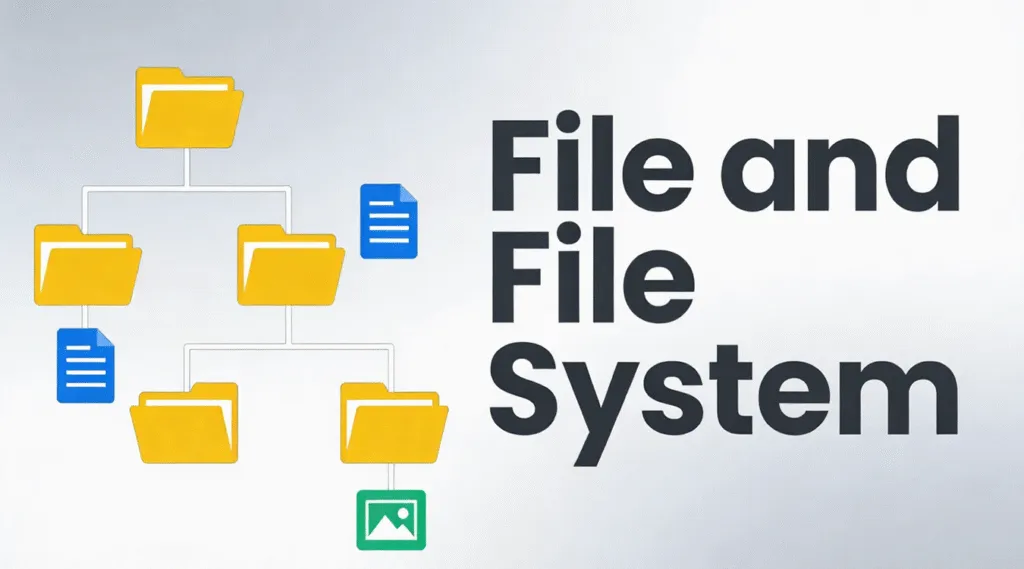
Cuando una unidad se inaccesible, corrupto o ilegible, la causa principal suele estar relacionada con la archivo y sistema de archivos en lugar de los bloques de datos. Que no cunda el pánico: la buena noticia es que la mayoría de las situaciones son cuestiones lógicas, no físicas, y pueden comprenderse y resolverse con el enfoque adecuado.
En la práctica, este artículo explica cómo se organizan los archivos en el disco, cómo funcionan juntas las estructuras de almacenamiento, los principales formatos de almacenamiento en uso y métodos prácticos para solucionar errores lógicos de disco sin arriesgarse a perder más datos.
Índice
¿Qué es un expediente?
A archivo es una colección estructurada de datos almacenados en un dispositivo de almacenamiento. Desde la perspectiva del sistema operativo, un archivo no son sólo datos en bruto, sino que incluye metadatos como:
- Nombre del fichero
- Talla
- Fechas de creación y modificación
- Permisos de acceso
- Ubicación física en el disco
Como resultado, los sistemas operativos modernos no gestionan directamente los sectores en bruto del disco. En su lugar, confían en el sistema de archivos para asignar archivos a ubicaciones de almacenamiento físico de forma eficiente y segura.
¿Qué es un sistema de archivos?
Un marco de almacenamiento lógico controla cómo se almacenan, organizan, recuperan y gestionan los archivos en un dispositivo de almacenamiento. Define:
- Cómo se asignan los bloques de datos
- Cómo se estructuran los directorios
- Cómo se registran los metadatos de los archivos
- Seguimiento del espacio libre y utilizado
Sistemas de archivos comunes como NTFS, FAT32, exFAT, y EXT4 siguen estrictas reglas estructurales definidas por los estándares de los sistemas operativos. Por ejemplo, el NTFS de Microsoft se basa en la norma Tabla maestra de archivos (MFT) para rastrear cada archivo y directorio del volumen.
Sin una estructura de almacenamiento que funcione, los datos pueden seguir existiendo en el disco, pero el sistema operativo no puede interpretarlos.
Sistema de archivos
Aunque a menudo se confunden, estos términos tienen finalidades diferentes:
- Sistema de archivos: Estructura técnica a nivel de sistema operativo que gestiona datos digitales en soportes de almacenamiento. En informática, este término técnico es el correcto y preciso.
- Sistema de archivo: Método de organización más amplio, que puede incluir sistemas de clasificación físicos o digitales utilizados por personas o empresas.
Tipos comunes de sistemas de archivos
Diferentes sistemas operativos y escenarios de almacenamiento requieren diferentes formatos de almacenamiento.
1. FAT32
- Amplia compatibilidad
- Tamaño de archivo limitado (4 GB como máximo)
- Tolerancia mínima a fallos
2. exFAT
- Diseñado para almacenamiento flash
- Admite archivos de gran tamaño
- Común en tarjetas SD y unidades USB
3. NTFS
- Por defecto para los sistemas Windows modernos
- Admite permisos, registro en diario y cifrado.
- Gran resistencia a la corrupción
4. EXT4
- Estándar para sistemas Linux
- Eficaz y estable
- Fuerte apoyo al diario
Cada sistema de archivos equilibra de forma diferente el rendimiento, la compatibilidad y la integridad de los datos.
Cómo organizan los datos las estructuras de disco
Los formatos de almacenamiento modernos se basan en estructuras internas para organizar los datos. Entre las más comunes se incluyen:
1. Estructura jerárquica - Archivos organizados en directorios y subdirectorios
2. Estructura plana - Organización mínima, utilizada en sistemas sencillos
3. Estructura indexada - Utiliza índices para localizar archivos rápidamente
4. Estructura vinculada - Bloques de datos enlazados secuencialmente
5. Estructura del diario - Rastrea los cambios antes de confirmarlos, reduciendo el riesgo de corrupción.
Los sistemas de archivos modernos, como NTFS y EXT4, utilizan principalmente estructuras jerárquicas y de registro en diario para garantizar la fiabilidad.
Cómo comprobar la integridad de la estructura del disco
Si una unidad se comporta de forma anormal, comprobar la estructura del disco es el primer paso seguro.
1. Abra Este PC
2. Haga clic con el botón derecho en la unidad
3. Seleccione Propiedades → Herramientas → Consulte
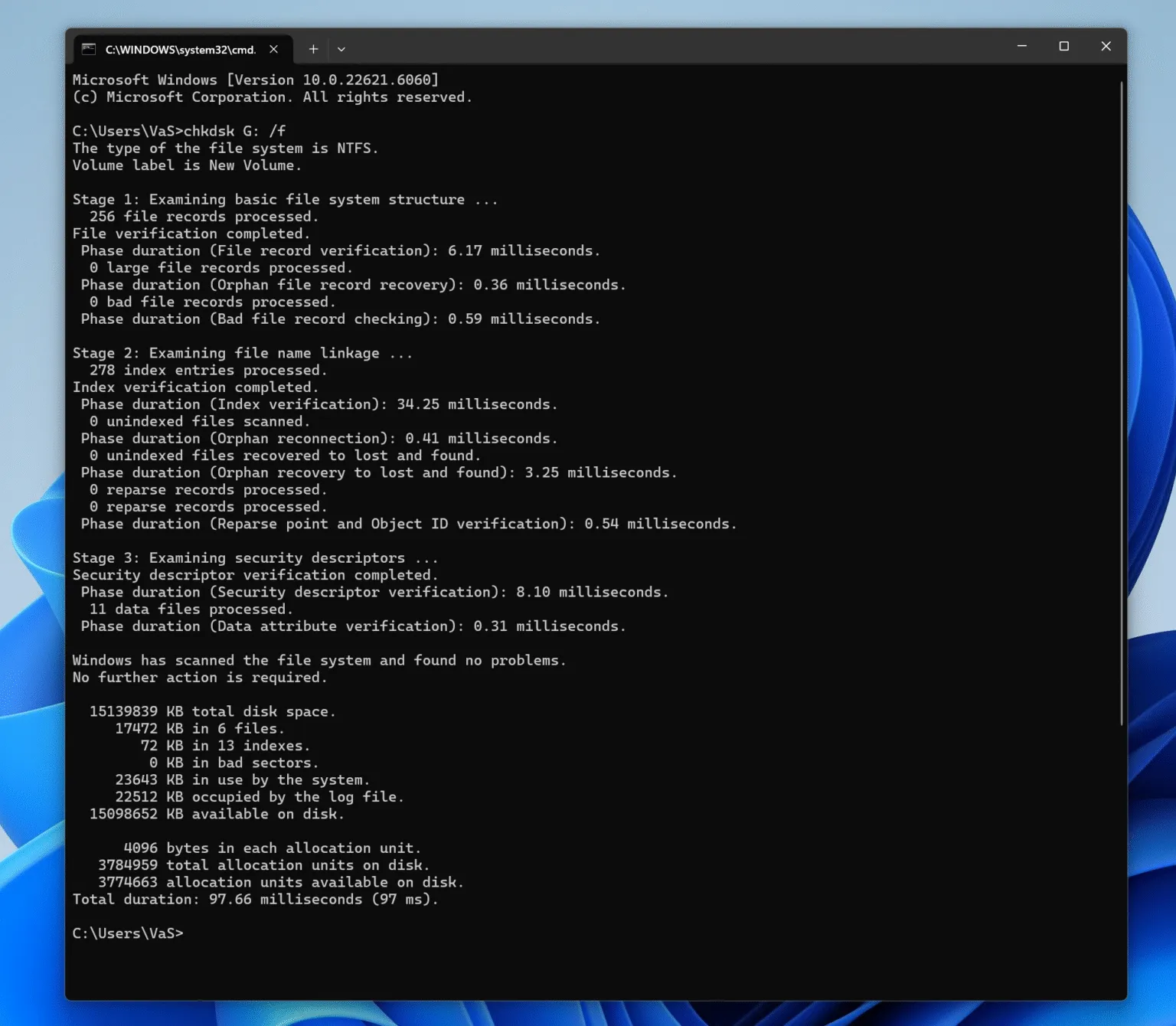
También puede utilizar el símbolo del sistema:
chkdsk X: /f
(Sustituya X por la letra de la unidad).
De este modo, se analiza la estructura lógica en busca de errores sin modificar el contenido del archivo a menos que sea necesario.
Cómo reparar errores de disco lógico de forma segura
Los errores de disco lógico suelen producirse debido a una expulsión incorrecta, una pérdida de alimentación o una interrupción de las operaciones de escritura. Siga un enfoque estructurado:
Paso 1: Deje de utilizar la unidad afectada
El uso continuado puede sobrescribir los datos recuperables.
Paso 2: Identificar el estado del sistema de archivos
Si la unidad aparece como RAW, La estructura de los archivos se daña, pero los datos suelen permanecer intactos.
Paso 3: Intentar la reparación lógica
Utilice herramientas integradas como CHKDSK para cuestiones menores.
Paso 4: Recuperar datos antes de la reparación (recomendado)
Herramientas profesionales como Magic Data Recovery escanear el almacenamiento en modo de sólo lectura, localizar registros de estructura de disco y extraer archivos de forma segura, incluso cuando la estructura de almacenamiento subyacente está dañada o no se reconoce.
Este enfoque minimiza el riesgo y preserva la integridad de los datos antes de cualquier reparación o reformateo.
Por qué el conocimiento de la estructura de almacenamiento es importante para la recuperación
Entender cómo funcionan los sistemas de archivos explica por qué los datos no suelen perderse permanentemente tras un borrado, formateo o corrupción. En muchos casos:
- Se eliminan las entradas de archivos
- Los bloques de datos permanecen intactos
- La recuperación es posible hasta que se sobrescribe
Por eso, los programas profesionales de recuperación se centran en interpretar los registros de la estructura del disco en lugar de adivinar los datos en bruto.
Conclusión
Problemas de disco lógico son comunes, manejables y a menudo reversibles. Con una comprensión clara de la organización de archivos en el disco y un enfoque cuidadoso de recuperación en primer lugar, puede restaurar el acceso a sus datos de forma segura y eficiente. Descargue Magic Data Recovery para escanear y recuperar archivos de sistemas de archivos dañados o corruptos en un entorno seguro de sólo lectura.
Compatible con Windows 7/8/10/11 y Windows Server
PREGUNTAS FRECUENTES
¿Qué es un archivo y un sistema de archivos?
¿Qué es un expediente y un sistema de archivo?
¿Cuáles son los cuatro tipos de sistemas de archivos?
¿Es un sistema de archivos o un sistema de ficheros?
¿Cómo compruebo mi sistema de archivos?
¿Cuáles son las 5 estructuras de archivos?
¿Cómo solucionar el error del sistema de archivos?

Vasilii es un especialista en recuperación de datos con unos 10 años de experiencia práctica en este campo. A lo largo de su carrera, ha resuelto con éxito miles de casos complejos relacionados con archivos borrados, unidades formateadas, particiones perdidas y sistemas de archivos RAW. Su experiencia abarca tanto métodos de recuperación manual con herramientas profesionales como editores hexadecimales como soluciones automatizadas avanzadas con software de recuperación. La misión de Vasilii es poner los conocimientos sobre recuperación de datos al alcance tanto de los profesionales informáticos como de los usuarios de a pie, ayudándoles a salvaguardar sus valiosos activos digitales.